1. PHP 개념
- PHP는 서버측에서만 실행되는 스크립트
- 지난시간 Unity에서 html로 "Hello World" 받아온거 생각남?
=> 이제 이걸 동적으로 가져올 것임 - PHP는 누가, 어떻게 요청을 하냐에 따라 다른 반응을 보이는 동적 스크립트
- C#처럼 스크립트 언어로 되어 있기때문에 배우기 용이함 ㅋ
<?php
  // script  태그 사이에 코드를 작성하는게 특이점
?>
2. 콘솔창 접속 & 명령어 (복습)
콘솔창 접속
- EC2
- 인스턴스
- 인스턴스ID
- 연결
- 관리자 권한으로 실행
명령어
- 관리자 권한으로 실행 :
sudo su - 폴더 보기 :
dir - 상위 폴더로 :
cd ../ - 폴더 선택 :
cd - 텍스트 편집기 들어가기 / 새로 생성 (파일 실행) :
vi - 나가기 :
esc+:+q V: visual 모드, ese 누르면 원대래도 돌아옴I: 입력모드, 이 때 작성하면 댐- 저장 :
Shift+:+wq(또는w) esc+d+d: 해당 줄 삭제
3. PHP 설치
리눅스는 자동 업데이트가 없기 때문에 우리가 일일히 업데이트 해줘야 함
1) sudo apt update : 패키지 목록을 업데이트하여 최신 버전의 소프트웨어 정보를 가져옴
2) sudo apt install php -y : php 설치 & 모든 확인 메시지에 자동으로 'yes' 응답
3) sudo apt install libapache2-mod-php : php와 apache2 웹서버 연동을 위한 모듈 설치
4) sudo systemctl restart apache2 : 재접속해서 변경내용 적용(서버 껏다 켬)
4. PHP 사용
1) vi HelloPHP.php : php 파일 만들기
2) <?php?> : 태그 만들어주기
3) echo
- php는 html 결과만 전달.
- 결과만 전달하는데 사용되는 명령어가 echo
- echo가 html로 보낸다.
- webview에 보일것들만 echo로 표현을 하겠다~
<?php
   echo "Hello, World!";
?>
4) 접근해보기 : ip주소 + 파일이름
5. 배우는 이유
- php가 가장 많이 쓰이게 될 언어
- 우리가 원하는 것은, 게임과 연동이 되는 것
- HTML : 데이터에 좀 더 쉽게 접근할 수 있는 키오스크
- 사실 html는 웹페이지의 구조와 콘텐츠를 정의하는 마크업 언어
- 게임 데이터들(공지사항, 유저 데이터, 유저 관리)를 쉽게 관리하기 위해html을 배우는것
- PHP : 데이터를 저장하거나 불러올땐 PHP
- 유니티와 소통하는 창구
- MySQL
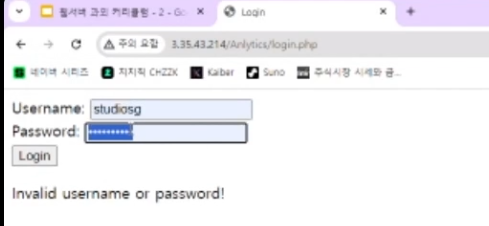
6. PHP로 유니티와 연동(1) - 곱하기 10
1) 기본 뼈대
[22:00]
- 지난시간 html 연동한거 생각나시쥬? 다시 한번 돌아가보슈
- 이전 코드와의 차이
- Dictionary<string, string>
- WWWForm form = new wwwForm()
- WWWForm
- 플레이어 데이터를 저장하기 위한 Class라고 생각하면 댐
- 어떻게 저장되나? : 기본적으로 Key값과 Value값으로 구성되어있음 => Dictionary와 다를 바 없음
- POST
WebserverManager
public static IEnumerator GetWWWData(string _path, Dictionary<string, string> Fields, Action<string> OutAction)
{
     WWWForm form = new WWWForm();

     foreach (string key in Fields.Keys)
         form.AddField(key, Fields[key]);

     using (UnityWebRequest www = UnityWebRequest.Post(_path, form)
     {
          yield return www.SendWebRequest();

          if(www.result == UnityWebRequest.Result.ConnectionError ||
            www.result  == UnityWebRequest.Result.ProtocolError ||
            www.result  == UnityWebRequest.Result.DataProcessingError)
          {
               OutAction?.Invoke(www.error);
          }
          else
          {
               string str = www.downloadHandler.text;

               str = str.Replace("<br>", System.Environment.NewLine);
               str = str.TrimEnd('\n');

               OutAction?.Invoke(str);
          }
     }
}
2) PHP코드
- 수학 배울때 1넣으면 10을 곱해주는 상자 같은거 봣쥬?(함수)
- 웹페이지에 숫자를 넣어주면 10을 곱해서 반환해주는 홈페이지를 하나 만들것임
1) vi + 파일명.php : 파일 하나 새로 파기
2) i : Insert 모드
3) <?php ?> php 태그 넣기
4) 저장
<?php
    $number = $_POST['number'];
    $result = $number*10;
    echo "The result is : ".$result;
?> $: php에서 변수를 부르거나 설정할 때 사용, PHP의 근본이자 마스코트 같은 아이 ㅋ- PHP는 변수형을 따로 선언하지 않음
- 유니티 POST : 내가 서버한테 어떠한 데이터를 전달하겠다. 라는 뜻 => 이제 이 데이터를 PHP에서 받아야겠쥬?
$_POST: 이 때 사용하는 것['number']: 큰따옴표 사용해도 ㄱㅊ,
Dictionary<string, string> => WWWForm으로 변환 => POST로 보냄
Dictionary에서 하는것처럼 key값을 넣어주면 됨
3) Unity와 연동
WebServerObject
public class WebServerObject : MonoBehaviour
{
 	Dictionary<string, string> keys = new Dictionary<string, string>();

    void Start()
    {
    	keys.Add("number","5");
        StartCoroutine(WebServerManager.GetWWWData("주소/파일명.php", keys, GetString));
    }

    void GetString(string)
    {
    	Debu.Log(str);
    }
}
6. PHP로 유니티와 연동(2) - 유저 데이터 저장
1) 우리는 주로 언제 PHP를 사용하는가?
- 유저 데이터를 저장하거나, 불러오고 싶을 때 사용하지?
- 엔진 쓰면 가격이 나가니깐 우리가 만드는겨ㅋ
- 유저 데이터를 저장할때 유저 정보를 PHP로 웹서버한테 전달해야하잔하
- 이걸 어떻게 전달할거냐?
- 쉬운게임이라면 key
- 변수가 1000개, 2000개가 넘어가게 된다면 어떻게 할거니.. => Class로 전달? => 어떻게?
2-1) Json 개념
- json이란?
- 괄호형식으로 텍스트 기반 데이터를 저장
{
    "name":"John",
    "age":30,
    "adress":{
      "street":"123MainSt",
      "city":"Anytown"
    }
}- 아까 Dictionary 봣지? Key값이랑 Value값 => Json도 비슷허다~
- 그럼 우리가 데이터 저장을 할 때, 데이터를 일일히 저걸 기입하고 있냐? NO NO NO NO => Newtonsoft.Json Package
2-2) Newtonsoft.Json 소개
- person class를 넣으면 자동으로 json으로 바꿔줌
Newtonsoft.JsonPackage

string json = JsonConvert.SerializeObject(person);
2-3) MYSQL로 연동하고 서버에 데이터를 저장하고 불러오기(나중에)
실습 ㄱㄱ
3) Newtonsoft.json Package 설치
- newtonsoft.json unity 검색
- github찾음
com.unity.nuget.newtonsoft-json@3.0복사- Window > PackageManager > Addpackage by name > 붙여넣기
@3.0은 빼고 복붙ㄱㄱ
4) 데이터 정보 C# Class 만들어주기
- public으로 무.조.건 해야함!!!!**
- 우리가 json으로 바꿀거잖아?
- json에선 이 데이터를 가져와야하는데, public이 아니면 가져올 수 없뜸
Human
public class Human
{
    public string name;
    public int age;
    public bool isStudent;
    public Adress adress;
}
Adress
public class Adress
{
     public string street;
     public string city;
}
5) 정보 기입 및 JSON화
WebServerObject
public class WebServerObject : MonoBehaviour
{
     Human human;

     void Start()
     {
         human = new Human();
         human.adress = new Adress();

         human.name = "John";
         human.age = 30;
         human.isStudent = false;
         human.adress.street = "123MainSt";
         human.adress.city = "Anytown";

         // 클래스 => 문자열
         string json = JsonConvert.SerializeObject(human);

         Debug.Lob(json);
     }
}
6) 정보 전달(Client에서 Json값 전달)
- Json파일만 전달해주면 PHP에서 Json을 해체해서 정보로 가져온다
WebServerObject
public class WebServerObject : MonoBehaviour
{
	 Dictionary<string,string> humanDic = new Dictionary<string,string>();

     void Start()
     {
		humanDic.Add("John", json);

        StartCoroutine(WebServerManager.GetWWWData("주소/파일이름.php", humanDic, GetString));
     }
}
7) 정보 받기
- 서버로 정보를 받아서 PHP로 풀어주다
sudo su
cd ../../var/www/html
vi 파일이름.php
rm: 잘못 저장한거 지우기
-rm FIRTSTPHP.php
- 리눅스는 휴지통이 없기때문에 바로 삭제되니 주의!
<?php
// John의 문자열 데이터
$json_data = $_POST('John');

// JSON 데이터를 PHP 배열로 변환 ( 문자열 => 클래스 ), 문자열 배열 사용할 것인지
// JSON 문자열 데이터를 data라는 변수 안에 넣어줌
$data = json_decode($json_data, true);

// 변환된 데이터 출력(key값을 넣고 해당 값을 가져욤);
echo "Name : " . $data['name'] . "\n";
echo "Age : " . $data['age'] . "\n";
echo "Is Student : " . ($data['isStudent'] ? 'Yes' : 'No') . "\n";
echo "Street : " . $data['address']['city'];
?>
"\n" : 줄바꿈 , 개행
. : 문자열 더할때 +를 여기선 .으로 씀
- post : 값을 받아온다
- $_POST 를 사용할때는 유니티를 거쳐야 한다
- 서버에서는 글자 좀만 틀려도 데이터를 받아오지 못하니 주의하도록!
8) 결론
- 나중에 플레이어를 하나로 저장할거쟈나
- 이제 이걸
1) Json Convert로 문자로 받아오기 (Class => 문자열)
2) 이걸 PHP웹서버로 받아와서 정리한 다음 데이터 저장 ( 문자열 => Class ) - 나머지 할 것은. 데이터베이스(MySQL)에 저장 및 로드!
정리 2
1 플레이어 데이터를 클래스 하나로 모은 다음에
2 플레이어 데이터를 JSON CONVERTER를 사용해서 문자열로 변환
3 그걸 웹서버로(POST) 받아와서 정리
4 My SQL
7. 웹서버를 사용하게 된다면~
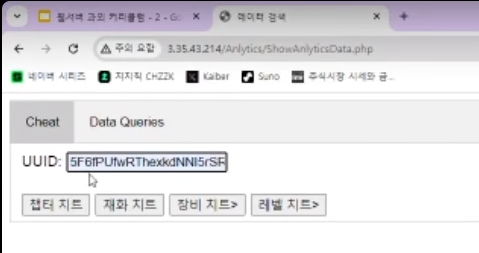
- 유저 아이디
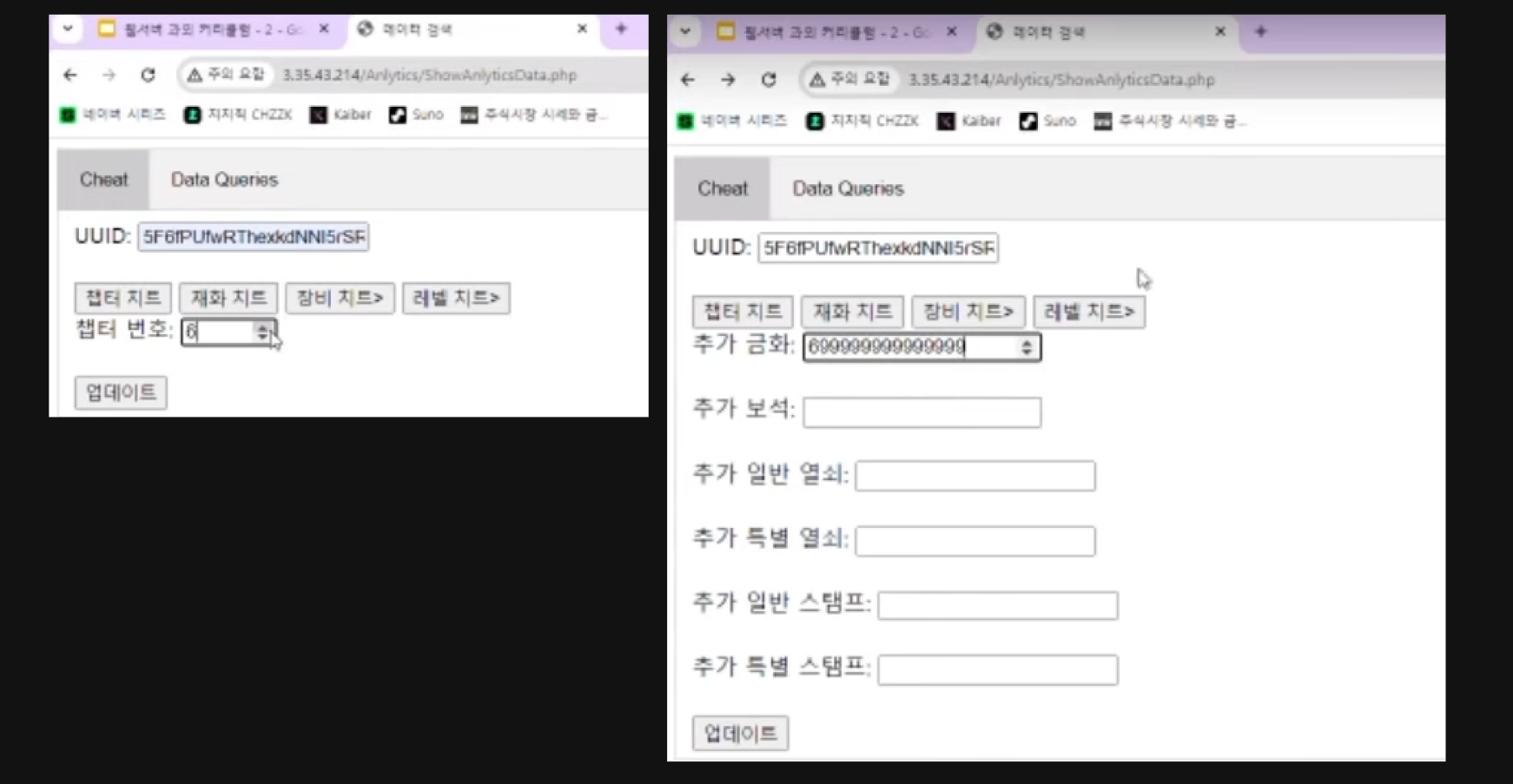
- 정보 수정
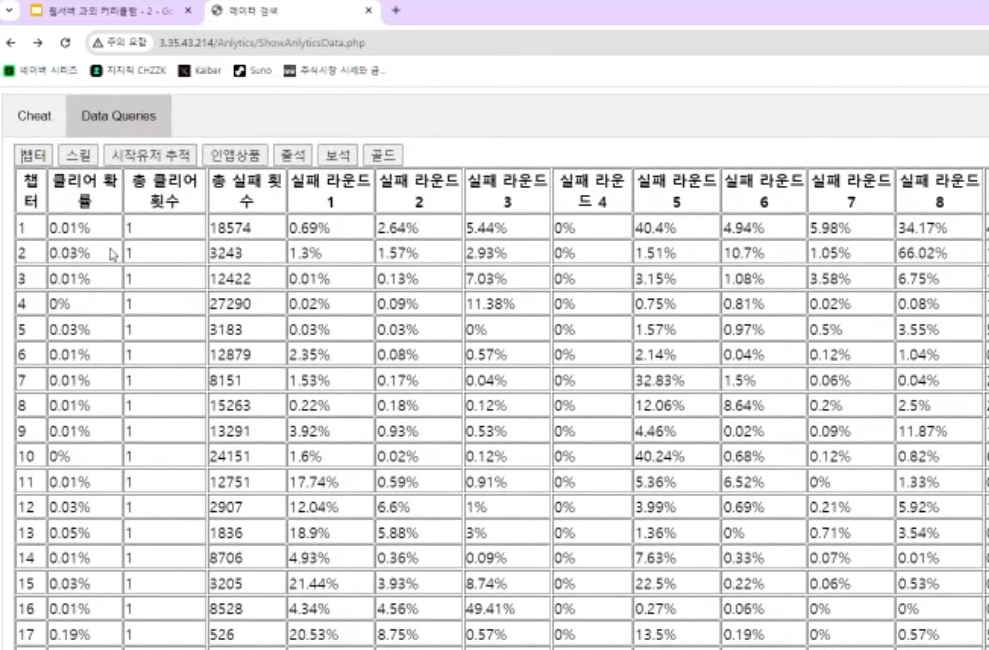
- 데이터를 볼 수도 있음
과제
신규 서버 생성
웹서버 설치
PHP연동
ex) 데이터가 들어왔을 때 , 뭐가 뭐뭐인지 확인하고 뭐가 뭐뭐가 아닐때 서버에서 처리를 해라
랭킹 같은 경우엔
MYSQL 예습
- 관리형 데이터 베이스
- 데이터 베이스를 관리하는 언어
- 데이터 베이스 = 하나의 내가 저장할 데이터의 규격을 지정해준다
- 규격을 지정해주는데.~ 랭킹 이라고 하면 스코어가 젤 높은 사람이 올라가야할거 아님?
- 24~26살 사이의 휴면 데이터만 보고싶어 => 이런것에 특화된 언어
- 한마디로, 데이터를 저장,관리,찾기에 특화된 코드
- 그럼 C#으로 구현하면 되지않음 ? => C#은 무거움
- SQL은 오직 이것만을 위해 개발된 언어이기때문에 빠름
- 몇백만개의 데이터를 처리해야 할 때 , 아주 빠릿빠릿하게 잘 찾아옴 ㅋ
- MYSQL다운받고
- 연동하는것까지~

우주최강개발자