Goal
- pytorch 로 모델 개발이 끝났고, training 을 진행하였다.
- training 이 완료되었고, 저장된 모델을 가지고 있다.
- 모델 개발 시에, 훈련 시에 mlflow 관련 코드가 없다.
- 이 때, 가지고 있는 데이터로 MLFlow 를 사용하여 model serving 하는 것이 목표.
Install mlflow
pip install mlflow(mlflow_env) d4r6j@:~$ mlflow --version
mlflow, version 2.10.2Serving step.
1st : mlflow 를 위한 환경 설정.
-
mlflow 관련 어떤 작업을 할 때는, Linux, Windows 에 맞게 환경 작업을 해주어야 한다.
- Windows 에서는 'SET' 으로 설정하여 환경을 구성한다.
- Linux (Ubuntu) 에서는
혹은 개인 계정에 설정할 경우,export MLFLOW_TRACKING_URI=http://192.168.2.170:5000.bashrc등에 설정해서 사용하면 된다. 방법은 여러가지로, 원하는 설정에 맞게 사용하면 된다.
2nd : mlflow 의 server 실행.
mlflow server --host 0.0.0.0 --port 5000(mlflow_env) d4r6j@:~$ mlflow server --host 0.0.0.0 --port 5000
[2024-02-14 07:39:45 +0000] [3931923] [INFO] Starting gunicorn 21.2.0
[2024-02-14 07:39:45 +0000] [3931923] [INFO] Listening at: http://0.0.0.0:5000 (3931923)
[2024-02-14 07:39:45 +0000] [3931923] [INFO] Using worker: sync
[2024-02-14 07:39:45 +0000] [3931924] [INFO] Booting worker with pid: 3931924
[2024-02-14 07:39:45 +0000] [3931925] [INFO] Booting worker with pid: 3931925
[2024-02-14 07:39:45 +0000] [3931989] [INFO] Booting worker with pid: 3931989
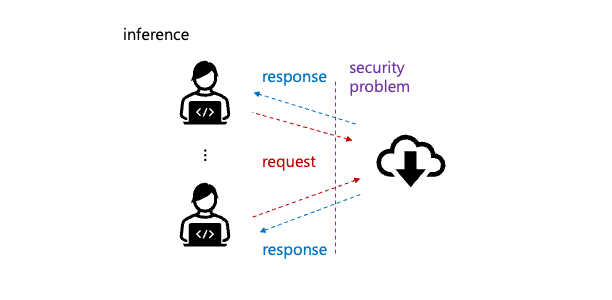
[2024-02-14 07:39:45 +0000] [3931990] [INFO] Booting worker with pid: 3931990- 현재 mlflow 의 main server 가 어디서든 접근할 수 있도록 host 를
0.0.0.0으로 설정하였다. - 물론 보안상 문제가 있으나, ip 도 가리고, 테스트로 올린 것이고, UFW 가 설정되어 있으니..
- serving 을 위해 외부망으로 network 를 open 할 경우 어떻게 노출 할 것인지 고려해야 한다.
- Listen port 5000 확인.
client (end-user) 가 접근 시 처음 나오는 main page.d4r6j@:~$ netstat -na |grep LISTEN |grep tcp |grep 5000 tcp 0 0 0.0.0.0:5000 0.0.0.0:* LISTEN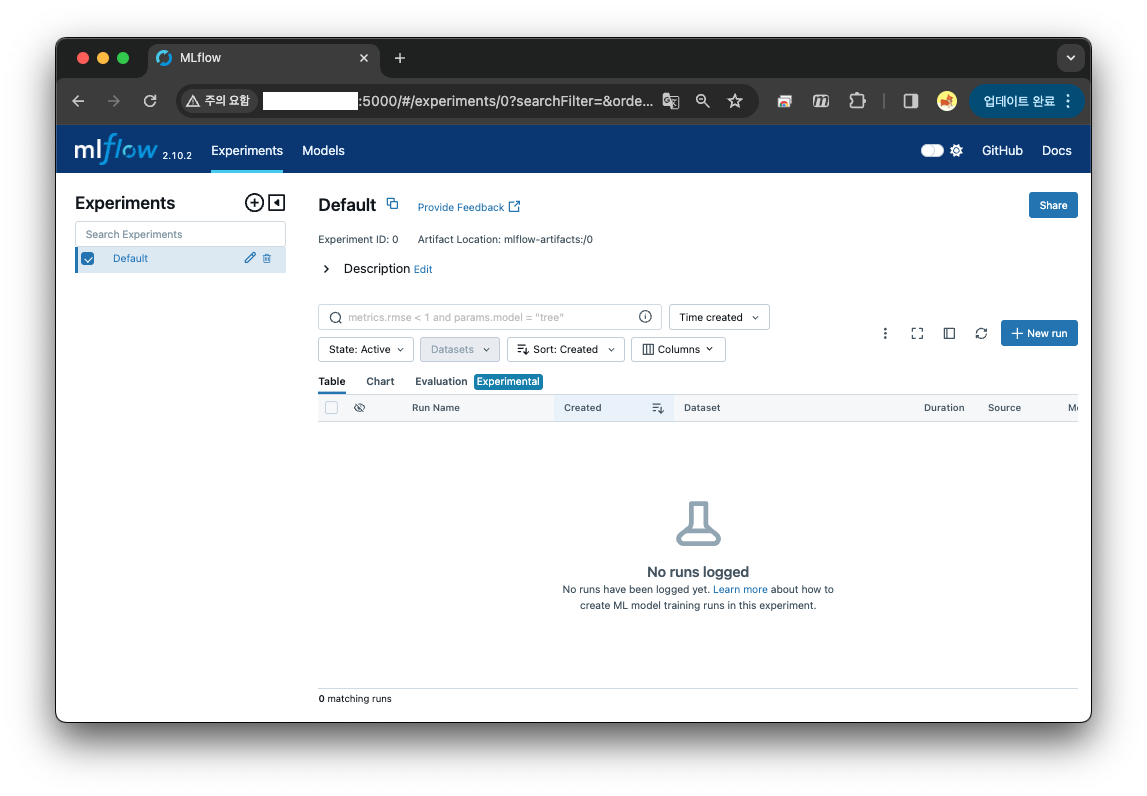
3rd : mlflow 에 model 을 등록.
model 등록 코드
1. Import headers
import os
import torch
import torch.nn as nn
import torchvision.transforms as transforms
from PIL import Image
from model.Something import something
2. Load model with nn.DataParallel
device = torch.device("cuda" if torch.cuda.is_available() else "cpu")
model = something(N_CLASS)
model = nn.DataParallel(model).to(device=device)
model_state_dict = torch.load(WEIGHT_PT_PATH)
# DataParallel 로 학습한 모델의 변수에서 module 을 빼고 load 하기 위해 "strict=False" 로 작업.
model.load_state_dict(model_state_dict, strict=False)
3. Transform image sample for inference
preprocessing
# imagenet 1k : mean_rgb, std_rgb
mean_rgb = [0.4811, 0.4575, 0.4078]
std_rgb = [0.2291, 0.2249, 0.2258]

transform = transforms.Compose([
         # TypeError: img should be Tensor Image. Got <class 'PIL.Image.Image'>
         # ToTensor : 0 ~ 1 의 범위를 가지도록 변환.
         transforms.ToTensor(),
         # Transform to Z-Score(Standard Score).
         transforms.Normalize(
             mean_rgb,
             std_rgb),
         # All training is done on resolution IMAGE_SIZE.
         transforms.Resize((IMAGE_SIZE, IMAGE_SIZE), antialias=None)
     ])

x = Image.open(SAMPLE_IMAGE_PATH)
x = transform(x)
x = torch.unsqueeze(x, 0)
4 : Register weight matrix and code
import mlflow
from mlflow import MlflowClient
from mlflow.models import infer_signature

# TypeError: can't convert cuda:0 device type tensor to numpy. Use Tensor.cpu() to copy the tensor to host memory first.
signature = infer_signature(model_input=x.numpy(),
                            model_output=model(x).cpu().detach().numpy())

mlflow.set_tracking_uri(MLFLOW_TRACKING_URI)

with mlflow.start_run() as run:

    mlflow.pytorch.log_model(pytorch_model=model,
                             artifact_path=MODEL_NAME,
                             registered_model_name=MODEL_NAME,
                             code_paths=CODE_PATHS,
                             signature=signature)

# Fetch the logged model artifacts (unique id)
print(f"run_id : {run.info.run_id}")
model 등록 결과
Registered model 'something' already exists. Creating a new version of this model...
2024/02/19 02:30:25 INFO mlflow.store.model_registry.abstract_store: Waiting up to 300 seconds for model version to finish creation. Model name: something, version 26
Created version '26' of model 'something'.
run_id : 36e2a496c467450b8fa1dad674c34327-
Created version '26'
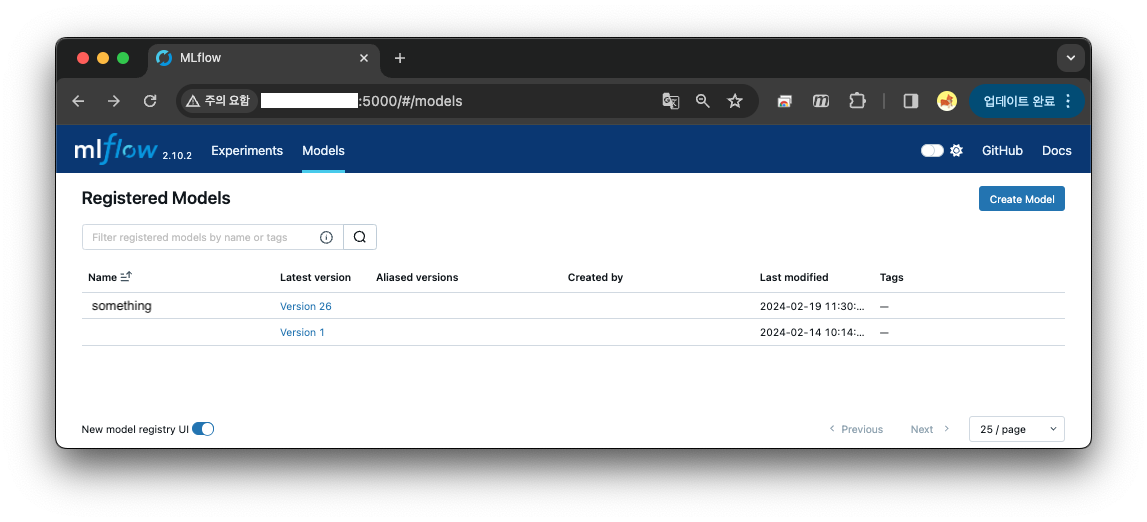
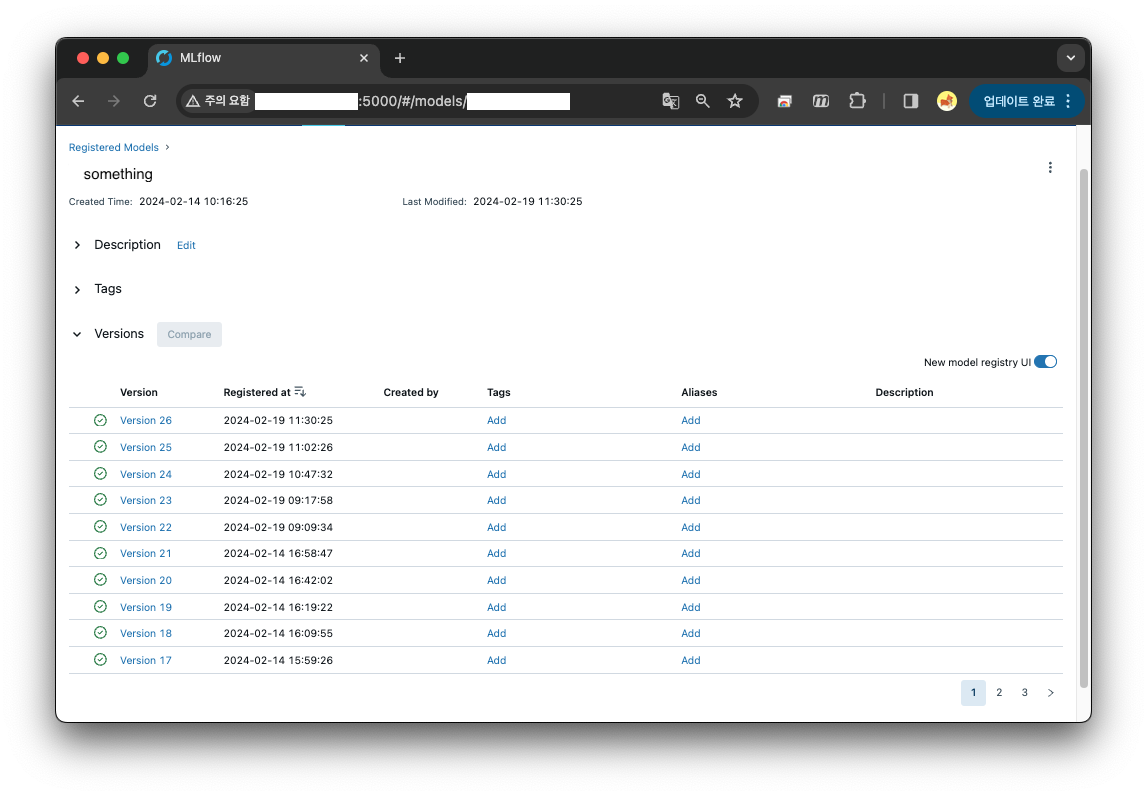
-
run_id : 36e2a496c467450b8fa1dad674c34327
-
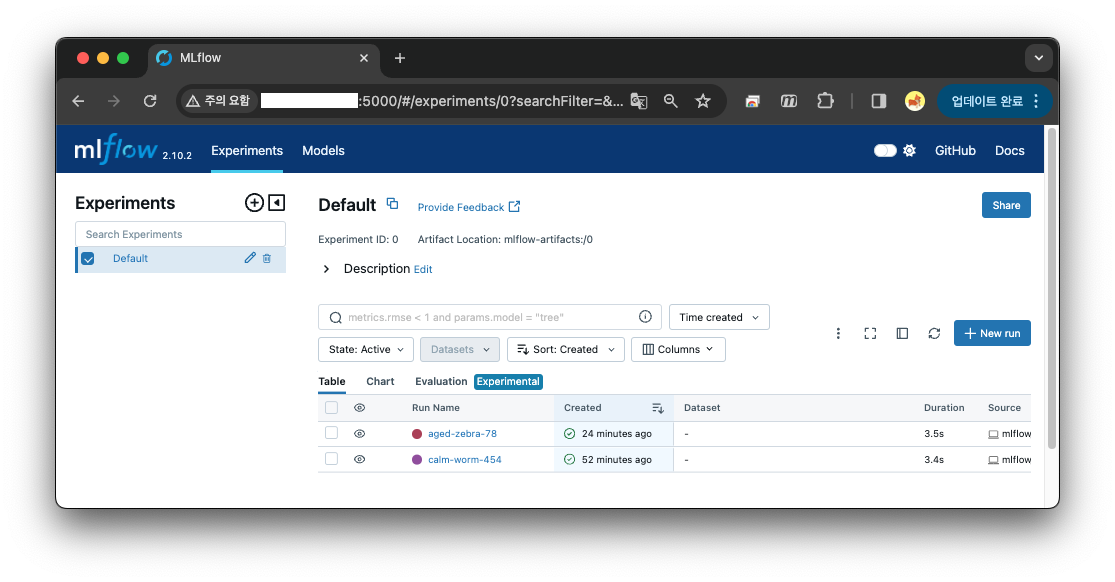
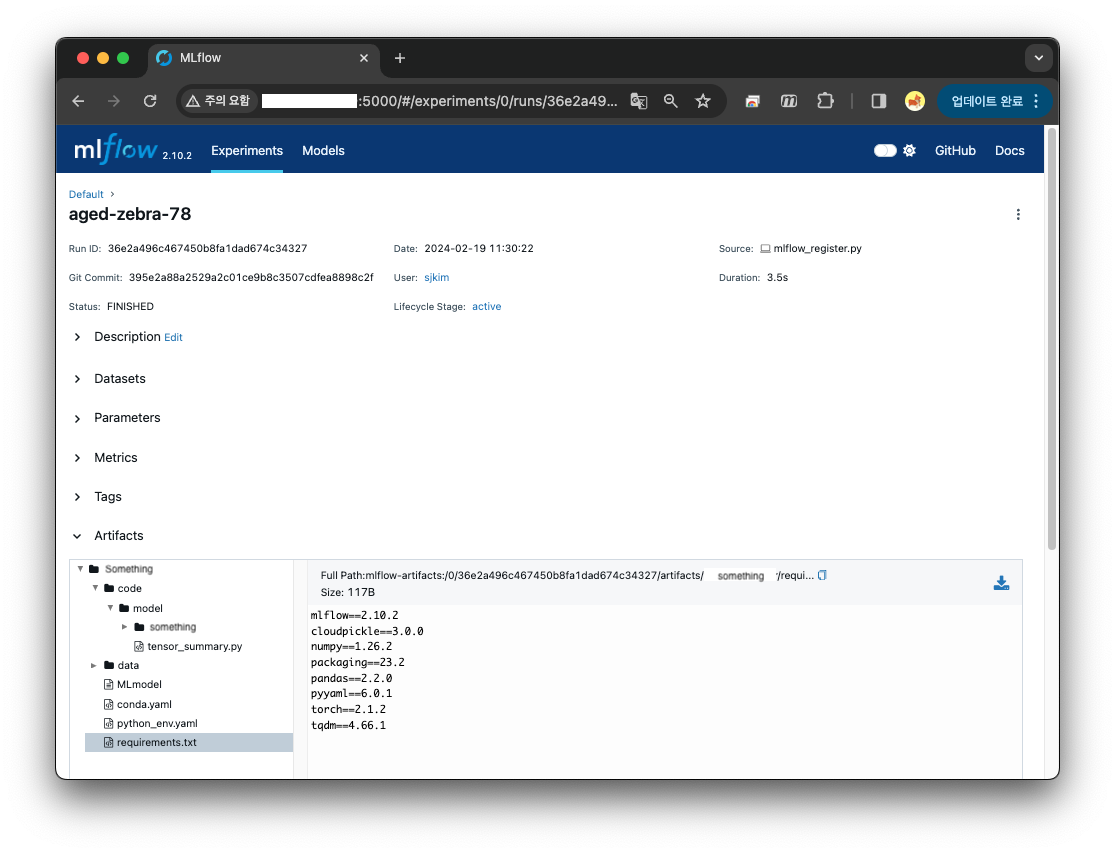
register 시 출력된 artifact ID 와 Run ID 가 같다.
4th : mlflow 를 활용한 serve 와 inference.
mlflow models serve -m 'runs:/36e2a496c467450b8fa1dad674c34327/something' -h 0.0.0.0 --port 5001 --no-conda- Run ID : 36e2a496c467450b8fa1dad674c34327
- Host : 0.0.0.0
- Port : 5001
- Conda : no conda ( 가상환경 설치 안함 )
(mlflow_env) d4r6j@:~$ mlflow models serve -m 'runs:/36e2a496c467450b8fa1dad674c34327/something' -h 0.0.0.0 --port 5001 --no-condaDownloading artifacts: 100%|██████████████████████████████████████████████████████████████████████████████████| 1/1 [00:00<00:00, 235.13it/s]
2024/02/19 02:30:49 INFO mlflow.models.flavor_backend_registry: Selected backend for flavor 'python_function'
Downloading artifacts:   0%|                                                                                          | 0/18 [00:00<?, ?it/s]2024/02/19 02:30:49 INFO mlflow.store.artifact.artifact_repo: The progress bar can be disabled by setting the environment variable MLFLOW_ENABLE_ARTIFACTS_PROGRESS_BAR to false
Downloading artifacts: 100%|█████████████████████████████████████████████████████████████████████████████████| 18/18 [00:01<00:00, 14.79it/s]
2024/02/19 02:30:50 INFO mlflow.pyfunc.backend: === Running command 'exec gunicorn --timeout=60 -b 0.0.0.0:5001 -w 1 ${GUNICORN_CMD_ARGS} -- mlflow.pyfunc.scoring_server.wsgi:app'
[2024-02-19 02:30:51 +0000] [684109] [INFO] Starting gunicorn 21.2.0
[2024-02-19 02:30:51 +0000] [684109] [INFO] Listening at: http://0.0.0.0:5001 (684109)
[2024-02-19 02:30:51 +0000] [684109] [INFO] Using worker: sync
[2024-02-19 02:30:51 +0000] [684110] [INFO] Booting worker with pid: 684110
d4r6j@:~$ netstat -na |grep LISTEN |grep tcp |grep 5001
tcp 0 0 0.0.0.0:5001 0.0.0.0:* LISTENModel inference 코드
1. Import headers
import torch
import torchvision.transforms as transforms
from PIL import Image
2. Transform image sample for inference.
# imagenet 1k : mean_rgb, std_rgb
mean_rgb = [0.4811, 0.4575, 0.4078]
std_rgb = [0.2291, 0.2249, 0.2258]

transform = transforms.Compose([
    # TypeError: img should be Tensor Image. Got <class 'PIL.Image.Image'>
    # ToTensor : 0 ~ 1 의 범위를 가지도록 변환.
    transforms.ToTensor(),
    # Transform to Z-Score(Standard Score).
    transforms.Normalize(
        mean_rgb,
        std_rgb),
    # All training is done on resolution IMAGE_SIZE.
    transforms.Resize((IMAGE_SIZE, IMAGE_SIZE), antialias=None)
])

x = Image.open(INFERENCE_IMAGE_PATH)
x = transform(x)
x = torch.unsqueeze(x, 0).numpy()
3. Request inference to mlflow serving uri
import requests
import json

headers = {"Content-Type": 'application/json'}
# (1, 3, 256, 256) shape 의 numpy 데이터 이므로 post request 로는 요청할 수 없다.
# ndarray 를 list 로 변경하고, instances 의 key 로 태우면 결과가 나오게 구성하였다.
data = {"headers": headers, "instances": x.tolist()}
data = json.dumps(data)
res = requests.post(MLFLOW_INFERENCE_URI, headers=headers, data=data)
print(res.text)

# json unmashall 후 가장 큰 index 찾는다.
pred_list = json.loads(res.text)['predictions'][0]
result = pred_list.index(max(pred_list))
print(f'pred_class : [{result}]')
4. Result 와 Discussion.. 내용.
{"predictions": [[-4.2331109046936035, 2.8431289196014404, -0.24765722453594208, -2.7595040798187256]]}
pred_class : [1]
그런데, 왜 Discussion 이 필요하냐면..
tensor([[-4.4097,  2.9472, -0.2420, -2.8928]], device='cuda:0')
torch.return_types.max(
values=tensor([2.9472], device='cuda:0'),
indices=tensor([1], device='cuda:0'))
모델을 직접 load 해서 predict 하면, 값이 0.x 정도 달라진다. 아무래도, 내 생각엔 Tensor 를 numpy 로 바꾸고 tolist 를 하면서 그런거 같은데, 일단 넘어가기로 하고, 좀 더 확인이 필요하다.