history 객체
- 브라우저가 페이지를 변경한 이력이 저장되어 있는 객체
- 사용자가 방문한 사이트 중 이전에 방문한 사이트와 다음에 방문한 사이트로 되돌아 갈 수 있는 속성과 함수를 제공하는 객체
history 객체의 속성과 함수
-
length
: 방문 기록에 저장된 목록의 갯수를 반환하는 속성 -
history.back()
: 이전에 방문한 웹 페이지로 이동하는 함수 -
history.forward()
: 다음에 방문한 웹 페이지로 이동하는 함수 -
history.go(숫자)
: 숫자 만큼의 페이지로 이동하는 함수
history 함수를 사용할 html 파일 4개 생성
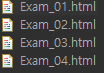
Exam_01.html 파일
=============================코드=============================
<!DOCTYPE html>
<html>
<head>
<meta charset="UTF-8">
<title>Insert title here</title>
</head>
<body>

	<h2>첫번째 페이지</h2>

	<a href = "Exam_02.html">두번째 페이지</a>

</body>
</html>
Exam_02.html 파일
=============================코드=============================
<!DOCTYPE html>
<html>
<head>
<meta charset="UTF-8">
<title>Insert title here</title>
</head>
<body>

	<h2>두번째 페이지</h2>

	<a href = "Exam_03.html">세번째 페이지</a>

	<hr>

	<input type = "button" value = "이전 페이지" onclick = "history.back()">
	<input type = "button" value = "다음 페이지" onclick = "history.forward()">
	<input type = "button" value = "마지막 페이지" onclick = "history.go(2)">

</body>
</html>
Exam_03.html 파일
=============================코드=============================
<!DOCTYPE html>
<html>
<head>
<meta charset="UTF-8">
<title>Insert title here</title>
</head>
<body>

	<h2>세번째 페이지</h2>

	<a href = "Exam_04.html">네번째 페이지</a>

	<hr>

	<input type = "button" value = "이전 페이지" onclick = "history.back()">
	<input type = "button" value = "다음 페이지" onclick = "history.forward()">
	<input type = "button" value = "마지막 페이지" onclick = "history.go(2)">

</body>
</html>
Exam_04.html 파일
=============================코드=============================
<!DOCTYPE html>
<html>
<head>
<meta charset="UTF-8">
<title>Insert title here</title>
</head>
<body>

	<h2>네번째 페이지</h2>

	<hr>

	<input type = "button" value = "바로 이전 페이지" onclick = "history.go(-1)">

	<input type = "button" value = "맨 처음 페이지" onclick = "history.go(-3)">

</body>
</html>
모든 html 파일이 실행 되는 지 확인해보자!
Exam_01.html에서 실행 시작
=============================실행=============================
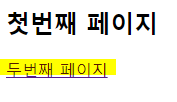
두번째 페이지 클릭 후
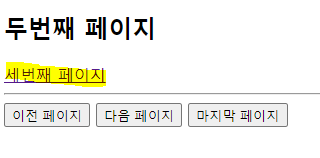
다음 페이지로 가고 싶다면 세번째 페이지를 클릭하면 됨!
첫번째 페이지로 가고 싶다면 이전 페이지 클릭시 '첫번째 페이지'로 이동이 됨
세번째 페이지 클릭 후
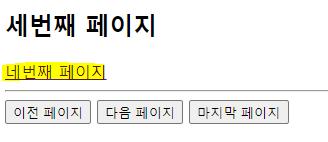
다음 페이지로 가고 싶다면 네번째 페이지를 클릭하면 됨!
두번째, 첫번째 페이지로 가고 싶다면 이전 페이지를 클릭하면 됨
네번째 페이지 클릭 후
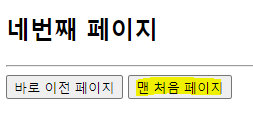
맨 처음 페이지 클릭 후

다시 첫번째 페이지로 돌아옴!!