[ERROR] java.lang.IllegalArgumentException: Name for argument of type [java.lang.String] not specified ....
Front-end : NextJS
Back-end : Spring boot, Spring Security
상황 :
개인 프로젝트인 콘서트 예매 서비스를 진행하면서
로그인을 Spring security + JWT 로 적용해보고자함.
기존 next-auth를 우선 걷어내고 적용하고있었음.
403의 밭에서 한창 리팩토링 하는중에....
java.lang.IllegalArgumentException: Name for argument of type [java.lang.String] not specified, and parameter name information not available via reflection. Ensure that the compiler uses the '-parameters' flag.
원인
Java 컴파일러가 메서드의 파라미터 이름을 유지하지 못해서 발생
발생 부분
@Operation(summary = "유저 예약 내역 요청")
@GetMapping("/{userId}/reservations")
public Response<ReservationListResponseDTO> getUserReservation (@PathVariable String userId) {
	...
}
해결방법
1. -parameters 컴파일러 플래그 사용
// maven (pom.xml)
<build>
    <plugins>
        <plugin>
            <groupId>org.apache.maven.plugins</groupId>
            <artifactId>maven-compiler-plugin</artifactId>
            <version>3.8.1</version>
            <configuration>
                <compilerArgs>
                    <arg>-parameters</arg>
                </compilerArgs>
            </configuration>
        </plugin>
    </plugins>
</build>
//gradle (build.gradle)
compileJava {
options.compilerArgs << '-parameters'
}
Gradle 빌드 스크립트에서 compileJava 작업(Task)에 대해 추가적인 컴파일러 옵션을 설정하는 방법
- compileJava는 Gradle에서 제공하는 기본적인 빌드 작업(Task) 중 하나
- 이 작업은 프로젝트의 Java 소스 파일을 컴파일하는 데 사용
- Gradle은 이 작업을 자동으로 구성하고, src/main/java 디렉토리 아래의 모든 .java 파일을 컴파일 대상으로 설정
- -parameters : 자바 컴파일러 옵션 중 하나로, 컴파일된 클래스 파일에 메서드 파라미터 이름을 유지하도록 지시
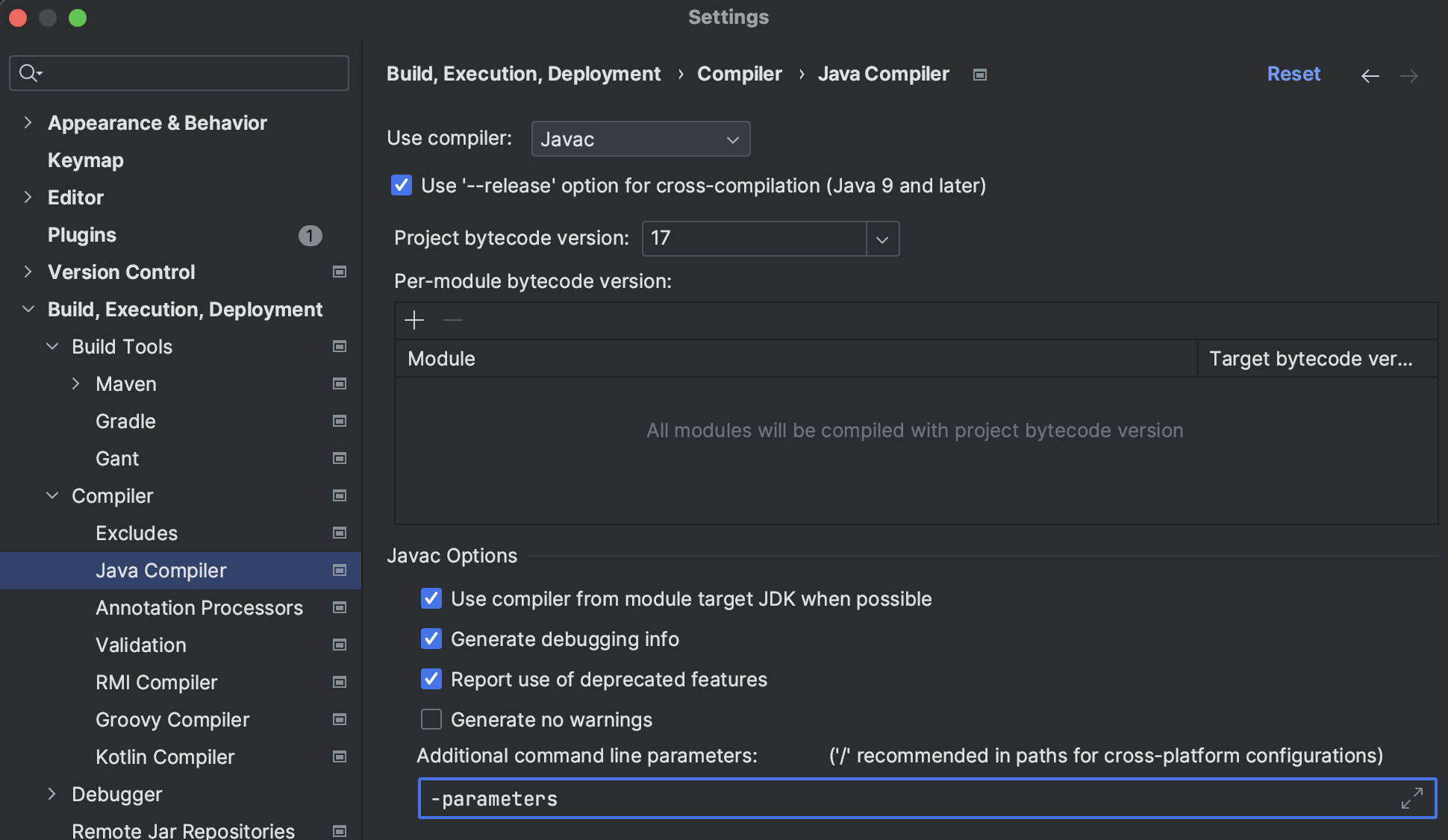
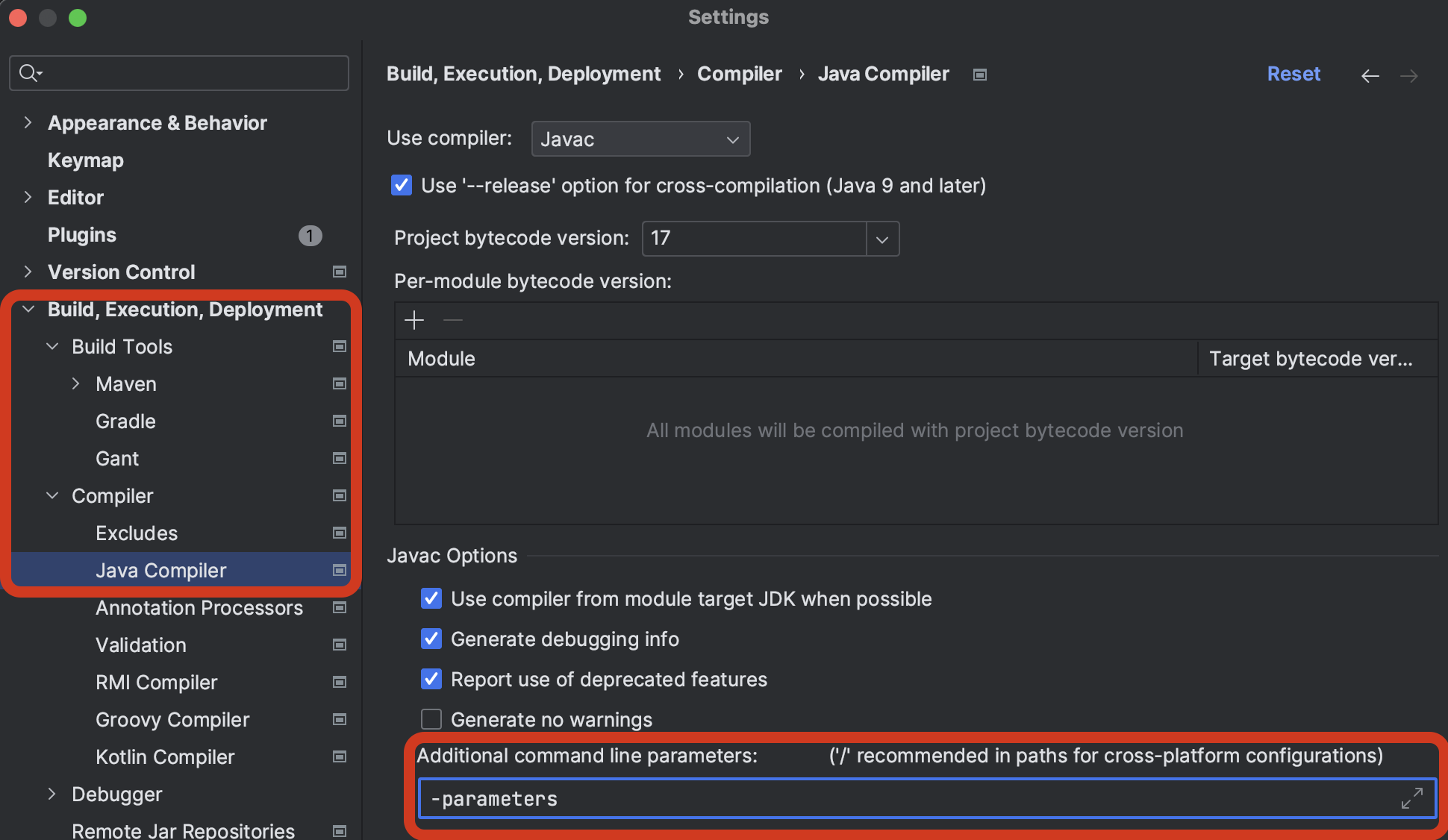
IntelliJ를 사용한다면 Settings에서도 설정이 가능하다.
2. @PathVariable, @ReqeustParam.. (value or name(java 8이후) 속성 사용)
public Response<ReservationListResponseDTO> getUserReservation (@PathVariable(value="userId") String userId) {이처럼 수정해서 에러를 해결했다 !