💻 프로젝트 생성하기
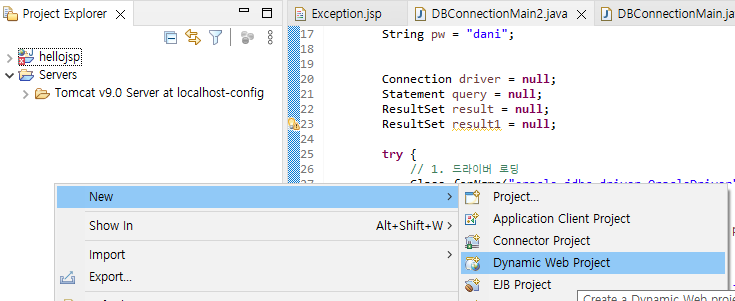
1. 우클릭 후 New > Dynamic Web Project
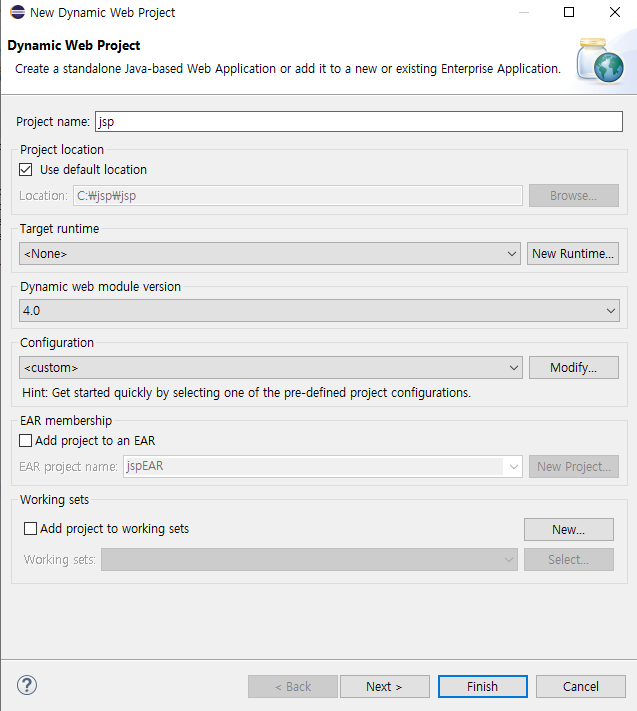
2. 버전을 4.0으로 변경!
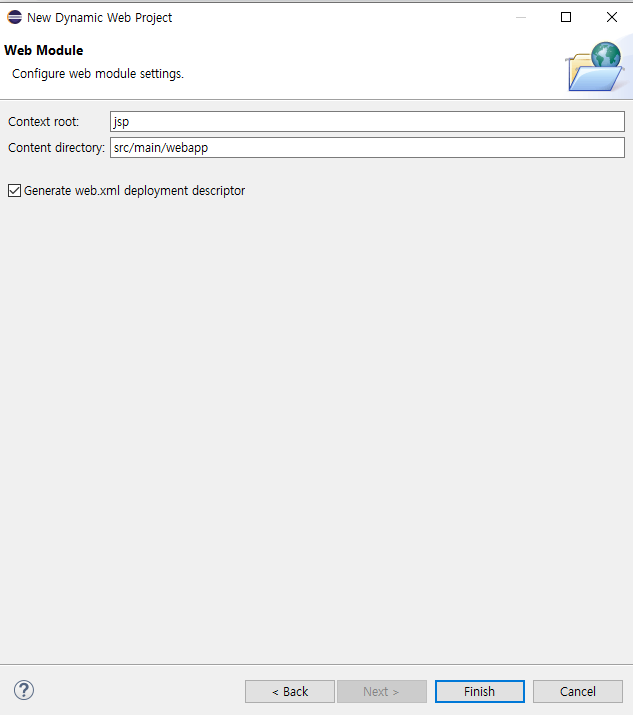
3. Generate web.xml 체크 후 Finish
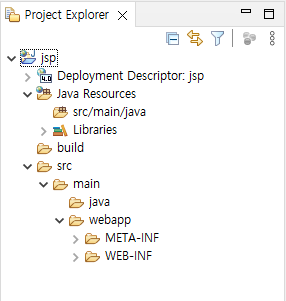
프로젝트가 생성되었다!
💻 서버 올리기
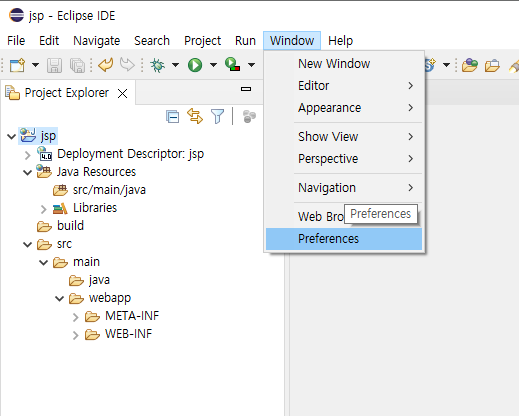
1. 상단 Window > Preperences
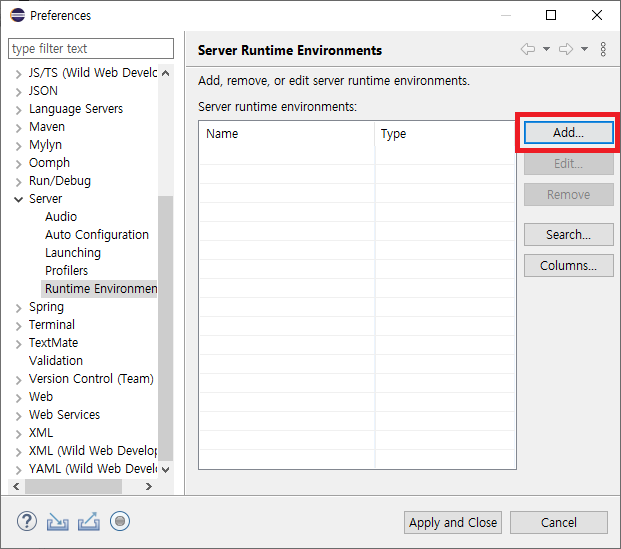
2. Add... 클릭
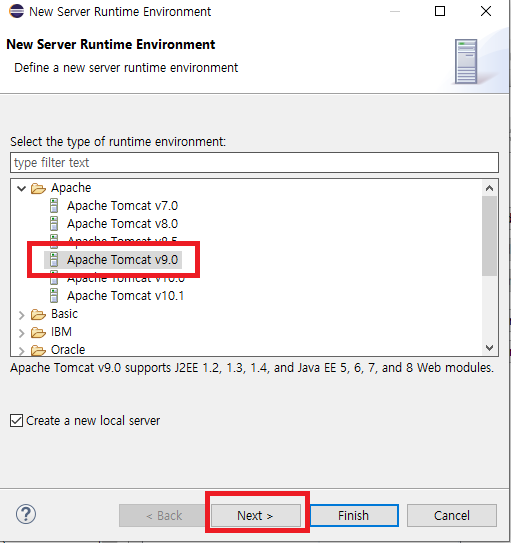
3. 사용할 서버 선택 후 Next>
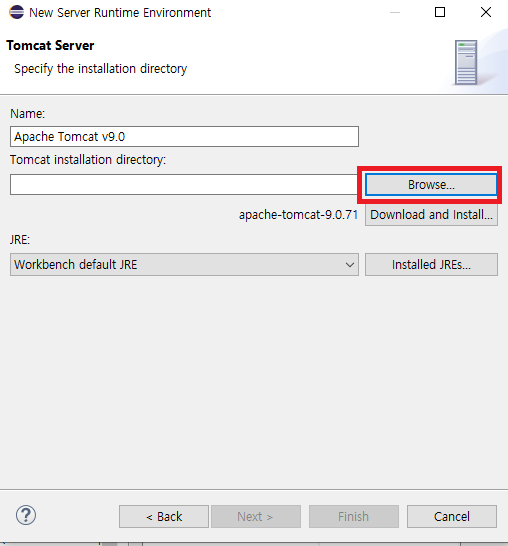
4. Browse 클릭
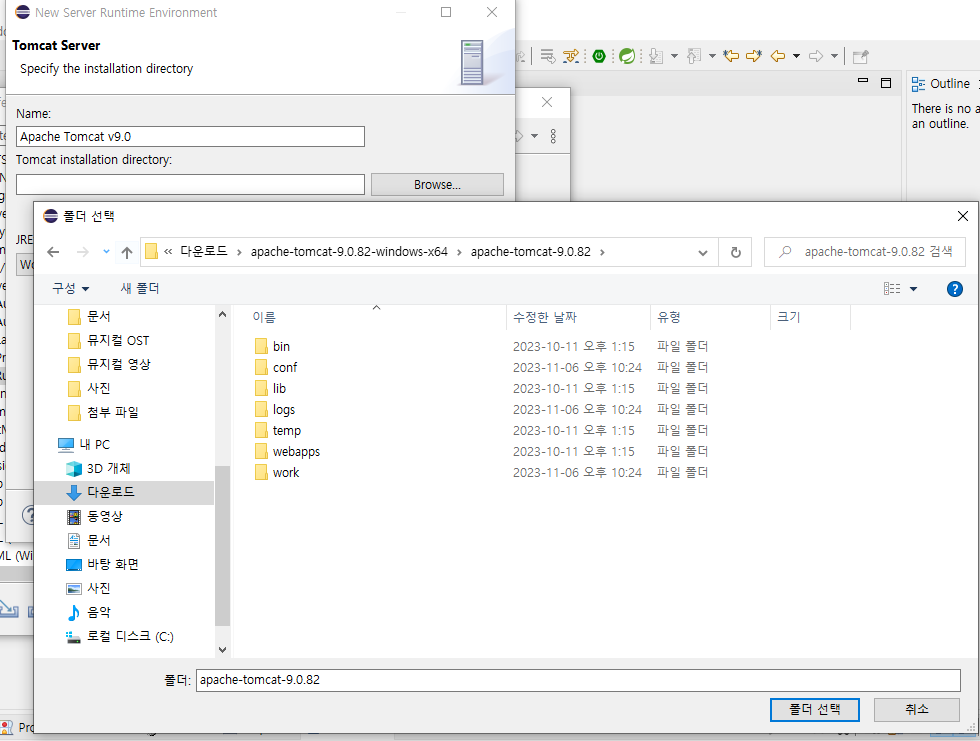
5. 서버가 있는 폴더 선택
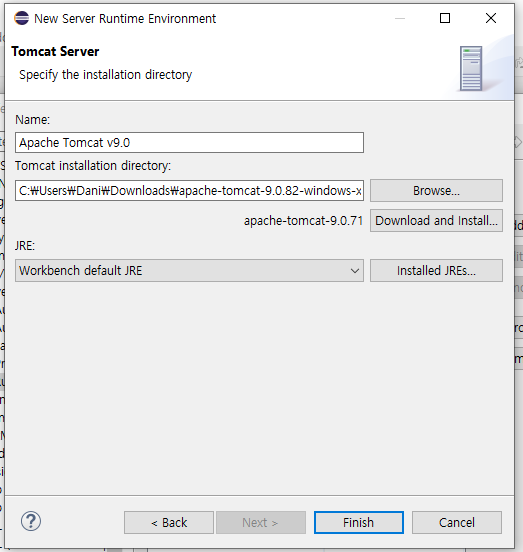
6. Finish
7. Apply and Close
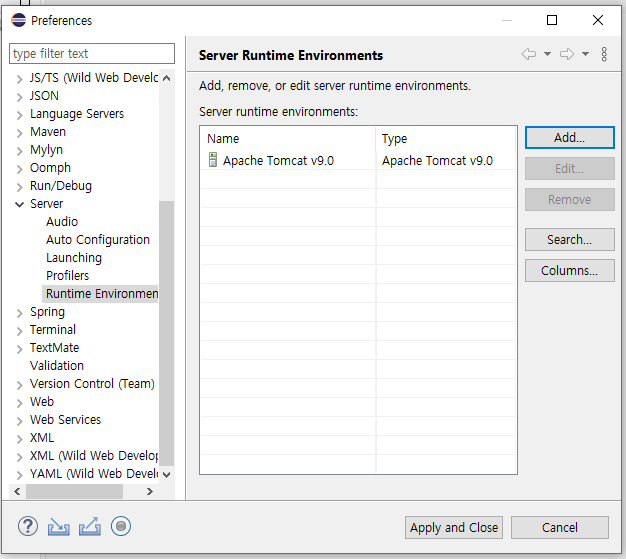
8. 프로젝트 창에 서버가 추가되었다.
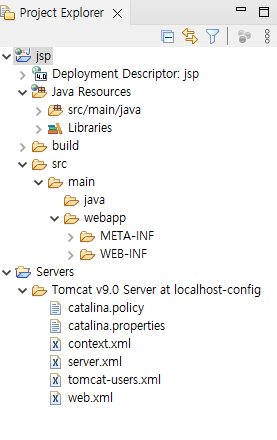
9. 사용할 프로젝트 우클릭 > preperences
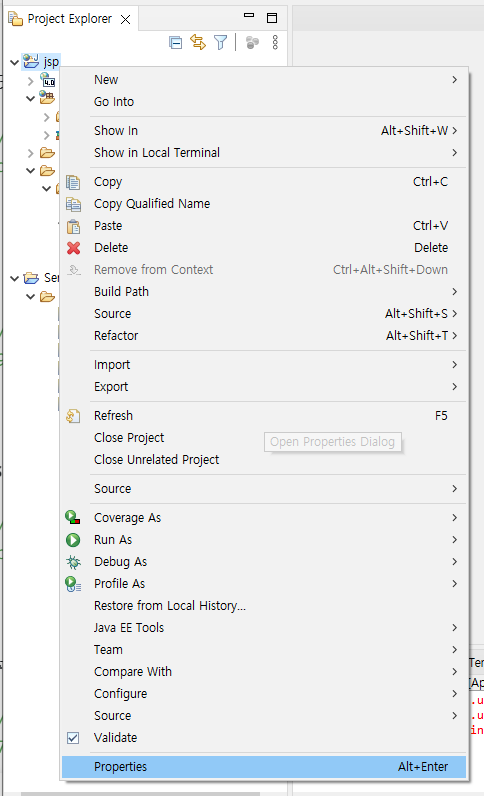
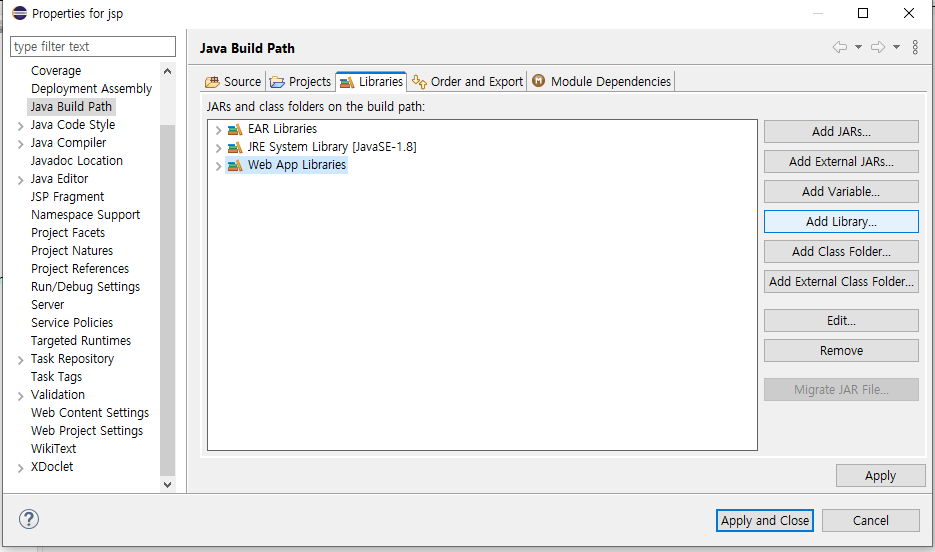
10. Add Library
11. Server Runtime > Next
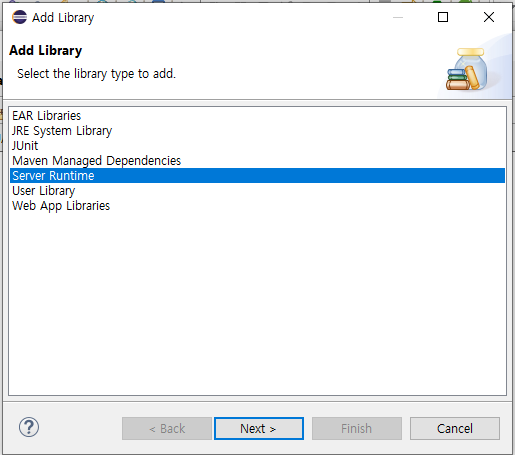
12. 톰캣 클릭 후 Finish
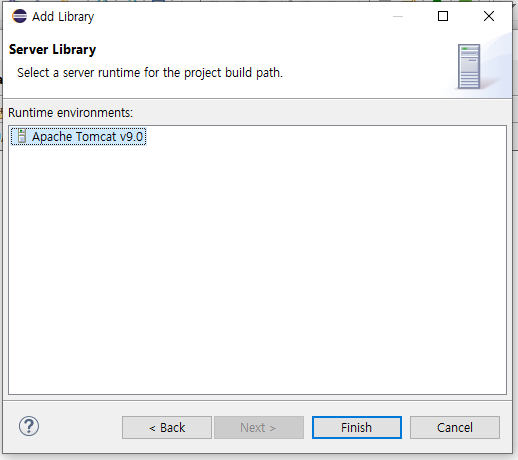
13. Apply and Close
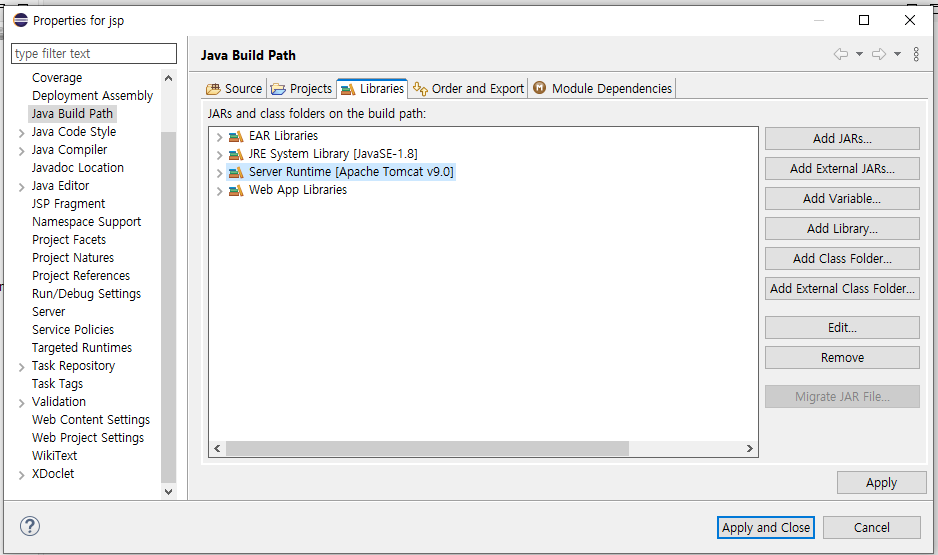
💾 index.jsp 파일 생성
webapp 폴더에서 우클릭 후 JSP File
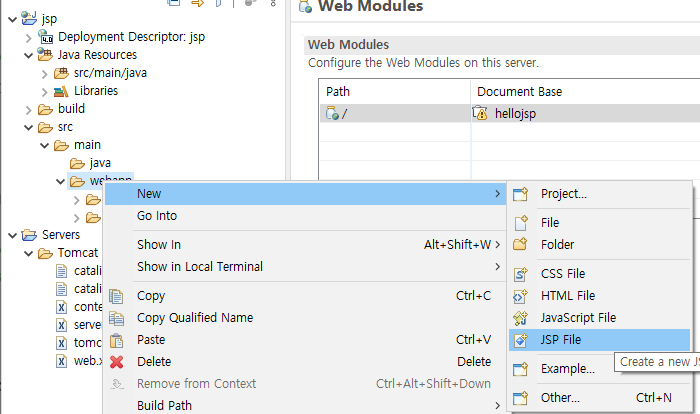
🔴 index.jsp
<%@ page language="java" contentType="text/html; charset=UTF-8"
    pageEncoding="UTF-8"%>
<!DOCTYPE html>
<html>
<head>
<meta charset="UTF-8">
<title>index</title>
</head>
<body>
<%
	String index = "Hello JSP";
%>

<%= index %>

</body>
</html>
✅ 설정 부분 : <%@ page language="java" contentType="text/html; charset=UTF-8" pageEncoding="UTF-8"%>
- JSP 페이지가 생성하는 문서의 타입(종류) : html
- JSP 페이지가 사용할 커스텀 태그
- JSP 페이지에서 사용할 자바 클래스 지정
💡 index.jsp 페이지가 필요한 이유?
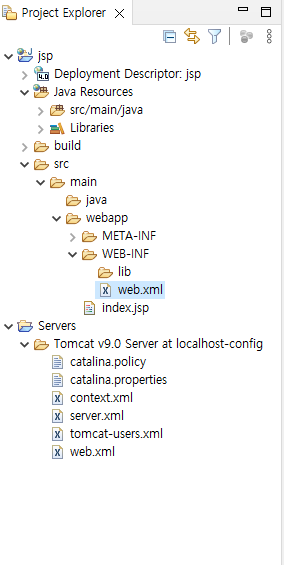
🔍 web.xml 페이지를 살펴보자!<?xml version="1.0" encoding="UTF-8"?> <web-app xmlns:xsi="http://www.w3.org/2001/XMLSchema-instance" xmlns="http://xmlns.jcp.org/xml/ns/javaee" xsi:schemaLocation="http://xmlns.jcp.org/xml/ns/javaee http://xmlns.jcp.org/xml/ns/javaee/web-app_4_0.xsd" id="WebApp_ID" version="4.0"> <display-name>jsp</display-name> <welcome-file-list> <welcome-file>index.html</welcome-file> <welcome-file>index.jsp</welcome-file> <welcome-file>index.htm</welcome-file> <welcome-file>default.html</welcome-file> <welcome-file>default.jsp</welcome-file> <welcome-file>default.htm</welcome-file> </welcome-file-list> </web-app>위와 같이 웰컴파일에 index 파일이 설정되어있다.
즉, 서버를 처음 실행 했을 때 찾는 파일이 index파일인 것이다.
🔵 서버에 연결해보기
1. ctrl + f11 > Next
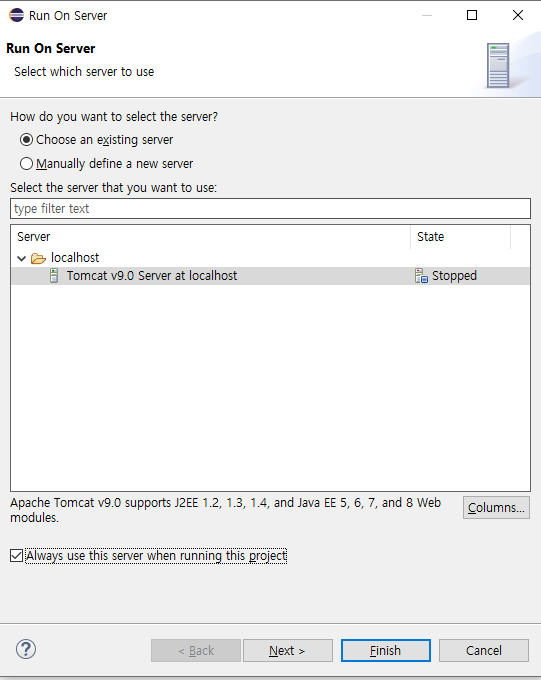
2. 프로젝트 add한 후 finish
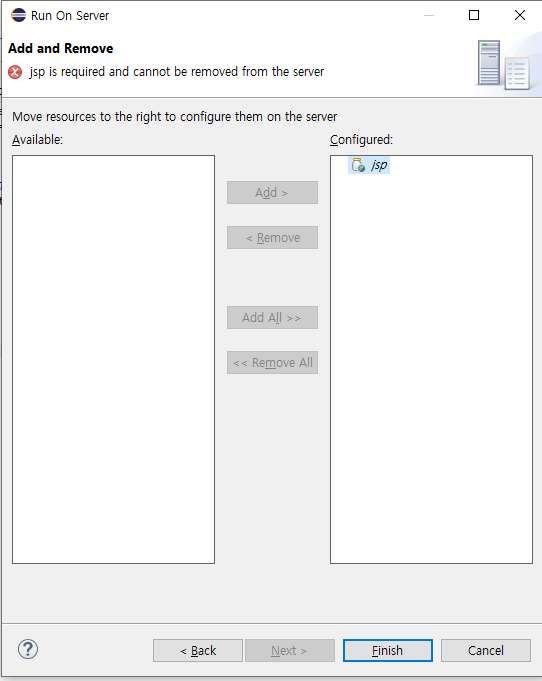
🚫 Error 발생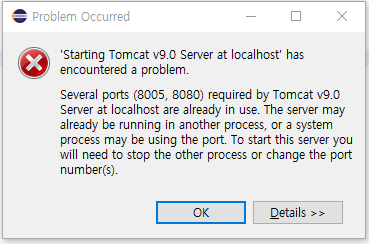
해당 포트가 이미 사용중이라고 뜬다!
🔑 해결 방안 : 현재 포트를 사용하고 있는 프로세스를 종료한다.
🔐 1. cmd창에서 명령어 "netstat -ano" 입력
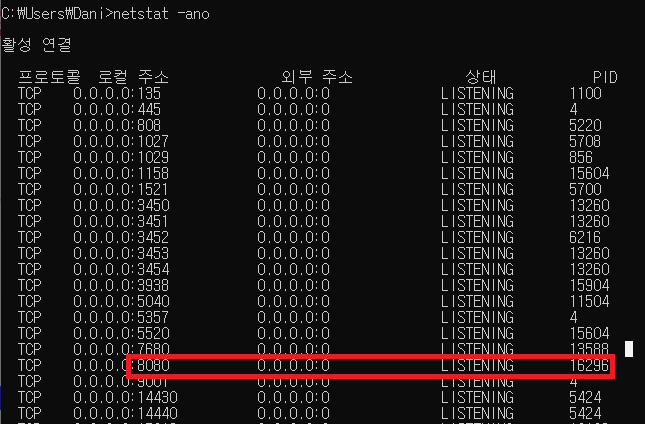
8080 포트에서 이미 프로세스가 실행중이다. 해당 포트를 끄자!
🔐 2. 8080 포트를 실행하고 있는 16296 종료 시키는 명령어 "taskkill /f /pid 16296" 입력
💻 index.jsp 렌더링 화면
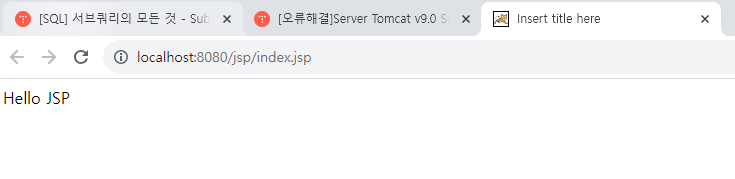
아주 잘 렌더링 되었다!!
이 외에도 기본 설정이 필요하다!
💻 한글깨짐 방지를 위해 UTF-8로 변경하기
1. window > preperences
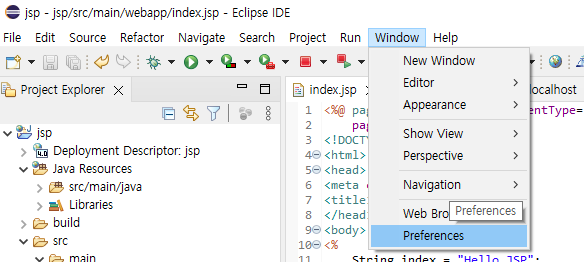
2. encoding검색
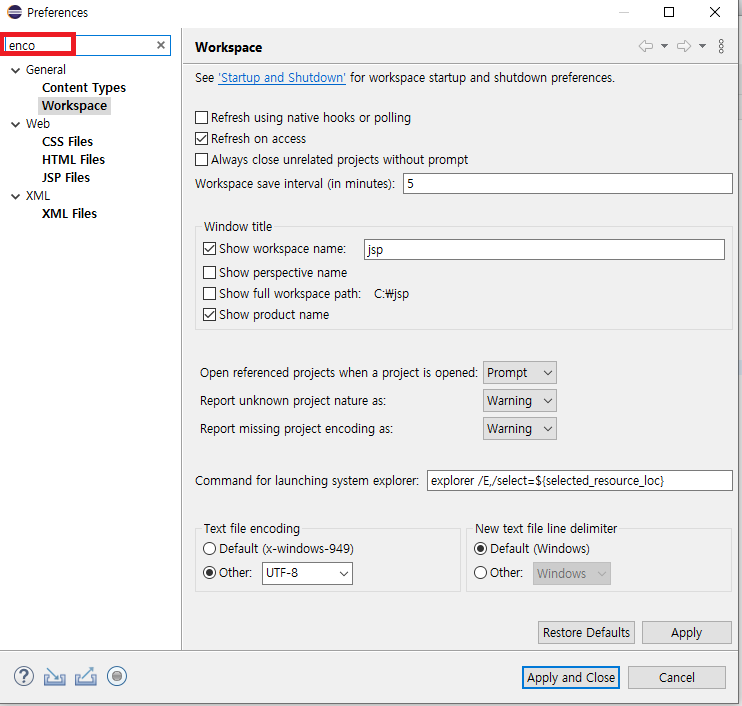
3. Workspace, CSS , HTML, JSP, XML > UTF-8로 변경
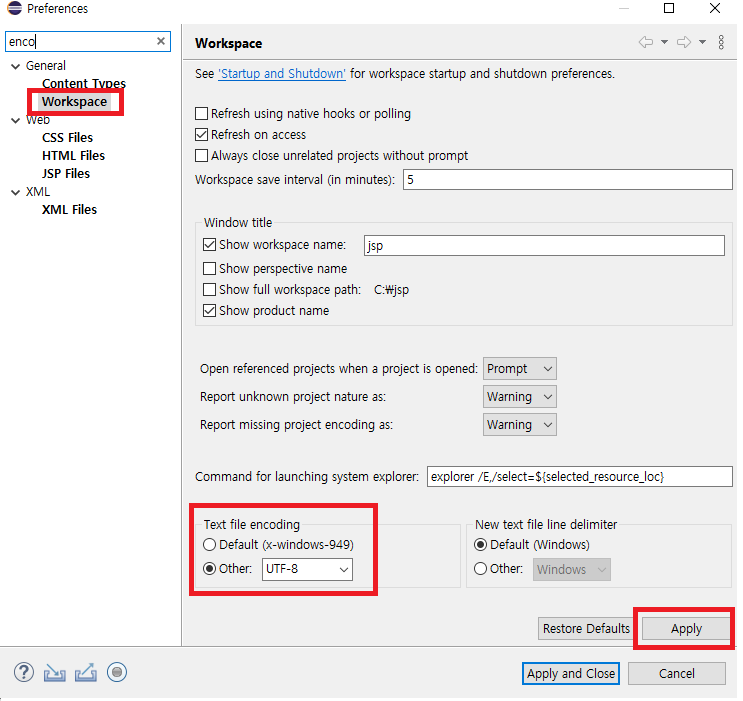
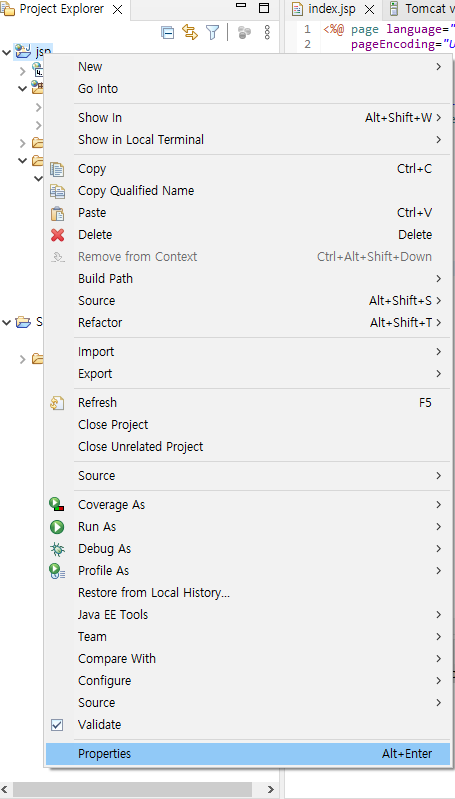
4. 프로젝트 > 우클릭 > preperences
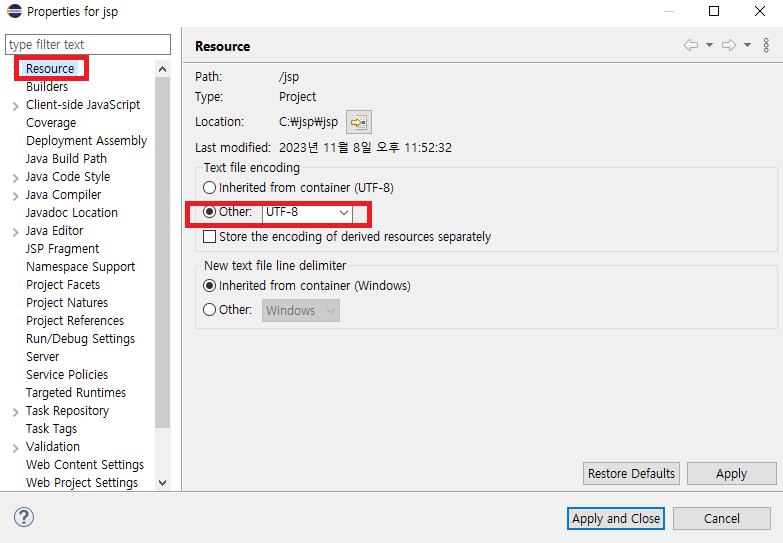
5. Resourxe > UTF-8로 변경!
✨ 이번 챕터에서 배운 부분
✅ spring 할 때 자주 나타났던... 포트 죽이기!!
📝 공부할 부분
✅ 기본 설정이 제일 번거롭고 귀찮은 것 같다.. 그치만 제일 중요한 부분이니 알아두자!
