1. 이번 챕터의 학습목표 소개
백엔드 실력의 핵심은 데이터베이스를 잘 다루는 것 입니다.
이번 챕터의 목표 : 주어진 상황에 맞게 데이터베이스 설계할 수 있다.
2. MySQL과 Dbeaver 설치
MySQL 서버 띄우기
MySQL 포트는 기본적으로 3306 을 사용합니다. 설치가 안된다면 기존에 직접 설치한 MySQL 을 지우고 다시시도해주세요. root 계정의 비밀번호는 lldj123414로 정함.
# MySQL 없을 때 띄우는 방법
cd ~ # 운영환경에서는 `cd /`

# 설정파일 만들기
mkdir -p dockerProjects/mysql-1/volumes/etc/mysql/conf.d

# 원하는 설정을 적어주세요.
chmod 644 dockerProjects/mysql-1/volumes/etc/mysql/conf.d/my.cnf
echo "[mysqld]
# general_log = ON
# general_log_file = /etc/mysql/conf.d/general.log" > dockerProjects/mysql-1/volumes/etc/mysql/conf.d/my.cnf
chmod 444 dockerProjects/mysql-1/volumes/etc/mysql/conf.d/my.cnf

docker run \
    --name mysql-1 \
    -p 3306:3306 \
    -v /${PWD}/dockerProjects/mysql-1/volumes/var/lib/mysql:/var/lib/mysql \
    -v /${PWD}/dockerProjects/mysql-1/volumes/etc/mysql/conf.d:/etc/mysql/conf.d \
    -e TZ=Asia/Seoul \
    -e MYSQL_ROOT_PASSWORD=lldj123414 \
    -d \
    mysql:8.4.1
MySQL 초기화
# MySQL 없을 때 띄우는 방법
cd ~ # 운영환경에서는 `cd /`

# 기존 컨테이너와 볼륨 제거
docker ps -a | grep -q mysql-1 && docker rm -f mysql-1
rm -rf dockerProjects/mysql-1

# 설정파일 만들기
mkdir -p dockerProjects/mysql-1/volumes/etc/mysql/conf.d

# 원하는 설정을 적어주세요.
echo "[mysqld]
# general_log = ON
# general_log_file = /etc/mysql/conf.d/general.log" > dockerProjects/mysql-1/volumes/etc/mysql/conf.d/my.cnf
chmod 444 dockerProjects/mysql-1/volumes/etc/mysql/conf.d/my.cnf

docker run \
    --name mysql-1 \
    -p 3306:3306 \
    -v /${PWD}/dockerProjects/mysql-1/volumes/var/lib/mysql:/var/lib/mysql \
    -v /${PWD}/dockerProjects/mysql-1/volumes/etc/mysql/conf.d:/etc/mysql/conf.d \
    -e TZ=Asia/Seoul \
    -e MYSQL_ROOT_PASSWORD=lldj123414 \
    -d \
    mysql:8.4.1
모든 도커자원(이미지, 컨테이너, 네트워크 볼륨) 삭제 명령어
# 컨테이너 삭제
docker rm -f $(docker ps -qa)

# 이미지 삭제
docker rmi -f $(docker images -qa)

# 안쓰는 네트워크 삭제
docker network prune -f

# 안쓰는 볼륨 삭제
docker volume prune -f
실습 과정
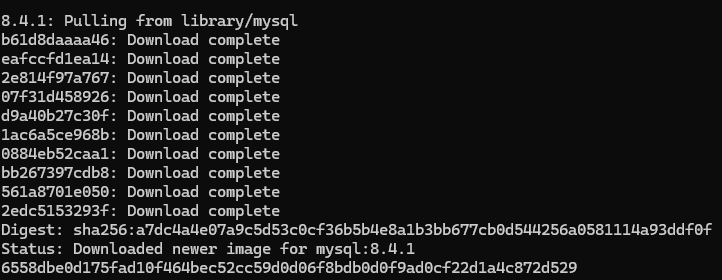
mysql 다운로드
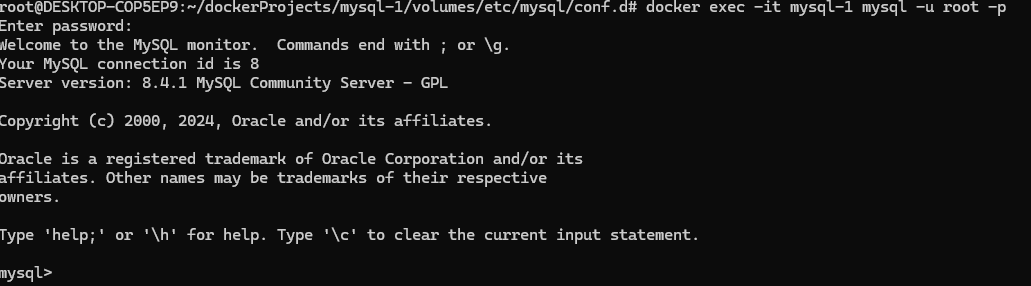
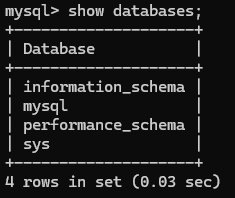
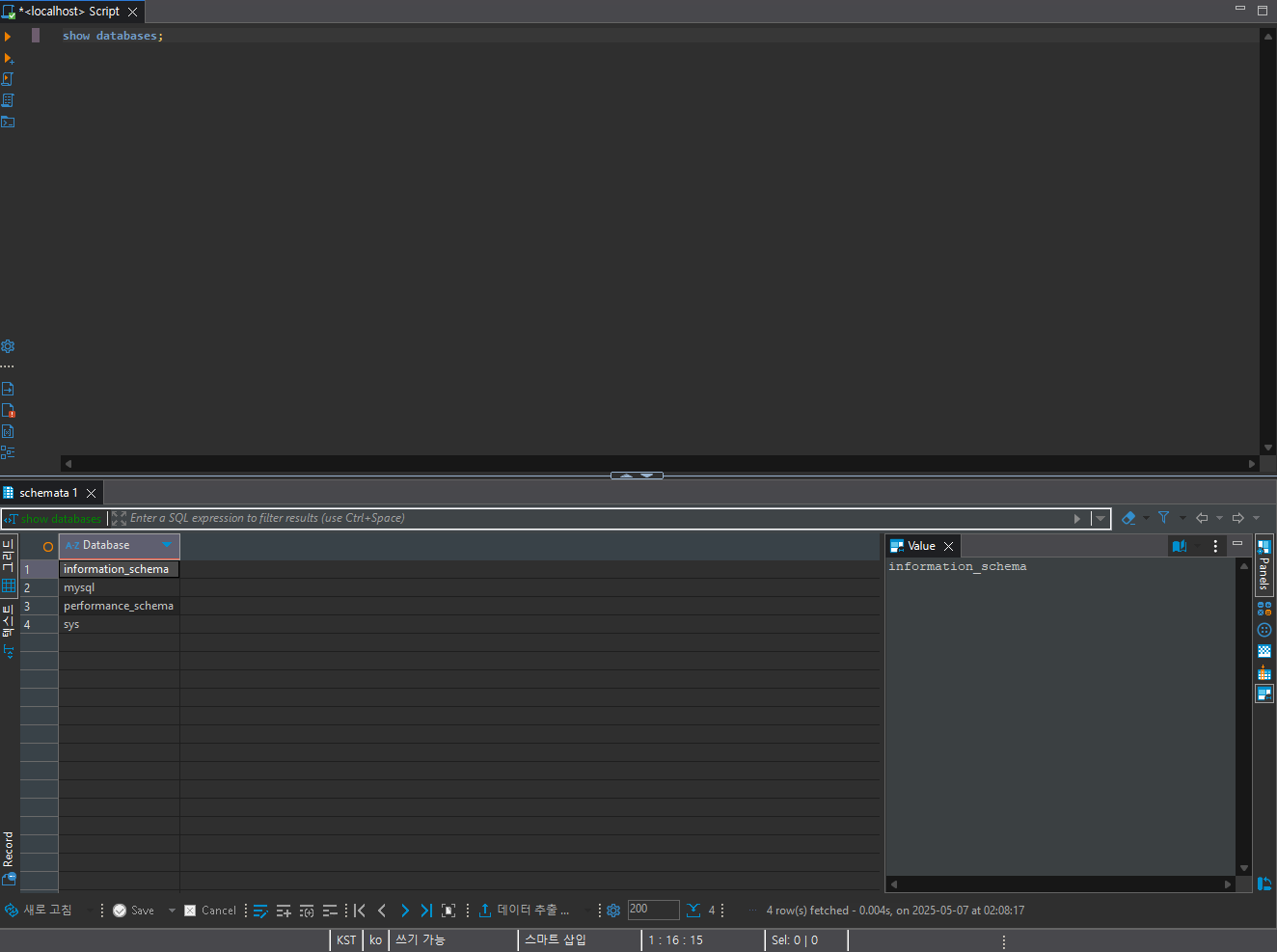
데이터베이스 확인
Dbeaver 다운로드
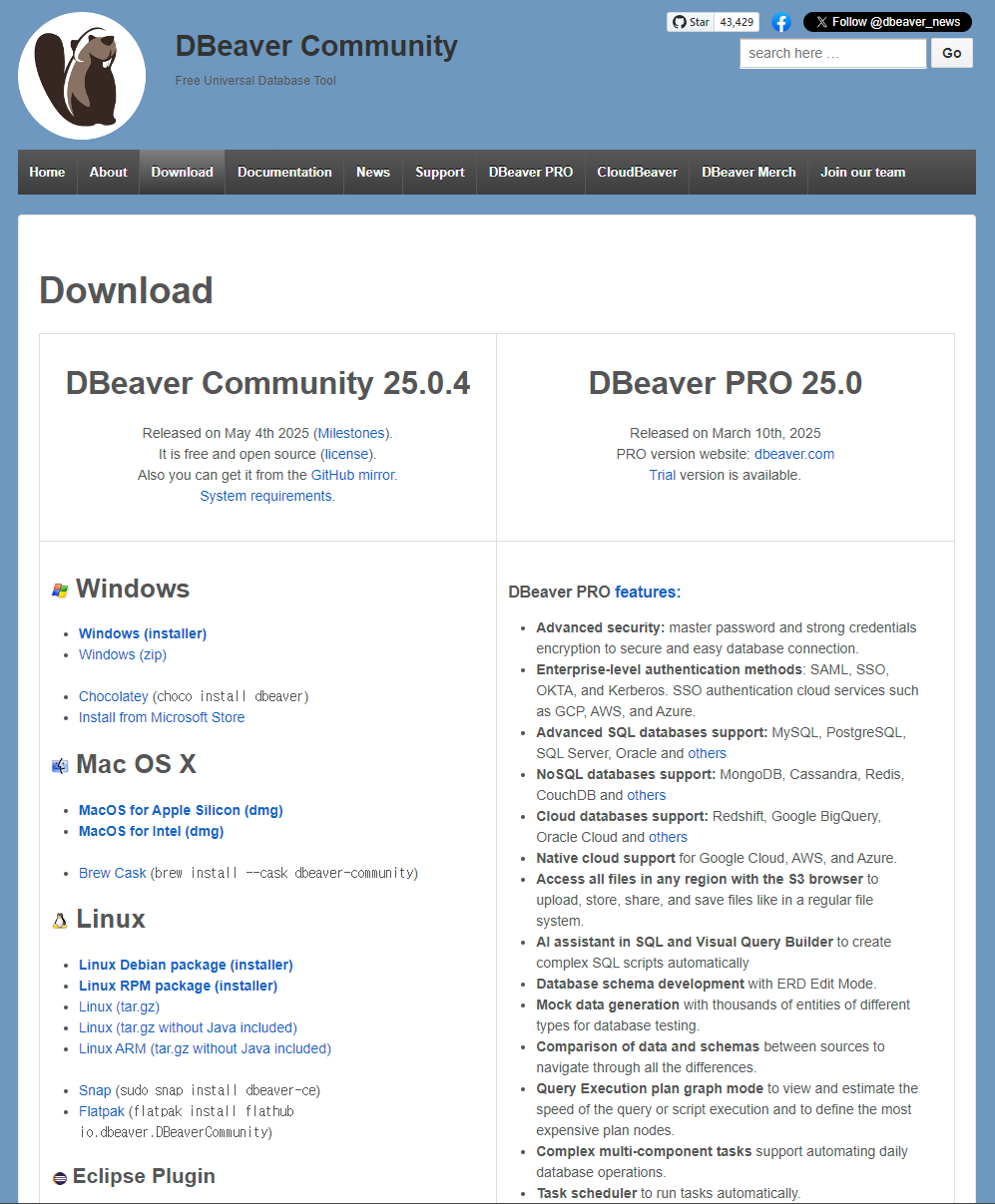
크롬은 네이버가 아닙니다. 마찬가지로 Dbeaver 도 MySQL 이 아닙니다. 단지 MySQL 서버에 접속하기 위한 도구입니다.
3. 데이터베이스와 MySQL
DB == 데이터베이스
MySQL == MariaDB (잘 호환이 됨)
MySQL은 DBMS이고, DBMS 중에 하나 입니다.
DBMS == DataBase Management System (DBMS는 여러개의 DB를 관리하는 시스템입니다.) 다른 DBMS로는 오라클, MSSQL 등이 있습니다. MySQL은 전세계에서 가장 많이 사용되는 DBMS 입니다.
DB == 폴더 폴더 => 묶어주는 것
DB는 무엇으로 구성되는가? : 테이블들로 구성되어 있음
테이블 == 표 == 엑셀파일
표 == 칼럼(열, 1줄) + 로우(행, 여러줄)
칼럼 == 번호, 이름, 나이, 연락처, 이메일
로우 == 1, 홍길동, 24, 010-1234-1234, test@test.com
표에서 칼럼은 한줄만 존재한다.
표에서 로우는 0 ~ N줄 존재할 수 있다.
SQL은 명령어 이다. SQL은 DB에게 명령을 내릴 때 사용된다.
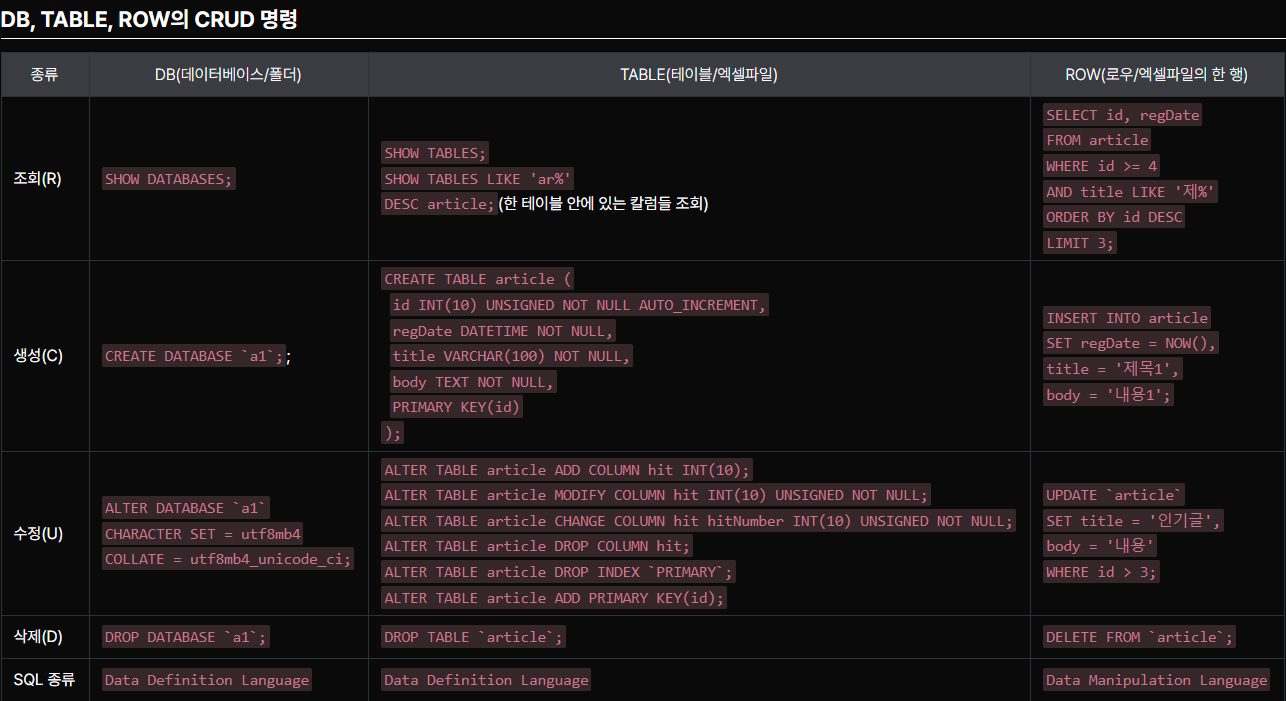
SQL 명령어 : 전체 데이터베이스 리스팅 // SHOW DATABASES;
SQL 명령어 : 특정 데이터베이스 선택, 다른말로 하면 특정 폴더(DB)로 접속 명령어 // USE `DB이름`;
EX : USE mysql;
SQL 명령어 : 현재 접속해 있는 DB안의 모든 테이블들을 리스팅 // SHOW TABLES;
SQL 특이사항: ` 으로 감싸는 경우 : 칼럼명, 테이블명, DB명
4. artricle CURD 문제 1/2
실습 과정
# 전체 데이터베이스 리스팅
show databases;

# `mysql` 데이터 베이스 선택
use mysql;

# 테이블 리스팅
show tables;

# 특정 테이블의 구조
describe component;

# `test` 데이터 베이스 선택(없으면 먼저 만들어주세요.)
create database if not exists test;
use test;

# 테이블 리스팅
show tables;

# 기존에 a1 데이터베이스가 존재 한다면 삭제
drop database if exists a1;

# 새 데이터베이스(`a1`) 생성
create database a1;

# 데이터베이스(`a1`) 선택
use a1;

# 데이터베이스 추가 되었는지 확인
show databases;

# 테이블 확인
show tables;

# 게시물 테이블 article(title, body)을 만듭니다.
# VARCHAR(100) => 문자 100개 저장가능
# text => 문자 많이 저장가능
create table article(
	title varchar(100),
	body text
);

# 잘 추가되었는지 확인, 리스팅과 구조까지 확인
show tables;
desc article;

# 데이터 하나 추가(title = 제목, body = 내용)
insert into article
set title = '제목',
body = '내용';

# 데이터 조회(title 만)
select title
from article;

# 데이터 조회(title, body)
select title, body
from article;


# 데이터 조회(body, title)
select body, title
from article;


# 데이터 조회(*)
select *
from article;

# 데이터 또 하나 추가(title = 제목, body = 내용)
insert into article
set title = '제목',
body = '내용'

# 데이터 조회(*, 어떤게 2번 게시물인지 알 수 없음)
select *
from article;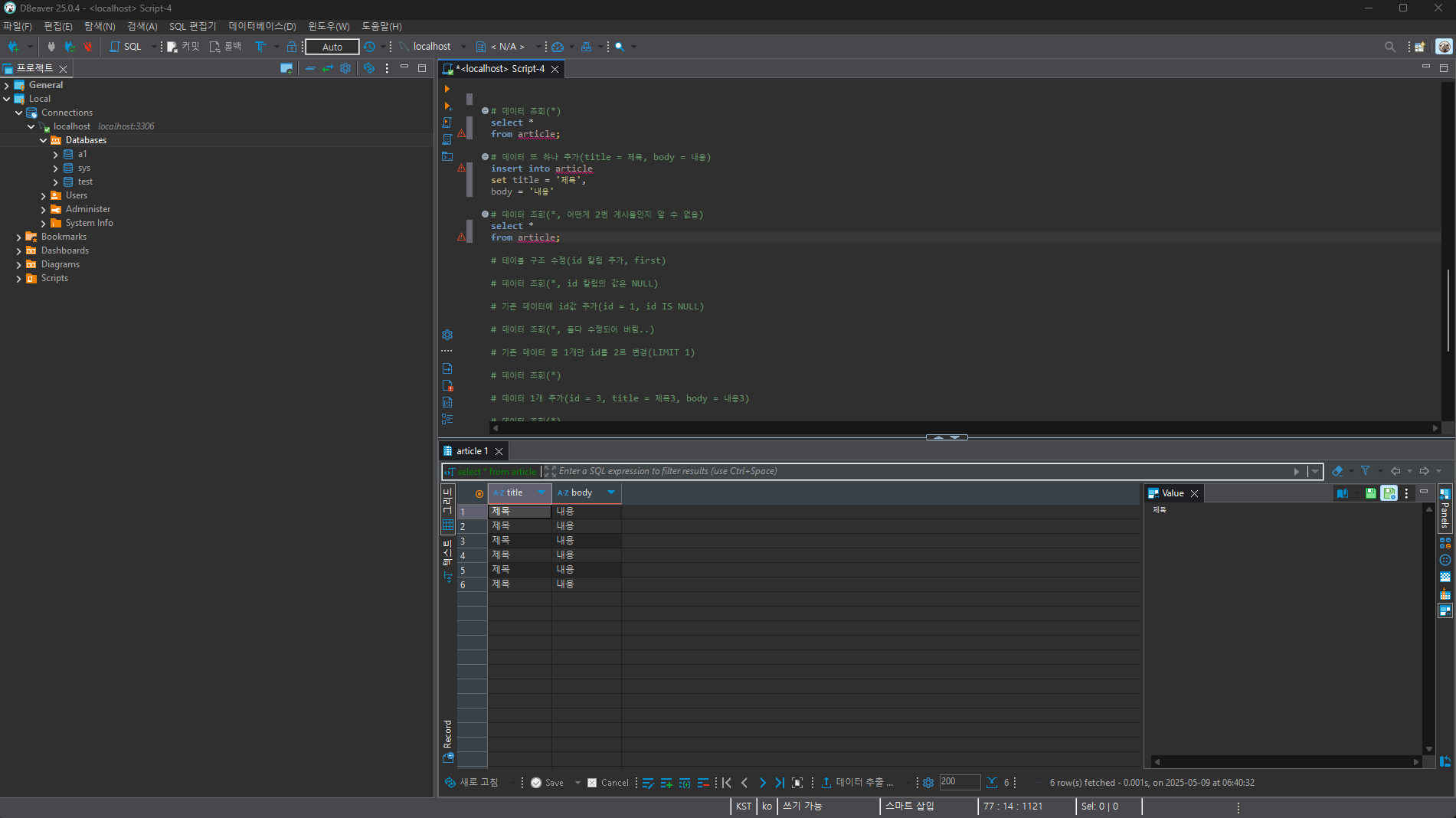
5. artricle CURD 문제 2/2
실습 과정
# 테이블 구조 수정(id 칼럼 추가, first)
alter table article
add column id int first;

# 데이터 조회(*, id 칼럼의 값은 NULL)
select * from article;

# 기존 데이터에 id값 추가(id = 1, id IS NULL)
update article
set id = 1
where id is null;

# 데이터 조회(*, 둘다 수정되어 버림..)
select * from article;

# 기존 데이터 중 1개만 id를 2로 변경(LIMIT 1)
update article
set id = 2
limit 1;

# 데이터 조회(*)
select * from article;

# 데이터 1개 추가(id = 3, title = 제목3, body = 내용3)
insert into article
set id = 3,
title = '제목3',
body = '내용3';

# 데이터 조회(*)
select * from article;

# 2번 게시물, 데이터 삭제 => DELETE
delete from article
where id = 2;

# 데이터 조회(*)
select * from article;

# 날짜 칼럼 추가(id 칼럼 뒤에) => regDate DATETIME
alter table article add column regDate DATETIME after id;

# 테이블 구조 확인
desc article;

# 데이터 조회(*, 날짜 정보가 비어있음)
select * from article;

# 1번 게시물의 비어있는 날짜정보 채움(regDate = 2018-08-10 15:00:00)
update article
set regDate = '2018-08-10 15:00:00'
where id = 1 ;

# 데이터 조회(*, 이제 2번 게시물의 날짜 정보만 넣으면 됩니다.)
select * from article;

# NOW() 함수 실행해보기
select now();

# 3번 게시물의 비어있는 날짜정보 채움(NOW())
update article
set regDate = now()
where id = 3;

# 데이터 조회(*)
select * from article;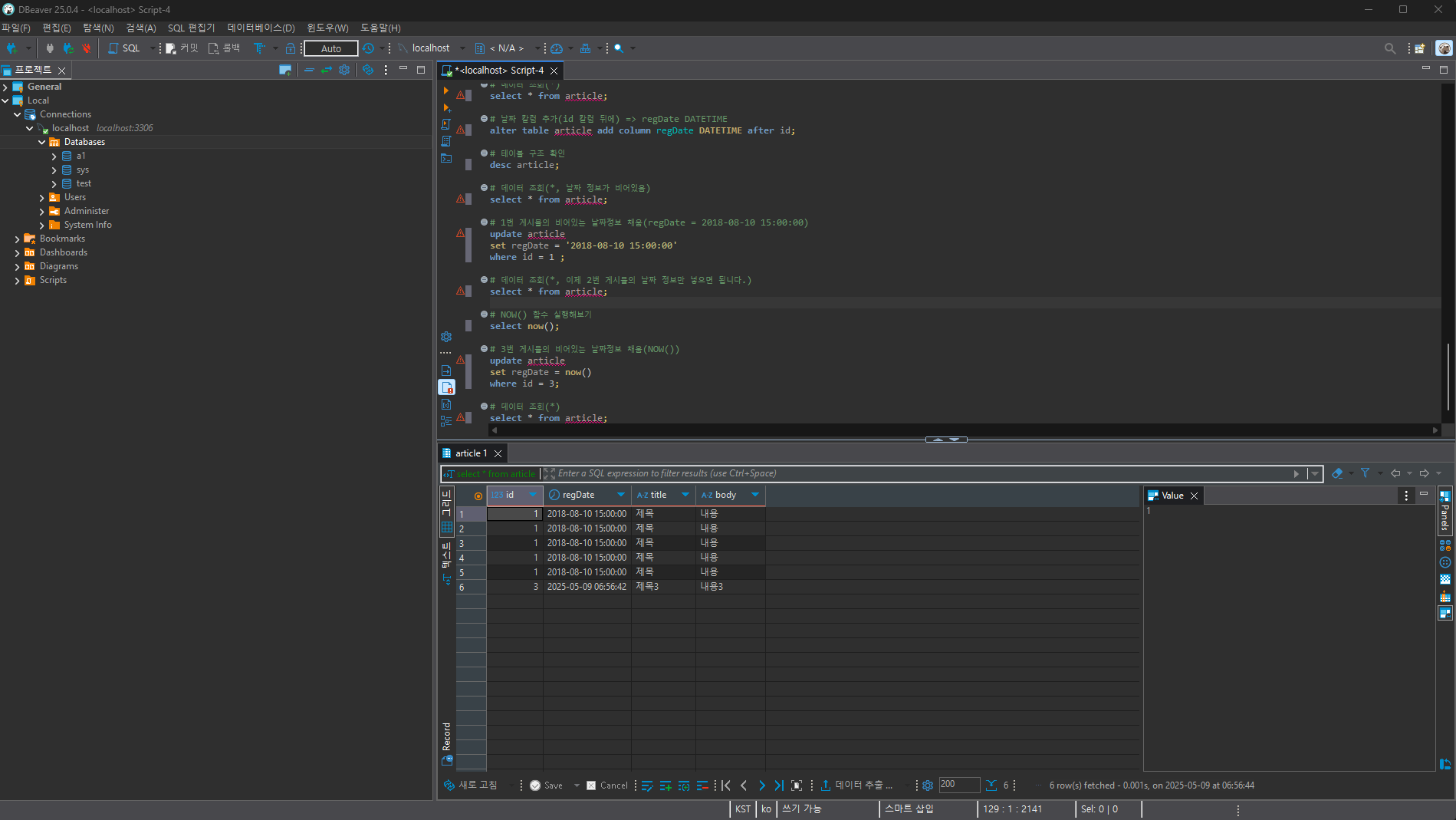
6. 제약 문제 1/2
실습 과정
# 기존에 a2 데이터베이스가 존재 한다면 삭제
drop database if exists a2;

# 새 데이터베이스(`a2`) 생성
create database a2;

# 새 데이터베이스(`a2`) 선택
use a2;

# article 테이블 생성(id, regDate, title, body)
create table article(
	id int,
	regDate datetime,
	title varchar(100),
	body text
);

# article 테이블 조회(*)
select * from article;

# article 테이블에 data insert (regDate = NOW(), title = '제목', body = '내용')
insert into article
set regDate = NOW(), title = '제목', body = '내용';

# article 테이블에 data insert (regDate = NOW(), title = '제목', body = '내용')
insert into article
set regDate = NOW(), title = '제목', body = '내용';

# article 테이블 조회(*)
## id가 NULL인 데이터 생성이 가능하네?
select * from article;

# id 데이터는 꼭 필수 이기 때문에 NULL을 허용하지 않게 바꾼다.(alter table, not null)
## 기존의 NULL값 때문에 실패가 뜬다.
desc article;
alter table article modify id int not null;

# 기존의 NULL값을 0으로 바꾼다.
update article
set id = 0;

# NULL을 허용하지 않게 바꾼다.(alter table, not null)
alter table article modify id int not null;

# article 테이블 조회(*)
select * from article;

# 생각해 보니 모든 행(row)의 id 값은 유니크 해야한다.(ADD PRIMARY KEY(id))
## 오류가 난다. 왜냐하면 기존의 데이터 중에서 중복되는게 있기 때문에
alter table article add primary key(id);

# id가 0인 것 중에서 1개를 id 1로 바꾼다.
update article
set id = 1
where id = 0
limit 1;

# article 테이블 조회(*)
select * from article;

# id가 0인것을 id 2로 바꾼다.
update article
set id = 2
where id = 0;

# 생각해 보니 모든 행(row)의 id 값은 유니크 해야한다.(ADD PRIMARY KEY(id))
## 이제 적용이 잘 된다.
alter table article add primary key(id);
desc article;

# id 칼럼에 auto_increment 를 건다.
## auto_increment 를 걸기전에 해당 칼럼은 무조건 key 여야 한다.
alter table article modify column id INT not null auto_increment;

# article 테이블 구조확인(desc)
desc article;

# 나머지 칼럼 모두에도 not null을 적용해주세요.
alter table article modify column regDate datetime not null;
alter table article modify column title varchar(100) not null;
alter table article modify column body text not null;
desc article;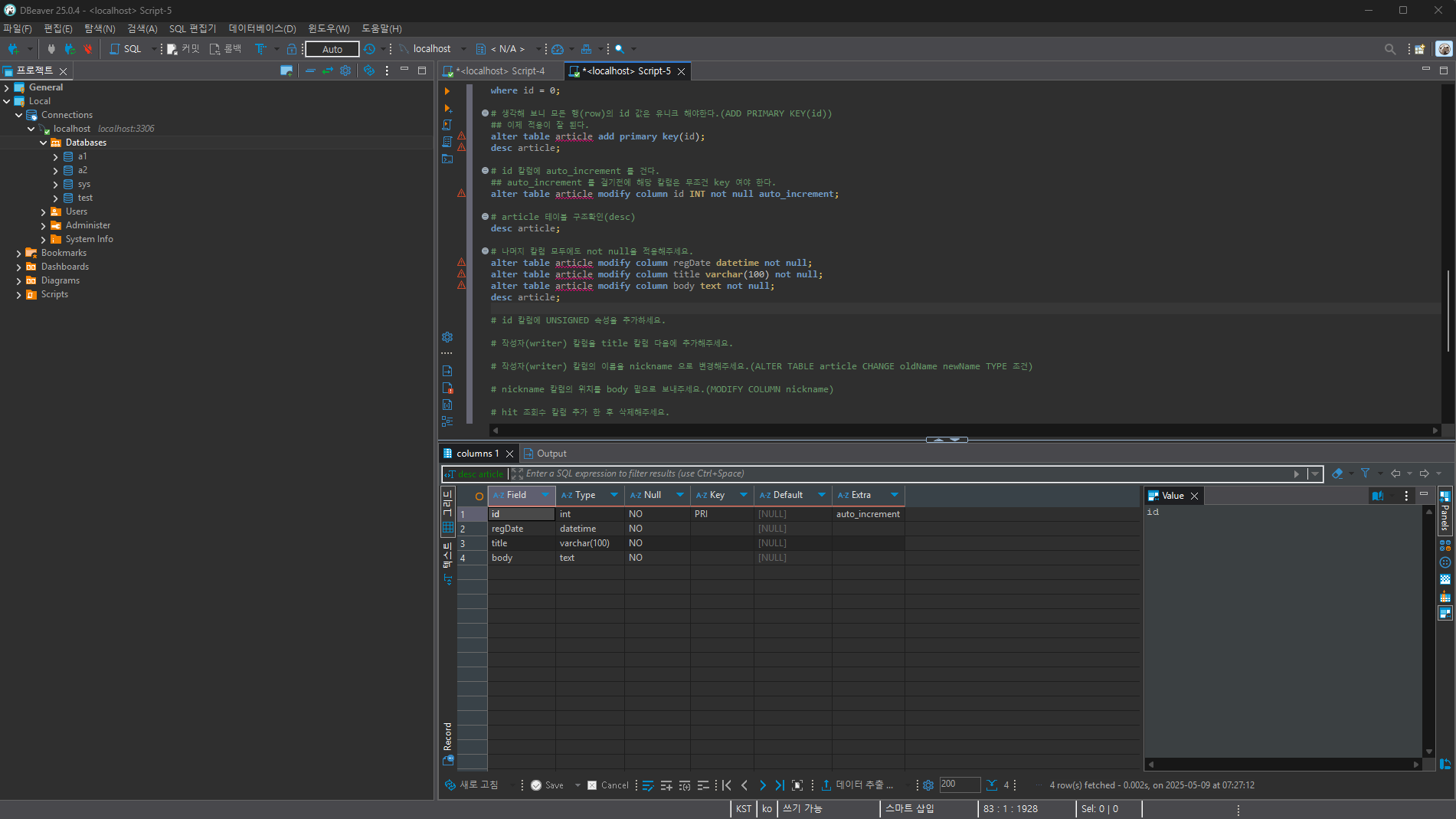
7. 제약 문제 2/2
실습 과정
# id 칼럼에 UNSIGNED 속성을 추가하세요.
alter table article modify column id INT unsigned not null auto_increment;

# 작성자(writer) 칼럼을 title 칼럼 다음에 추가해주세요.
alter table article add column writer varchar(100) not null after title;

# 작성자(writer) 칼럼의 이름을 nickname 으로 변경해주세요.(ALTER TABLE article CHANGE oldName newName TYPE 조건)
alter table article change writer nickname varchar(100) not null;

# nickname 칼럼의 위치를 body 밑으로 보내주세요.(MODIFY COLUMN nickname)
alter table article modify column nickname varchar(100) not null after body;

# hit 조회수 칼럼 추가 한 후 삭제해주세요.
alter table article add column hit int unsigned not null after nickname;
alter table article drop column hit;

# hit 조회수 칼럼을 다시 추가
alter table article add column hit int unsigned not null after nickname;

# 기존의 비어있는 닉네임 채워넣기(무명)
update article set nickname ='무명';]
select * from article;

# article 테이블에 데이터 추가(regDate = NOW(), title = '제목3', body = '내용3', nickname = '홍길순', hit = 10)
insert into article set regDate = NOW(), title = '제목3', body = '내용3', nickname = '홍길순', hit = 10;

# article 테이블에 데이터 추가(regDate = NOW(), title = '제목4', body = '내용4', nickname = '홍길동', hit = 55)
insert into article set regDate = NOW(), title = '제목4', body = '내용4', nickname = '홍길동', hit = 55;

# article 테이블에 데이터 추가(regDate = NOW(), title = '제목5', body = '내용5', nickname = '홍길동', hit = 10)
insert into article set regDate = NOW(), title = '제목5', body = '내용5', nickname = '홍길동', hit = 10;

# article 테이블에 데이터 추가(regDate = NOW(), title = '제목6', body = '내용6', nickname = '임꺽정', hit = 100)
insert into article set regDate = NOW(), title = '제목6', body = '내용6', nickname = '임꺽정', hit = 100;

# 조회수 가장 많은 게시물 3개 만 보여주세요., 힌트 : ORDER BY, LIMIT
select id, hit from article order by hit desc limit 3;

# 작성자명이 '홍길'로 시작하는 게시물만 보여주세요., 힌트 : LIKE '홍길%'
select * from article where nickname like '홍길%';

# 조회수가 10 이상 55 이하 인것만 보여주세요., 힌트 : WHERE 조건1 AND 조건2
select *from article where hit >= 10 and hit <= 55;

# 작성자가 '무명'이 아니고 조회수가 50 이하인 것만 보여주세요., 힌트 : !=
select *from article where nickname != '무명' and hit <= 50;

# 작성자가 '무명' 이거나 조회수가 55 이상인 게시물을 보여주세요. 힌트 : OR
select *from article where nickname = '무명' or hit >= 55;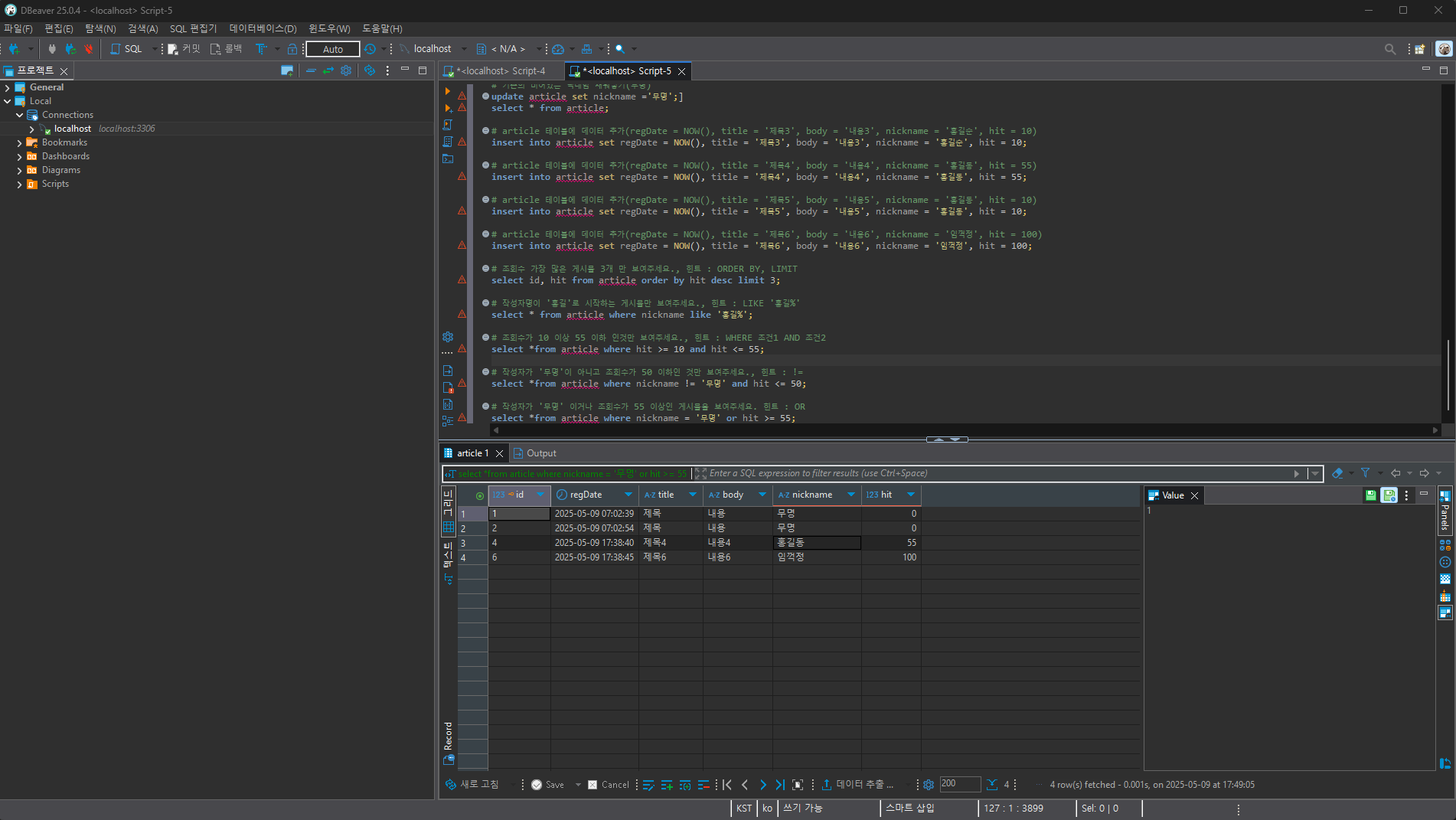
8. INNER JOIN 문제 1/2
실습 과정
# a5 데이터베이스 삭제/생성/선택
drop database if exists a5;
create database a5;
use a5;

# 부서(dept) 테이블 생성 및 홍보부서 기획부서 추가
create table dept(
	id int unsigned not null auto_increment,
	primary key(id),
	regDate DATETIME not null,
	name CHAR(100) not null UNIQUE
);

insert into dept
set regDate = NOW(),
name = '홍보';

insert into dept
set regDate = NOW(),
name = '기획';

# 사원(emp) 테이블 생성 및 홍길동사원(홍보부서), 홍길순사원(홍보부서), 임꺽정사원(기획부서) 추가
create table emp(
	id int unsigned not null auto_increment,
	primary key(id),
	regDate DATETIME not null,
	name CHAR(100) not null,
	deptName CHAR(100) not null
);

insert into emp
set regDate = NOW(),
name = '홍길동',
deptName = '홍보';

insert into emp
set regDate = NOW(),
name = '홍길순',
deptName = '홍보';

insert into emp
set regDate = NOW(),
name = '임꺽정',
deptName = '기획';

# 홍보를 마케팅으로 변경
update dept
set name = '마케팅'
where  name = '홍보';

update emp
set deptName = '마케팅'
where  deptName = '홍보';

# 마케팅을 홍보로 변경
update dept
set name = '홍보'
where  name = '마케팅';

update emp
set deptName = '홍보'
where  deptName = '마케팅';

# 홍보를 마케팅으로 변경
## 구조를 변경하기로 결정(사원 테이블에서, 이제는 부서를 이름이 아닌 번호로 기억)
alter table emp add column deptId int unsigned not null;

update emp
set deptId = 1
where  deptName = '홍보';

update emp
set deptId = 2
where  deptName = '기획';

alter table emp drop column deptName;

update dept
set name = '마케팅'
where id = 1;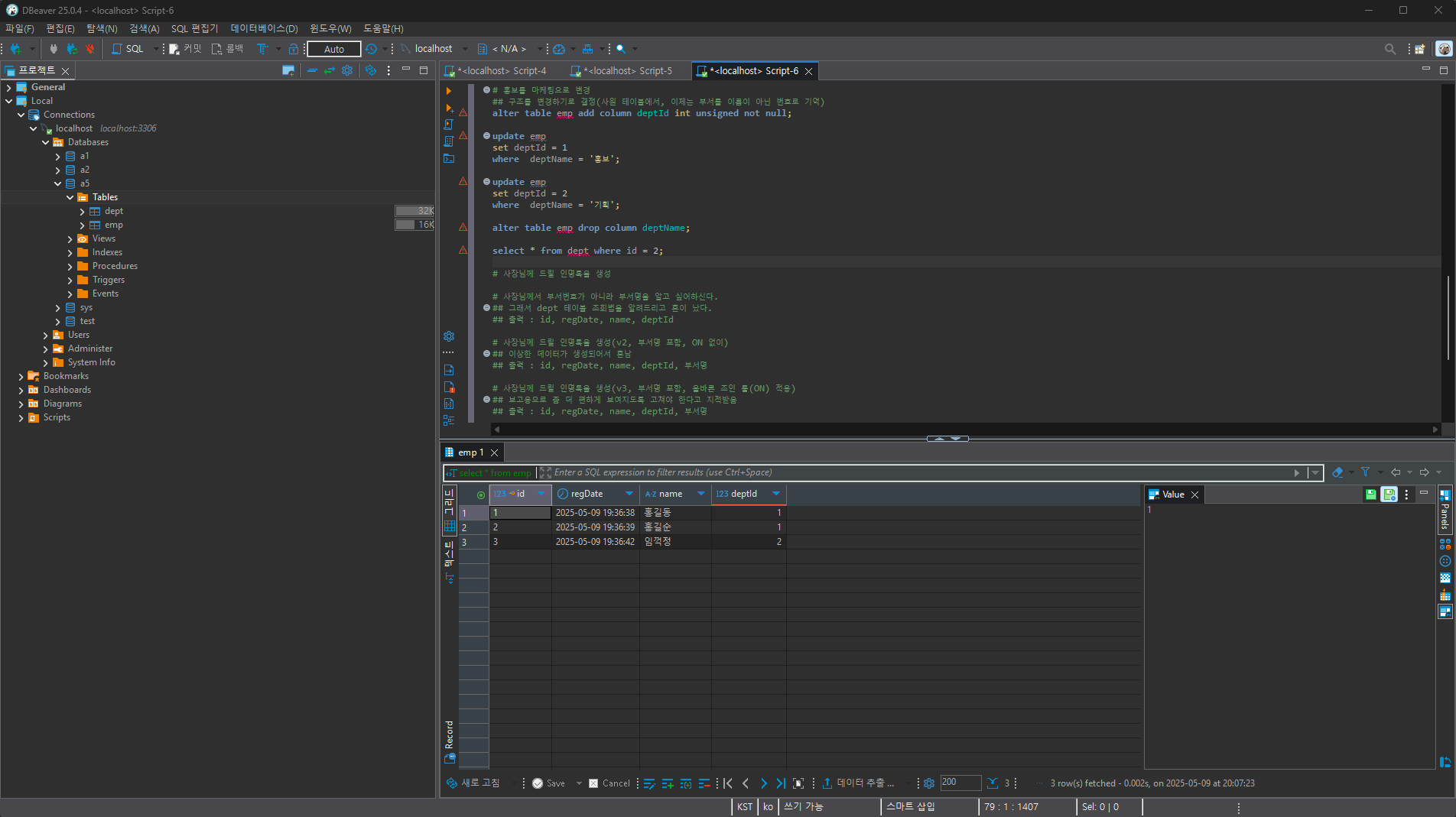
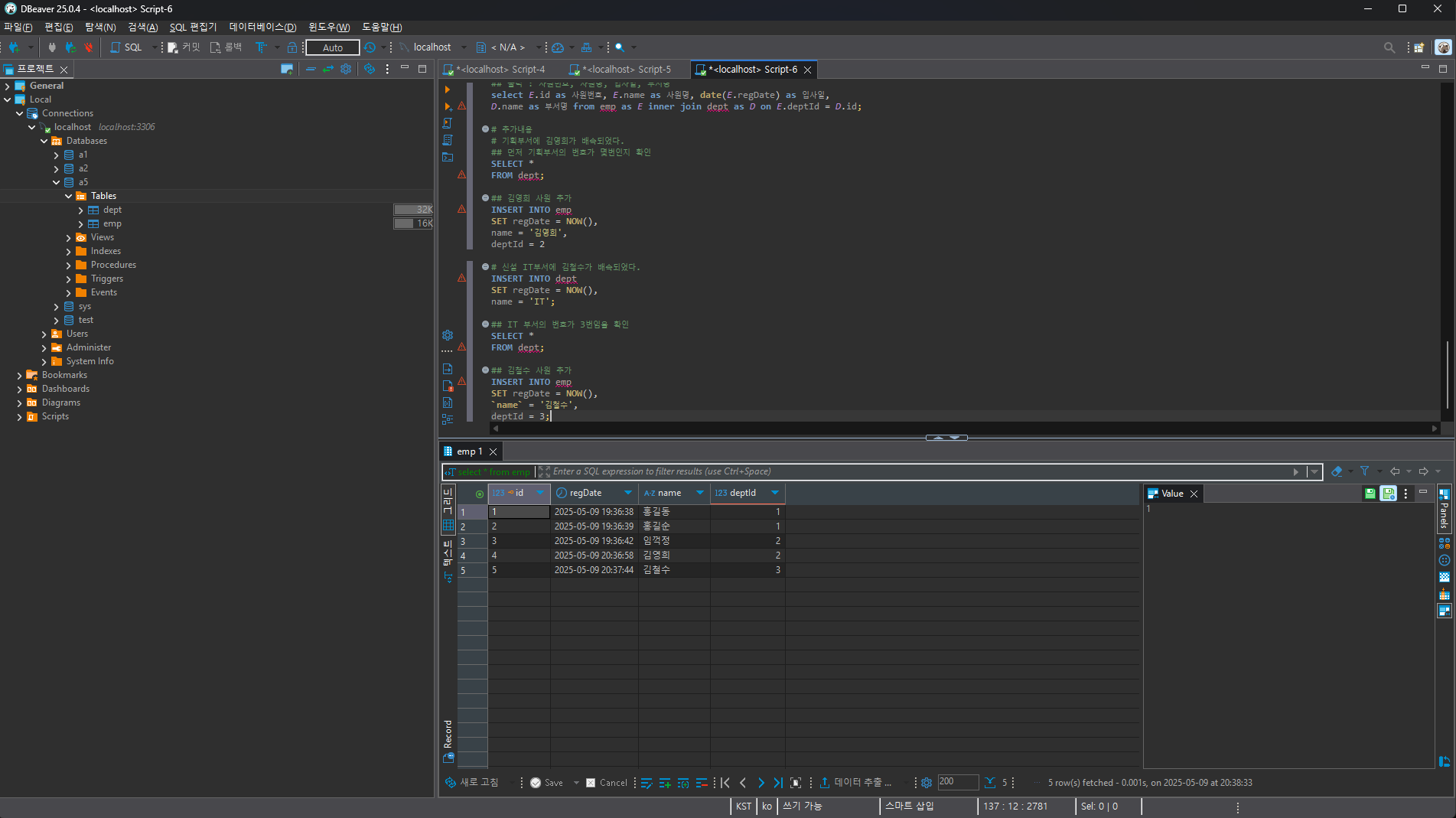
9. INNER JOIN 문제 2/2
실습 과정
# 사장님께 드릴 인명록을 생성
select * from emp;

# 사장님께서 부서번호가 아니라 부서명을 알고 싶어하신다.
## 그래서 dept 테이블 조회법을 알려드리고 혼이 났다.
## 출력 : id, regDate, name, deptId
select * from dept where id = 1;

# 사장님께 드릴 인명록을 생성(v2, 부서명 포함, ON 없이)
## 이상한 데이터가 생성되어서 혼남
## 출력 : id, regDate, name, deptId, 부서명
select emp.*,dept.name as 부서명 from emp inner join dept;

# 사장님께 드릴 인명록을 생성(v3, 부서명 포함, 올바른 조인 룰(ON) 적용)
## 보고용으로 좀 더 편하게 보여지도록 고쳐야 한다고 지적받음
## 출력 : id, regDate, name, deptId, 부서명
select emp.*,dept.name as 부서명 from emp inner join dept on emp.deptId = dept.id;

# 사장님께 드릴 인명록을 생성(v4, 사장님께서 보시기에 편한 칼럼명(AS))
## 출력 : 사원번호, 사원명, 입사일, 부서명
select emp.id as 사원번호, emp.name as 사원명, date(emp.regDate) as 입사일,
dept.name as 부서명 from emp inner join dept on emp.deptId = dept.id;

# 사장님께 드릴 인명록을 생성(v5, 테이블 AS 적용)
## 출력 : 사원번호, 사원명, 입사일, 부서명
select E.id as 사원번호, E.name as 사원명, date(E.regDate) as 입사일,
D.name as 부서명 from emp as E inner join dept as D on E.deptId = D.id;

# 추가내용
# 기획부서에 김영희가 배속되었다.
## 먼저 기획부서의 번호가 몇번인지 확인
SELECT *
FROM dept;

## 김영희 사원 추가
INSERT INTO emp
SET regDate = NOW(),
name = '김영희',
deptId = 2

# 신설 IT부서에 김철수가 배속되었다.
INSERT INTO dept
SET regDate = NOW(),
name = 'IT';

## IT 부서의 번호가 3번임을 확인
SELECT *
FROM dept;

## 김철수 사원 추가
INSERT INTO emp
SET regDate = NOW(),
`name` = '김철수',
deptId = 3;