글을 쓰기 앞서... 과거 회상
나는 기본적으로 내가 보고 사용하는 것에 갑자기 "이건 어떻게 만들었을까?"에 대한 막연한 궁금증을 가질 때가 종종 있다. 이번에 글을 쓰게 된 이유도 그 중 하나이다.
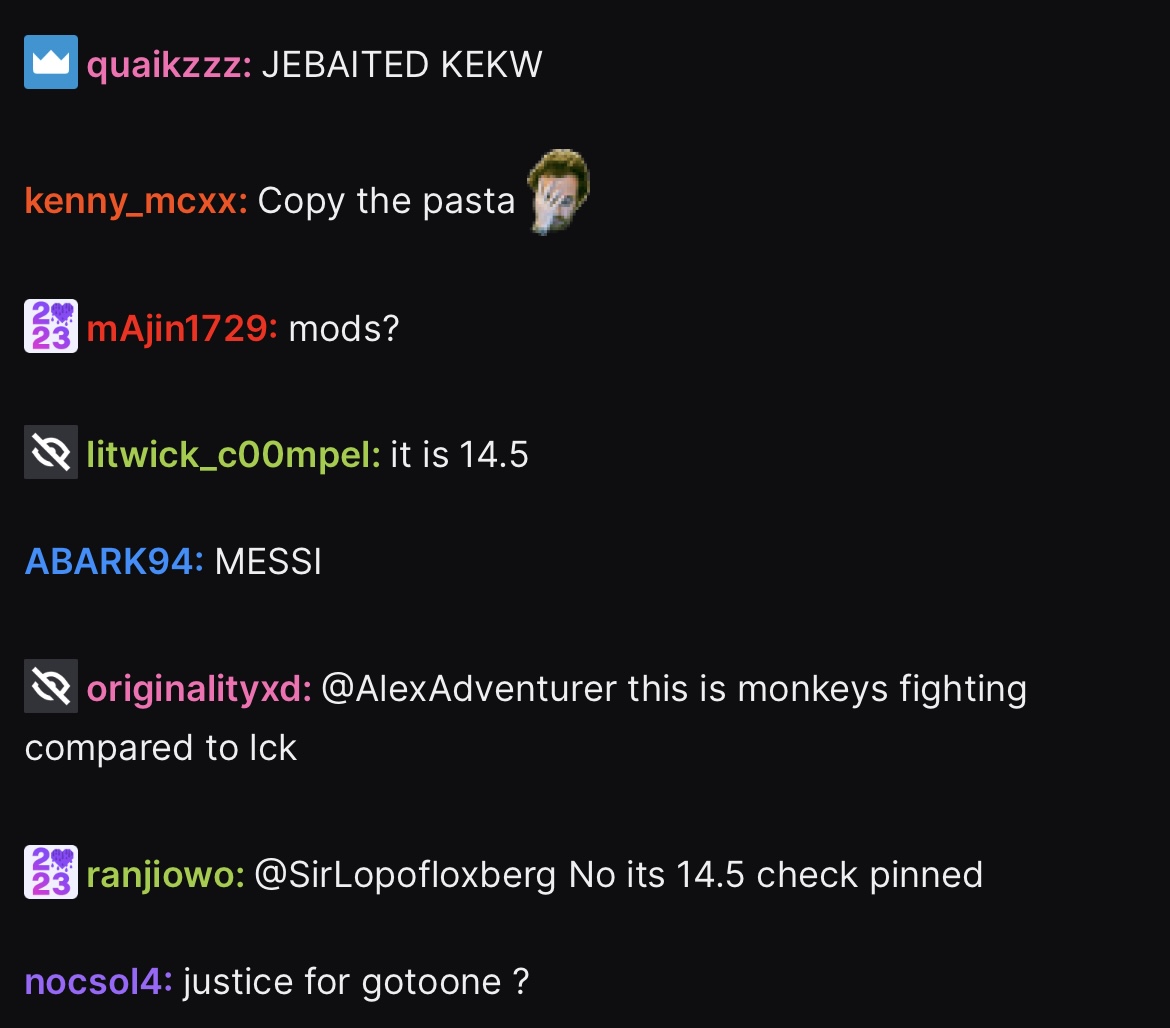
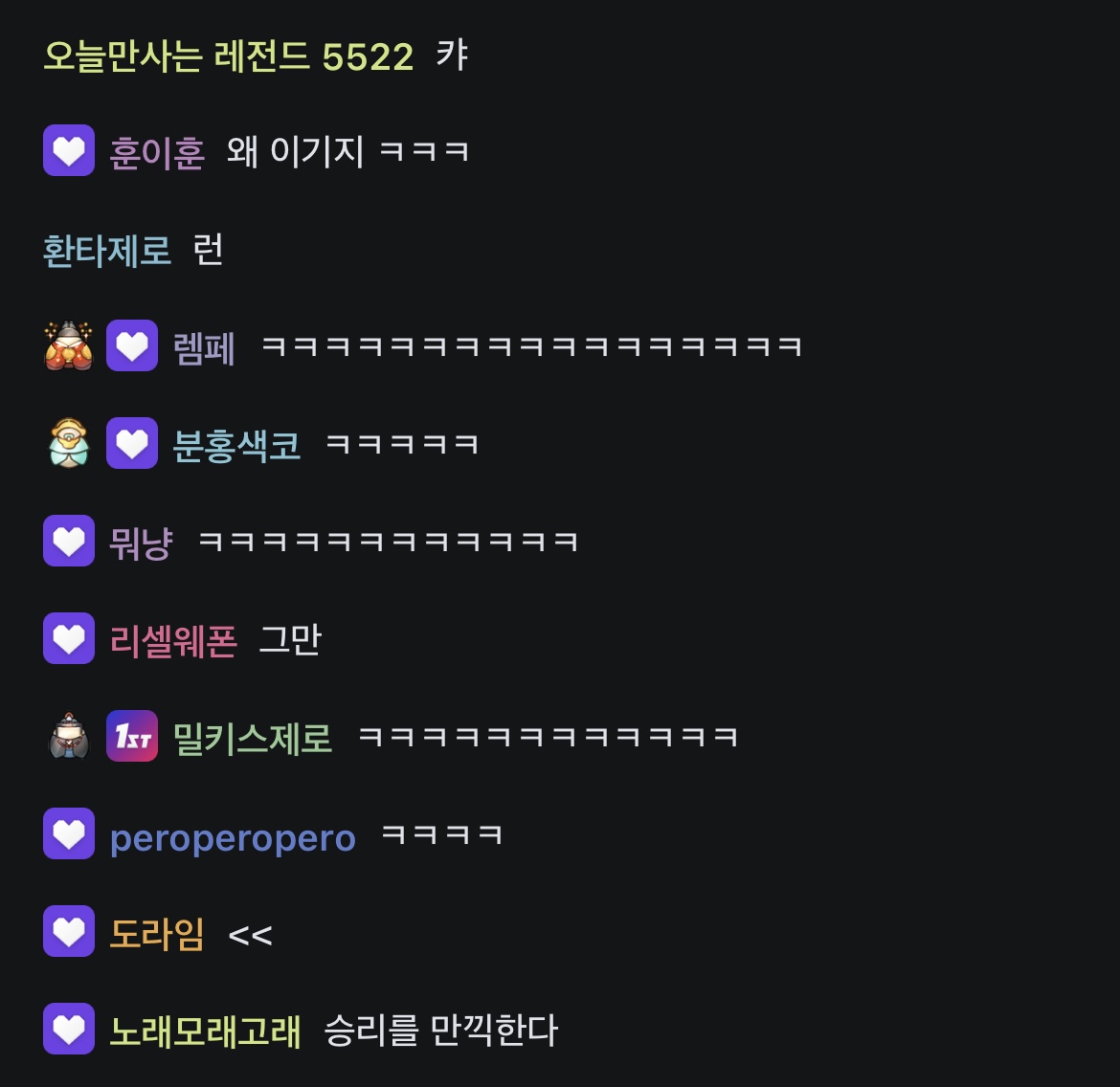
지금은 한국에서 서비스를 하고 있지 않은 앱인 Twitch를 자주 봤었는데 지금은 다 치지직으로 갔다 나는 영상보다 채팅창의 구현이 너무나 궁금했었다.
그 이유는 글자들 사이에 이모티콘이 있고 또는 이미지, Gif가 있었기 때문이다.
그 당시 내가 상상으로 구현을 해본다고 쳤을 때 나였다면 이렇게 구현했을 것 같다라고 생각했었다.

내가 생각했던 방식은 View가 있고 들어온 String에 따라 특정 태그같은걸로 Text와 Image를 나눠서 동적으로 뷰를 만드는 방식으로 생각을 했었다.. 지금 생각하면 참 어려운 방식으로 만들었다 라고 생각이 된다.. (멍청한 생각)
Text
@Composable
fun Text(
    text: AnnotatedString,
    modifier: Modifier = Modifier,
    color: Color = Color.Unspecified,
    fontSize: TextUnit = TextUnit.Unspecified,
    fontStyle: FontStyle? = null,
    fontWeight: FontWeight? = null,
    fontFamily: FontFamily? = null,
    letterSpacing: TextUnit = TextUnit.Unspecified,
    textDecoration: TextDecoration? = null,
    textAlign: TextAlign? = null,
    lineHeight: TextUnit = TextUnit.Unspecified,
    overflow: TextOverflow = TextOverflow.Clip,
    softWrap: Boolean = true,
    maxLines: Int = Int.MAX_VALUE,
    minLines: Int = 1,
    inlineContent: Map<String, InlineTextContent> = mapOf(),
    onTextLayout: (TextLayoutResult) -> Unit = {},
    style: TextStyle = LocalTextStyle.current
)
이전에 내가 생각했던 방식보다 훨~~씬 쉬운 방식으로 해당 채팅화면을 구현을 할 수 있었다.
Text 하나만으로 해당 채팅화면을 구현을 할 수가 있다.
치지직이나 트위치의 경우
(구독자여부) (아이디) :(치지직의 경우는 이게 없음) Text bla bla (이모티콘) (구독티콘)
이런식으로 텍스트가 있다.
Text에서 그럼 어떤것을 사용해야 하나라고 보면
text: AnnotatedString,
inlineContent: Map<String, InlineTextContent> = mapOf()
이 두 개가 Text안에서도 이미지나 Gif를 그리게 해준다.
AnnotatedString은??
- 스타일링: AnnotatedString을 사용하여 텍스트의 일부 또는 전체에 서로 다른 서식을 적용할 수 있습니다. 예를 들어, 특정 텍스트를 볼드체로 하거나 색상을 변경하는 등의 서식을 지정할 수 있습니다.
- 링크 및 클릭 이벤트: AnnotatedString을 사용하여 특정 텍스트를 하이퍼링크로 만들고 클릭 이벤트를 처리할 수 있습니다. 이를 통해 사용자가 특정 텍스트를 클릭했을 때 원하는 작업을 수행할 수 있습니다.
- 커스텀 서식 지정: AnnotatedString은 사용자 정의 서식 태그를 정의하고 이를 사용하여 특정 텍스트 부분에 사용자가 정의한 서식을 적용할 수 있습니다. 이를 통해 특정 텍스트에 사용자 정의 서식을 적용하여 복잡한 텍스트 서식을 구현할 수 있습니다.
ChatGPT가 알려준 내용입니다.
코드로 알아보겠습니다 !
 val annotatedString = buildAnnotatedString {
        append("Text에 이미지를 추가하기 !")
        appendInlineContent(id = "image")
    }

 val inlineContentMap = mapOf(
      "image" to InlineTextContent(
          Placeholder(40.sp, 40.sp, PlaceholderVerticalAlign.TextCenter)
      ) {
          GlideImage(
              modifier = Modifier.fillMaxSize(),
              model = ContextCompat.getDrawable(context, R.mipmap.doridori),
              contentDescription = ""
          )
      },
  )

  Text(
        modifier = Modifier.height(50.dp),
        text = annotatedString,
        inlineContent = inlineContentMap,
     )
"image" to inlineContentMap image와 일치하는 부분이 있다면 GlideImage를 통해 이미지 작업을 진행시켜줍니다.

이번에는 여러개의 이미지를 넣어보겠습니다. 방법은 아까와 똑같습니다.
    val annotatedString2 = buildAnnotatedString {
        append("Text 중앙에 이미지를 삽입해보겠습니다.")
        appendInlineContent(id = "ryo")
        append("GIF를 \n추가하였습니다.")
        appendInlineContent(id = "image2")
    }

    val inlineContentMap2 = mapOf(
        "ryo" to InlineTextContent(
            Placeholder(40.sp, 40.sp, PlaceholderVerticalAlign.TextCenter)
        ) {
            GlideImage(
                modifier = Modifier.fillMaxSize(),
                model = ContextCompat.getDrawable(context, R.mipmap.ryo),
                contentDescription = ""
            )
        },

        "image2" to InlineTextContent(
            Placeholder(40.sp, 40.sp, PlaceholderVerticalAlign.TextCenter)
        ){
            GlideImage(
                modifier = Modifier.fillMaxSize(),
                model = ContextCompat.getDrawable(context, R.mipmap.iiyo),
                contentDescription = ""
            )
        }

    )

    Text(
        modifier = Modifier.height(50.dp),
        text = annotatedString2,
        inlineContent = inlineContentMap2
    )

Text의 sp의 사이즈보다 이미지가 살짝커서 텍스트가 살짝 잘렸지만 보통이라면 Text사이즈랑 image 사이즈랑 같게해주면 안잘린다.
skydoves님의 트위치 클론 코딩을 보면 맵핑을 하는 부분만 살짝 보겠습니다.
@Composable
fun TwitchMessageItem(
  messageItemState: MessageItemState,
  modifier: Modifier = Modifier
) {
  val badges = messageItemState.message.user.badges
  val badgePath = "${AssetUtils.baseUrl}/badges/"

  val badgesContent = badges.associateWith { badgeName ->
    InlineTextContent(
      Placeholder(20.sp, 20.sp, PlaceholderVerticalAlign.TextCenter)
    ) {
      CoilImage(
        modifier = Modifier
          .fillMaxSize()
          .padding(2.dp),
        imageModel = { "$badgePath/$badgeName" }
      )
    }
  }
  val userSpannable = buildUserSpannableText(messageItemState = messageItemState)
  val (inline, messageText) = messageItemState.message.text.trim().transformText()
  val previewText = userSpannable + messageText

  Text(
    modifier = modifier.padding(vertical = 2.dp),
    text = previewText,
    color = ChatTheme.colors.textHighEmphasis,
    inlineContent = badgesContent + inline
  )
}

private fun buildUserSpannableText(messageItemState: MessageItemState): AnnotatedString {
  val message = messageItemState.message
  val user = messageItemState.message.user
  val badges = user.badges
  val userColor = user.nameColor

  return buildAnnotatedString {
    badges.forEach { badge ->
      appendInlineContent(id = badge)
    }

    if (badges.isNotEmpty()) {
      append(" ")
    }

    val nameStart = this.length

    append(message.user.name)

    val nameEnd = this.length

    addStyle(
      style = SpanStyle(
        color = Color(android.graphics.Color.parseColor(userColor)),
        fontWeight = FontWeight.SemiBold
      ),
      start = nameStart,
      end = nameEnd
    )

    append(": ")
  }
}
fun String.transformText(): Pair<Map<String, InlineTextContent>, AnnotatedString> {
  val emotes = AssetsProvider.reactions
  val emoteKeys = emotes.keys
  val parts = this.split(" ")
  val addedEmotes = parts.filter { it in emotes }

  val inlineContent = addedEmotes.associateWith { badgeName ->
    InlineTextContent(
      Placeholder(20.sp, 20.sp, PlaceholderVerticalAlign.TextCenter)
    ) {
      CoilImage(
        modifier = Modifier
          .fillMaxSize()
          .padding(2.dp),
        imageModel = { AssetUtils.getEmotePath(emotes[badgeName]) }
      )
    }
  }

  val annotatedString = buildAnnotatedString {
    for (part in parts) {
      if (part in emoteKeys) {
        appendInlineContent(id = part)
      } else {
        append(part)
      }

      if (parts.indexOf(part) != parts.lastIndex) {
        append(" ")
      }
    }
  }

  return inlineContent to annotatedString
}
associateWith를 통해 <K,V>로 Return을 받은 badgesContent(구독 또는 아이디 앞에오는 것)와 inline(이모티콘류 채팅에 써질 것)을 inlineContent에 담고 Text전문을
val previewText = userSpannable + messageText합친 후에
  Text(
    modifier = modifier.padding(vertical = 2.dp),
    text = previewText,
    color = ChatTheme.colors.textHighEmphasis,
    inlineContent = badgesContent + inline
  )
이런식으로 Text를 만들어 내면 됩니다.
이걸 이제 LazyColumn과 같은 Recyclerview의 역할을 하는 곳에 담은 뒤
list된 item들을 뿌려주면 됩니다.
아마 실제 서비스를 한다면 아마도
inlineContent이 부분을 API 통신을 통해 list들을 가져오지 않을까 싶습니다.
맵핑을 어떻게 할 것인지는 개발자 마음입니다. skydoves님처럼 associateWith로 Map<K,V>식으로 깔끔하게 리턴받는 형식이 괜찮은 것 같습니다.
Kotlin Collections API에 대해 한 번 알아보고 원하는 걸 쓰시면 될 것 같습니다!
이렇게 찾다보니 쉬운방법이 있는데 나는 엄청 돌아가는 것 같다. 예전부터 채팅의 구현이 엄청 궁금했었는데 생각보다 쉽게 풀어서 뭔가 허무한것 같기도 하지만 쉬운방법이 있는데 굳이 어려운길로 갈 필요가 없으니까 좋은 경험이었다.
빨리 찾아볼걸 ~ 근데 뭐라 검색해야 할지도 감이 안와서 잘 못찾았었다.. 혹시라도 더 좋은 방법으로 채팅창 구현을 하셨다면 알려주시면 감사하겠습니다 !!
참고
https://github.com/skydoves/twitch-clone-compose (트위치 클론 코딩 message쪽을 보면서 분석을 했는데 도움이 많이되었습니다.)
https://velog.io/@heetaeheo/Android-AnnotatedString
https://developer.android.com/reference/kotlin/androidx/compose/ui/text/AnnotatedString
https://seosh817.tistory.com/222