📌 Windows 사용자용 .Identifire 삭제 코드
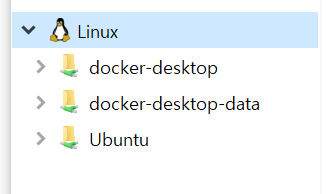
윈도우 사용자는 WSL2 환경에서 리눅스를 사용 가능합니다.
그런데, 윈도우 탐색기를 통해 어떠한 파일이든 복사를 하는 순간 .Identifire가 생성됩니다.
이 파일은 없어도 코드작동에는 문제가 생기지 않으므로 삭제합니다.
# 리눅스 제거코드
sudo rm -f /*.Identifier
# get_ipython() 사용하는 방법
! rm -f /*.Identifier# 파이썬 ipynb 사용 방법
import os
def delete_ide(folder_path, target_extension):
for root, dirs, files in os.walk(folder_path):
for filename in files:
if filename.endswith(target_extension):
file_path = os.path.join(root, filename)
try:
os.remove(file_path)
print(f"Deleted: {file_path}")
except Exception as e:
print(f"Error deleting {file_path}: {e}")
# 삭제할 확장자와 시작 폴더 경로를 지정합니다.
target_extension = ".Identifier"
starting_folder = "/"
delete_ide(starting_folder, target_extension)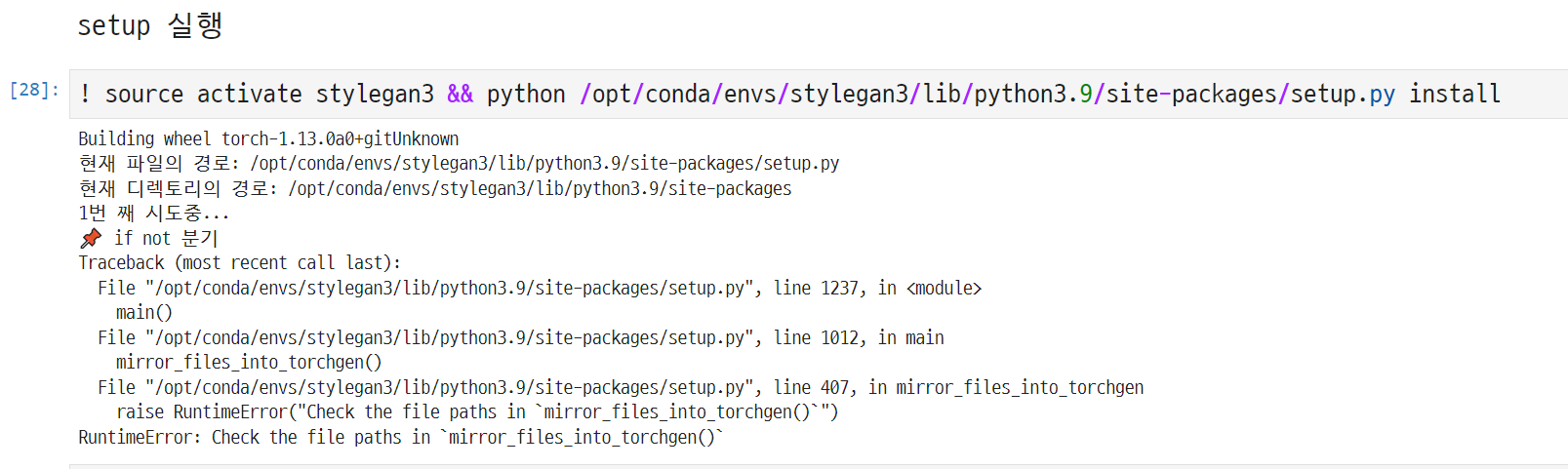
📌 mirror_files_into_torchgen()
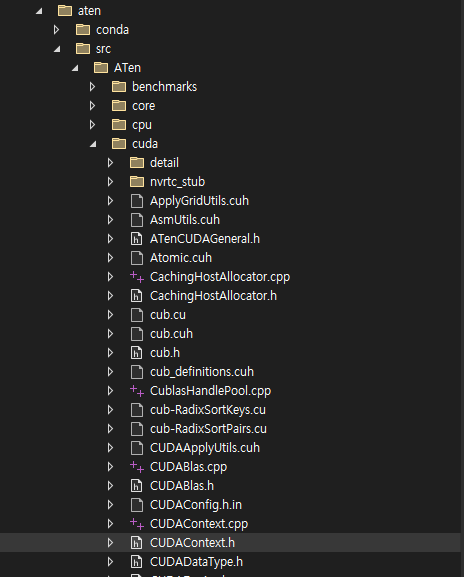
경로설정을 해줘야하는 부분입니다. Pytorch 버전마다 다르므로 본인 환경에 맞게 해야합니다.
# Windows has very bad support for symbolic links.
# Instead of using symlinks, we're going to copy files over
def mirror_files_into_torchgen():
    # (new_path, orig_path)
    # Directories are OK and are recursively mirrored.
    paths = [
        (
            "torchgen/packaged/ATen/native/native_functions.yaml",
            "aten/src/ATen/native/native_functions.yaml",
        ),
        ("torchgen/packaged/ATen/native/tags.yaml", "aten/src/ATen/native/tags.yaml"),
        ("torchgen/packaged/ATen/templates", "aten/src/ATen/templates"),
        ("torchgen/packaged/autograd", "tools/autograd"),
        ("torchgen/packaged/autograd/templates", "tools/autograd/templates"),
    ]
    testIndex = 1
    for new_path, orig_path in paths:
        print(f"{testIndex} 번 시도 중...")
        testIndex += 1
        print(f"new_path: {new_path}, orig_path: {orig_path}")
        # Create the dirs involved in new_path if they don't exist
        if not os.path.exists(new_path):
            os.makedirs(os.path.dirname(new_path), exist_ok=True)

        # Copy the files from the orig location to the new location
        if os.path.isfile(orig_path):
            shutil.copyfile(orig_path, new_path)
            continue
        if os.path.isdir(orig_path):
            if os.path.exists(new_path):
                # copytree fails if the tree exists already, so remove it.
                shutil.rmtree(new_path)
            shutil.copytree(orig_path, new_path)
            continue
        raise RuntimeError("Check the file paths in `mirror_files_into_torchgen()`")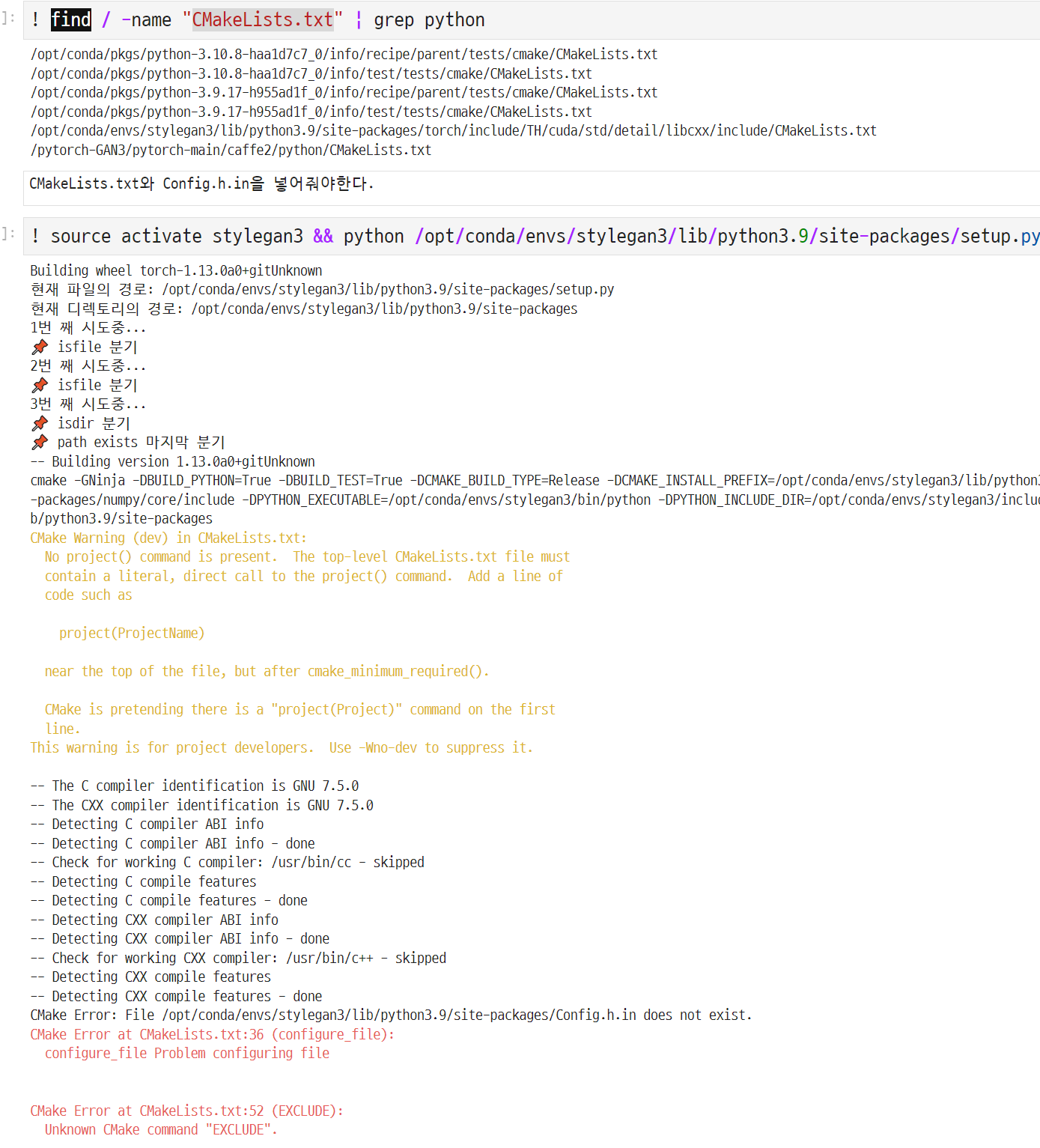
📌 딥러닝 용어 정리
Kimg:
Kimg는 "Kilopixel per Image"의 약자로, 이미지 당 처리되는 픽셀 수를 나타내는 단위입니다. 딥러닝 모델을 훈련시킬 때 입력 이미지의 크기를 결정하는 중요한 요소 중 하나입니다. 예를 들어, 224x224 크기의 이미지는 224 * 224 = 50,176 픽셀로 이루어져 있으며, 이는 50 Kimg에 해당합니다.
Tick:
"Tick"은 딥러닝 모델의 훈련 과정을 나타내는 작은 단위의 시간 간격을 의미합니다. 모델 훈련 중에는 여러 가지 연산이 수행되고 매개변수가 업데이트되는데, 이런 작은 단위의 시간을 "틱"이라고 부르며, 주로 훈련 프로세스의 진행 상황을 추적하거나 시간을 측정할 때 사용됩니다.
Buffers:
"Buffers"는 주로 딥러닝 모델의 훈련 중에 사용되는 중간 데이터 저장소를 의미합니다. 이러한 버퍼는 주로 GPU 또는 CPU 메모리에 위치하여 모델의 중간 계산 값을 저장하고 관리하는 데 사용됩니다. 예를 들어, 모델의 레이어 간에 전달되는 활성화 함수의 출력, 그래디언트, 가중치 등이 이러한 버퍼에 저장될 수 있습니다. 이를 통해 역전파 및 가중치 업데이트와 같은 학습 과정이 효율적으로 수행됩니다.
GAN(Generative Adversarial Network)은 생성 모델의 한 유형으로, 실제와 유사한 가짜 데이터를 생성하는데 사용되는 알고리즘입니다. GAN은 두 개의 주요 구성 요소인 "생성자"와 "판별자"로 구성되어 있습니다. 생성자는 실제와 유사한 데이터를 생성하려고 노력하며, 판별자는 이러한 생성된 데이터와 실제 데이터를 구분하려고 노력합니다.
"Augmented image"는 GAN에서 사용되는 용어 중 하나로, 기존의 이미지 데이터에 다양한 변형을 적용하여 새로운 이미지를 생성하는 과정을 나타냅니다. 이는 생성자가 다양한 형태와 스타일의 이미지를 만들어내는 데 도움이 되며, 데이터의 다양성을 향상시키는 데 도움을 줄 수 있습니다. Augmented image는 원본 이미지에 회전, 확대/축소, 뒤집기, 색상 변화 등의 변형을 적용하여 생성되는데, 이는 생성된 데이터의 품질과 다양성을 높이는 데 도움이 됩니다.
GAN에서는 이러한 augmented image를 생성자가 학습 데이터로 사용하여 실제와 유사한 가짜 이미지를 생성하는 과정에서 중요한 역할을 할 수 있습니다. 이를 통해 생성된 데이터가 다양한 변형과 스타일을 가질 수 있으며, 이는 다양한 응용 분야에서 유용하게 사용될 수 있습니다.
📌 워크플로우
- 파이토치 1.13버전 다운로드
- 도커환경 구축
- Style-GAN3다운로드 및 site-packages로 복사
- setup.py 실행