1. 사용자 인증 및 프로필 정보 로드
사용자가 로그인했는지 확인하고, 로그인한 사용자의 프로필 정보를 Firestore에서 가져옴
   useEffect(() => {
     const unsubscribe = onAuthStateChanged(auth, async user => {
       if (user) {
         const userDocRef = doc(db, 'users', user.uid);
         const userDocSnap = await getDoc(userDocRef);
         if (userDocSnap.exists()) {
           const userData = userDocSnap.data();
           setUserProfile({
             // Firestore 문서에서 필요한 데이터 추출
           });
         }
       } else {
         // 사용자가 로그인하지 않은 경우
         Swal.fire({
           title: '로그인이 필요합니다.',
           // Sweet Alert 설정
         });
         router.push('/auth'); // 로그인 페이지로 이동
       }
     });
     return () => unsubscribe(); // 언마운트 시 이벤트 리스너 제거
   }, []);
2. 프로필 사진 업로드 및 변경 기능
사용자가 이미지를 선택하면 Firebase Storage에 업로드하고 URL을 Firestore 저장
   const clickProfileImageHandler = async (event) => {
     const file = event.target.files?.[0];
     if (!file || !auth.currentUser) return;

     const storageRef = ref(storage, 'ProfilePic/${auth.currentUser.uid}');
     await uploadBytes(storageRef, file);
     const photoURL = await getDownloadURL(storageRef);

     await updateDoc(doc(db, 'users', auth.currentUser.uid), { photoURL });
     setUserProfile(prev => ({ ...prev, photoURL }));
   };
3. 닉네임 및 개인 정보 편집 기능
사용자가 입력한 닉네임, 생년월일, 성별을 Firestore 저장
   const clickNickNameSaveHandler = async () => {
     if (auth.currentUser) {
       await updateDoc(doc(db, 'users', auth.currentUser.uid), { nickname: newNickName });
       setUserProfile(prev => ({ ...prev, nickName: newNickName }));
     }
   };
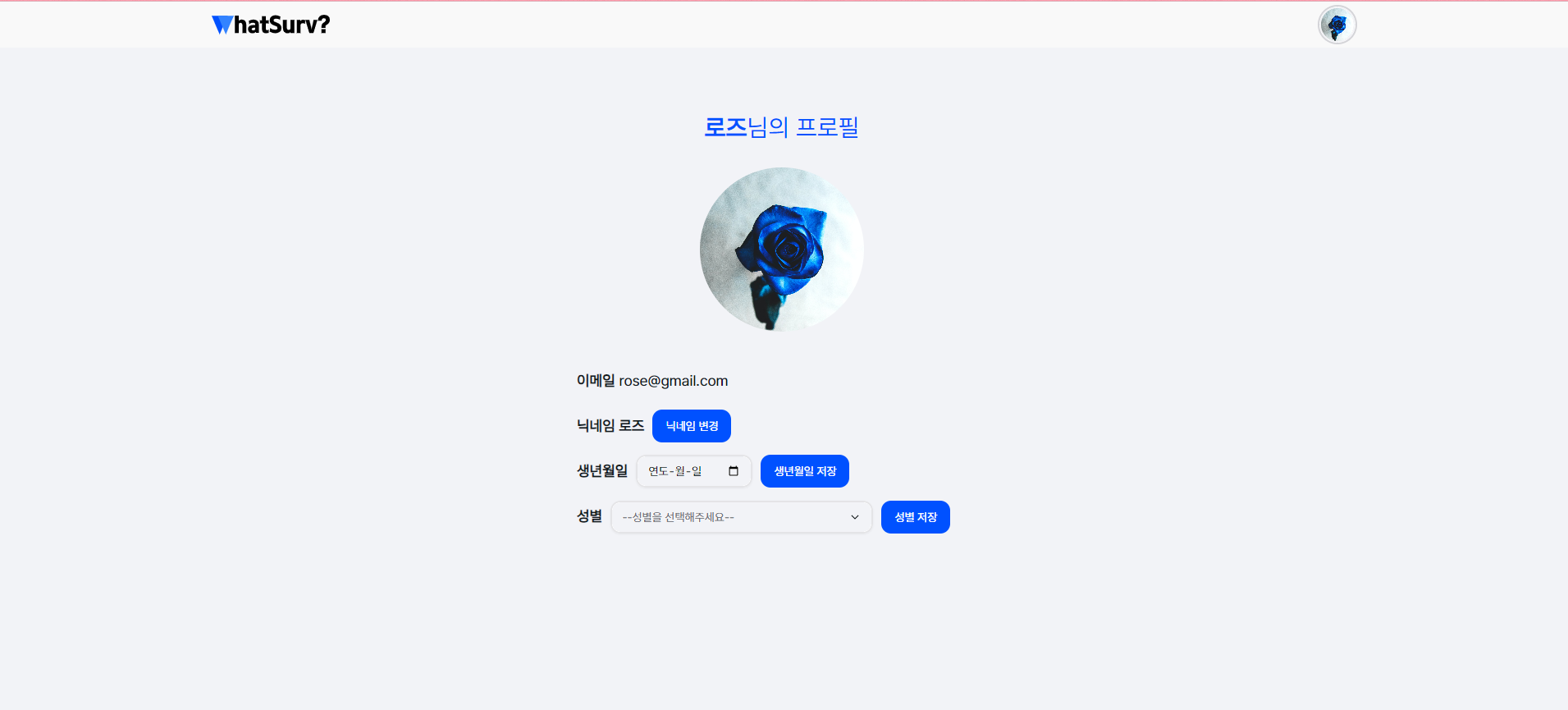
4. 프로필 페이지 UI 스타일링
5. 로딩 및 알림 UI 구현
데이터 로드 시 로딩 인디케이터와 Sweet Alert2 사용
   if (!userProfile) {
     return (
       <MoonLoader color="#0051FF" size={100} />
       // 로딩 인디케이터 표시
     );
   }
오늘의 한줄평 : 뭔가 에러 하나 해결하면 또다른 에러가 생기고 정말 구현보다 트러블 슈팅이 많았다.

귀여운 걸 좋아하고 흥미가 있으면 불타오릅니다💙 최근엔 코딩이 흥미가 많아요🥰