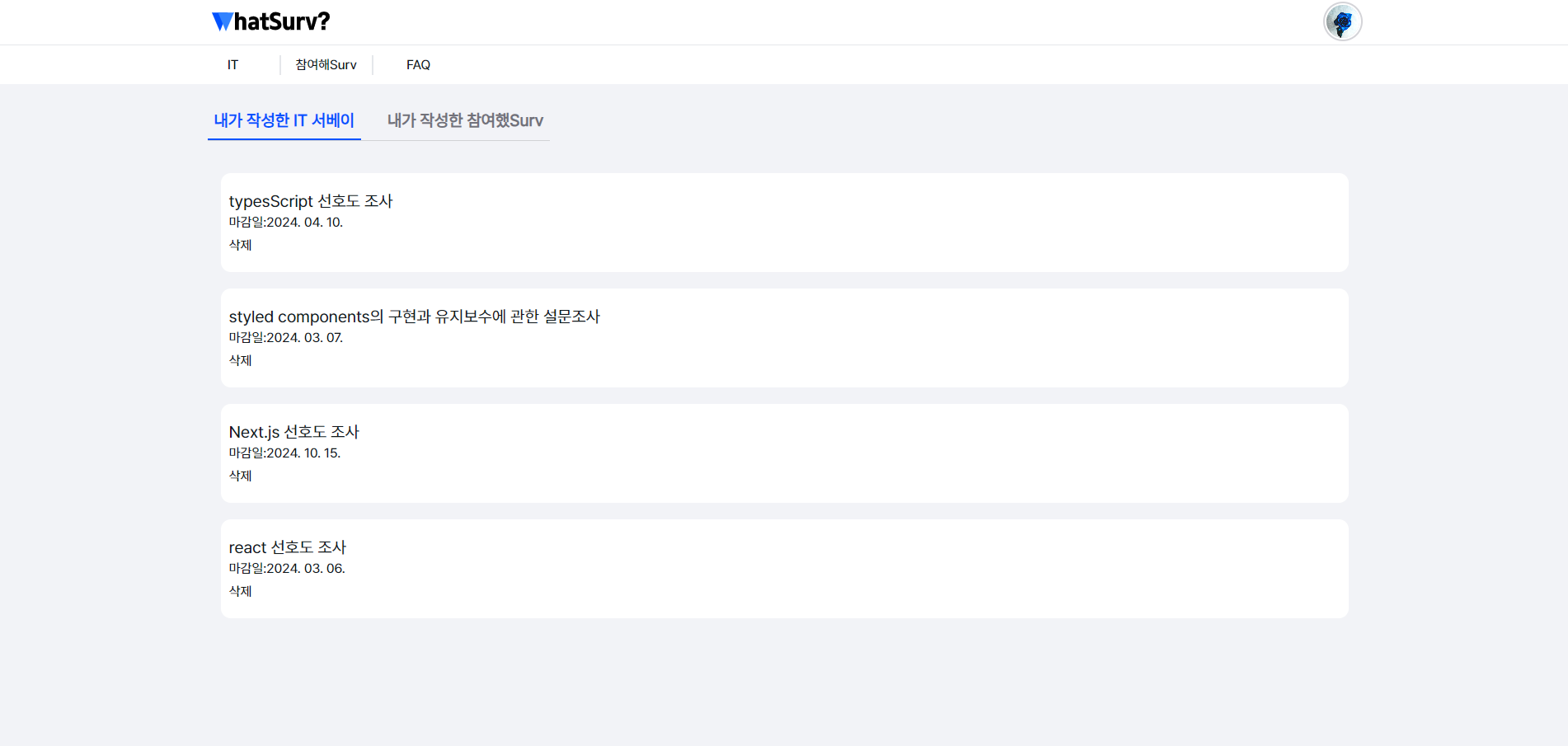
1. Next.js와 Firebase Firestore 통합
- 목표 : 특정 사용자가 작성한 게시글 목록을 Firebase Firestore에서 불러와서 표시함
- 구현 과정:
- Firebase Firestore의 'posts' 및 'litesurveyposts' 컬렉션에 대한 쿼리를 작성하고 실행
- Firestore에서 받아온 데이터를 상태에 저장하고, 사용자에게 게시글 목록을 표시
useEffect(() => {
  if (userId) {
    setIsLoading(true);
    Promise.all([getUserPostsIT(userId), getUserPostLite(userId)])
      .then(([postsIT, postsLite]) => {
        setPosts(postsIT);
        setUserPostLite(postsLite);
      })
      .finally(() => {
        setIsLoading(false);
      });
  }
}, [userId]);
2. 로딩 상태 관리
-
목표: 비동기 데이터 로딩 시 사용자에게 로딩 상태 표시하기
-
구현 과정:
- 'isLoading' 상태 변수를 추가하여 데이터 로딩 중임을 나타냄
- 로딩 중에는 "로딩 중..." 메시지를 화면에 표시
if (isLoading) {
  return <div>로딩 중......</div>;
}
3. 조건부 렌더링 및 사용자 피드백
- 목표: 사용자에게 작성한 게시글의 유무에 따른 적절한 피드백 제공
- 구현 과정:
- 작성한 게시글이 없을 경우 "작성한 글이 없습니다"라는 메시지를 화면에 표시
          {posts.length > 0 ? (
                <ul>
                  {posts.map(post => (
                    <li key={post.id} className="bg-white mb-[20px] px-[10px]  rounded-xl py-[20px] ">
                      <Link href={`/survey-it/${post.id}`} className="text-xl">
                        {post.title}
                        <p className="text-base">
                          마감일:
                          {post.deadlineDate
                            ? post.deadlineDate.toLocaleDateString('ko-KR', {
                                year: 'numeric',
                                month: '2-digit',
                                day: '2-digit',
                              })
                            : 'No deadline'}
                        </p>
                      </Link>
                      <button onClick={() => clickDeleteITHandler(post.id)}>삭제</button>
                    </li>
                  ))}
                </ul>
              ) : (
          **      <p>작성한 글이 없습니다.</p>**
              )}
4. SweetAlert2를 활용한 삭제 확인 기능
- 목표: 사용자가 게시글을 삭제하기 전에 확인 절차를 거치도록 하기
- 구현 과정:
- 게시글 삭제 버튼에 SweetAlert2 기반의 확인 다이얼로그 추가
- 사용자가 삭제를 확인하면 Firestore에서 게시글 삭제 및 상태 업데이트
  const clickDeleteITHandler = async (postId: string) => {
    const result = await Swal.fire({
      title: '정말 삭제하시겠습니까?',
      icon: 'warning',
      showCancelButton: true,
      confirmButtonColor: '#3085d6',
      cancelButtonColor: '#d33',
      confirmButtonText: '확인',
      cancelButtonText: '취소',
    });

    if (result.isConfirmed) {
      try {
        await deletePost(postId);
        setPosts(prevPosts => prevPosts.filter(post => post.id !== postId));
        setUserPostLite(prevPosts => prevPosts.filter(post => post.id !== postId));

        Swal.fire({
          title: 'Deleted!',
          text: 'Your file has been deleted.',
          icon: 'success',
        });
      } catch (error) {
        console.error('Failed to delete post: ', error);
      }
    }
  };
5. Next UI 및 Tailwind CSS를 이용한 UI 개선
- 목표: 사용자 인터페이스의 시각적 측면 개선
- 구현 과정:
- Next UI의 'Tabs' 컴포넌트 사용하여 탭 기능 구현
- Tailwind CSS를 사용하여 'Card', 'Tabs' 등의 컴포넌트 스타일링
 <Tabs
        aria-label="서베이 Tab"
        size="lg"
        variant="underlined"
        classNames={{
          tabList: 'gap-6  border-b-0 font-bold  w-full mb-[15px] relative rounded-none p-0 border-b border-divider',
          cursor: 'w-full bg-[#0051FF]',
          tab: 'max-w-fit px-0 h-12 text-xl px-2',
          tabContent: 'group-data-[selected=true]:text-[#0051FF]',
        }}
      >
        <Tab title="내가 작성한 IT 서베이">
          <Card className="bg-transparent border-0  rounded-none shadow-none">
            <CardBody>
              {posts.length > 0 ? (
                <ul>
                  {posts.map(post => (
                    <li key={post.id} className="bg-white mb-[20px] px-[10px]  rounded-xl py-[20px] ">
                      <Link href={`/survey-it/${post.id}`} className="text-xl">
                        {post.title}
                        <p className="text-base">
                          마감일:
                          {post.deadlineDate
                            ? post.deadlineDate.toLocaleDateString('ko-KR', {
                                year: 'numeric',
                                month: '2-digit',
                                day: '2-digit',
                              })
                            : 'No deadline'}
                        </p>
                      </Link>
                      <button onClick={() => clickDeleteITHandler(post.id)}>삭제</button>
                    </li>
                  ))}
                </ul>
              ) : (
                <p>작성한 글이 없습니다.</p>
              )}
            </CardBody>
          </Card>
        </Tab>
        <Tab title="내가 작성한 참여했Surv">
          <Card>
            <CardBody>
              {userPostLite.length > 0 ? (
                <ul>
                  {userPostLite.map(post => (
                    <li key={post.id}>
                      <Link href="/survey-lite">{post.title}</Link>
                    </li>
                  ))}
                </ul>
              ) : (
                <p>작성한 글이 없습니다.</p>
              )}
            </CardBody>
          </Card>
        </Tab>
      </Tabs>
오늘의 한줄평 : 오늘은 조금 다른 방식으로 TIL을 적어보았다. 오늘 프로젝트 진행을 하면서 Next.js와 Firebase의 통합, 비동기 처리, 조건부 렌더링, UI 개선 및 사용자 경험에 대한 중요성을 또 한번 상기시켜보니 좋았다.

귀여운 걸 좋아하고 흥미가 있으면 불타오릅니다💙 최근엔 코딩이 흥미가 많아요🥰