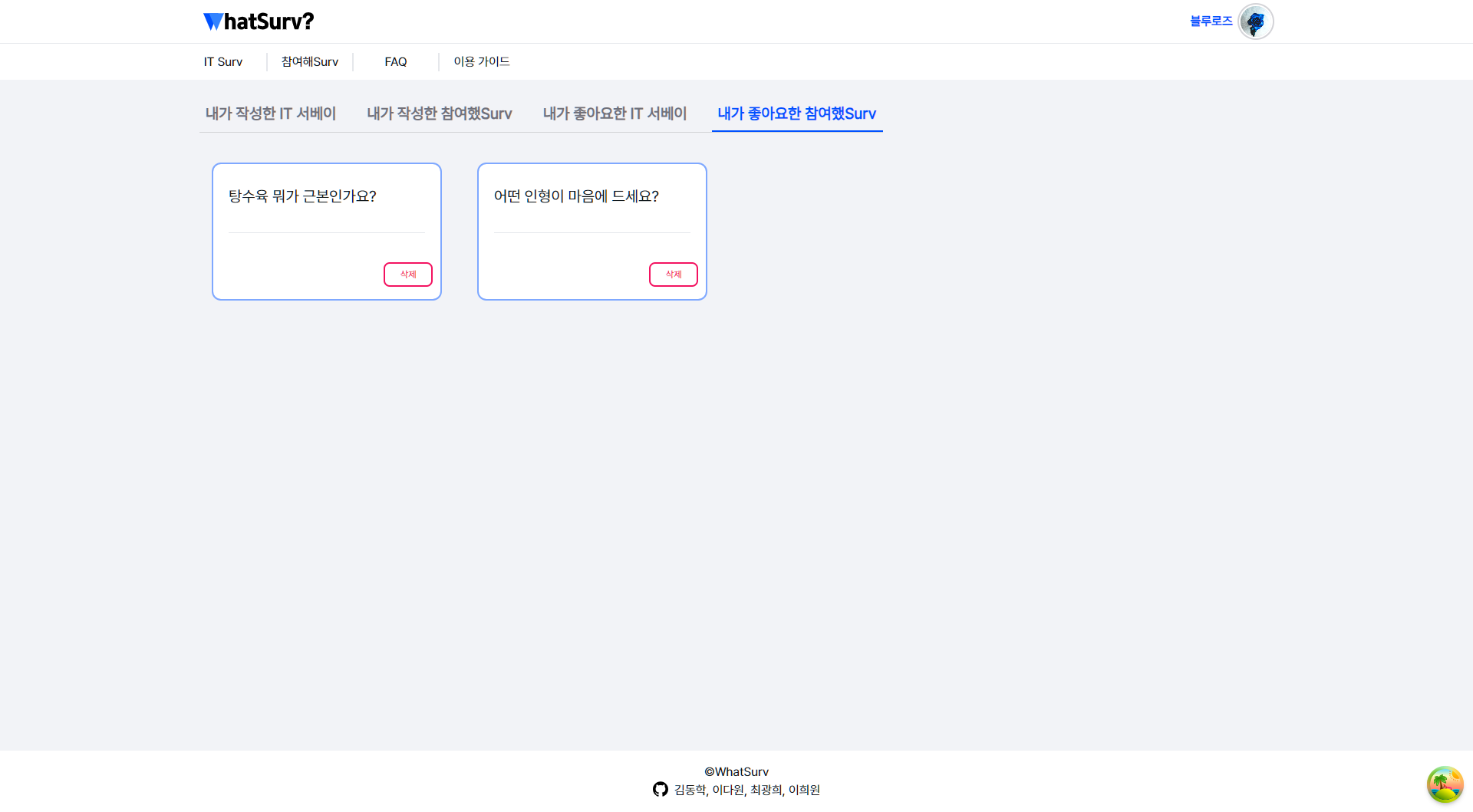
1. Firebase 데이터 조회 및 업데이트
- 사용자의 IT 서베이, Lite 서베이 게시글을 좋아요한 게시글을 조회하는 함수들( 'getLikedPostsLite', 'getLikedPostsIT')을 작성하고 구현함
- Firestore에서 'users/${userId}/likedPosts' 경로에 저장된 게시글의 좋아요 정보를 제거하는 함수들('deleteLikedPostsLite', 'deleteLikedPostIT') 작성
// 좋아요한 참여했Surv을 삭제하는 함수
export const deleteLikedPostsLite = async (userId: string, postId: string) => {
  try {
    const postRef = doc(db, `users/${userId}/liteSurveyLikedPosts`, postId);
    await deleteDoc(postRef);
  } catch (error) {
    console.error(`좋아요한 게시글 ${postId} 삭제 실패: `, error);
    // 오류를 다시 던져 상위 컴포넌트에서 처리할 수 있게 함
    throw error;
  }
};
//내가 좋아요한 IT 서베이
export const getLikedPostsIT = async (userId: string) => {
  const likedPostsQuery = query(collection(db, `users/${userId}/itSurveyLikedPosts`), where('liked', '==', true));
  const querySnapshot = await getDocs(likedPostsQuery);
  const likedPosts = await Promise.all(
    querySnapshot.docs.map(async documentSnapshot => {
      const postId = documentSnapshot.id;
      const postRef = doc(db, 'posts', postId); //
      const postSnap = await getDoc(postRef);
      const postData = postSnap.data();

      return {
        id: postId,
        title: postData?.title,
        content: postData?.content,
      };
    }),
  );

  return likedPosts;
};

// 좋아요한 IT 서베이를 삭제하는 함수
export const deleteLikedPostIT = async (userId: string, postId: string) => {
  try {
    const postRef = doc(db, `users/${userId}/itSurveyLikedPosts`, postId);
    await deleteDoc(postRef);
  } catch (error) {
    console.error(`좋아요한 게시글 ${postId} 삭제 실패: `, error);
    // 오류를 다시 던져 상위 컴포넌트에서 처리할 수 있게 함
    throw error;
  }
};
2. React 컴포넌트 상태 관리 및 UI 업데이트
- 'ProfilePost' 컴포넌트에서 여러 상태 변수('likedLitePosts', 'likedITPosts')를 정의하고, 이를 업데이트하기 위한 로직을 구현함
- 'useEffect'를 사용하여 페이지 로드 시 위에서 정의한 함수들을 호출하고, 결과로 상태를 업데이트하는 로직 구현
  useEffect(() => {
    if (userId) {
      setIsLoading(true);
      Promise.all([getUserPostsIT(userId), getUserPostLite(userId), getLikedPostsLite(userId), getLikedPostsIT(userId)])
        .then(([postsIT, postsLite, likedLitePostsData, likedITPostsData]) => {
          setPosts(postsIT);
          setUserPostLite(postsLite);
          setLikedLitePosts(likedLitePostsData);
          setLikedITPosts(likedITPostsData);
        })
        .finally(() => {
          setIsLoading(false);
        });
    }
  }, [userId]);
3. UI 인터랙션 및 삭제 기능 구현
- Swal(SweetAlert) 라이브러리를 사용하여 사용자에게 삭제 확인을 요청하는 UI 구현
- Lite 게시글, IT 게시글의 좋아요한 게시글을 삭제하는 이벤트 핸들러('clickDeleteLikedPostLiteHandler', 'clickDeleteLikedPostITHandler')를 구현
  // 좋아요한 게시글 삭제 핸들러
  const clickDeleteLikedPostLiteHandler = async (postId: string) => {
    const result = await Swal.fire({
      title: '좋아요를 해제하시겠습니까?',
      icon: 'warning',
      showCancelButton: true,
      confirmButtonColor: '#3085d6',
      cancelButtonColor: '#d33',
      confirmButtonText: '확인',
      cancelButtonText: '취소',
    });

    if (result.isConfirmed) {
      try {
        await deleteLikedPostsLite(userId, postId); // 좋아요한 게시글 삭제 함수 호출
        setLikedLitePosts(prevPosts => prevPosts.filter(post => post.id !== postId)); // UI 업데이트

        Swal.fire({
          title: '좋아요가 해제되었습니다.',
          confirmButtonText: '확인',
          confirmButtonColor: '#3085d6',
          icon: 'success',
        });
      } catch (error) {
        console.error('좋아요한 게시글 삭제 실패: ', error);
        Swal.fire({
          title: '좋아요 해제에 실패했습니다.',
          text: '다시 시도해 주세요.',
          icon: 'error',
        });
      }
    }
  };
  // 좋아요한 게시글 삭제 핸들러
  const clickDeleteLikedPostITHandler = async (postId: string) => {
    const result = await Swal.fire({
      title: '좋아요를 해제하시겠습니까?',
      icon: 'warning',
      showCancelButton: true,
      confirmButtonColor: '#3085d6',
      cancelButtonColor: '#d33',
      confirmButtonText: '확인',
      cancelButtonText: '취소',
    });

    if (result.isConfirmed) {
      try {
        await deleteLikedPostIT(userId, postId); // 좋아요한 게시글 삭제 함수 호출
        setLikedITPosts(prevPosts => prevPosts.filter(post => post.id !== postId)); // UI 업데이트

        Swal.fire({
          title: '좋아요가 해제되었습니다.',
          confirmButtonText: '확인',
          confirmButtonColor: '#3085d6',
          icon: 'success',
        });
      } catch (error) {
        console.error('좋아요한 게시글 삭제 실패: ', error);
        Swal.fire({
          title: '좋아요 해제에 실패했습니다.',
          text: '다시 시도해 주세요.',
          icon: 'error',
        });
      }
    }
  };
4. 타입스크립트 타입 관련 문제 해결
- 반환되는 데이터 타입과 상태의 타입이 일치하지 않는 문제
User
'{ id: string; title: any; content: any; }[]' 형식의 인수는 'SetStateAction<PostIT[]>' 형식의 매개 변수에 할당될 수 없습니다.
  '{ id: string; title: any; content: any; }[]' 형식은 'PostIT[]' 형식에 할당할 수 없습니다.
    'deadlineDate' 속성이 '{ id: string; title: any; content: any; }' 형식에 없지만 'PostIT' 형식에서 필수입니다.
이런 타입문제는 매우 많이 겪었고...가뿐하게 이젠 해결할수 있었으면 좋겠다
오늘의 한줄평 : 병원진료가 내일인데 오늘인줄알고 간 바보가 있다....?하 ...

귀여운 걸 좋아하고 흥미가 있으면 불타오릅니다💙 최근엔 코딩이 흥미가 많아요🥰