ViewController
스크린 하나를 관리함
ViewController 하나에 .swift 파일 하나 연결 - Assistant로 코드 같이 띄우기 가능
(오른쪽 identity inspector에서 Custom Class로 확인)
ctrl 누른 상태에서 object를 코드로 끌어놔주면 @IBAction, @IBOutlet 등으로 연결
UIKit framework
It defines the core components of an iOS application, from labels and buttons to table views and navigation controllers.
object
앱을 구성하는 요소
데이터(변수, 상수 등의 값) + 메소드
object -> view controller event 전달 -> 메소드 실행
타입 추론
따로 타입 지정해주지 않아도 초기화되는 값에 따라 swift가 알아서 타입을 추론
Closure
실행 가능한 코드 블럭
@IBAction func showAlert() {
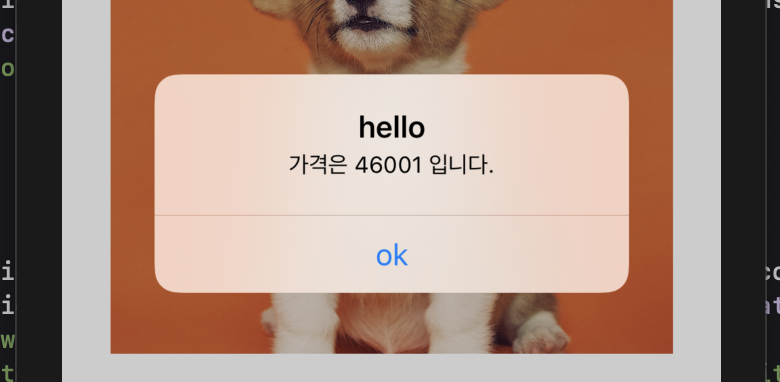
	let message = "가격은 \(currentValue) 입니다. "

        let alert = UIAlertController(title: "hello", message: message,
        preferredStyle: .alert)
        let action = UIAlertAction(title: "ok", style: .default,
        handler: { action in self.refresh() }) //<-여기가 Closure
        alert.addAction(action)
        present(alert, animated: true, completion: nil)
}

func refresh() {
        let randomNum = arc4random_uniform(100000) + 1
        currentValue = Int(randomNum)
        priceLabel.text = "₩ \(currentValue)"
}
ok를 눌렀을 때 refresh() 가 실행되도록
image
1x 2x 3x -> 해상도
이미지이름@2x.jpg 이렇게 해상도 표시
UIImageView -> Attributes Inspector에 image view에서 이미지 지정
System color는 다크 모드에서도 잘 보이게 알아서 색반전
app icon generator

wanderlust