webp를 다른 이미지 파일로 변환하기 위해서 sharp를 설치했다.
기존에는 Could not load the "sharp" module using the win32-x64 runtime 에러때문에 sharp대신 jimp를 사용하고 있었다.
throw new Error(help.join('\n'));
        ^

Error: Could not load the "sharp" module using the win32-x64 runtime
Possible solutions:
- Ensure optional dependencies can be installed:
    npm install --include=optional sharp
    yarn add sharp --ignore-engines
- Ensure your package manager supports multi-platform installation:
    See https://sharp.pixelplumbing.com/install#cross-platform
- Add platform-specific dependencies:
    npm install --os=win32 --cpu=x64 sharp
    npm install --force @img/sharp-win32-x64
- Consult the installation documentation:
    See https://sharp.pixelplumbing.com/install
    at Object.<anonymous> (C:\Users\82107\Desktop\nodeClass\team-Omo-BE-mainpage\node_modules\sharp\lib\sharp.js:107:9)
    at Module._compile (node:internal/modules/cjs/loader:1376:14)
    at Module._extensions..js (node:internal/modules/cjs/loader:1435:10)
    at Module.load (node:internal/modules/cjs/loader:1207:32)
    at Module._load (node:internal/modules/cjs/loader:1023:12)
    at Module.require (node:internal/modules/cjs/loader:1235:19)
    at require (node:internal/modules/helpers:176:18)
    at Object.<anonymous> (C:\Users\82107\Desktop\nodeClass\team-Omo-BE-mainpage\node_modules\sharp\lib\constructor.js:10:1)
    at Module._compile (node:internal/modules/cjs/loader:1376:14)
    at Module._extensions..js (node:internal/modules/cjs/loader:1435:10)

Node.js v20.10.0
[nodemon] app crashed - waiting for file changes before starting...
sharp 라이브러리를 설치하고 위와 같은 에러메시지가 떴다. 에러메시지에서 솔루션이라고 말해준걸 해보기로 했다. 지난번이랑 달라진점은 yarn명령어가 생겼다는점.yarn add sharp --ignore-engines을 하니 뭔가 되는것 같았다.
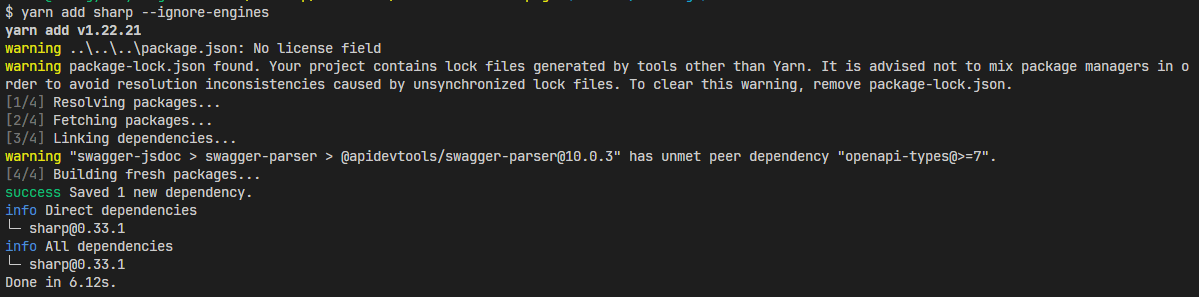
뭔가 더 해봐야 알겠지만 sharp 실행은 되는 것 같다!

시간이 걸릴 뿐 내가 못할 건 없다.