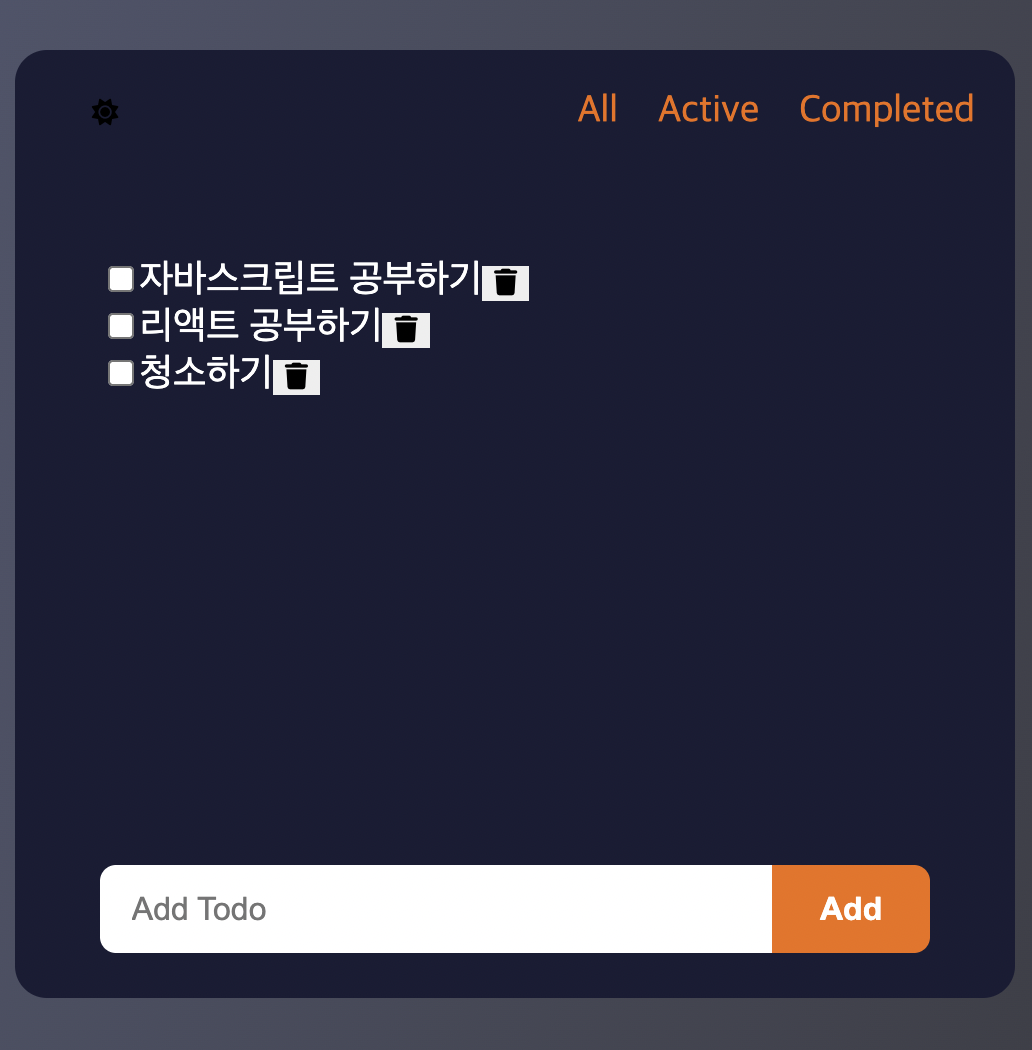
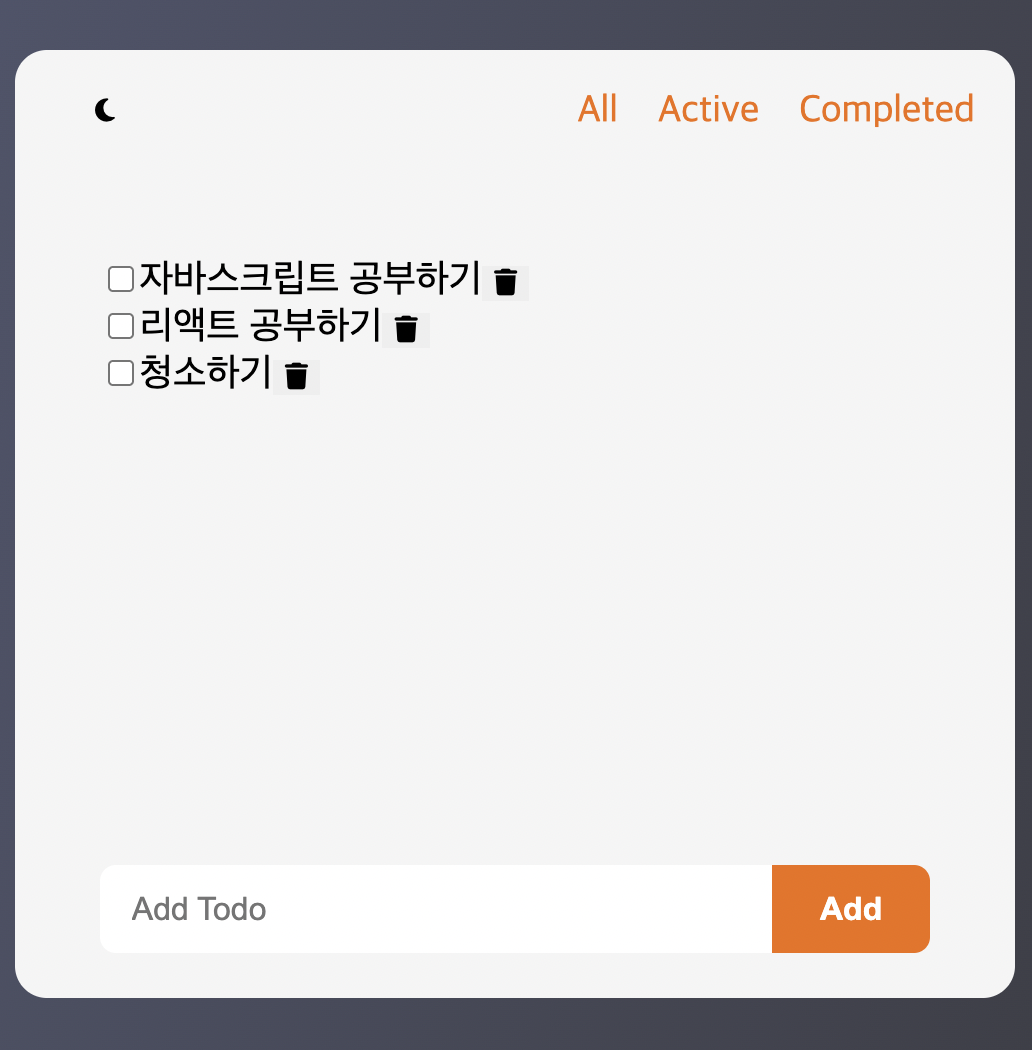
자바스크립트의 공부를 위해 다시 todolist를 만들었다. 이번에는 다크모드와 로컬 스토리지에 저장하는것까지 포함해서 만들어봤다.
만들면서 나는 아직 멀었다 생각이 들었다...역시 기초탄탄
<!DOCTYPE html>
<html lang="en">
  <head>
    <meta charset="UTF-8" />
    <meta name="viewport" content="width=device-width, initial-scale=1.0" />
    <link rel="stylesheet" href="style.css" />
    <!-- Font Awesome 아이콘 불러오기 -->
    <link
      rel="stylesheet"
      href="https://cdnjs.cloudflare.com/ajax/libs/font-awesome/6.6.0/css/all.min.css"
    />
    <title>Todo</title>
  </head>
  <body class="darkmode">
    <div class="container">
      <header>
        <div class="header_container">
            <button id="theme-switch">
          <i class="fa-solid fa-moon"></i>
          <i class="fa-solid fa-sun"></i>
          </button>
          <div class="header_filters">
            <ul class="filters">
              <li class="All_filter">All</li>
              <li class="Active_filter">Active</li>
              <li class="Completed_filter">Completed</li>
            </ul>
          </div>
        </div>
      </header>
      <section class="section">
        <ul class="todos" id="todos">
        </ul>
        <div class="input_container">
          <form class="input_container" id="todo-form">
    <input type="text" class="input" id="input" placeholder="Add Todo" />
    <button class="button" type="submit">Add</button>
  </form>
      </section>
    </div>
  </body>
  <script src="script.js"></script>
</html>
:root {
  --color-bg-dark: #f5f5f5;
  --color-bg: #fdfffd;
  --color-grey: #d1d1d1;
  --color-text: #22243b;
  --color-accent: #f16e03;
  --color-white: white;
  --color-scrollbar: #aaa7a7;
}

.darkmode {
  --color-bg-dark: #1a1c35;
  color: white;
}
body {
  width: 100vw;
  height: 100vh;
  display: flex;
  justify-content: center;
  align-items: center;
  font-size: 1.2rem;
  accent-color: var(--color-accent);
  background: linear-gradient(
    106deg,
    rgba(81, 87, 111, 1) 0%,
    rgba(60, 61, 69, 1) 100%
  );
}

#root {
  width: 100%;
  height: 60%;
  max-width: 500px;
  background-color: var(--color-bg-dark);
  overflow: hidden;
  border-radius: 1rem;
  display: flex;
  flex-direction: column;
}
* {
  box-sizing: border-box;
}
ul {
  list-style: none;
  padding-left: 0;
}

button {
  outline: none;
  border: none;
}
::-webkit-scrollbar {
  width: 0.5rem;
}
::-webkit-scrollbar-track {
  background-color: var(--color-bg-dark);
}

::-webkit-scrollbar-thumb {
  background-color: var(--color-scrollbar);
}
::-webkit-scrollbar-thumb:hover {
  background-color: var(--color-accent);
}
.container {
  display: flex;
  flex-direction: column;
  width: 100%;
  height: 60%;
  max-width: 500px; /* 여기에 적용 */
  background-color: var(--color-bg-dark);
  border-radius: 1rem;
  overflow: hidden;
  padding: 0 20px;
}
.header_container {
  display: flex;
  justify-content: space-between;
  align-items: center;
}
.filters {
  display: flex;
  gap: 20px;
  cursor: pointer;
  color: var(--color-accent);
}

#theme-switch {
  height: 50px;
  width: 50px;
  background-color: transparent;
  cursor: pointer;
}

#theme-switch i:last-child {
  display: none;
}
.darkmode #theme-switch i:first-child {
  display: none;
}

.darkmode #theme-switch i:last-child {
  display: block;
}
.input_container {
  display: flex;
  width: 100%;
  margin-top: 1rem;
}

.input {
  flex: 1;
  padding: 0.8rem 1rem;
  border: none;
  outline: none;
  border-radius: 0.5rem 0 0 0.5rem; /* 왼쪽 둥글게 */
  background-color: var(--color-white);
  font-size: 1rem;
}

.button {
  padding: 0.8rem 1.5rem;
  border: none;
  border-radius: 0 0.5rem 0.5rem 0; /* 오른쪽 둥글게 */
  background-color: var(--color-accent);
  color: var(--color-white);
  font-size: 1rem;
  font-weight: bold;
  cursor: pointer;
}

.button:hover {
  background-color: #d65a02; /* hover 색상 */
}

.section {
  flex: 1;
  display: flex;
  flex-direction: column;
  padding: 1.4rem;
  background-color: var(--color-bg-dark);
}

.todos {
  flex: 1;
  overflow-y: auto;
  margin-bottom: 1rem;
}

.input_container {
  display: flex;
  width: 100%;
}
// ===== 1) DOM 참조 =====
const form = document.getElementById("todo-form");
const input = document.getElementById("input");
const todosUL = document.getElementById("todos");
const allBtn = document.querySelector(".All_filter");
const activeBtn = document.querySelector(".Active_filter");
const completedBtn = document.querySelector(".Completed_filter");

// 다크모드
let darkmode = localStorage.getItem("darkmode");
const themeSwitch = document.getElementById("theme-switch");

const enableDarkmode = () => {
  document.body.classList.add("darkmode");
  localStorage.setItem("darkmode", "active");
};

const disableDarkmode = () => {
  document.body.classList.remove("darkmode");
  localStorage.setItem("darkmode", null);
};

if (darkmode === "active") enableDarkmode();

themeSwitch.addEventListener("click", () => {
  darkmode = localStorage.getItem("darkmode");
  darkmode !== "active" ? enableDarkmode() : disableDarkmode();
});

// ===== 2) 제출(추가) =====
form.addEventListener("submit", (e) => {
  e.preventDefault();

  addTodo();
  // 제출 때도 필터 리스너 등록 — 중복 등록되지만 동작엔 문제 없음
  compltedFilters();
  activeFilters();
  allFilters();
  // 추가 후 저장
  saveToLs();
});

function addTodo() {
  // 입력창 값 가져오기 + 앞뒤 공백 제거
  const todoText = input.value.trim();
  if (!todoText) return;

  // li 만들기
  const todoEl = document.createElement("li");
  // 기본 상태는 active
  todoEl.classList.add("active");

  // 체크박스
  const checkbox = document.createElement("input");
  checkbox.type = "checkbox";

  // 체크하면 클래스만 토글
  checkbox.addEventListener("change", () => {
    if (checkbox.checked) {
      todoEl.classList.remove("active");
      todoEl.classList.add("completed");
    } else {
      todoEl.classList.remove("completed");
      todoEl.classList.add("active");
    }
  });

  // 텍스트
  const span = document.createElement("span");
  span.innerText = todoText;

  // 삭제 버튼
  const delBtn = document.createElement("button");
  delBtn.innerHTML = `<i class="fa-solid fa-trash"></i>`;
  delBtn.addEventListener("click", () => {
    todoEl.remove(); // li 자체 삭제
  });

  // 조립
  todoEl.appendChild(checkbox);
  todoEl.appendChild(span);
  todoEl.appendChild(delBtn);

  // ul에 붙이기
  todosUL.appendChild(todoEl);

  // 입력창 비우기
  input.value = "";
}

// ===== 3) 필터=====
function compltedFilters() {
  completedBtn.addEventListener("click", () => {
    const allTodos = document.querySelectorAll("#todos li");
    allTodos.forEach((todo) => {
      if (todo.classList.contains("completed")) {
        todo.style.display = "flex";
      } else {
        todo.style.display = "none";
      }
    });
  });
}

function activeFilters() {
  activeBtn.addEventListener("click", () => {
    const allTodos = document.querySelectorAll("#todos li");
    allTodos.forEach((todo) => {
      if (todo.classList.contains("active")) {
        todo.style.display = "flex";
      } else {
        todo.style.display = "none";
      }
    });
  });
}

function allFilters() {
  allBtn.addEventListener("click", () => {
    const allTodos = document.querySelectorAll("#todos li");
    allTodos.forEach((todo) => (todo.style.display = "flex"));
  });
}

// ===== 4) 로컬스토리지: 저장/복원 =====
function saveToLs() {
  // ul의 HTML 전체를 문자열로 저장
  localStorage.setItem("todosHTML_simple", todosUL.innerHTML); // 추가
  // 디버그 확인 원하면 아래 주석 해제
  // console.log("saved:", localStorage.getItem("todosHTML_simple"));
}

function loadFromLs() {
  const html = localStorage.getItem("todosHTML_simple"); // 읽어오기
  if (html) todosUL.innerHTML = html; // 그대로 복원
}
loadFromLs(); // 페이지 켜지자마자 복원

// ===== 5) 이벤트 위임(핵심! 복원된 항목도 동작) =====

// 체크박스 변경 → 클래스/checked 동기화 → 저장
todosUL.addEventListener("change", (e) => {
  const cb = e.target.closest('input[type="checkbox"]');
  if (!cb) return;

  const li = cb.closest("li");
  if (!li) return;

  // active <-> completed 반영
  // ✔ 한 줄로 상태 클래스 교체 (둘 중 하나만 갖도록)
  li.className = cb.checked ? "completed" : "active";

  // ✔ HTML 통째 저장 방식이므로 속성도 동기화
  cb.toggleAttribute("checked", cb.checked);

  saveToLs();
});

// 삭제 버튼 클릭 → li 삭제 → 저장
todosUL.addEventListener("click", (e) => {
  const btn = e.target.closest("button");
  if (!btn) return; // 버튼 아닌 클릭은 무시

  const li = btn.closest("li");
  if (!li) return;

  li.remove();
  saveToLs();
});

// ===== 6) 필터 버튼: 시작 시에도 한 번 등록(추가하면 더 빨리 동작) =====
compltedFilters();
activeFilters();
allFilters();
ur gonna figure it out. just like always have.