6주차
레거시 디자인 시스템 고도화하기
6주차는 레거시 디자인 시스템을 고도화하는 시간이었다. before로 작성된, 이상하게 구현된 디자인 시스템을 shadcn, tailwind 등을 통해 접근성과 더 나은 유지보수를 구현하는 일이었다.
Keep
디자인 시스템 토큰 고민하기
- 3tier model이라는 디자인 시스템 토큰의 계층화에 대해 고민해보는 시간이 있었다.
- 이 디자인 토큰이라는 건 뭘까?
- 디자인 시스템의 스타일 가이드 요소인 색상, 글자, 간격의 스타일 속성을 변수로 정의하여 코드화한 것이다. #KRDS
- 이는 일관성과 가독성을 유지하고, 개발자와 디자이너가 동일한 언어로 토큰을 이해할 수 있도록 돕는다.
https://www.krds.go.kr/html/site/style/style_07.html
- 근데 이 계층화가 진짜 왜 필요한가를 고민하고 구현하는 데 시간을 많이 보냈던 것 같다.
📦tokens
┣ 📂primitives
┃ ┣ 📜colors.css
┃ ┣ 📜motion.css
┃ ┣ 📜rounded.css
┃ ┣ 📜shadow.css
┃ ┣ 📜spacing.css
┃ ┗ 📜typography.css
┣ 📂semantic
┃ ┣ 📜colors.css
┃ ┣ 📜motion.css
┃ ┣ 📜rounded.css
┃ ┣ 📜shadow.css
┃ ┣ 📜spacing.css
┃ ┗ 📜typography.css
┗ 📜index.css
-
index.css
- 전체적인 틀을 맞추는 부분.
:root { /* ===== BLUE SCALE ===== */ --blue-50: #e3f2fd; --blue-500: #0288d1; --blue-600: #1976d2; --blue-700: #1565c0; --blue-900: #0d47a1; .. .. /* ===== FONT SIZES (Typography Primitives) ===== */ --text-xs: 0.75rem; /* 12px */ --text-sm: 0.875rem; /* 14px */ --text-base: 1rem; /* 16px */ --text-lg: 1.125rem; /* 18px */ -
primitives/colors.css
/* * Primitives * src/index.css의 :root 변수들을 Tailwind 토큰으로 등록 */ @theme { /* ===== BLUE SCALE ===== */ --color-blue-50: var(--blue-50); --color-blue-500: var(--blue-500); --color-blue-600: var(--blue-600); -
semantic/colors.css
- 컴포넌트에 사용할 형태로 적용
@theme { /* ===== BUTTON COLORS ===== */ --color-button-primary-bg: var(--color-blue-600); --color-button-primary-bg-hover: var(--color-blue-700); --color-button-primary-text-color: var(--color-white); -
사실 3계층이 primitives/semantic/components 로 구성돼있는데, 나는 index.css(root)/primitives/semantic 으로 구성했다.
- root 부터 primitives로 보면 되는거 아닌가? 생각하고 구현했는데, 만들어서 사용하다보니 중간 semantic 자리에 color-primary 같은 값이 들어오는 게 맞았을까? 생각이 들긴 했다.
-
button.tsx
const buttonVariants = cva(
  "inline-flex items-center justify-center gap-2 whitespace-nowrap rounded-button transition-all disabled:pointer-events-none disabled:opacity-50 [&_svg]:pointer-events-none [&_svg:not([class*='size-'])]:size-4 shrink-0 [&_svg]:shrink-0 outline-none focus-visible:border-ring focus-visible:ring-ring/50 focus-visible:ring-[3px] cursor-pointer",
  {
    variants: {
      variant: {
        primary:
          "bg-button-primary-bg text-button-primary-text-color hover:bg-button-primary-bg-hover",
        secondary:
"bg-button-secondary-bg text-button-secondary-text border border-button-secondary-border hover:bg-button-secondary-bg-hover",-
bg-button-primary-bg,bg-button-secondary-bg처럼 variant에 요소를 작성했다. -
사용하는 부분
     <Button
        variant="secondary"
        size="md"
        onClick={handleCloseCreateModal}
      >
        취소
</Button>- 실제 사용하는 부분에서는 위처럼 UI만 분리하여 작성할 수 있었다!
Problem
tailwind의 namespace 충돌
// semantic/colors.css
  --color-button-primary-text-color: var(--color-white);
// semantic/typography.css
--text-size-button-sm: var(--text-sm);// button.tsx
variants: {
variant: {
primary:
"bg-button-primary-bg text-button-primary-text-color hover:bg-button-primary-bg-hover",
size: {
default: "h-9 px-4 py-2 has-[>svg]:px-3",
sm: "h-8 gap-1.5 px-3 has-[>svg]:px-2 text-size-button-sm",
defaultVariants: {
variant: "primary",
size: "sm",
},
- 버튼에 적용된 cva다. 보이는 부분 중 primary의
text-button-primary-text-color와 size sm의text-size-button-sm으로 작성 후 확인해보면, semantic으로 작성한 두 개의 text 네임스페이스가 충돌하게되어 마지막으로 작성된 내용만 반영됨을 볼 수 있었다.. - 그래서 결국 사이즈 부분은 그림의 마지막과 같이 semantic 작성한 내용이 아닌, tailwind가 기본 제공하는
text-sm을 적용했다.
토큰에 너무 목매
- 토큰에 너무 고민하고 목맸다. 더불어, 레거시 디자인 시스템에 사용된 모든 조건들과 형태를 다 동일하게 맞춰야하는줄 알고, 어떤식으로 디자인 시스템을 구현해야할까를 오래 생각했었다.
- 평일 Q&A에서 레거시 디자인 시스템 똑같이 하는게 목적이 아니다. 라는 말 그리고 가장 마음에 와닿았던 말은
기존 디자인 똑같이 따라하려고 이상하게 짜여진 사이즈 같은 경우를 토큰화 하려는데, 그걸 굳이 토큰화한다는건 오히려 좋지 않은 것! 디자인 시스템 컨벤션에 어울리지 않는것이라 할 수 있다.
- 그렇다. 디자인 시스템은 말 그대로 시스템. 공통화하고, 디자인에 제약을 주며 내 프로젝트를 일관성있게 유지하는 걸 더욱 잘하기 위해 구축하는 것이다.
Try
- 언제나 느끼지만, 절대적 시간이 많지 않은게 조금 아쉽다. 그래서 문제 하나에도 많은 시간을 더 쏟지 못하는게 슬프다. 아니면 더 많은 체력이 없어 곰방 지치는 게 일일까? 피곤하지만 러닝 한 번 또 뛰고와야겠다.
6주차가 끝나고
랜덤코드리뷰
- 4주차까지는 기존 조와 코드 리뷰를 했다가, 지난주부터 다른 조의 사람들과 코드 리뷰를 하는 것으로 바뀌었다.
- 이 랜덤 코드 리뷰를 해야한다는 압박감이 있었는지, PR에도 조금 정성을 들이게 됐다. (과제를 다 하지 못했으면서;)
- 지난주차도 그렇고, 이번주차에도 내가 생각하지 못한 부분을 많이 배워갔다.
- 특히, 다크모드일 때의 색 대비와 그에 대한 접근성을 제대로 고려하지 못하는 것, shadcn이 모든 aria 라벨이나 접근성 문제를 다 해결해주는 건 아니라는 것.
- 돌아오는 7주차에도 더 열심히 작업하고 준비해야겠다 생각들었다.
모각코
- 매 주 최소 한 번 이상을 모각코했다. 팀원들과 더 편해지는 느낌
6주차 이후 회식
- 우리 팀만 가볍게(?) 저녁 먹자! 하는 자리로 이야기했는데, 이래저래 다른 조들도 회식을 하려 했었나보다. 결국 식당에 가니 거의 25명이었나? 30명? ㅋㅋㅋ 단체 회식이 됐다.
- 물론 자리를 다 띄어 앉고, 우리팀은 우리팀만 모여 먹었지만 다른 조들도 각자 많이 친해졌구나 싶었다.
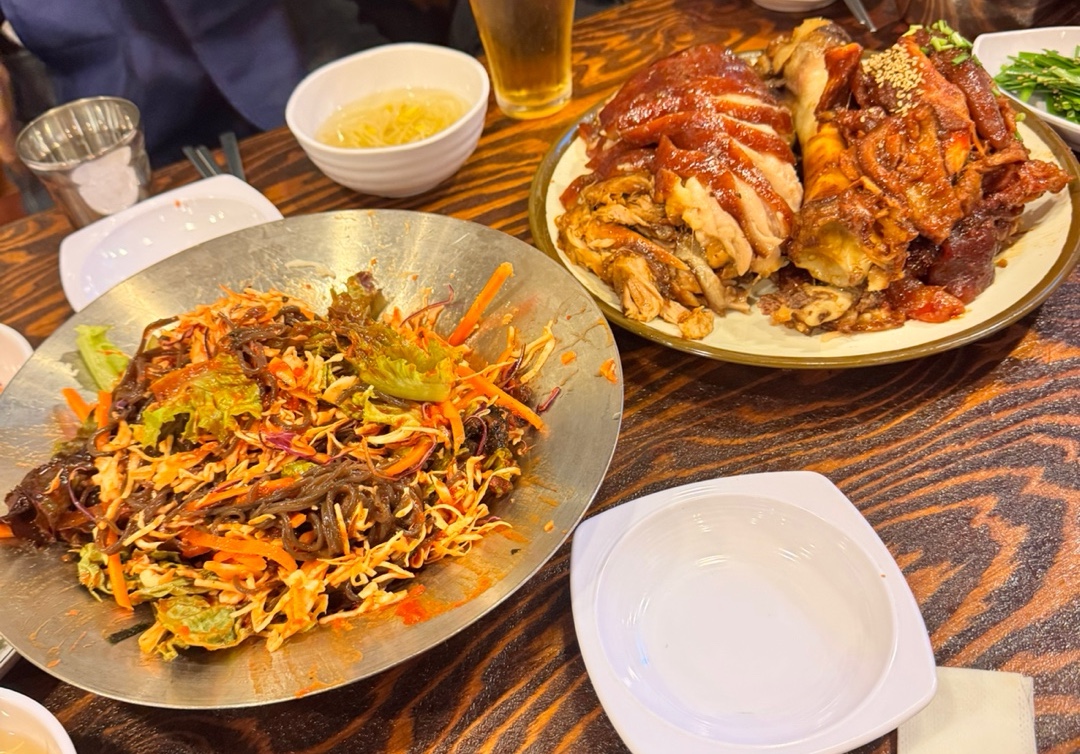
- 그래서 오늘의 사진은, 오랜만에 먹었는데 맛있어서 또 먹고 싶은 뽕나무쟁이 족발 ㅎㅅㅎ
- 2차에서도 다른 팀원 분들 두 분이랑 6명이서 무슨 얘기가 그렇게 웃겼는지 ㅋㅋㅋ
왜? 를 깊게 고민하고 해결하는 사람이 되고 싶은 개발자