HDR Gaming vs Curved Displays: Best Monitor for PC Gamers
PC gaming has never looked better — or more complicated. As display technology races forward, gamers face an increasingly crowded market packed with bold promises and bewildering specs. At the center of this evolution sits a genuine dilemma: should you invest in an HDR gaming monitor for stunning visual fidelity, or does a curved gaming display deliver the immersion your setup truly needs?
Choosing the wrong monitor can mean sacrificing competitive performance, enduring eye fatigue during marathon sessions, or simply feeling underwhelmed by visuals that fall short of your expectations. With so many options blending refresh rates, panel types, and eye care technologies, finding the right fit feels overwhelming.
This article cuts through the noise. We'll break down what HDR10 actually delivers in gameplay, how curved screens reshape your field of view, and why features like high refresh rates and eye strain reduction matter as much as raw image quality. You'll also find a practical step-by-step guide to matching a monitor to your specific gaming habits, along with top picks worth considering. Whether you're a competitive FPS player or an open-world explorer, the right display is out there — and we'll help you find it.
Understanding HDR10 Gaming Monitors: Visual Excellence
High Dynamic Range (HDR) technology fundamentally changes how games look on screen by expanding the range between the darkest shadows and the brightest highlights. Unlike standard displays, an HDR10 gaming monitor can render a wider spectrum of colors and luminance levels, making fire genuinely glow, night scenes feel authentically dark, and sunlit environments almost blinding in the best way possible. HDR10 is the baseline open standard adopted across the industry, using 10-bit color depth to deliver over a billion colors compared to the 16 million on standard displays.

For gamers, this translates directly into visual storytelling. In titles like Cyberpunk 2077 or Horizon Forbidden West, HDR transforms neon-drenched cityscapes and lush landscapes into something closer to cinematic reality. Contrast ratios improve dramatically, so enemies hiding in shadowed corners become visible without washing out the rest of the scene. Color accuracy also benefits, with more natural skin tones and environment textures that feel grounded rather than artificially saturated.
Compatibility matters here. To fully experience HDR10, your GPU must support HDR output — most modern NVIDIA and AMD cards do — and the game itself needs HDR implementation. Windows HDR settings also require proper calibration. When everything aligns, the difference is immediately noticeable and hard to give up.
Curved Gaming Displays: Immersion and Comfort
Curved gaming displays take a fundamentally different approach to immersion — instead of improving what you see, they change how you see it. By bending the screen toward your peripheral vision, curved monitors create a wraparound effect that mirrors the natural curvature of human sight. The key measurement here is the radius of curvature, expressed in millimeters. A 1800R curve, for example, matches a circle with an 1800mm radius and is considered one of the most immersive options available, while 3000R offers a subtler bend better suited to mixed use between gaming and productivity.
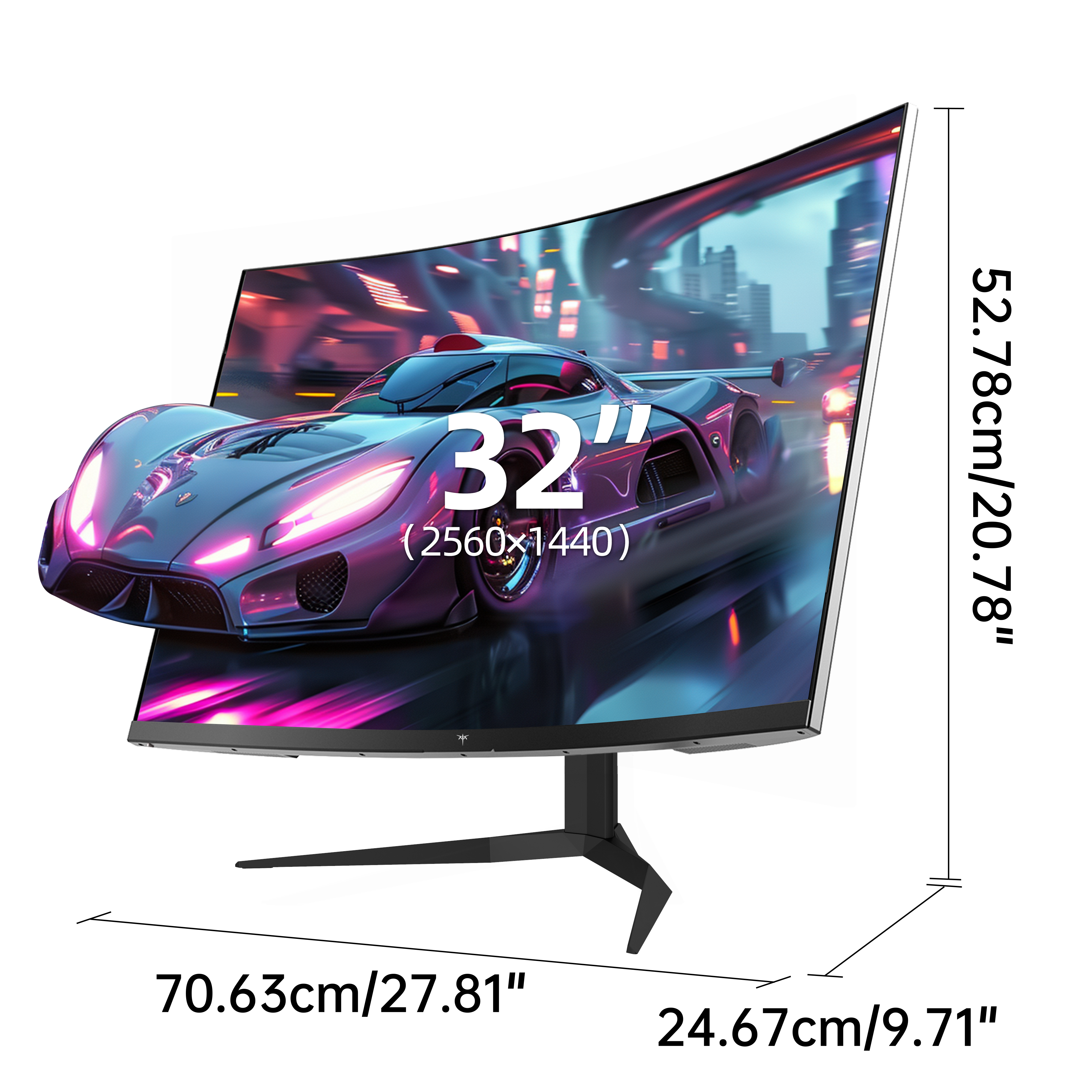
For simulation games, open-world RPGs, and racing titles, the difference is tangible. Driving games like Forza Horizon feel more spatial when the road curves naturally into your sightline. In expansive RPGs, the curved screen fills more of your visual field without requiring extreme head movement, reducing the sense that you're watching the world through a window. The reduced geometric distortion at screen edges also means objects at the periphery look proportionally correct rather than stretched, which flat ultrawide panels sometimes struggle with.
The tradeoffs are worth acknowledging. Curved displays typically demand more desk depth to sit at the optimal viewing distance, and multi-monitor setups can create awkward seam angles. For competitive FPS players who prefer a centered focal point, the curve may offer little advantage. Still, for gamers who prioritize immersion over everything else, a quality curved gaming display — such as those in KTC's gaming monitor lineup — remains one of the most effective upgrades available.
Essential Features for PC Gamers: Performance and Health
High Refresh Rate Monitors: Smooth and Responsive Gameplay
Refresh rate determines how many frames your monitor displays per second, and for competitive gaming, this number matters enormously. A high refresh rate monitor running at 144Hz renders motion twice as smoothly as a standard 60Hz panel, while 240Hz pushes that advantage further still. In fast-paced shooters like Valorant or CS2, the difference between 60Hz and 144Hz isn't subtle — enemy movement appears cleaner, tracking feels more natural, and your reactions translate to the screen with noticeably less delay. Input lag drops alongside motion blur, giving you a genuine edge in time-sensitive situations.
Pairing a high refresh rate with adaptive sync technology eliminates screen tearing without the input lag penalty of traditional V-Sync. AMD FreeSync and NVIDIA G-Sync synchronize your GPU's frame output with the monitor's refresh cycle dynamically, so even when frame rates fluctuate during intense scenes, the image stays smooth and coherent. Most modern monitors support at least one standard, and many carry both certifications for broader compatibility.
Eye Strain Reduction Technologies: Gaming Longer, Feeling Better
Extended gaming sessions take a real toll on your eyes, but modern monitors address this more effectively than ever. Flicker-free backlights eliminate the imperceptible cycling that causes cumulative fatigue, while built-in blue light filters reduce the high-energy wavelengths most associated with digital eye strain and disrupted sleep. These aren't just marketing features — after three or four hours, the difference in how your eyes feel is noticeable.
Beyond the panel itself, physical ergonomics play an equally important role in eye strain reduction. Look for monitors with height-adjustable stands, tilt and swivel range, and VESA mount compatibility so you can position the screen at eye level with your head in a neutral position. Keeping the monitor roughly an arm's length away, reducing ambient glare with matte panel coatings, and enabling night mode during evening sessions all compound the benefits. A well-configured ergonomic gaming station doesn't just protect your health — it keeps your focus sharper during the sessions that matter most.
HDR Gaming vs Curved Displays: A Detailed Comparison
Choosing between HDR and a curved display ultimately comes down to what kind of gaming experience you value most. HDR10 gaming monitors excel at delivering visual fidelity — richer colors, deeper blacks, and highlight detail that makes visually demanding titles genuinely breathtaking. For FPS players, HDR's contrast improvements can reveal enemies in shadowed environments, offering a subtle but real competitive edge. Curved displays, by contrast, don't enhance what the image looks like so much as how it surrounds you — pulling peripheral content into your natural sightline and reducing the cognitive distance between player and game world.
Price and compatibility add another layer to the decision. HDR implementation varies wildly in quality; a budget HDR monitor may technically meet the standard but deliver disappointing brightness and washed-out colors without proper local dimming. Curved monitors tend to offer more consistent performance at mid-range price points, since the curvature itself doesn't depend on expensive backlighting hardware. Game compatibility also favors curved displays — every title benefits from the wraparound geometry, while HDR requires explicit developer support to look its best.
Personal preference and genre matter enormously here. Open-world RPGs, racing simulators, and cinematic adventure games reward both technologies but shine brightest on a curved HDR combination. Competitive multiplayer titles benefit more from high refresh rates than either feature. If budget forces a choice, consider your primary genre: visual storytelling games justify HDR investment, while immersion-focused genres make a strong case for curvature.
How to Choose the Best Gaming Monitor for PC: Step-by-Step Guide
Finding the best monitors for gaming isn't about chasing the highest specs — it's about matching the right combination of features to how you actually play. Follow these steps to cut through the confusion and make a confident decision.
Step 1: Assess your gaming style. Competitive players who spend most of their time in fast-paced shooters or battle royale titles should prioritize refresh rate and response time above all else. If you lean toward story-driven RPGs, open-world exploration, or simulation titles, visual fidelity and immersion — through HDR or curvature — will reward you more meaningfully.
Step 2: Set a realistic budget and rank your priorities. Decide upfront whether HDR quality, screen curvature, or refresh rate sits at the top of your list. A mid-range gaming monitor for PC can deliver excellent performance in one or two areas, but trying to maximize everything on a tight budget usually means compromising everywhere.
Step 3: Verify your PC's hardware compatibility. HDR output requires a GPU that supports DisplayPort 1.4 or HDMI 2.0 at minimum — check your card's specifications before committing. High refresh rates above 144Hz also demand consistent frame output, so pair your monitor choice with an honest assessment of your system's capabilities.
Step 4: Choose your panel type strategically. IPS panels offer the best color accuracy and wide viewing angles, making them ideal for HDR content. VA panels deliver deeper contrast ratios suited to dark environments, while TN panels prioritize raw speed for competitive play at the cost of color quality.
Step 5: Research reviews and, where possible, test in person. Manufacturer HDR certifications vary widely in real-world performance. Independent reviews that measure peak brightness, color volume, and local dimming behavior give a far more accurate picture than spec sheets alone.
Top Picks: Best Monitors for Gaming in 2023
With the comparison framework in place, these standout options represent the best monitors for gaming across different priorities and budgets. Each earns its place by excelling where it matters most to PC gamers.
For the best HDR10 gaming monitor experience, the LG 27GP950-B delivers exceptional peak brightness and wide color gamut coverage, making it a natural fit for visually rich single-player titles where HDR implementation genuinely transforms the image. Its Nano IPS panel handles both color accuracy and fast response times without compromise.
The Samsung Odyssey G7 stands out as the top curved gaming display, combining a tight 1000R curvature with a 240Hz refresh rate and strong HDR performance. It's a rare option that bridges immersion and competitive play, making it ideal for gamers who refuse to choose between the two.
Competitive players chasing the smoothest possible gameplay should look at the ASUS ROG Swift Pro PG248QP, a high refresh rate monitor purpose-built for esports with blistering response times and adaptive sync support that keeps fast-paced titles tear-free and razor-sharp.
Budget-conscious gamers will find strong value in the AOC 24G2, which delivers a reliable 144Hz IPS panel with FreeSync support and flicker-free eye care technology at an accessible price. Brands like KTC also offer competitively priced gaming monitors that cover these performance essentials — including adaptive sync and flicker-free backlights — without overextending your wallet. Neither will win on HDR or curvature, but both cover what matters most for everyday PC gaming.
Making the Right Display Choice for Your Gaming Setup
The monitor you choose shapes every hour you spend gaming, making this decision far more consequential than most hardware upgrades. HDR gaming delivers visual depth that transforms richly designed worlds into something genuinely cinematic, while curved displays pull you into the action through immersive geometry that flat panels simply cannot replicate. Layer in high refresh rates for competitive responsiveness and eye strain reduction technologies for long-term comfort, and the full picture becomes clear: there's no single best monitor, only the best monitor for how you play.
That's precisely why the step-by-step guide in this article matters. Rather than chasing the most impressive spec sheet, start with your gaming habits, align your budget to your real priorities, confirm your hardware can support your chosen features, and validate your decision with independent reviews. These steps consistently lead to purchases that satisfy rather than disappoint.
Investing in the right display isn't a luxury — it's the difference between tolerating your setup and genuinely loving it. Whether you land on an HDR10 gaming monitor for visual brilliance, a curved gaming display for wraparound immersion, or a high refresh rate powerhouse built for competitive play, the right choice is the one built around your game library, your desk, and your eyes. Use what you've learned here to make that choice with confidence.
