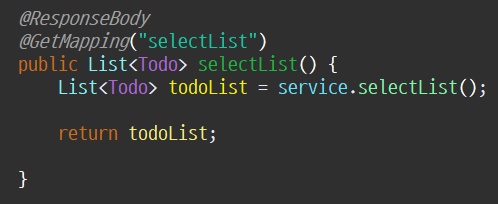
service, mapper는 Ajax 쓰기 전에 사용했던 메서드 사용
할 일 목록을 조회
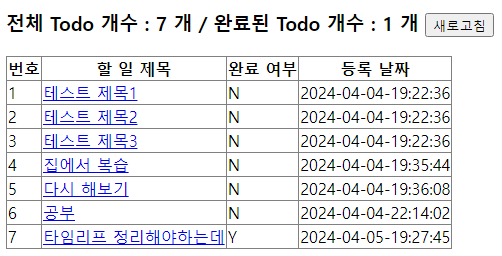
📃 html
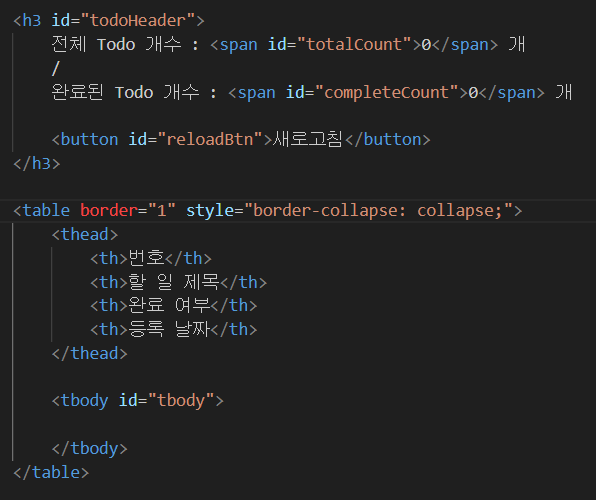
💡 js
const selectTodoList = () => {

    fetch("/ajax/selectList")
    .then(resp => resp.text()) // 응답결과를 text로 변환
    .then(result => {
        console.log(result);
        console.log(typeof result); // 객체가 아닌 문자열 형태

        const todoList = JSON.parse(result);

        console.log(todoList);

        // 기존에 출력되어있던 할 일 목록을 모두 삭제
        tbody.innerHTML = "";


        // #tbody에 tr/td 요소를 생성해서 내용 추가
        for(let todo of todoList) { // 향상된 for문

            // tr 태그 생성
            const tr = document.createElement("tr");

            const arr = ['todoNo','todoTitle','complete','regDate'];

            for(let key of arr){
                const td = document.createElement("td");

                // 제목인 경우
                if(key === 'todoTitle') {
                    const a = document.createElement("a");  // a 태그 생성
                    a.innerText = todo[key]; // 제목을 a 태그 내용으로 대입
                    a.href = "/ajax/detail?todoNo=" + todo.todoNo;
                    td.append(a);
                    tr.append(td);


                    // a태그 클릭 시 기본 이벤트(페이지 이동) 막기
                    a.addEventListener("click", (e) => {
                        e.preventDefault();

                        // 할 일 상세 조회 비동기 요청
                        // e.target.href : 클릭된 a태그의 href 속성 값
                        selectTodo(e.target.href);
                    });

                    continue;
                }

                td.innerText = todo[key];
                tr.append(td);
            }

            // tbody의 자식으로 tr(한 행) 추가
            tbody.append(tr);

        }

    });
};
📍 Controller
할일 추가
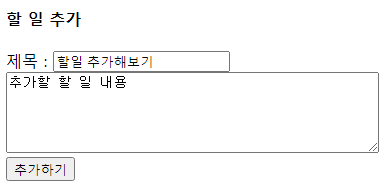
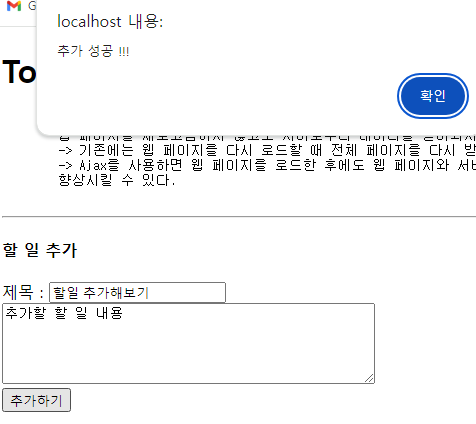
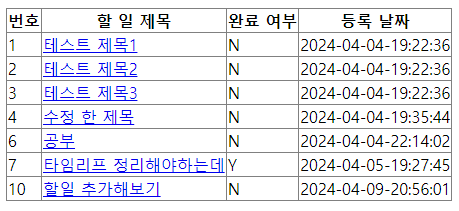
📃 html
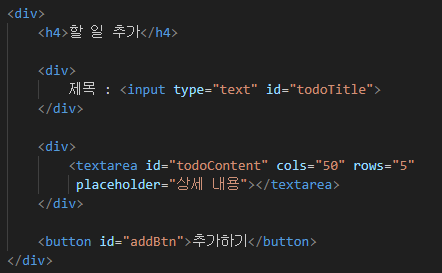
💡 js
addBtn.addEventListener("click", () => {

    // 비동기로 할 일 추가하는 fetch() 코드 작성
    // - 요청 주소 : "/ajax/add"
    // - 데이터 전달 방식 (method) : "POST" 방식

    // 파라미터를 저장한 JS 객체
    const param = {
        // Key : Value
        "todoTitle" : todoTitle.value,
        "todoContent" : todoContent.value
    };

    fetch("/ajax/add" , {
        // key : value
        method : "POST", // POST 방식 요청
        headers : {"Content-Type" : "application/json"}, // 요청 데이터의 형식을 JSON으로 지정
        body : JSON.stringify(param) // param 객체를 JSON(string)으로 변환

    })
    .then( resp => resp.text() ) // 반환된 값을 text로 변환
    .then( temp => { // 첫 번째 then에서 반환된 값 중 변환된 text를 temp에 저장

        if(temp > 0){ // 성공
            alert("추가 성공 !!!");

            // 추가 성공한 제목, 내용 지우기
            todoTitle.value = "";
            todoContent.value = "";

            // 할 일이 추가되었기 때문에 전체 Todo 개수를 다시 조회
            getTotalCount();

            // 할 일 목록 다시 조회
            selectTodoList();


        } else { // 실패
            alert("추가 실패 ...");
        }

    });

});
📍 Controller
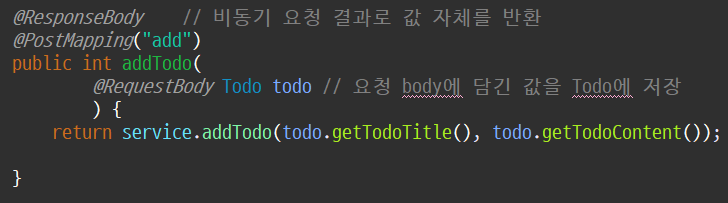
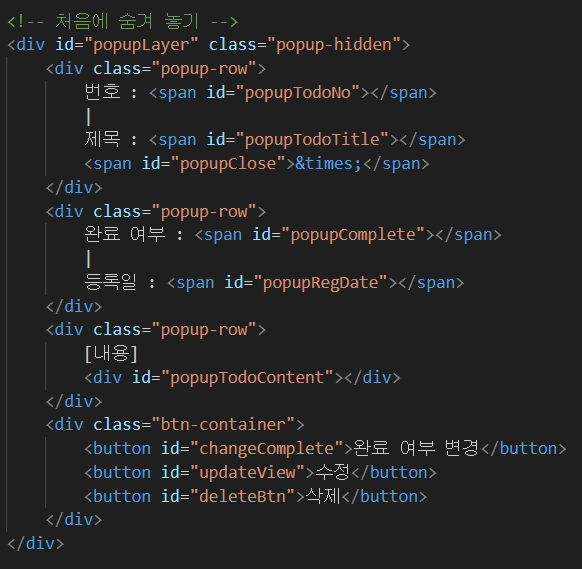
상세 정보 조회
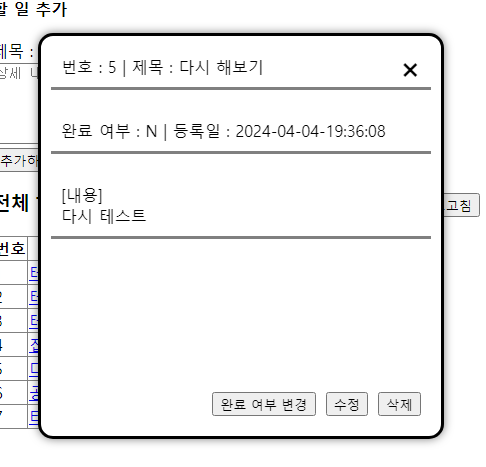
📃 html
💡 js
const selectTodo = (url) => {

    fetch(url)
    .then(resp => resp.json())
    .then(todo => {

        console.log(todo);

        // popup Layer에 조회된 값을 출력
        popupTodoNo.innerText = todo.todoNo;
        popupTodoTitle.innerText = todo.todoTitle;
        popupComplete.innerText = todo.complete;
        popupRegDate.innerText = todo.regDate;
        popupTodoContent.innerText = todo.todoContent;

        // popup layer 보이게 하기
        popupLayer.classList.remove("popup-hidden");

        // update Layer가 혹시라도 열려있으면 숨기기
        updateLayer.classList.add("popup-hidden");
    });
};
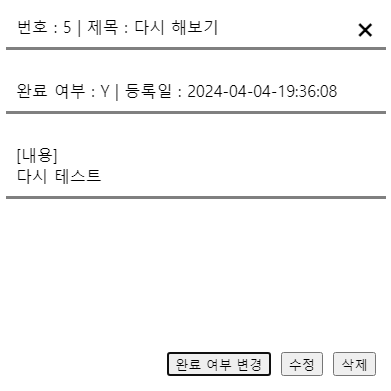
상세정보 팝업창
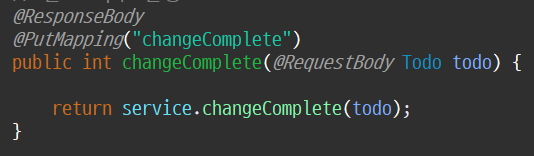
완료 여부 변경
☔ 변경전
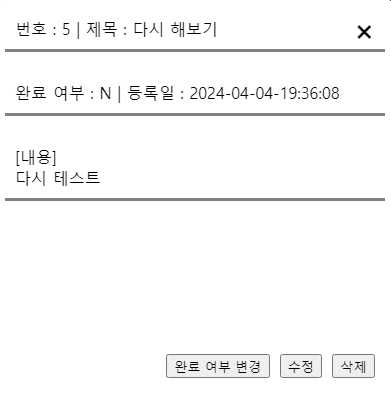
🌞 변경후
💡 js
changeComplete.addEventListener("click", () => {

    // SQL 수행에 필요한 값을 객체로 묶음
    const param = {
        "todoNo" : popupTodoNo.innerText,
        "complete" : popupComplete.innerText === 'Y' ? 'N' : 'Y'
    };


    // 비동기로 완료 여부 변경
    fetch("/ajax/changeComplete", {
        method : "PUT",
        headers : {"Content-Type" : "application/json"},
        body : JSON.stringify(param)
    })
    .then(resp => resp.text())
    .then(result => {

        if(result > 0){
            // alert("완료 여부 변경 성공!");

            // update된 DB 데이터를 다시 조회해서 화면에 출력
            // -> 서버 부하가 큼

            // 서버 부하를 줄이기 위해 상세 조회에서 Y/N만 바꾸기
            popupComplete.innerText = param.complete;


            // getCompleteCount();
            // 서버 부하를 줄이기 위해 완료된 Todo 개수를 +-1

            const count = Number(completeCount.innerText);

            console.log(count);

            if(param.complete === 'Y') completeCount.innerText = count + 1;
            else                 completeCount.innerText = count - 1;

            selectTodoList();

        }else{
            alert("완료 여부 변경 실패...");
        }

    });

});
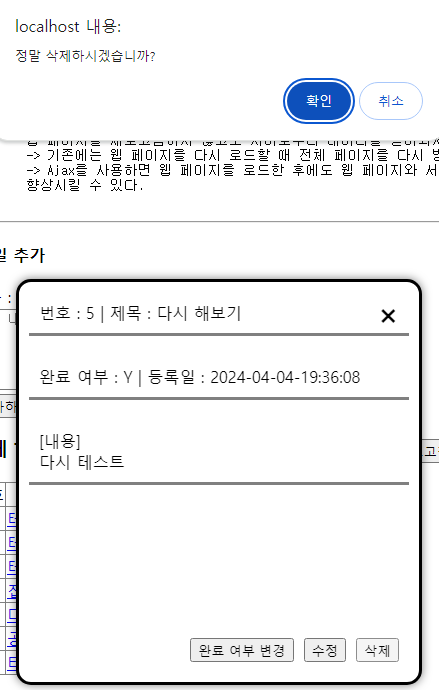
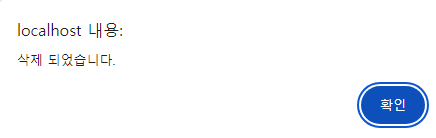
삭제
💡 js
deleteBtn.addEventListener("click", () => {

    // 취소 클릭 시 아무것도 안함
    if( !confirm("정말 삭제하시겠습니까?") ){ return ;}

    // 삭제할 할 일 번호 얻어오기
    const todoNo = popupTodoNo.innerText; // #popupTodoNo 내용 얻어오기

    // 비동기 DELETE 방식 요청
    fetch("/ajax/delete" , {
        method : "DELETE", // DELETE 방식 요청 -> @DeleteMapping 처리

        // 데이터 하나를 전달해도 application/json 작성
        headers : {"Content-type" : "application/json"},
        body : todoNo // todoNo 값을 body에 담아서 전달
                    // -> @RequestBody로 꺼냄
    })
    .then(resp => resp.text())
    .then(result => {

        if(result > 0){ // 삭제 성공
            alert("삭제 되었습니다.");

            // 상세 조회 창 닫기
            popupLayer.classList.add("popup-hidden");

            // 전체, 완료된 할 일 개수 다시 조회
            // + 할 일 목록 다시 조회
            selectTodoList();
            getTotalCount();
            getCompleteCount();


        } else { // 삭제 실패
            alert("삭제 실패...");
        }

    });

});
📍 Controlelr
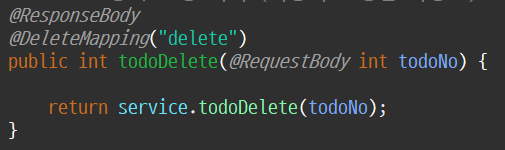
수정
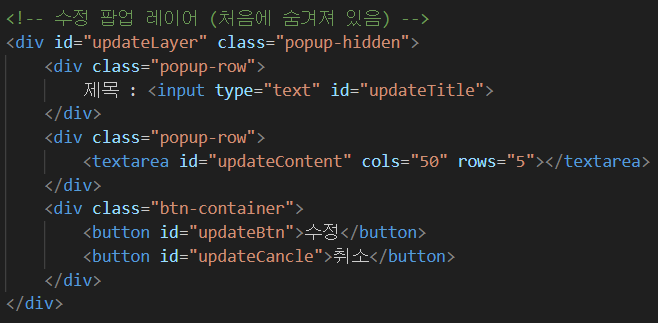
수정 팝업창
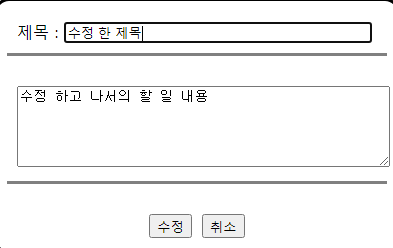
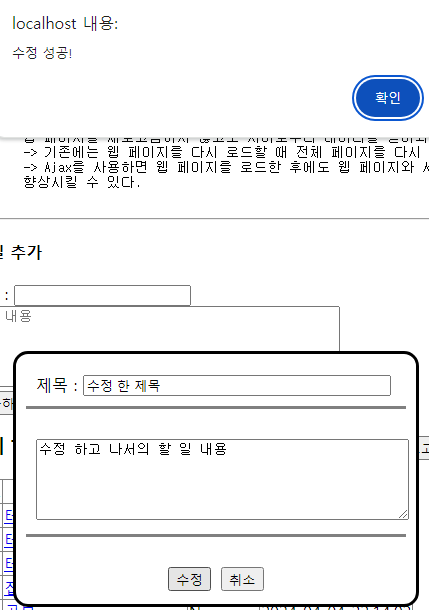
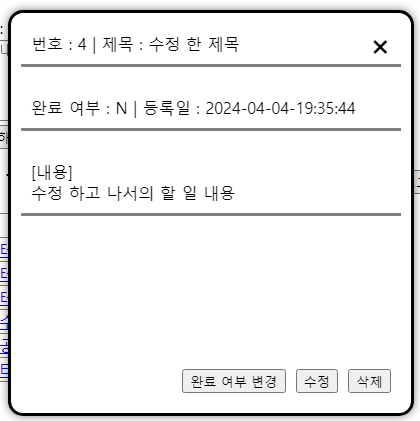
📃 html
💡 js
updateBtn.addEventListener("click", e => {


    // 서버로 전달해야 되는 값을 객체로 묶어둠
    const obj = {
        "todoNo" : e.target.dataset.todoNo,
        "todoTitle" : updateTitle.value,
        "todoContent" : updateContent.value
    };


    // 비동기 요청
    fetch("/ajax/update", {
        method : "PUT",
        headers : {"Content-Type" : "application/json"},
        body : JSON.stringify(obj)
    })
    .then(resp => resp.text())
    .then(result => {

        if(result > 0){
            alert("수정 성공!");

            // 수정 레이어 숨기기
            updateLayer.classList.add("popup-hidden");

            // 목록 다시 조회
            selectTodoList();


            popupTodoTitle.innerText = updateTitle.value;

            popupTodoContent.innerHTML = updateContent.value.replaceAll("\n", "<br>");

            popupLayer.classList.remove("popup-hidden");


            // 수정 레이어 있는 남은 흔적 제거
            updateTitle.value = "";
            updateContent.value = "";
            updateBtn.removeAttribute("data-todo-no");

        }else{
            alert("수정 실패...");
        }

    });
});
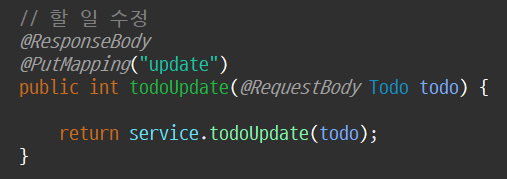
📍 Controller
ESC를 누르면 팝업창 닫기
💡 js
// ESC를 누르면 팝업창 닫기
document.addEventListener("keyup", (e) => {
    if(e.key == "Escape"){
        popupLayer.classList.add("popup-hidden");
        updateLayer.classList.add("popup-hidden");
    }
});
웹 개발 공부 기록