
컴퓨터를 사용하다보면 이미지, pdf, 압축파일 등등 다운로드를 받는 일들이 많다.
다운로드 파일을 확장자 별로 정리해 주는 프로그램이 있으면 어떨까 생각해봤다.
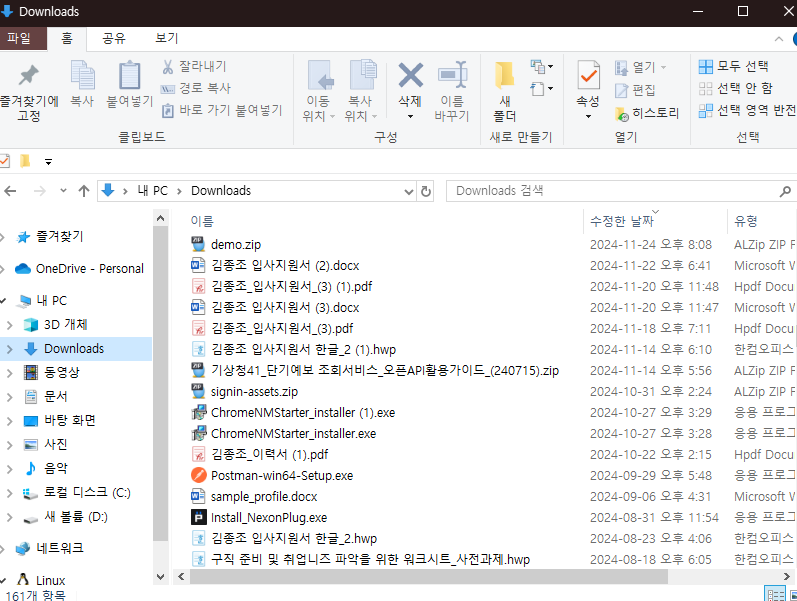
일단 삭제하지 않고 지금까지 받은 다운로드 파일들의 개수는 161개였다.
텍스트문서, 압축파일, docx 엄청 다양한 확장자의 파일들이 들어있었다.
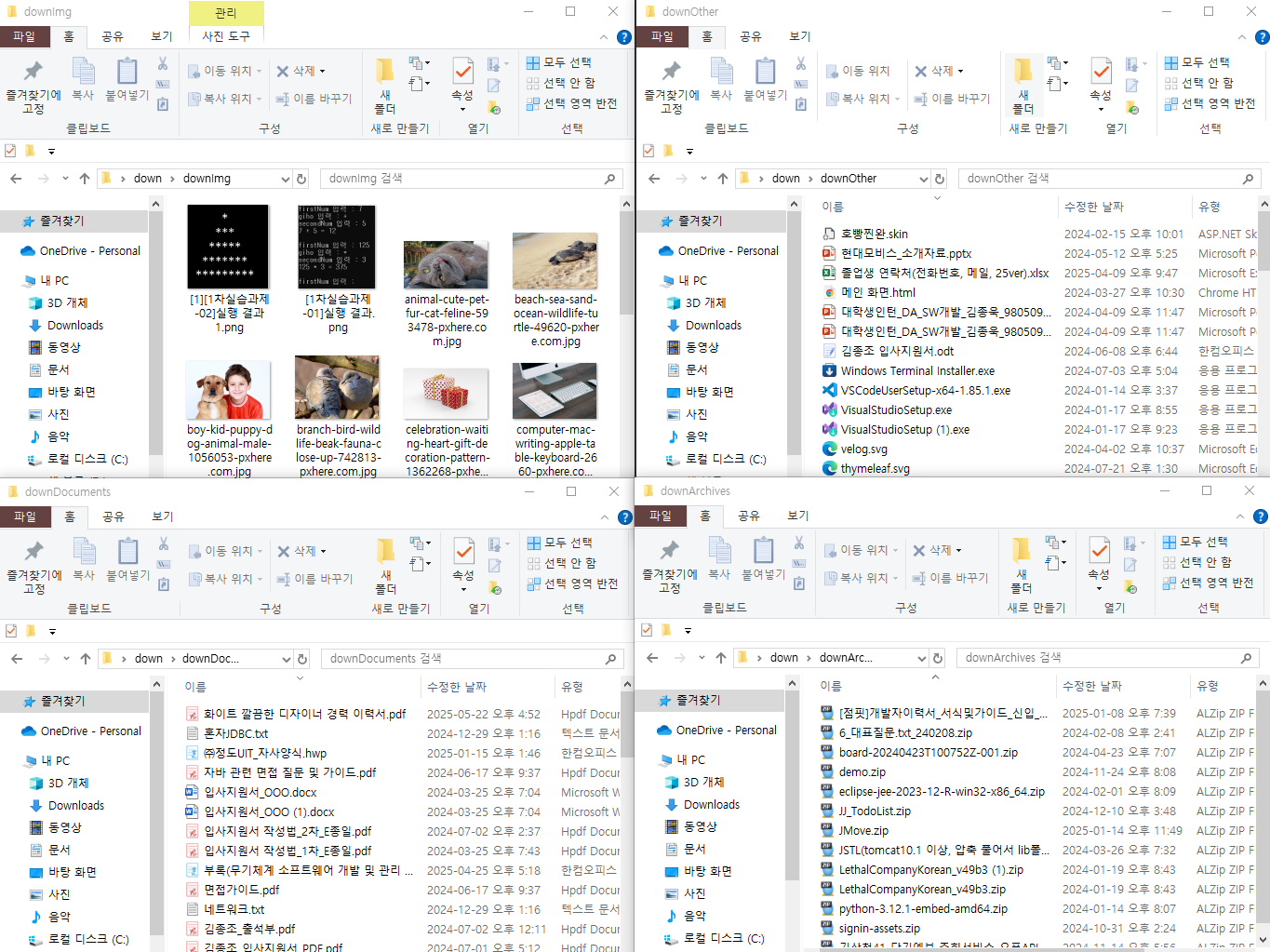
다운로드 파일들을 확장자 별로 나눠서 저장하는것은 오히려 더 지저분하게 보일 수 있지만, 이미지파일, 압축파일, 문서 파일, 기타 파일 이렇게 네가지로 나눠서 저장하게 된다면 자신이 다운받았던 파일을 찾을때 어떤 확장자를 가졌는지 알고 있다면 찾기 쉬울 것이다.
구성요소(Java)
Main -> 실행
Config -> 파일 경로
FileScanner -> 파일 스캔
FileClassifier -> 파일 분류
FileMover -> 파일 이동
이렇게 다섯가지로 저장했다.
Main 클래스
package com.myfilecleaner;

import com.myfilecleaner.classifier.FileClassifier;
import com.myfilecleaner.mover.FileMover;
import com.myfilecleaner.sancer.FileScanner;

import java.io.File;
import java.util.List;
import java.util.Map;

public class Main {
    public static void main(String[] args) {

        // 다운로드 폴더에서 모든 파일 가져오기
        FileScanner fileScanner = new FileScanner();
        List<File> files = fileScanner.getFiles();

        // 가져온 모든 파일을 분류하기
        FileClassifier fileClassifier = new FileClassifier();
        Map<String, List<File>> fileMap = fileClassifier.classify(files);

        // 분류한 파일을 특정 폴더에 이동시키기
        FileMover fileMover = new FileMover();
        fileMover.moveFile(fileMap);

    }
}
Config 클래스
package com.myfilecleaner.config;

public class Config {

    // 다운로드 폴더 경로
    // user.home -> 홈 디렉토리 경로를 문자열로 가져오는 코드
    // Windows 전용 경로 방식 -> '\\'
    public static final String DOWNLOAD_PATH = System.getProperty("user.home") + "\\Downloads";

    // 이미지 파일 폴더 경로
    public static final String IMG_PATH = System.getProperty("user.home") +  "\\Desktop\\down\\downImg";

    // 압축 파일 폴더 경로
    public static final String ZIP_PATH = System.getProperty("user.home") + "\\Desktop\\down\\downArchives";

    // 문서 파일 폴더 경로
    public static final String DOC_PATH = System.getProperty("user.home") + "\\Desktop\\down\\downDocuments";

    // Other 파일 폴더 경로
    public static final String OTHER_PATH = System.getProperty("user.home") + "\\Desktop\\down\\downOther";
}
FileScanner 클래스
package com.myfilecleaner.sancer;

import java.io.File;
import java.util.ArrayList;
import java.util.List;

import static com.myfilecleaner.config.Config.DOWNLOAD_PATH;

public class FileScanner {

    public List<File> getFiles() {

        List<File> fileList = new ArrayList<>();

        // 파일 경로에 있는 파일 가져오기
        File downFiles = new File(DOWNLOAD_PATH);
        File files[] = downFiles.listFiles();

        if(files == null){
            System.err.println("다운로드 폴더를 찾을 수 없습니다.");
            return fileList;
        }

        for (File file : files) {
            if (file.isFile()) {
                fileList.add(file);
            }
        }

        return fileList;
    }

}
FileClassifier 클래스
package com.myfilecleaner.classifier;

import java.io.File;
import java.util.ArrayList;
import java.util.HashMap;
import java.util.List;
import java.util.Map;

public class FileClassifier {

    // 파일 목록을 받아 분류한 뒤 Map으로 반환
    public Map<String, List<File>> classify(List<File> files){

        Map<String, List<File>> resultMap = new HashMap<>();
        List<File> zip = new ArrayList<>();
        List<File> img = new ArrayList<>();
        List<File> doc = new ArrayList<>();
        List<File> other = new ArrayList<>();

        // 매개변수로 받은 파일 리스트를 하나씩 꺼내 분류
        for(File file : files){

            String fileName = file.getName();
            String extension = fileName.substring(fileName.lastIndexOf(".") + 1).toLowerCase();

            switch(extension){
                case "hwp", "docx", "pdf", "txt" : doc.add(file); break;
                case "jpg", "png" : img.add(file); break;
                case "zip" : zip.add(file); break;
                default : other.add(file);
            }

        }

        resultMap.put("zip", zip);
        resultMap.put("img", img);
        resultMap.put("doc", doc);
        resultMap.put("other", other);

        return resultMap;

    }

}
FileMover 클래스
package com.myfilecleaner.mover;

import java.io.File;
import java.io.IOException;
import java.nio.file.Files;
import java.nio.file.Path;
import java.nio.file.Paths;
import java.nio.file.StandardCopyOption;
import java.util.List;
import java.util.Map;

import static com.myfilecleaner.config.Config.*;

public class FileMover {

    public void moveFile(Map<String, List<File>> fileMap){

        try{
            for(Map.Entry<String, List<File>> entry : fileMap.entrySet()){
                String extension = entry.getKey();
                List<File> files = entry.getValue();

                Path targetDir;

                switch(extension){
                    case "zip" : targetDir = Paths.get(ZIP_PATH); break;
                    case "img" : targetDir = Paths.get(IMG_PATH); break;
                    case "doc" : targetDir = Paths.get(DOC_PATH); break;
                    default : targetDir = Paths.get(OTHER_PATH); break;
                }


                for(File file : files){
                    Path source = file.toPath(); // 개별 파일 경로
                    Path target = targetDir.resolve(file.getName()); // 대상 폴더 + 파일 명


                    // StandardCopyOption.REPLACE_EXISTING : 대상에 동일한 이름의 파일이 있으면 덮어쓰기
                    Files.move(source, target, StandardCopyOption.REPLACE_EXISTING);

                }
            }


        } catch (IOException e){
            System.err.println("파일 이동 실패");
            e.printStackTrace();
        }

    }

}
실행
실행 전 다운로드 폴더
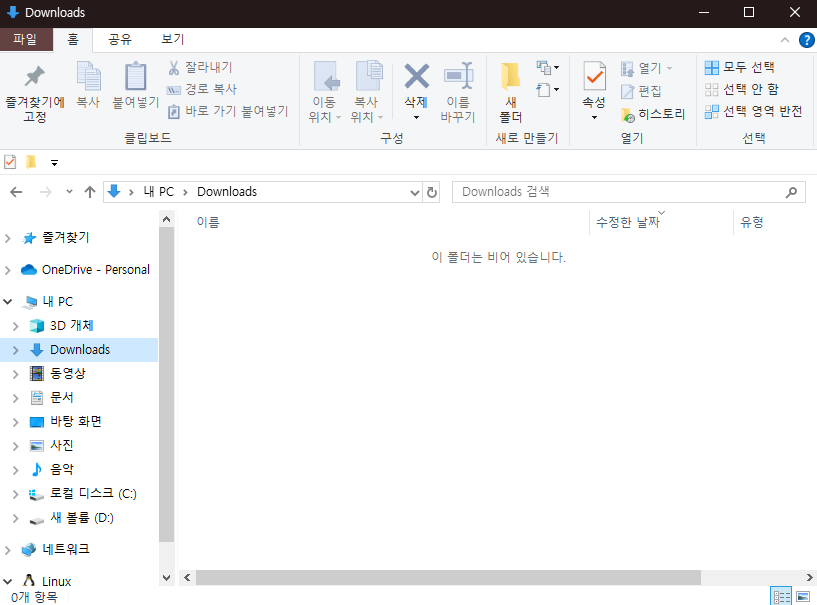
실행 후 다운로드 폴더
실행 후 분류된 폴더
겪었던 문제
파일 이동 실패 에러가 발생했고, 다시 실행 했을 때는 다운로드 폴더를 찾을 수 없었다.
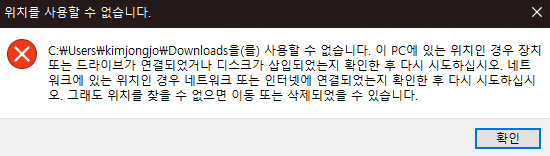
분류하는 down 폴더를 들어갔더니 downArchives가 다운로드 폴더가 되어있었다.

Downloads 폴더가 사라졌고 다시 만들고 실행해도 똑같은 문제가 여러번 발생했다.
chat gpt의 도움을 받아.. 문제점을 알아냈다...
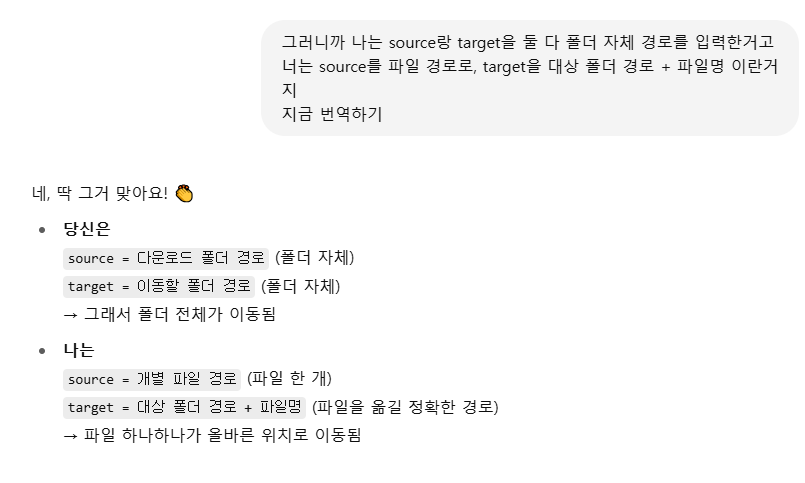
알고보니 나는 폴더 안에 있는 파일들을 옮긴것이 아니라, 폴더 자체를 다른폴더에 옮겨버린 것이다. 그래서 다운로드 폴더가 사라지고 찾을 수 없게되었다...
다운로드 폴더를 다시 생성후 코드 수정
문제의 코드
Path source = Paths.get(DOWNLOAD_PATH);

switch(extension){
                        case "zip" : target = Paths.get(ZIP_PATH); break;
                        case "img" : target = Paths.get(IMG_PATH); break;
                        case "doc" : target = Paths.get(DOC_PATH); break;
                        default : target = Paths.get(OTHER_PATH); break;
                    }
source와 target에 폴더 경로를 입력했다.