## 1. node.js 설치
✅ Node.js 최신 설치
- nvm 설치하고
nvm install node - 또는 Node.js 공식 설치파일 다운로드
https://nodejs.org/ko/download
✅ npm 최신 업데이트
-
Node.js 설치하면 기본 업데이트
-
필요하면
npm install -g npm@latestnode가 설치되어있다면
node -v
최신 버전이 아니라면 nvm 설치
curl -o- https://raw.githubusercontent.com/nvm-sh/nvm/v0.39.7/install.sh | bash## 2. 리엑트 프로젝트 생성 (Vite + TypeScript)
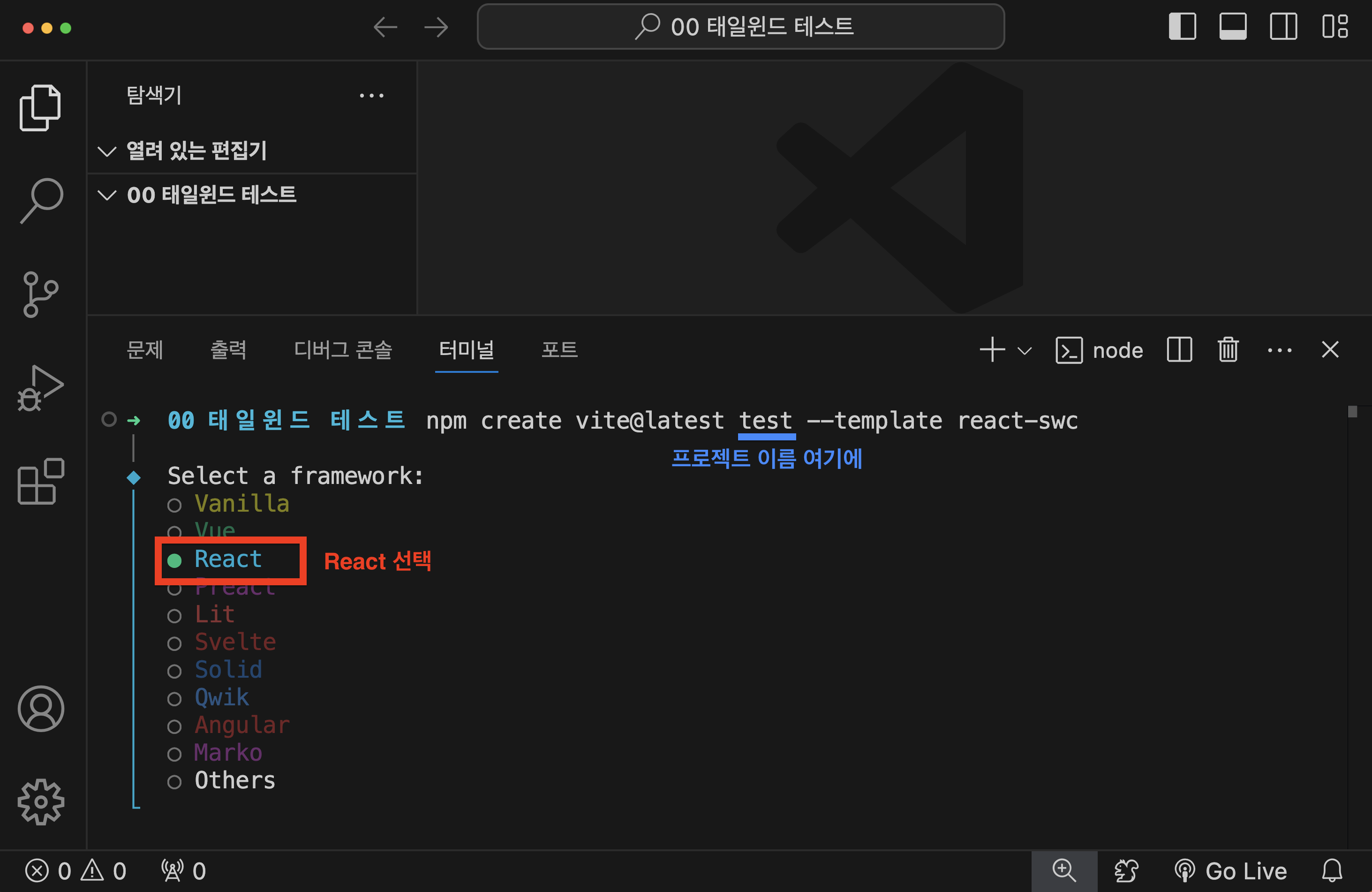
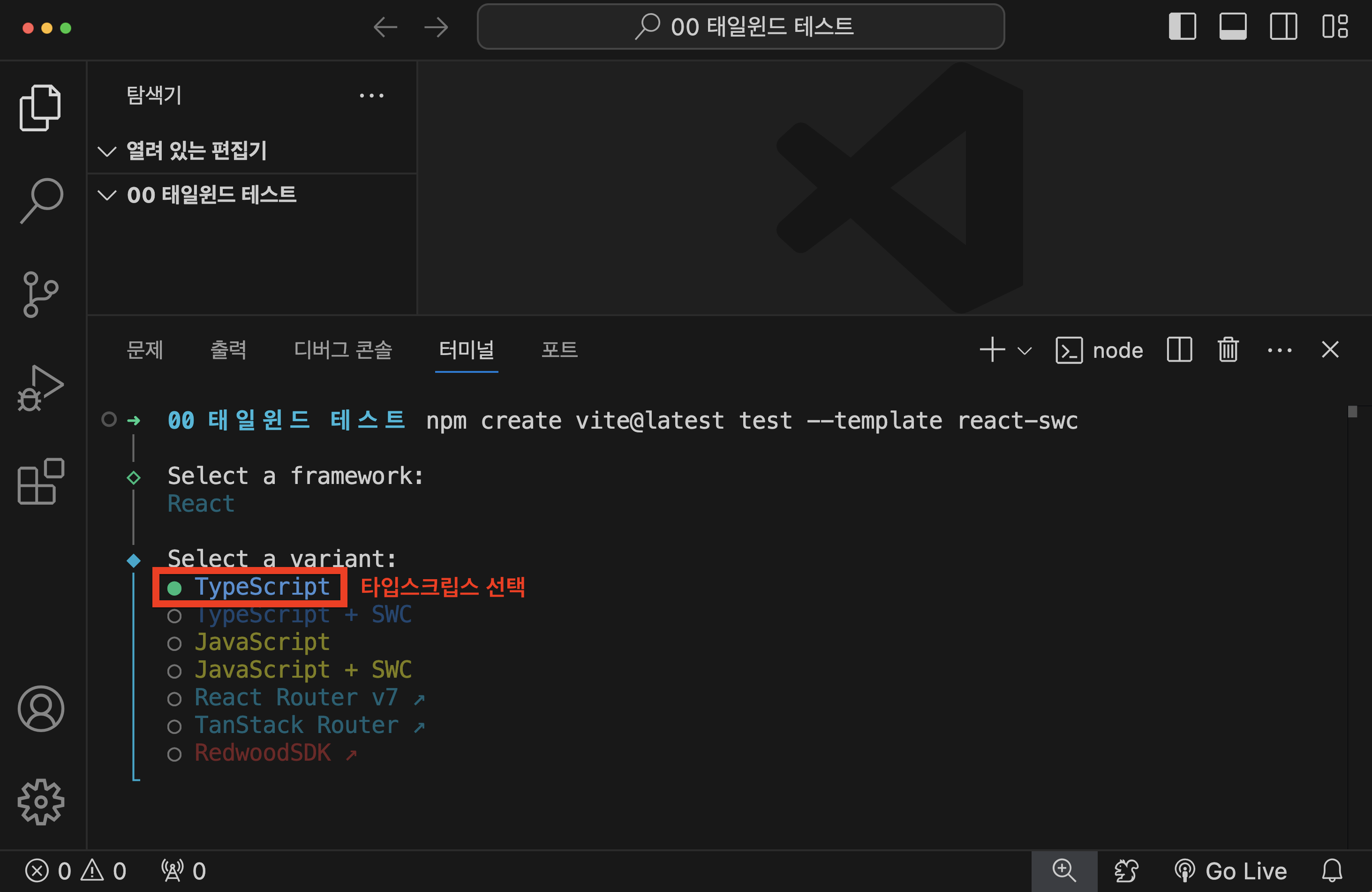
npm create vite@latest 프로젝트이름 --template react-swc- React -> Typescript 선택
## 3. 프로젝트 폴더로 이동
cd my-app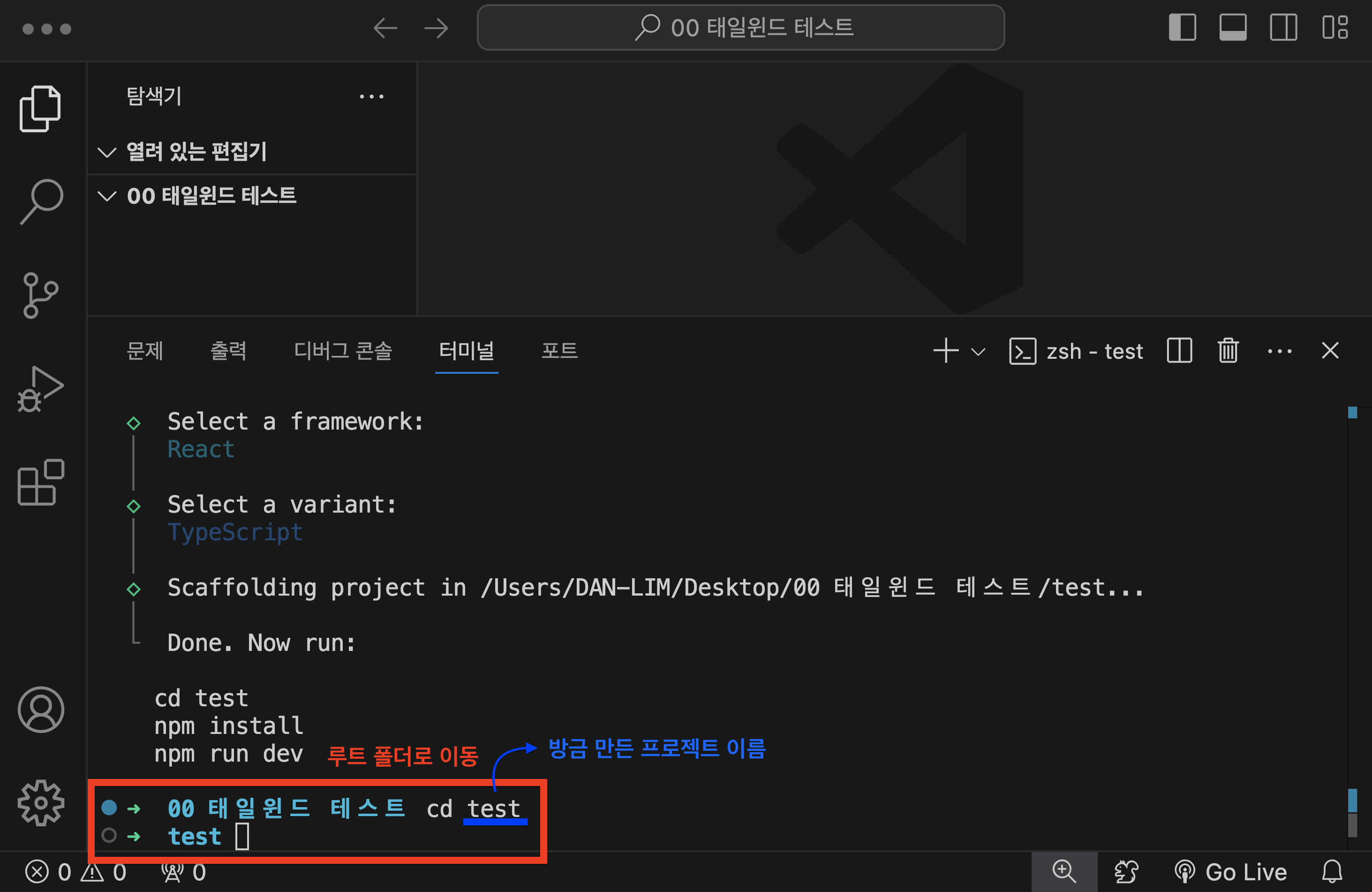
## 4. TailwindCSS 설치
npm install -D tailwindcss@3 postcss autoprefixer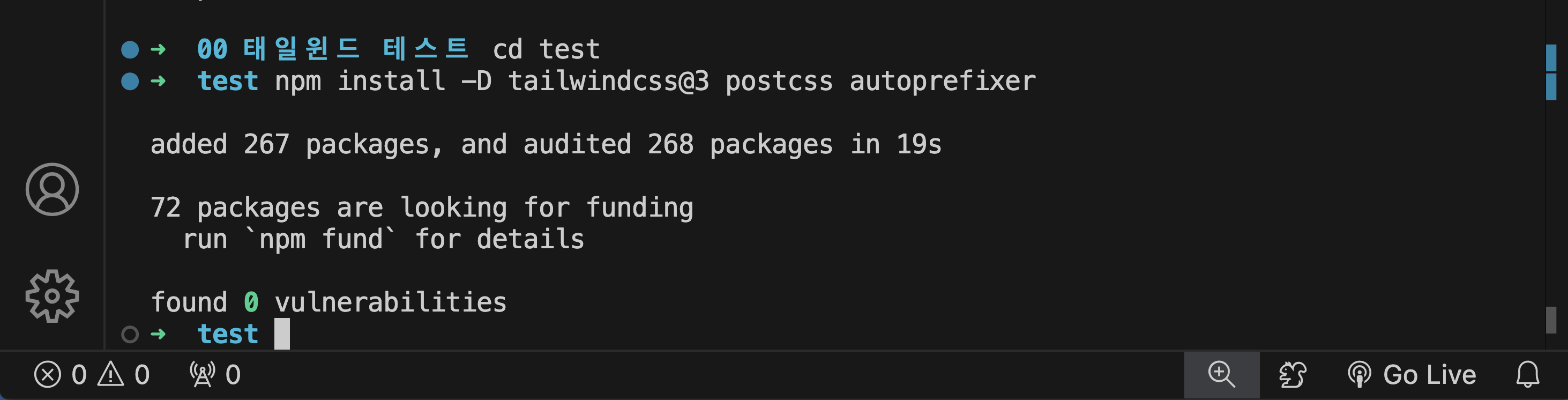
## 5. Tailwind 설정 파일 생성
npx tailwindcss init -p
생성이 되면 이렇게 뜬다
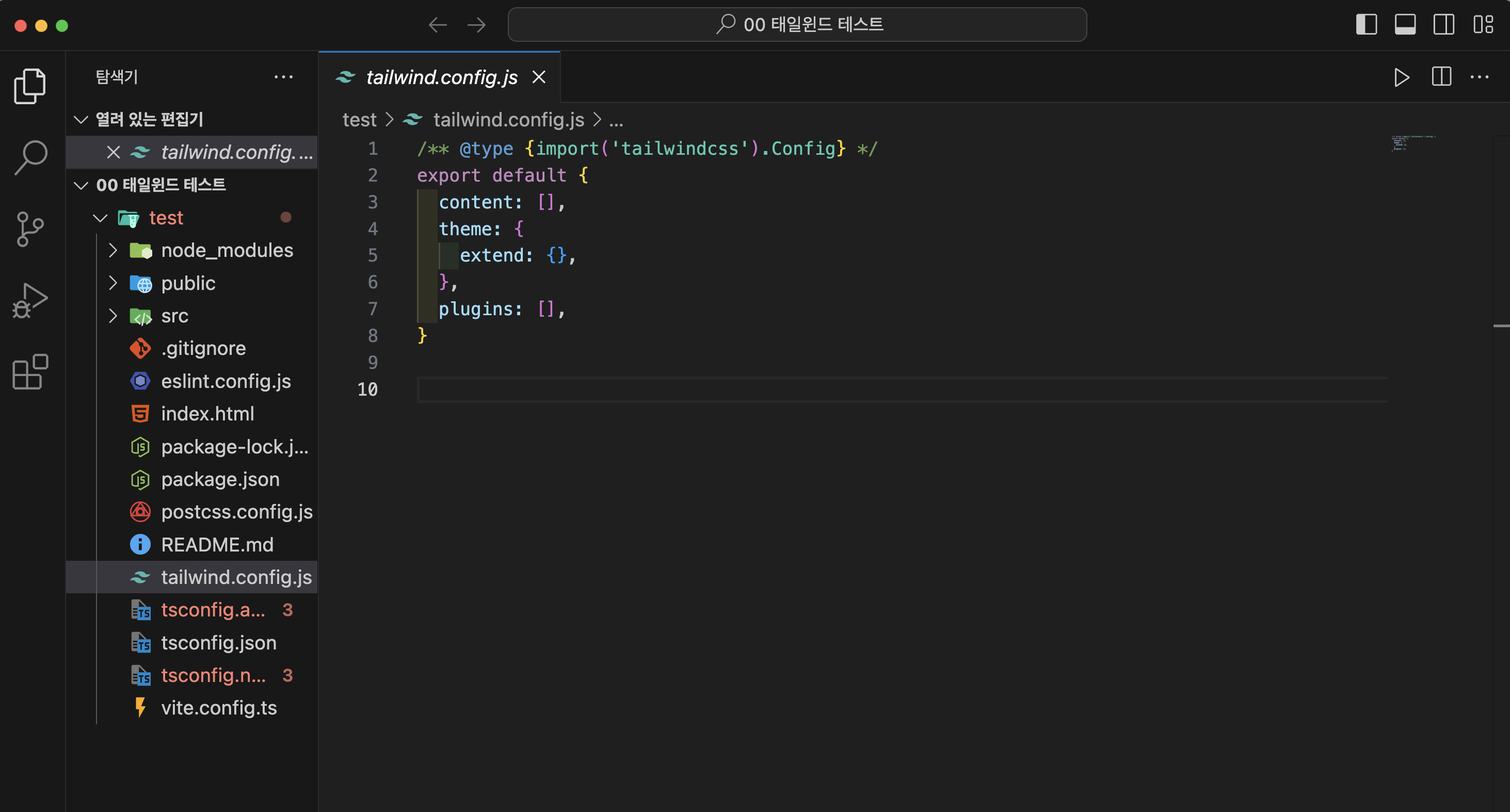
만약 생성이 안된다면?
- package.json이 있는 경로에 tailwind.config.js 파일 직접 만들기
- 기본파일 이렇게 되어있음
/** @type {import('tailwindcss').Config} */
export default {
  content: [],
  theme: {
    extend: {},
  },
  plugins: [],
}
- 주의할 점은 여기에 content가 비어있으면 안된다.
- Tailwind가 아무 파일도 검사하지 않아서 스타일을 생성하지 않게된다.
content에 프로젝트의 src 폴더 내 파일들을 지정
export default {
  content: ["./index.html", "./src/**/*.{js,ts,jsx,tsx}"],
  theme: {
    extend: {},
  },
  plugins: [],
};
## 6. CSS 파일에 Tailwindimport
src/index.css 또는 App.css에 아래와 같이 import
@tailwind base;
@tailwind components;
@tailwind utilities;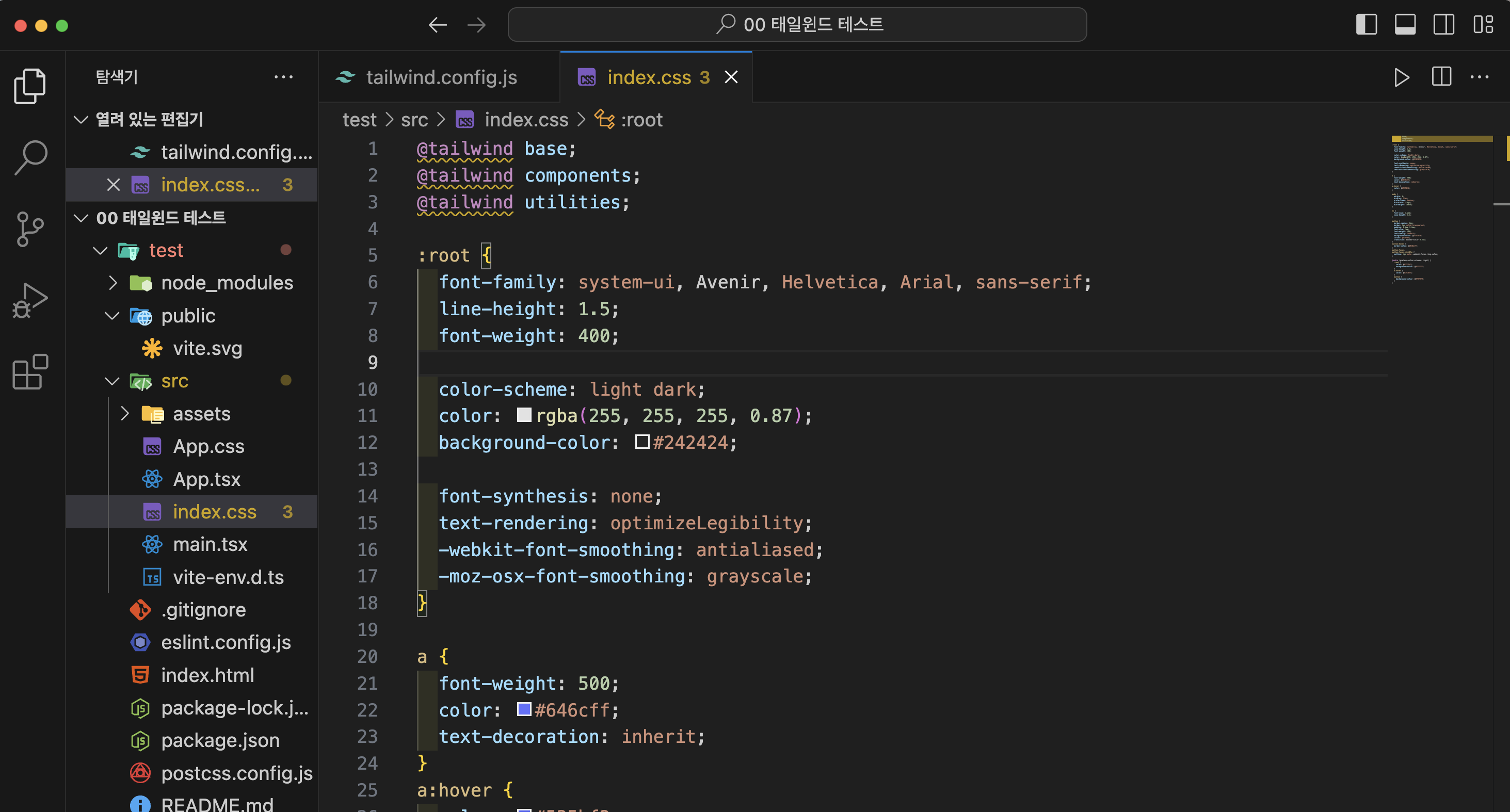
노란줄이 생긴더라도 문제 없다.

## 7. 메인 파일에서 CSS 연결 (main.ts)
- 이미 연결되어 있으므로 패스해도 됨
import { createRoot } from "react-dom/client";
import "./index.css";
import App from "./App";

createRoot(document.getElementById("root")!).render(<App />);
## 8. 노드 모듈스 설치
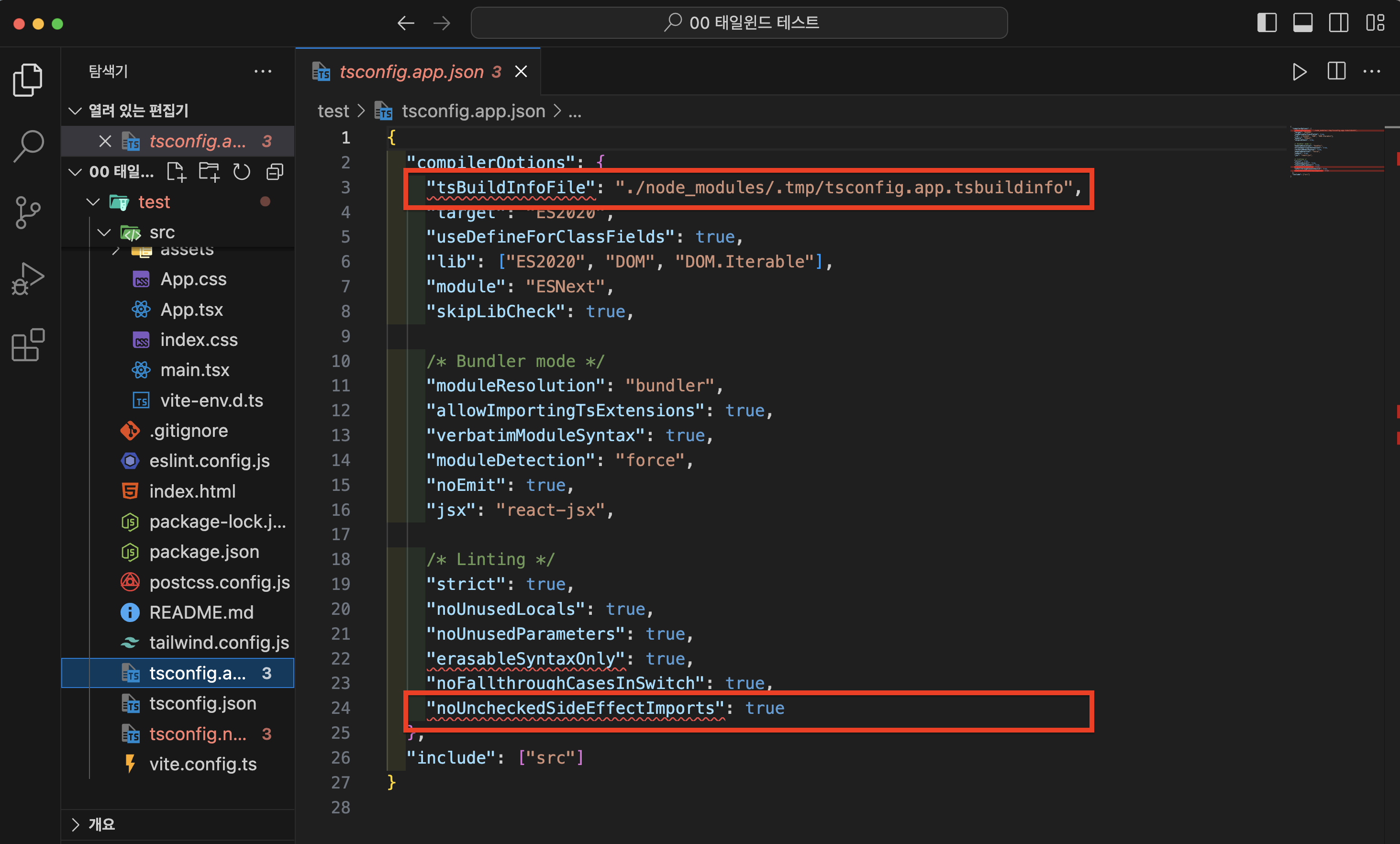
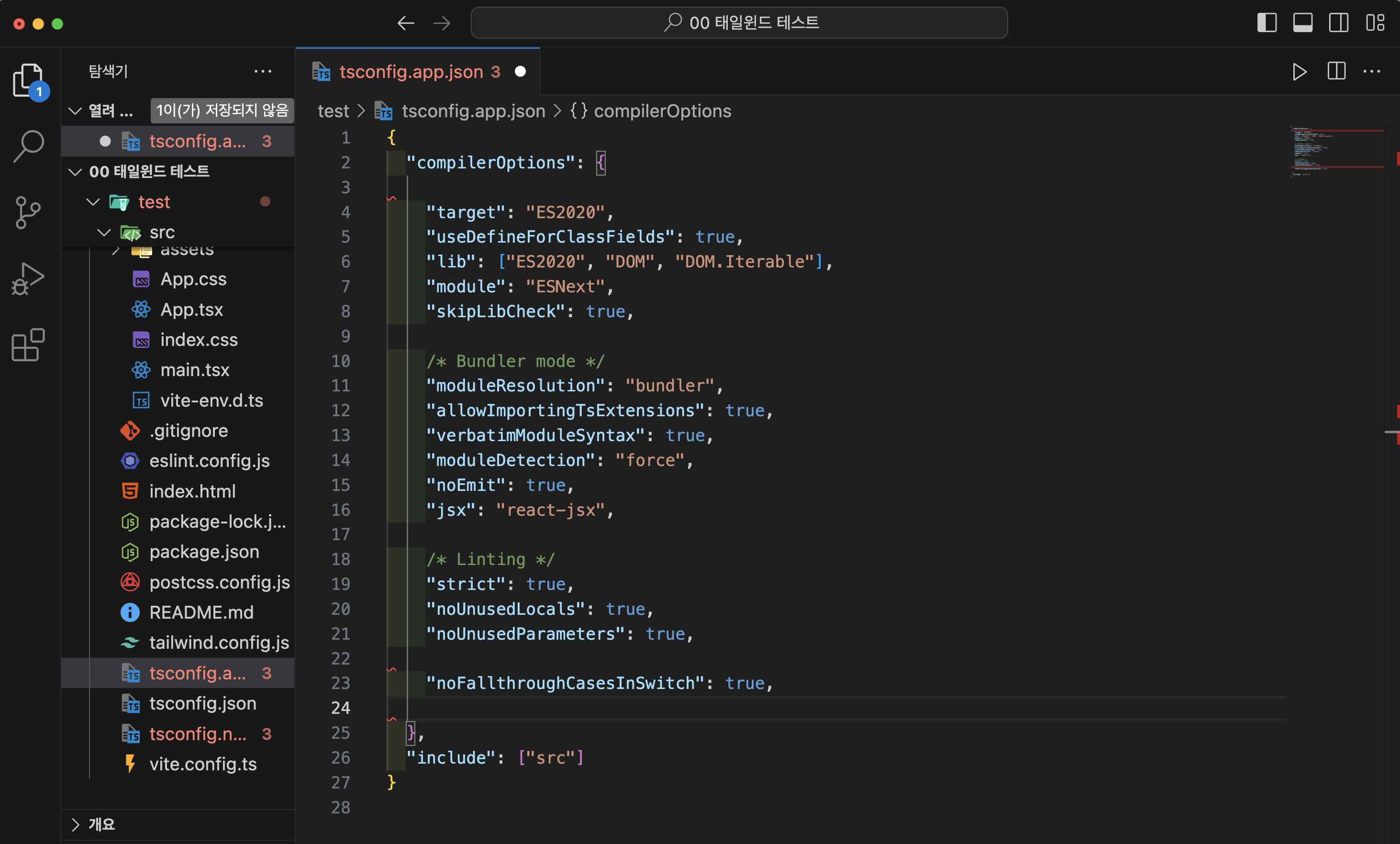
npm i하지만 나는 tsconfig.app.json파일에서 빨간 줄 에러 발생
{
  "compilerOptions": {
    "target": "ES2020",
    "useDefineForClassFields": true,
    "lib": ["ES2020", "DOM", "DOM.Iterable"],
    "module": "ESNext",
    "skipLibCheck": true,

    /* Bundler mode */
    "moduleResolution": "bundler",
    "allowImportingTsExtensions": true,
    "verbatimModuleSyntax": true,
    "moduleDetection": "force",
    "noEmit": true,
    "jsx": "react-jsx",

    /* Linting */
    "strict": true,
    "noUnusedLocals": true,
    "noUnusedParameters": true,
    "noFallthroughCasesInSwitch": true
  },
  "include": ["src"]
}
해당 에러 부분을 과감하게 지워준다.
마찬가지로 tsconfig.node.json에도 에러 발생;;
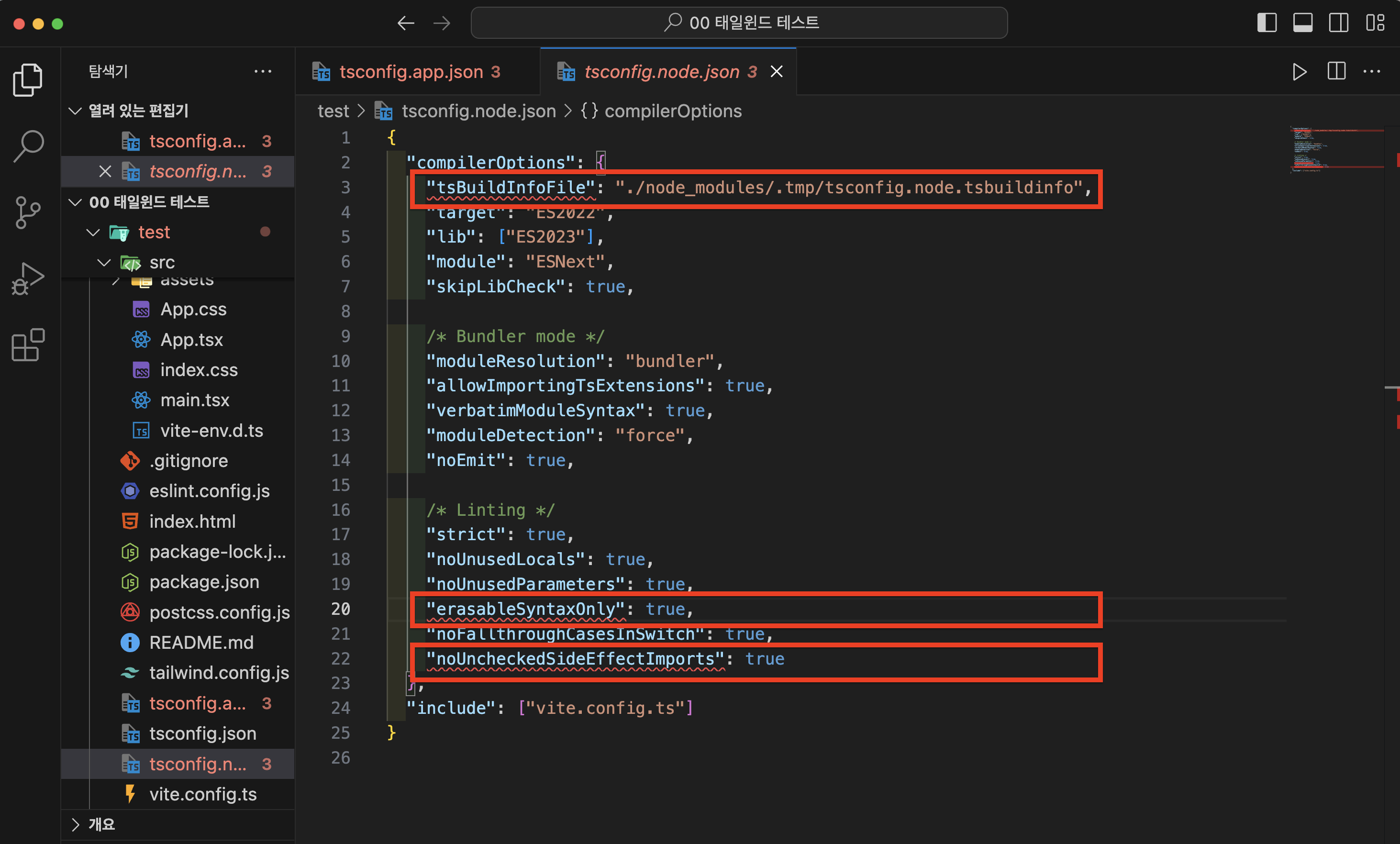
이경우엔 정상 작동되는 코드로 변경해준다.
{
  "compilerOptions": {
    "target": "es5",
    "lib": ["dom", "dom.iterable", "esnext"],
    "allowJs": true,
    "skipLibCheck": true,
    "esModuleInterop": true,
    "allowSyntheticDefaultImports": true,
    "strict": true,
    "forceConsistentCasingInFileNames": true,
    "noFallthroughCasesInSwitch": true,
    "module": "esnext",
    "moduleResolution": "node",
    "resolveJsonModule": true,
    "isolatedModules": true,
    "noEmit": true,
    "jsx": "react-jsx"
  },
  "include": ["src"]
}
## 9. Tailwind 반영 확인용 UI 생성(test 파일)
- App.tsx
import "./App.css";

function App() {
  return (
    <div className="w-full h-full bg-gray-100 flex items-center justify-center">
      <h1 className="text-10xl font-bold text-blue-500">
        🎨 TailwindCSS 반영 확인 🎨
      </h1>
    </div>
  );
}

export default App;
변경을 했는데 에러처럼 빨간색으로 보인다면
당황하지 않고 프로그램을 종료하였다가 다시 키면 된다.
## 9. 개발 서버 실행
npm run dev## 10. Tailwind UI 반영 확인
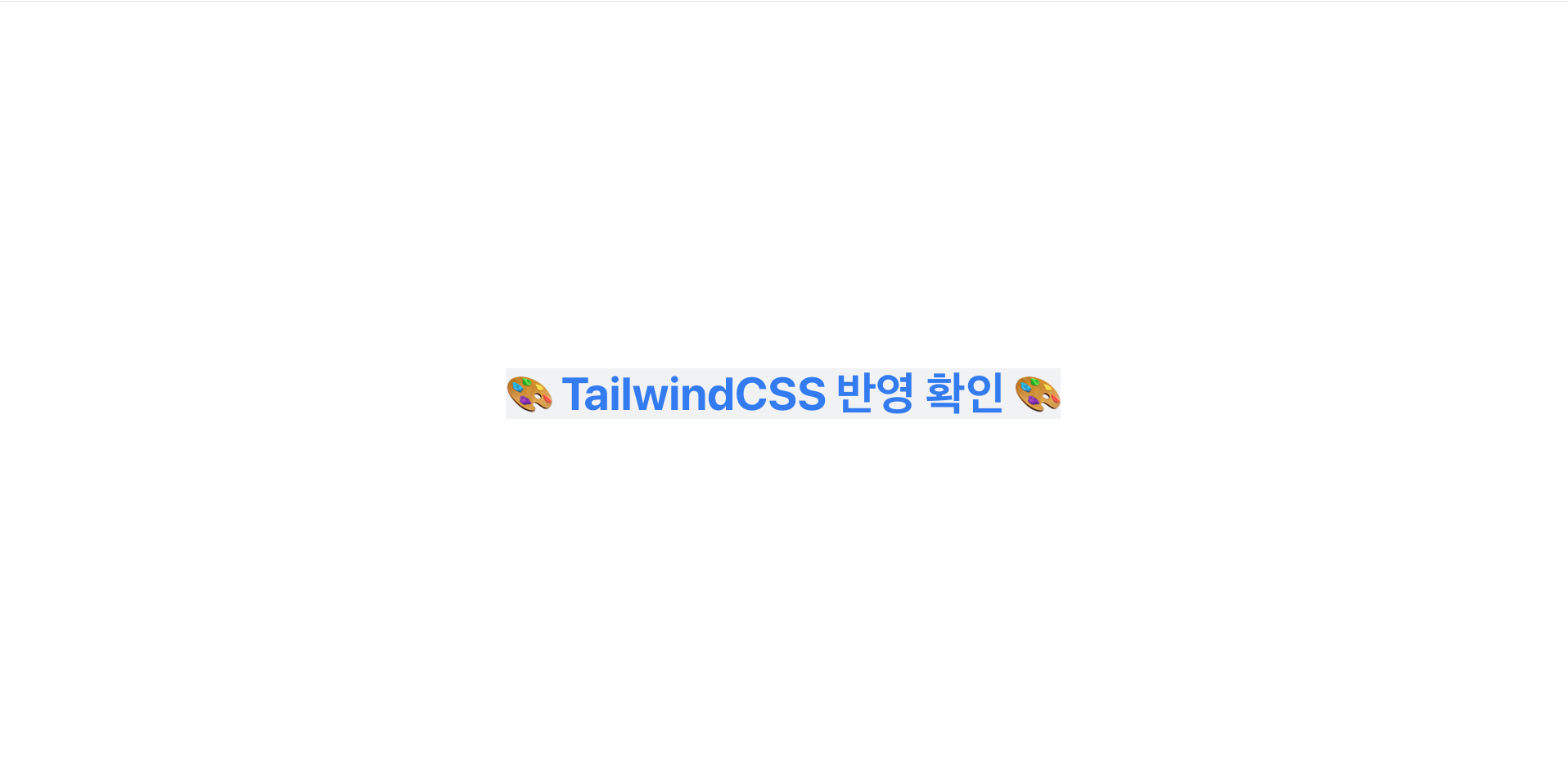
이런 화면이 나와야 한다.

단단한 개발자