Cargo embed 까지 설치 완료
이제 STM32F446을 찾아서 연결해줘야 하는데
가이던스 자료가 2024년 기준이라 잘 안먹는다.
Cargo embed --list-chip
이게 2024년 기준 명령어라서 현재는 안되는 것 같다.
-> probe-rs chip list 이걸로 바뀌었다.
또한, probe-rs chip list | grep -i stm32f446 명령어를 통해 이 시스템에서는 내 보드를 어떻게 부르는 지 알아봤다.
거기서 나온 내 보드의 이름은 "STM32F446RE"
cyh@TABLET-RIM3SHP5:~/stm32f446$ cargo embed --chip STM32F446RE
    Finished `dev` profile [unoptimized + debuginfo] target(s) in 0.03s
      Config default
      Target /home/cyh/stm32f446/target/thumbv7em-none-eabihf/debug/stm32f446
 WARN probe_rs::probe::stlink: send_jtag_command 242 failed: SwdDpWait
       Error failed attaching to target

             Caused by:
                 0: An error with the usage of the probe occurred
                 1: An error which is specific to the debug probe in use occurred.
2: Command failed with status SwdDpWait.- 해결 과정
# Embed.toml
[default.general]
chip = "STM32F446RE"        # 또는 환경에 따라 "STM32F446RETx"
connect_under_reset = true  # 리셋 붙잡고 연결

[default.probe]
protocol = "Swd"
speed = 100                 # 안 붙으면 50까지 내려보고, 붙으면 400→1000으로 점진 상승

[default.reset]
halt_afterwards = true      # 리셋 직후 코어 halt
Swd 방식으로 보드와 소통을 하는데, 속도가 너무 빨라서 보드에 붙기 전에 끝나버려서 생기는 오류일 수도 있다고 하여 speed를 100으로 늦췄더니 일단 보드에 코드가 붙긴 했다.
sudo apt-get install gdb-multiarch요즘 우분투는 arm-none-eabi-gdb 대신에 gdb-multiarch를 쓰라고 한다.
gcc-arm-none-eabi : Cross Complier
gdb-multiarch target/thumbv7em-none-eabihf/debug/stm32f446
GDB 디버깅 tool까지 설치 완료.
- GDB에서 볼 수 있는 것들
info registers: 내 보드의 핵심 datasheet을 한 눈에 볼 수 있다.set print asm-demangle ondisassemble: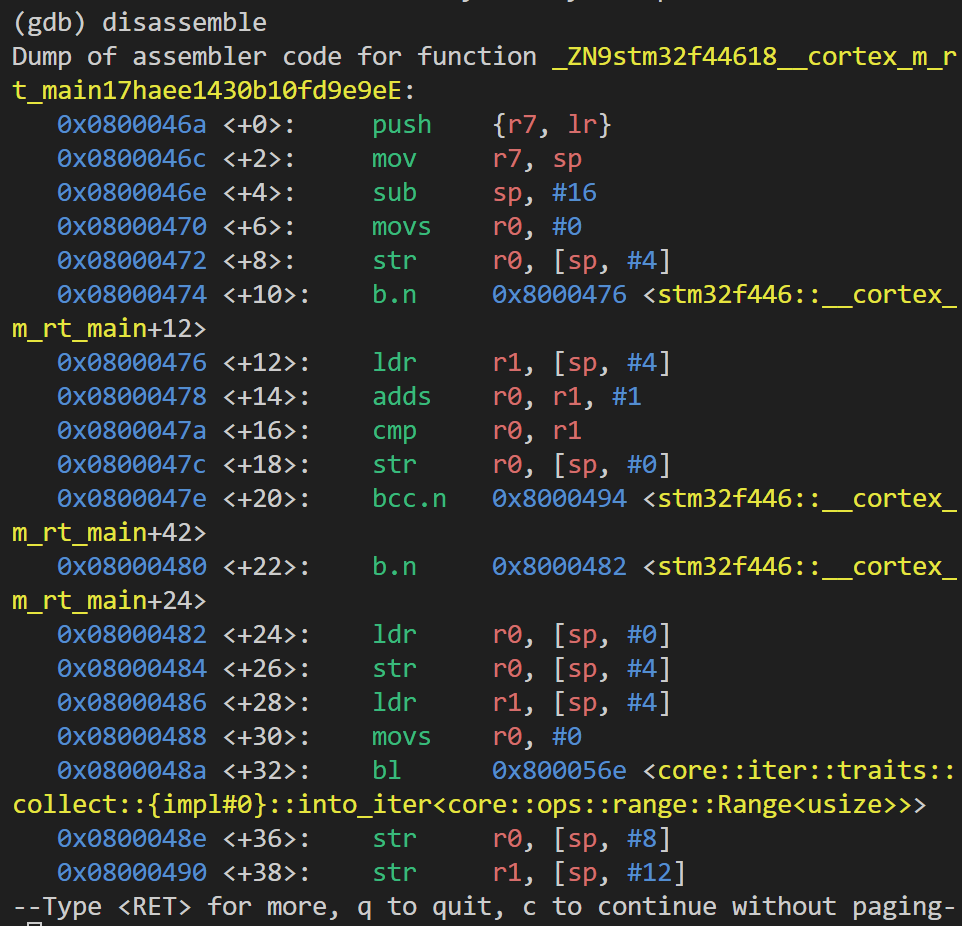
break main.rs:12: main.rs 파일의 12th line에 중단점 설정info locals: 지역변수들의 값 노출continue: 한 바퀴 돌리는 명령?info break: 중단점 리스트 제공delete 1: 1번째 중단점 삭제monitor reset: breakpoints, watchpoints, tracepoints, or catchpoints 전부 다 초기화.