벨로그 처럼 실시간으로 옆에 적용 할 수 있는게 많이 좋았다~ 프로젝트 내용중에 게시글 작성부분이 있는데 이쁜 UI를 찾아보다가 그러다가 TOAST UI Editor를 발견했다 럭키비키~
TOAST UI Editor
공식 문서
github 리액트 전용 - https://github.com/nhn/tui.editor/tree/master/apps/react-editor
WEB 공식 문서 - https://ui.toast.com/tui-editor
install 명령어
npm install --save @toast-ui/react-editor공식 문서에 있는 내용보니까 오류가 뜨냐...
오류
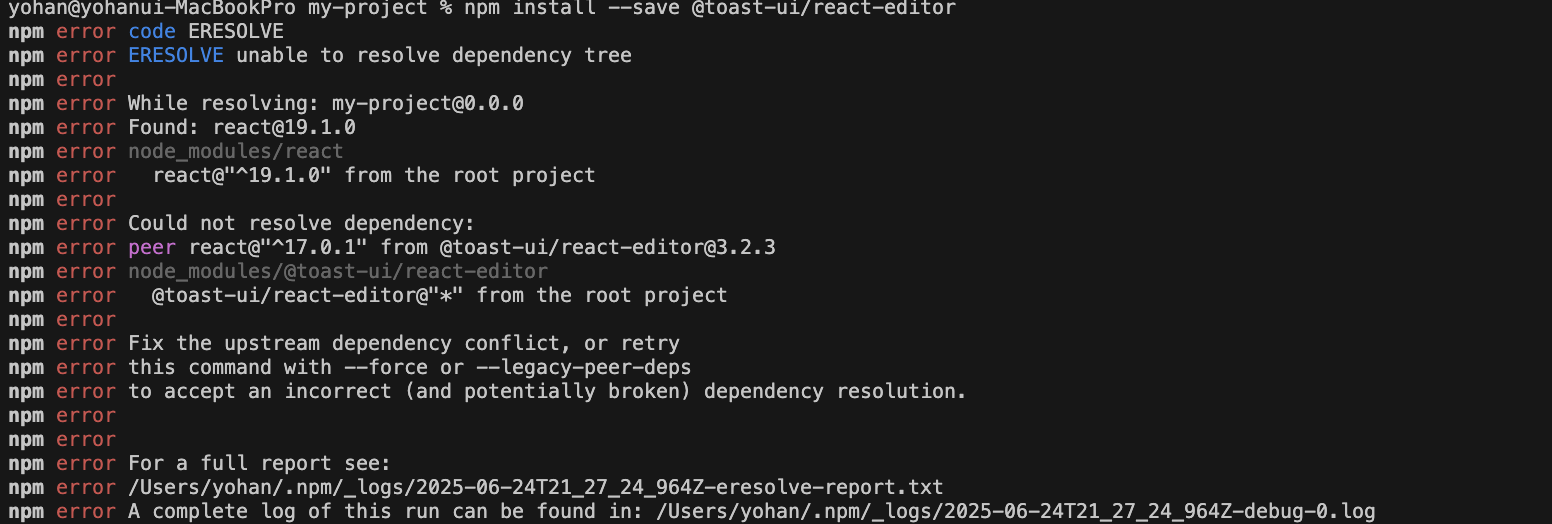
딱 보니 버전 호완성이 안 맞아서 지금 오류가 뜨는거 같네 .. react 19버전이 안 맞다고 하네요
해결
npm install --save @toast-ui/react-editor --legacy-peer-deps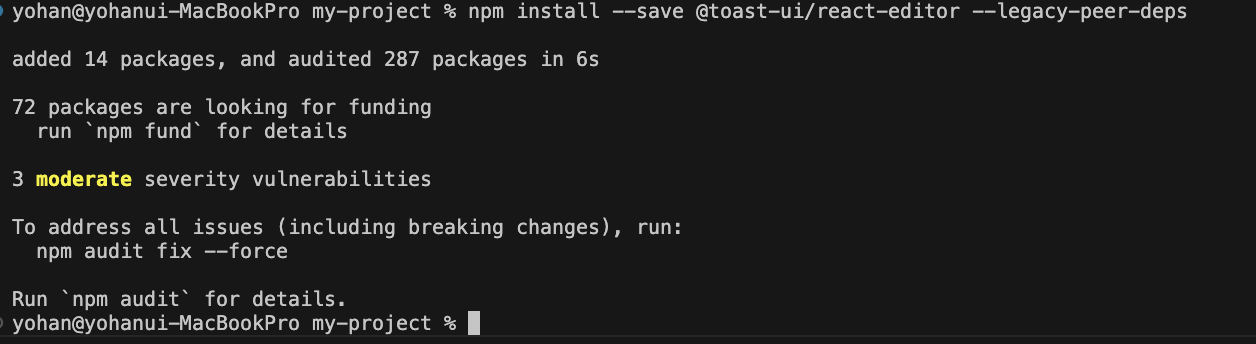
잘 다운받아 진거 같네요! ㅎㅎ 좋습니다 이제 공식 문서 내용 잘 따라서 사용해 볼께요
적용
기본
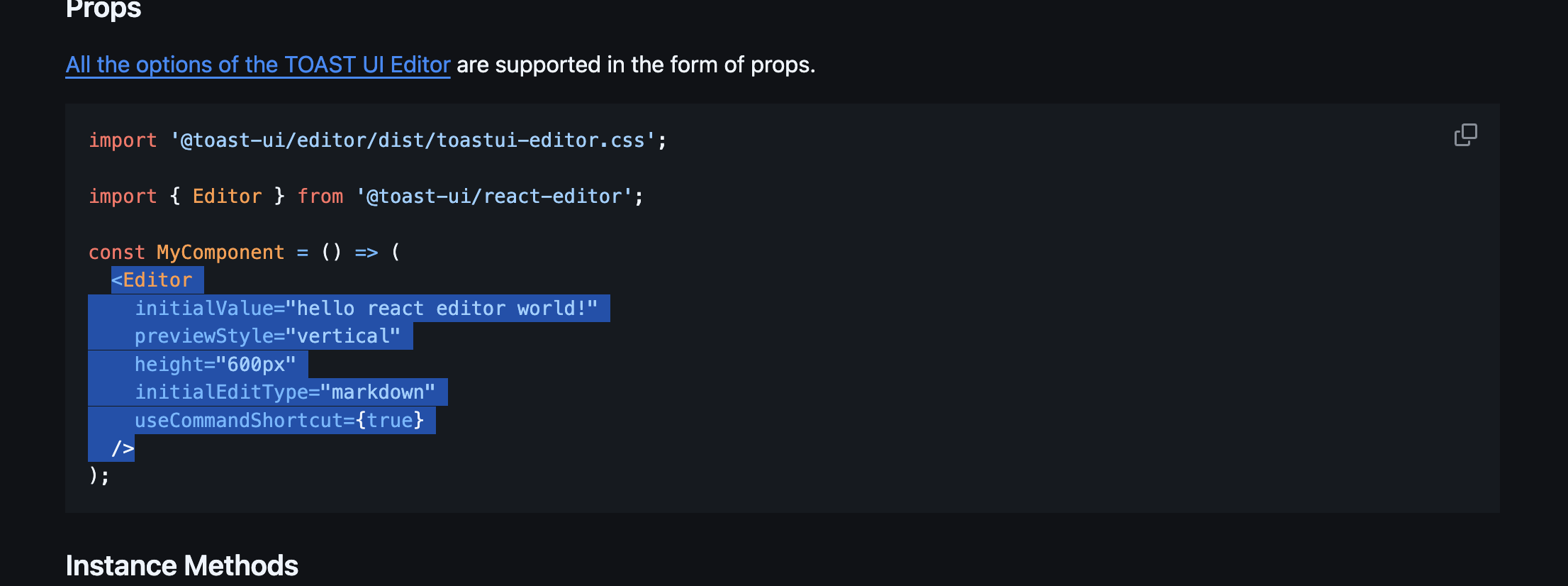
깃허브에 있는 코드 그대로 복사하고 코드에 적용시키면
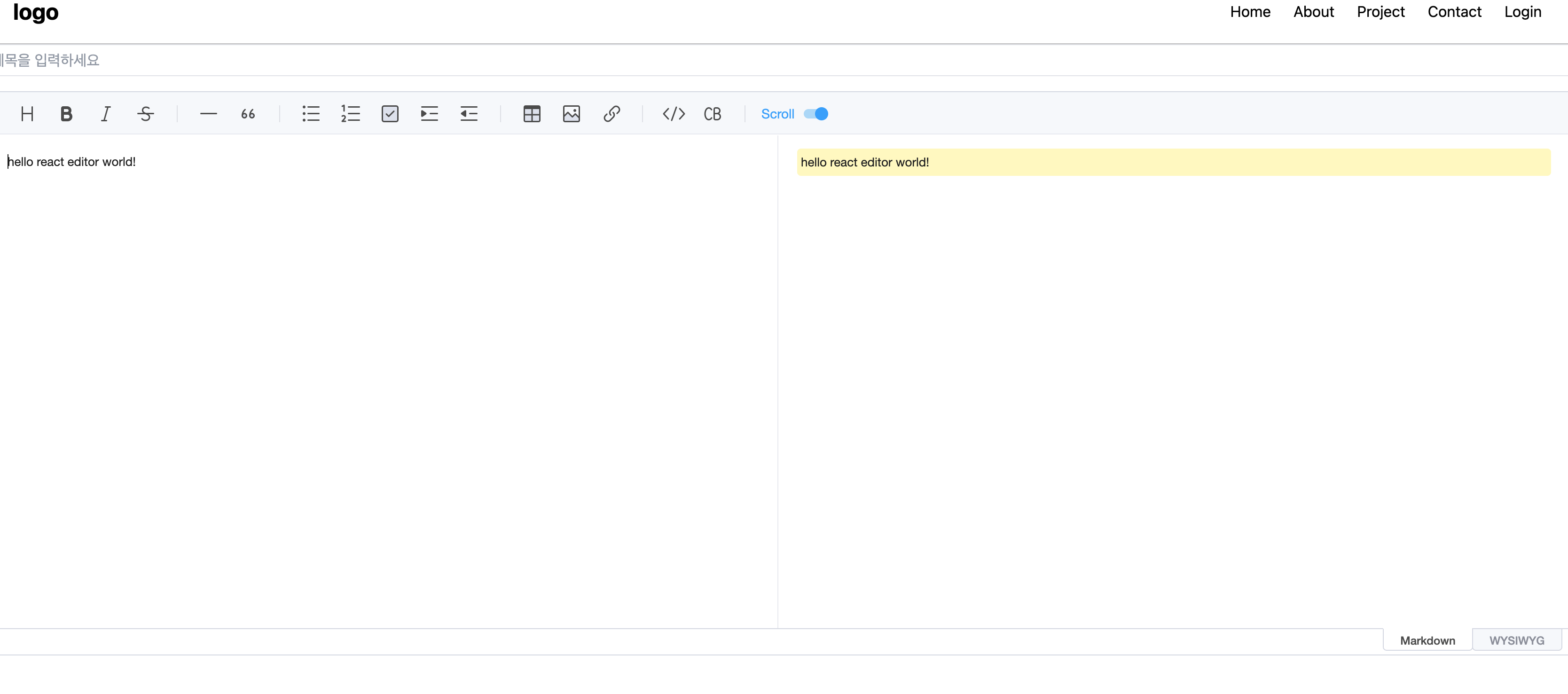
잘 작동 하네요
커스텀

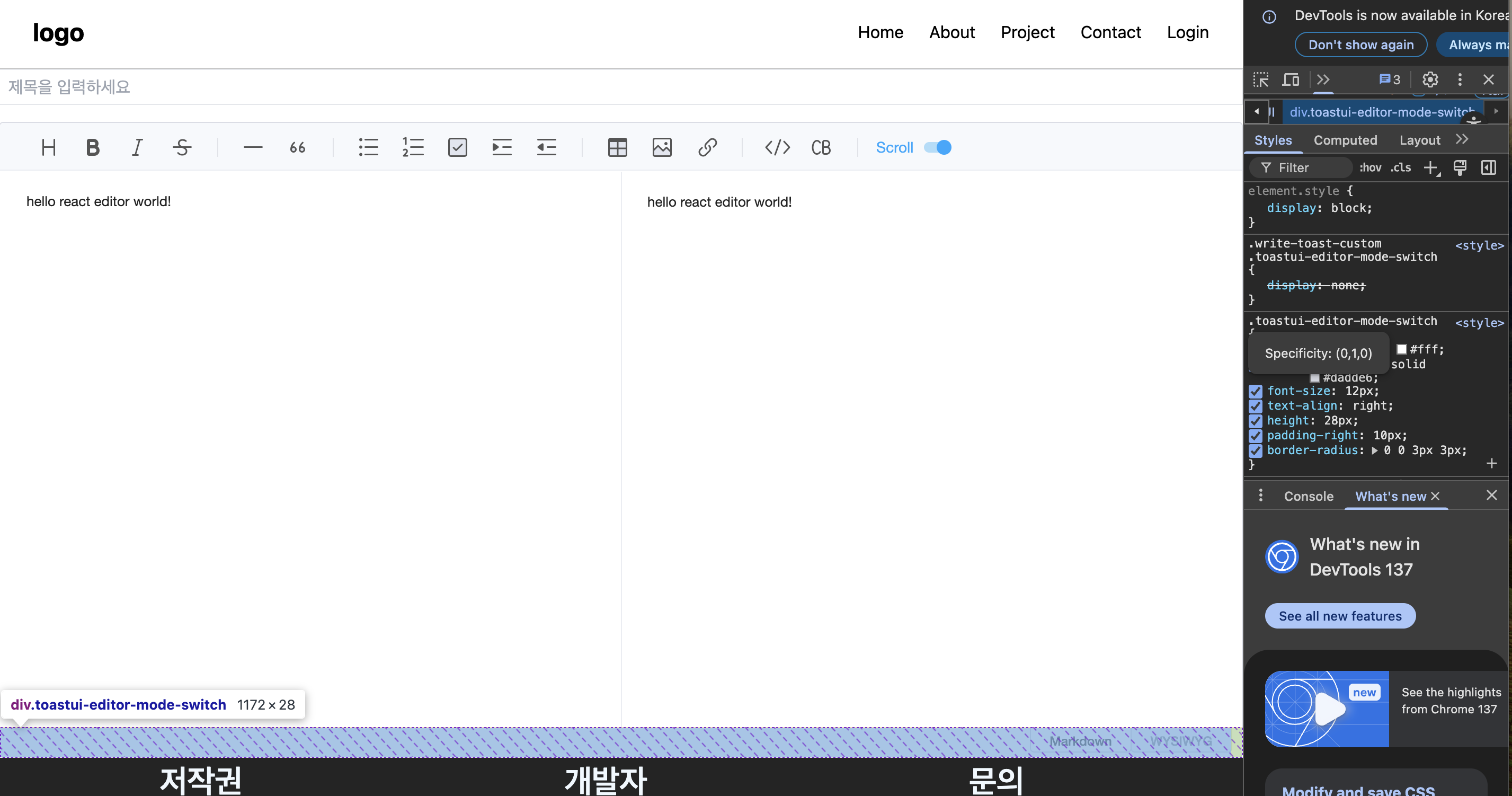
이부분이 필요 없을거 같아서 없애고 싶다
방법
TS
import React from 'react';
import '@toast-ui/editor/dist/toastui-editor.css';
import { Editor } from '@toast-ui/react-editor';
import "../../css/wirteToast.css"
const WriteToast = () => {
    return (
        <div className='write-toast-custom'>
            <Editor
    initialValue="hello react editor world!"
    previewStyle="vertical"
    height="600px"
    initialEditType="markdown"
    useCommandShortcut={true}
  />
        </div>
    );
};

export default WriteToast;
CSS
.write-toast-custom .toastui-editor-mode-switch{
    display: none !important;
}
수정해주시면
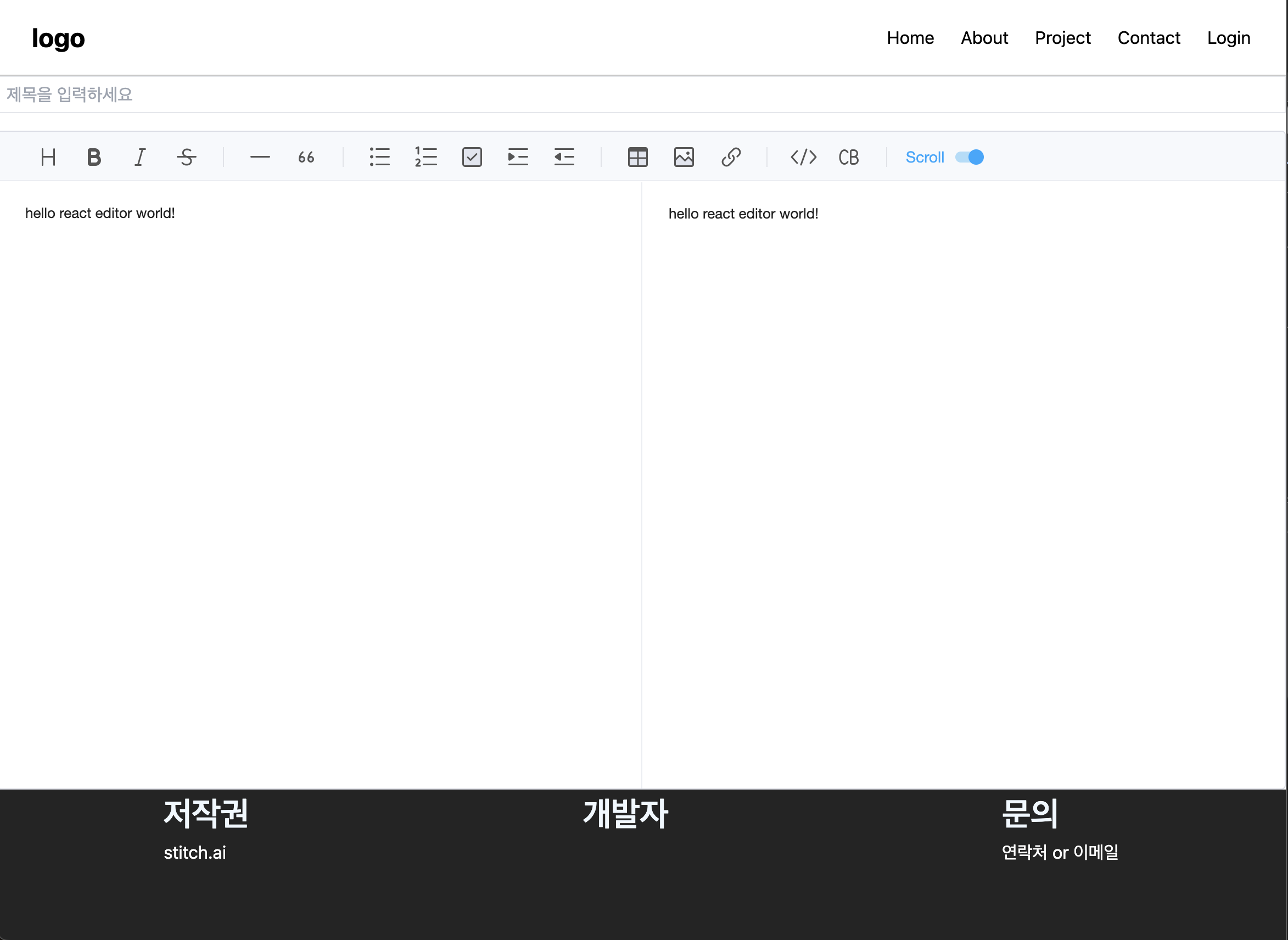
넵 제가 커스텀 했습니다! ㅎㅎ
프로젝트 진행하면서 필요한 부분은 이글에 적용 태그에 추가적으로 작성하겠습니다!
글 읽어 주셔서 감사합니다! :)

코드 깍는 개발자 kangyohan.dev.0421@gmail.com