vscode의 세팅은 워크스페이스별로 세팅을 해줄 수 있습니다.
(.vscode/settings.json파일을 통해 설정)
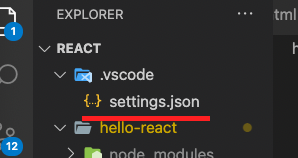
생성법은
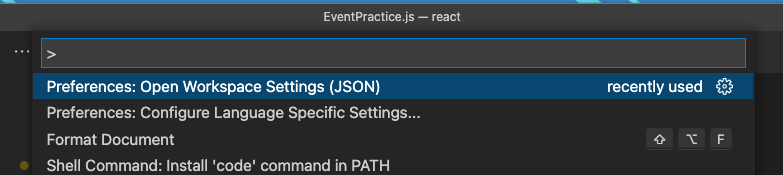
shift + cmd + P 를 누른 후
open workspace settings(json)을 선택하면 해당 워크스페이스에 .vscode폴더와 내용물이 생성됩니다.
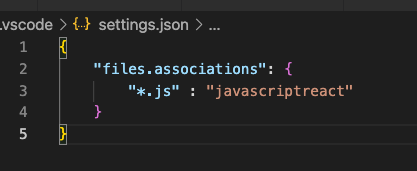
확장자별 언어 매칭
아래와 같이 "files.associations"에
해당 확장자를 가진 파일의 언어를 맞춰주시면 됩니다.
indent 설정
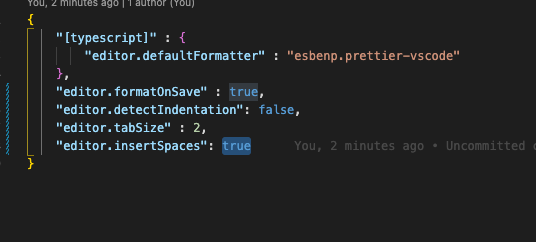
    "editor.detectIndentation": false,
    "editor.tabSize" : 2,
    "editor.insertSpaces": true
언어별 formatter 설정
	// 언어 선택
    "[typescript]" : {
        "editor.defaultFormatter" : "esbenp.prettier-vscode"
    },

    // 저장 시 formatting
    "editor.formatOnSave" : true,
큐큐익규