# Jetpack Compose는 무엇일까?
- Kotlin 으로 제작되는 라이브러리이며
선언형 UI구성 방식명령형 UI구성 방식인XML의 골칫거리였던 보일러플레이트 코드 발생 문제점을 잡아낸선언형 UIModifier라는 체이닝 속성을 통해 뷰의 구성을 손쉽게 조작할 수 있음- 추가적으로 가장 좋은 부분은 Preview 를 통하여 실시간으로 현재 UI 가 어떻게 개발되어가는지 확인이 가능하다.
위와 같은 특징을 가지고 있으며, 실제로 XML 로 개발하다가 Jetpack Compose 로 개발을 진행하게 되는 경우 신세계를 맞이할 수 있다.
# Compose Lifecycle
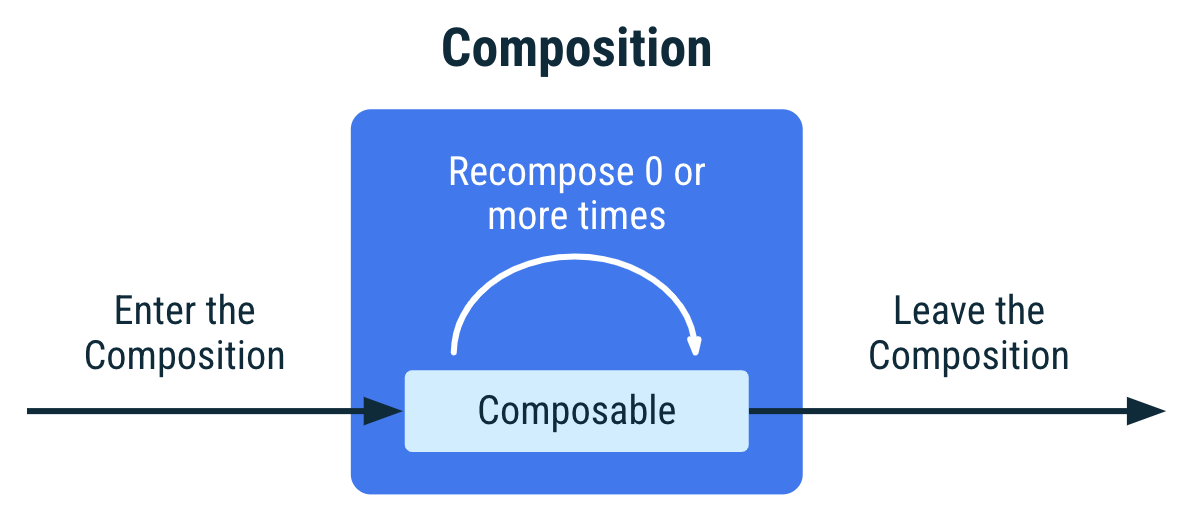
Compose Lifecycle 의 경우 Activity, Fragment Lifecycle 과는 달리 매우 간단한 사이클을 가진다.
- Composition 시작
- 0번 이상의
재구성 (Recomposition)- Composition 종료
내부적으로는 SnapshotSystem 과 SlotTable, Compose Compiler, Composer, Compose Runtime 등 매우 복잡한 관계가 이어지지만, 활동 자체를 두고 보자면 위의 3가지 단계가 끝이다.
# 사용 방법
XML 을 사용중인 경우
- Compose 라이브러리들을 dependencies 에 추가해준다
dependencies {
    val composeBom = platform("androidx.compose:compose-bom:2025.10.01")
    implementation(composeBom)
    androidTestImplementation(composeBom)

    // Choose one of the following:
    // Material Design 3
    implementation("androidx.compose.material3:material3")
    // or skip Material Design and build directly on top of foundational components
    implementation("androidx.compose.foundation:foundation")
    // or only import the main APIs for the underlying toolkit systems,
    // such as input and measurement/layout
    implementation("androidx.compose.ui:ui")

    // Android Studio Preview support
    implementation("androidx.compose.ui:ui-tooling-preview")
    debugImplementation("androidx.compose.ui:ui-tooling")

    // UI Tests
    androidTestImplementation("androidx.compose.ui:ui-test-junit4")
    debugImplementation("androidx.compose.ui:ui-test-manifest")

    // Optional - Add window size utils
    implementation("androidx.compose.material3.adaptive:adaptive")

    // Optional - Integration with activities
    implementation("androidx.activity:activity-compose:1.11.0")
    // Optional - Integration with ViewModels
    implementation("androidx.lifecycle:lifecycle-viewmodel-compose:2.8.5")
    // Optional - Integration with LiveData
    implementation("androidx.compose.runtime:runtime-livedata")
    // Optional - Integration with RxJava
    implementation("androidx.compose.runtime:runtime-rxjava2")

}- UI 를 그리는 모듈 build.gradle.kts 에 아래 코드를 추가해준다.
buildFeatures { compose = true }새 프로젝트를 생성하는 경우
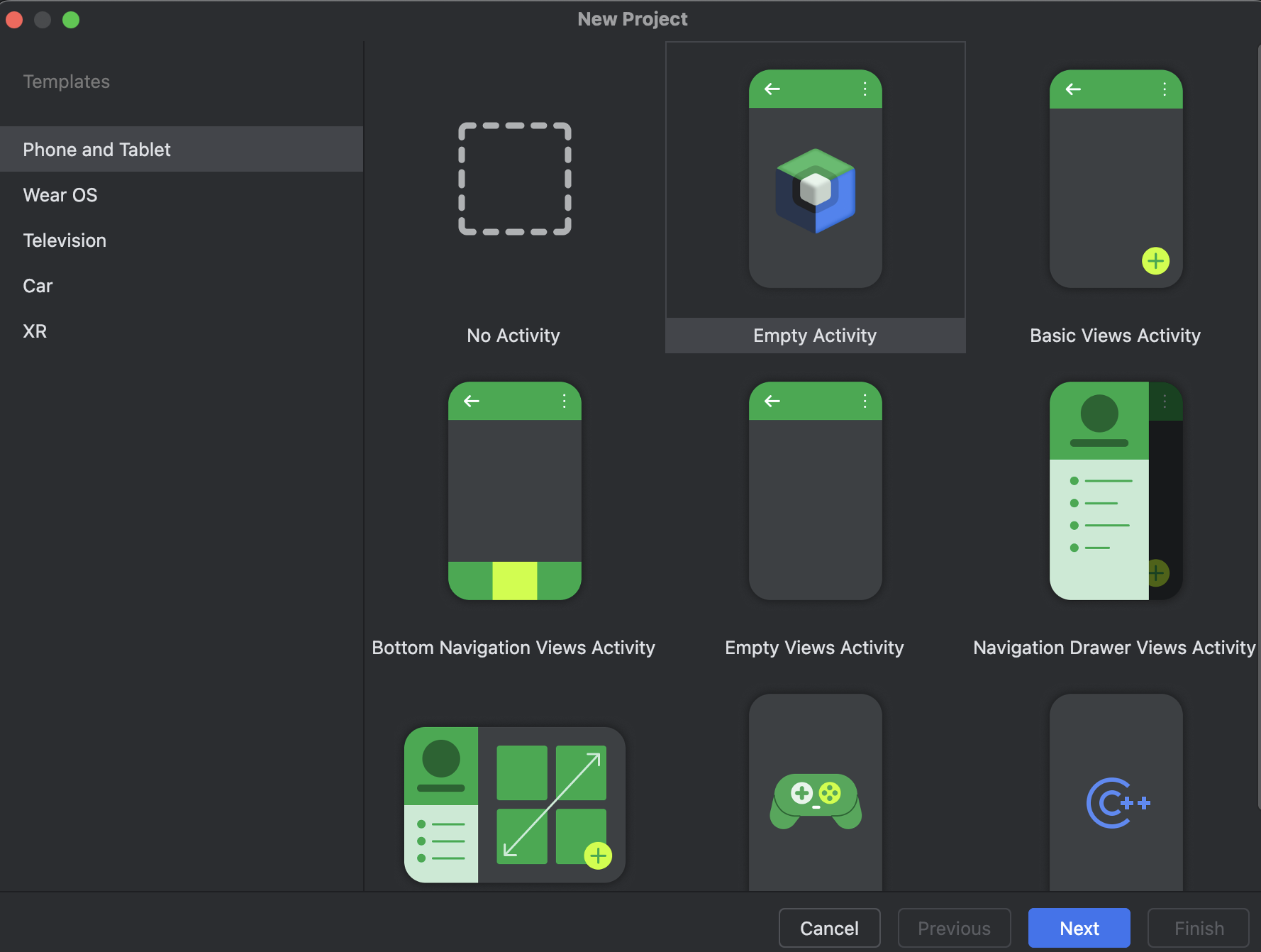
Empty Activity를 선택해준다.
- Activity 의
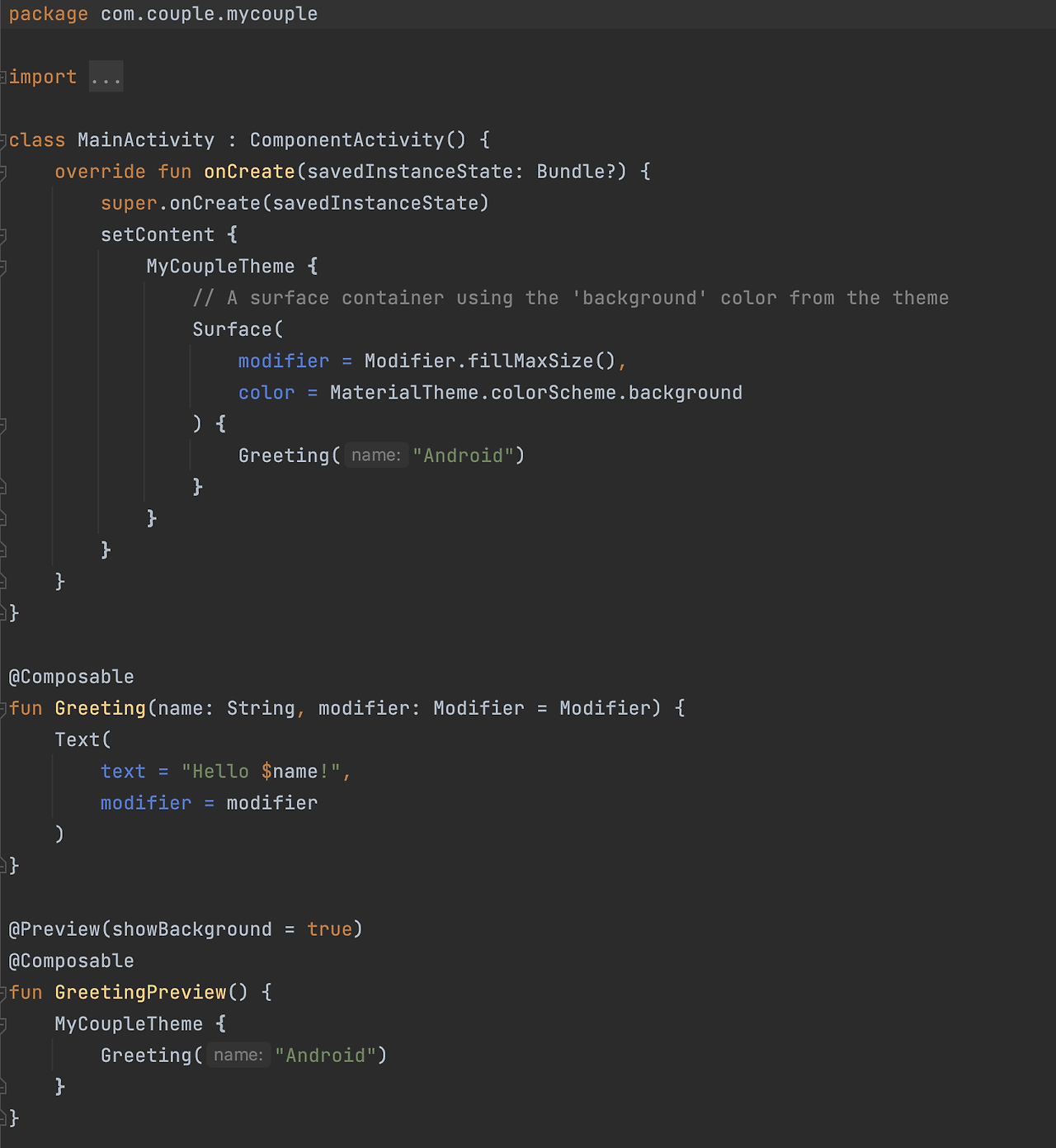
setContent내부에Composable Function을 구현하여 사용한다.
-
ComponentActivity- 기존 XML 에서 사용하던AppCompatActivty의 Legacy View System 가 추가되지 않은 Activity. (AppCompatActivity 는 ComponentActivity 를 상속). Compose library 에서 제공되는 ComponentActivity.setContent 함수를 통해 Compose 환경 구현이 가능하다. -
@Composable- 해당 함수가 Compose 에 의해 관리되는 함수임을 Compose Compiler, Runtime 에게 알려주며, Compose Compiler 에 의해 컴파일 시 함수의 인자로 composer 를 등록한다. -
@Preview- 실시간 UI 확인이 가능한 프리뷰 함수로 지정한다. 내부에는 Composable 로 등록된 함수를 호출해주면 된다. (다만 ViewModel 을 직접 호출하는 경우 불가)
이것만 알면 끝일까?
물론 이것만 알면 되는 것은 아니다.
UI 에 넣은 데이터를 변경 및 저장하기 위해서는 Android View System 과는 다른 방법을 사용해야 하는데, 이 때 사용되는 것이 상태 관리 시스템과 remember 함수 이다.
이에 대해서는 다음 게시글에 작성하겠다
연습이 필요한 경우는 안드로이드 코드랩 을 활용하면 된다.