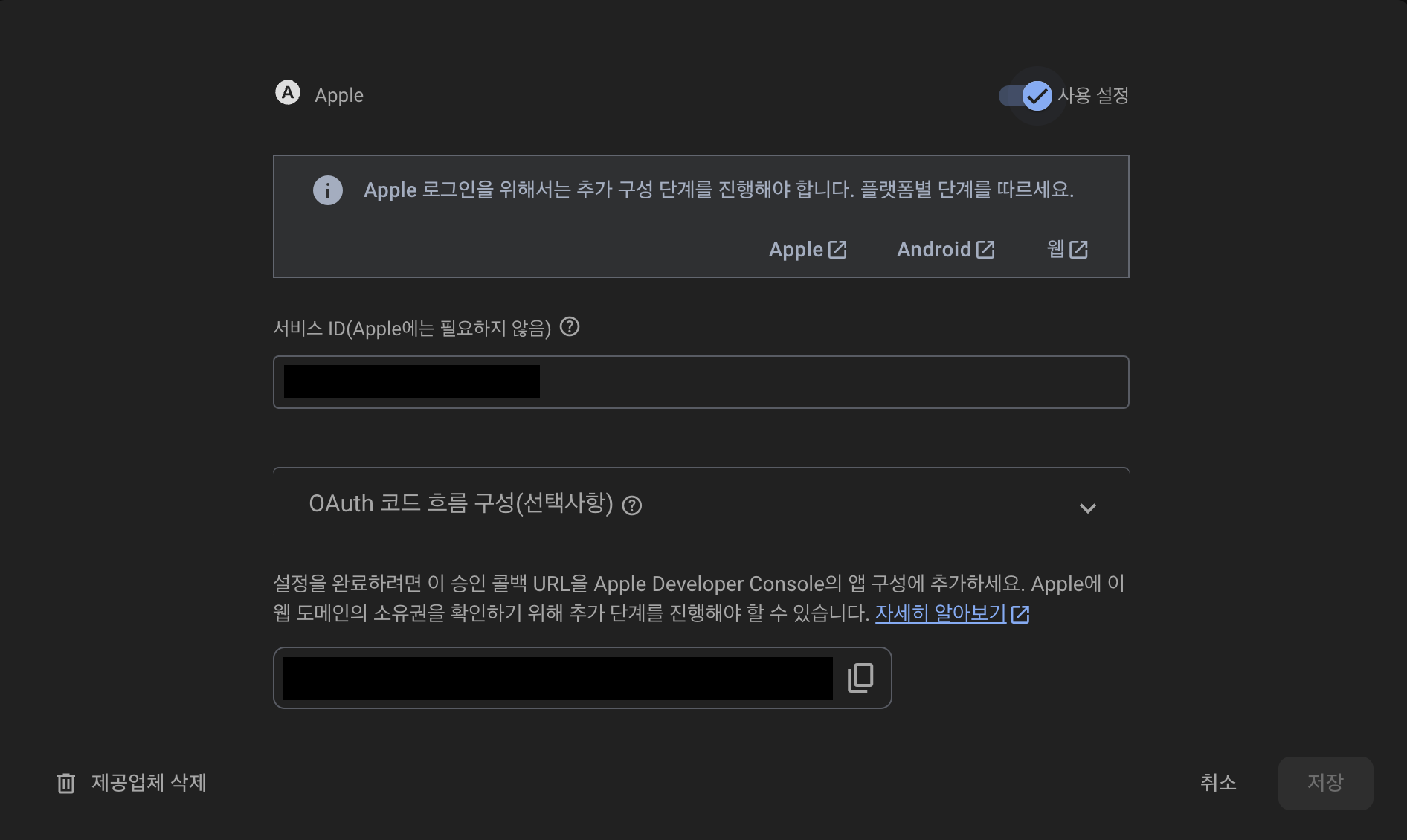
사전 준비
1. Firebase 설정
- Authentication > 로그인 방법 > 새 제공 업체 추가
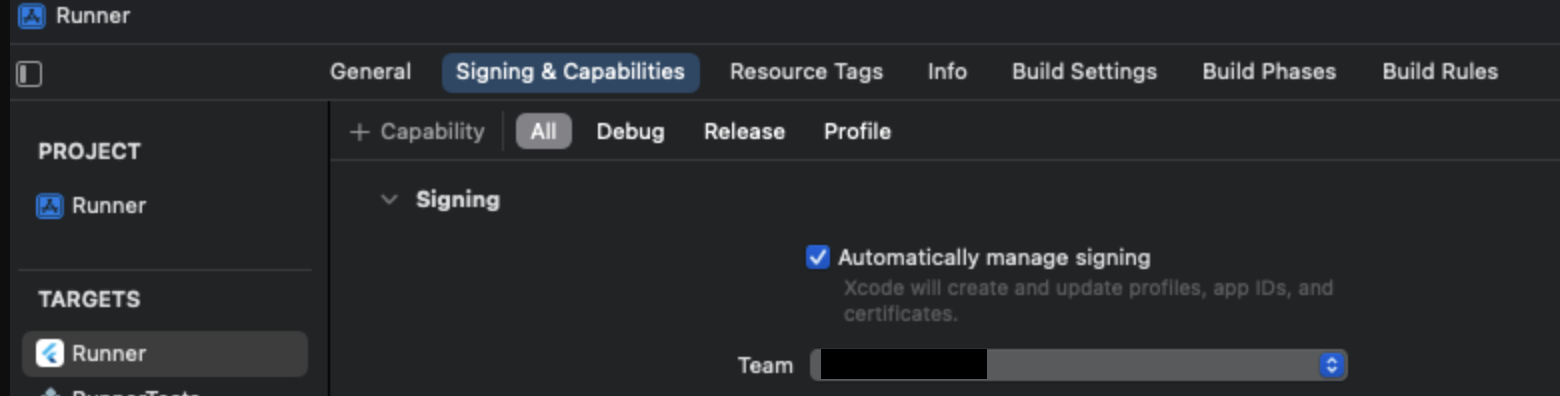
2. Xcode 설정
- Runner > Signing & Capabilities
- Team 설정하고, build 진행 →
identifier생성 +Capability클릭 > Sign in with Apple 추가
3. Apple Developer 설정
- [Identifiers] App IDs 등록
1. Register a new identifier
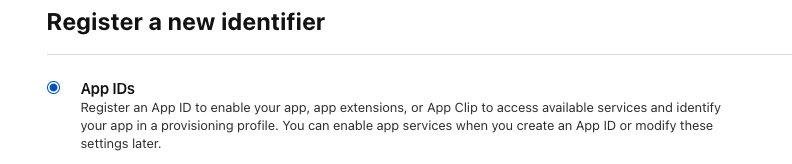
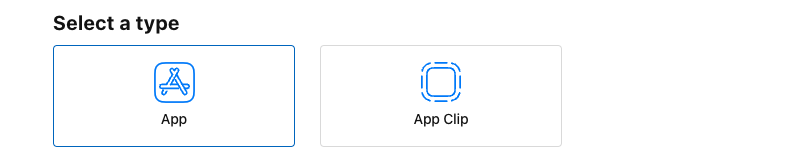
2. Select a type
3. Register an App ID > Capabilities : Sign In with Apple 활성화
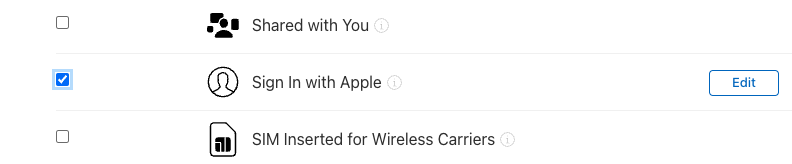
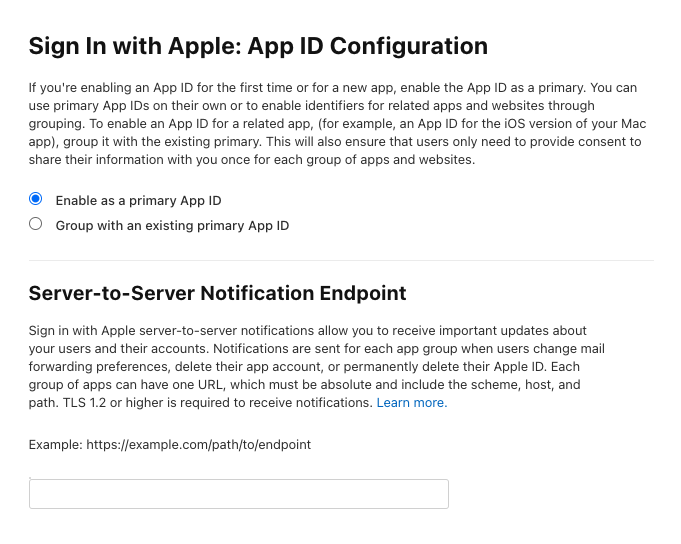
4. Edit
- Enable as a primary App ID 선택 확인
- Server-to-Server Notification Endpoint : Firebase apple 로그인 콜백 URL 넣기
2. [Keys] 새로운 키 생성
1. Sign in with Apple 추가 후 저장
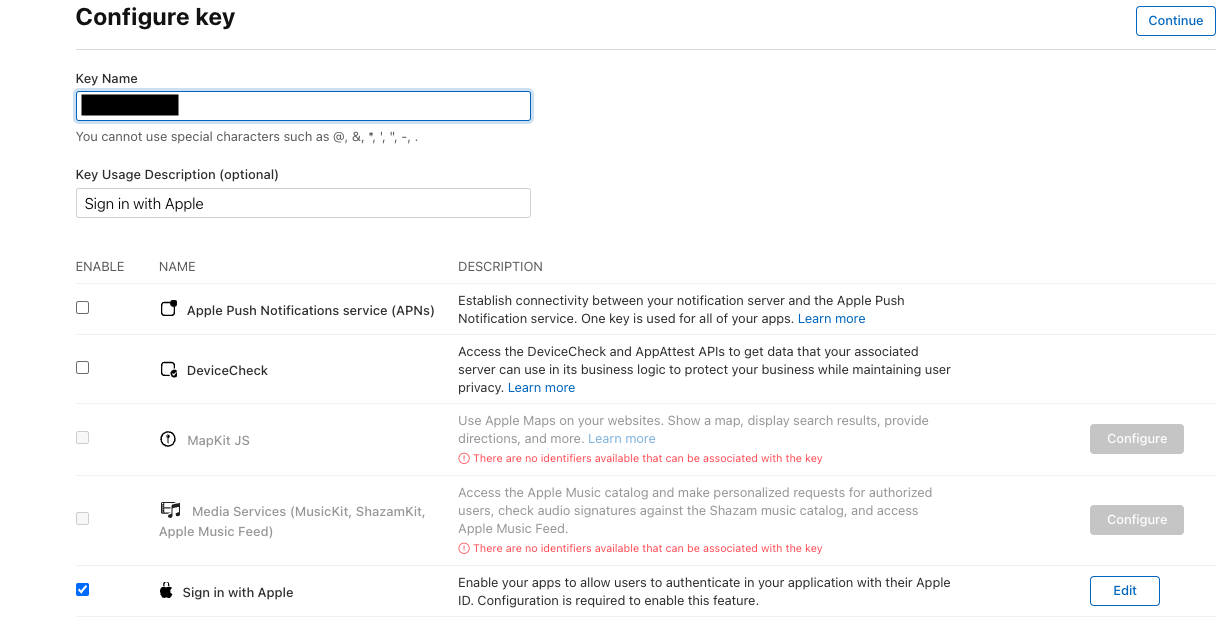
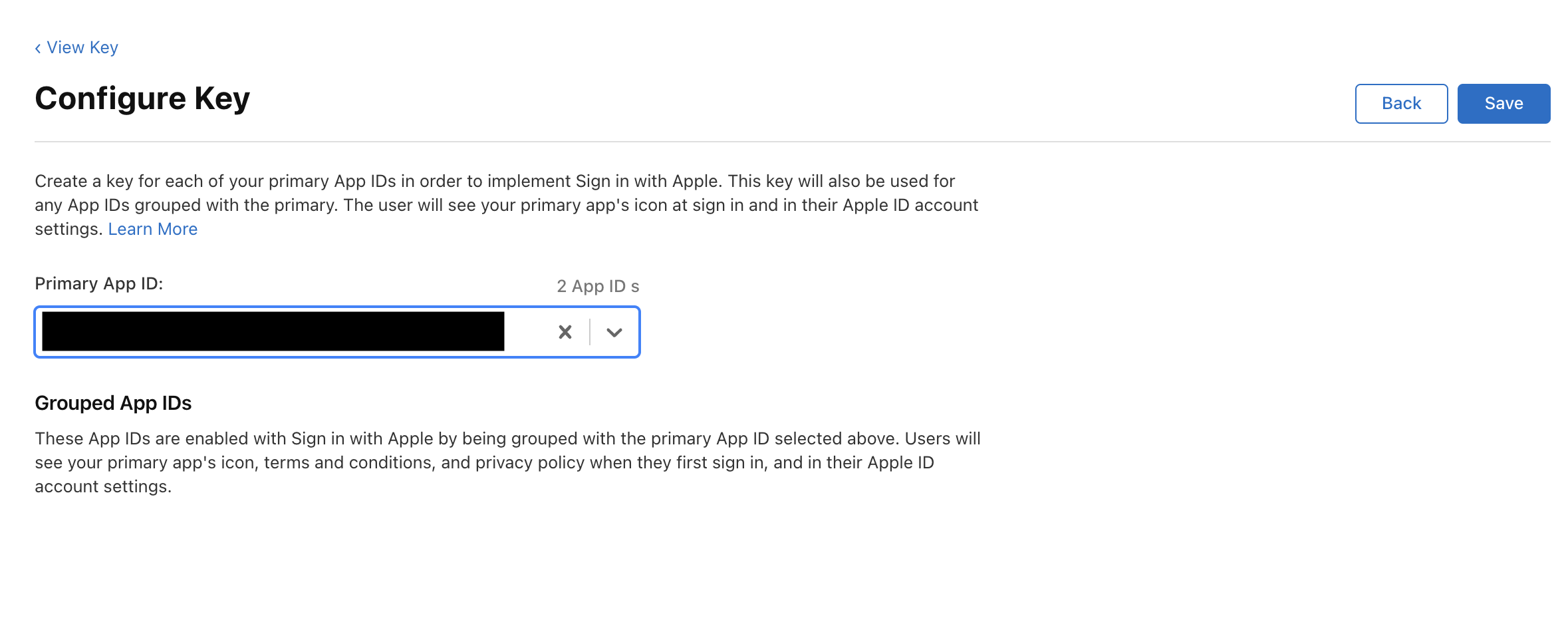
2. Sign in with Apple > Edit
- 방금 생성한 app id 선택 후 Save
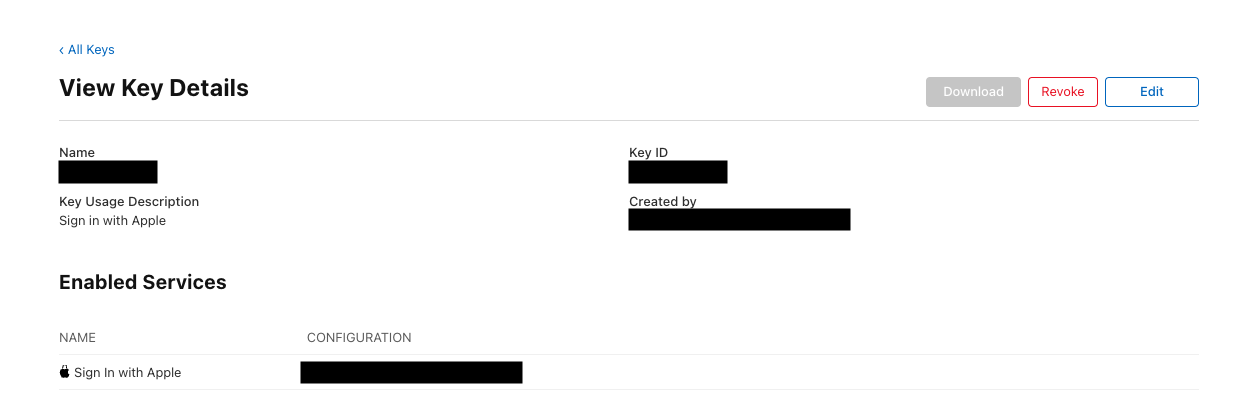
- P8 파일 다운로드 후, Firebase 비공개 키에 저장
- 해당 파일은 터미널에서 cat ~, 또는 Chrome에 가져가면 내부 코드 확인 가능
3. [Identifiers] Service IDs 등록
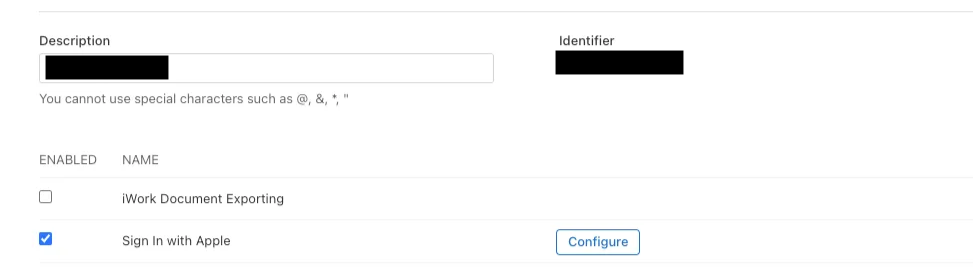
- Description 입력
- Identifier : Bundle ID 역순으로 입력
ex)
-Bundle ID : com.temp.test
-Identifier : test.temp.com
- Sign in with Apple 선택 후, Configure 선택
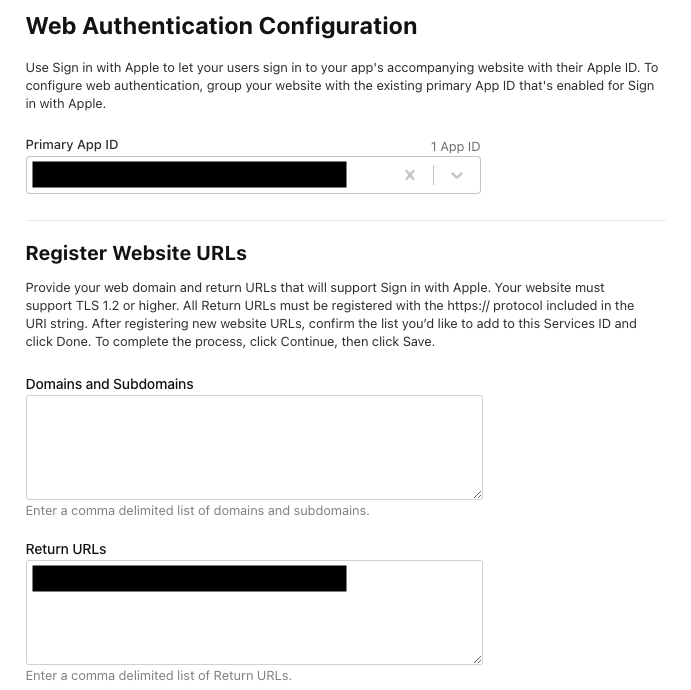
- 일치하는 Primary App Id 선택 후, Website URLs 작성
- domain에는 Firebase에서 제공된 Callback URL의 도메인만 입력
- Returns URLs 에는 callbackURL 전체 입력
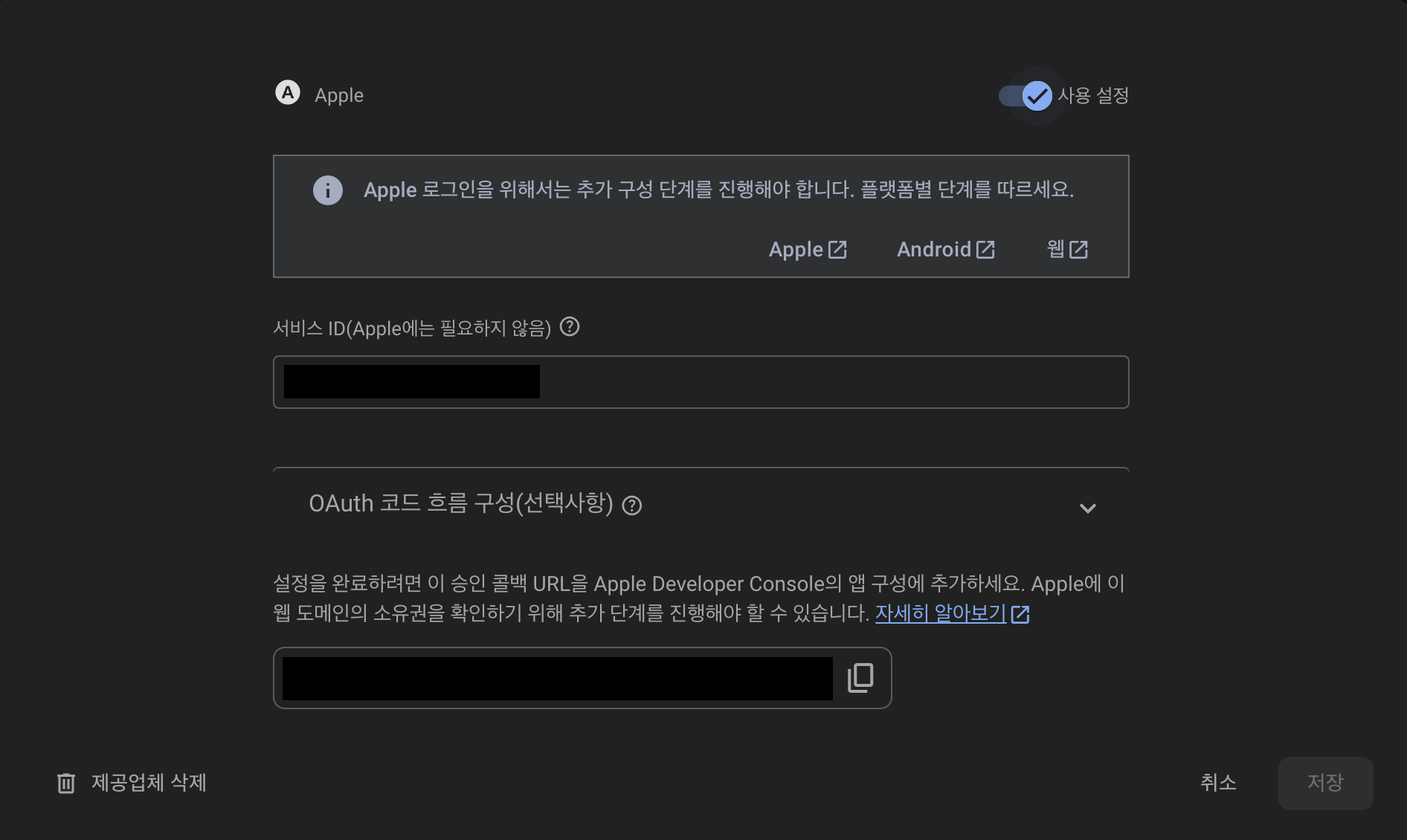
3. Firebase Console 설정
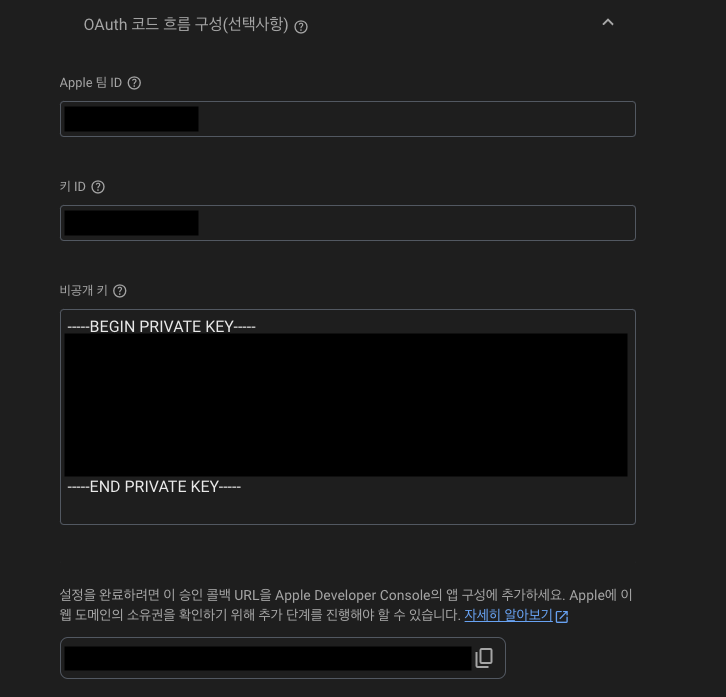
- Authentication > 로그인 방법 > 새 제공업체 추가 > Apple 추가
- 안드로이드 애플 로그인을 위해, OAuth 코드 흐름 구성 설정- Apple 팀 ID 입력 : Apple Developer 주식회사 이름 뒤에 있는 문자
- 키 ID 입력
- 비공개 키 입력
-Apple Developer 설정 > [Keys] 새로운 키 생성에서 다운 받은 키
4. Android 설정
[이슈 상황]
안드로이드 - 네이버 앱 apple 로그인 시, 네이버 앱이 백그라운드로 돌아가지 않는 이슈 발생
[해결 방법]
- AndroidManifest.xml 수정
<!-- taskAffinity="" 에서 테스크 이름 설정해줌 -->
<activity
    android:name=".MainActivity"
    android:exported="true"
    android:launchMode="singleTop"
    android:taskAffinity=""
    android:theme="@style/LaunchTheme"
    android:configChanges="orientation|keyboardHidden|keyboard|screenSize|smallestScreenSize|locale|layoutDirection|fontScale|screenLayout|density|uiMode"
    android:hardwareAccelerated="true"
    android:windowSoftInputMode="adjustResize">
코드 구현 예시
Future<UserCredential> signInWithApple() async {
  AppleAuthProvider appleProvider =
      AppleAuthProvider().addScope('email').addScope('name');
  UserCredential userCredential =
      await FirebaseAuth.instance.signInWithProvider(appleProvider);
  return userCredential;
}
🔗 Ref
플러터 개발자 👩🏻💻