요즘 급하게 인스타 팔로우 100명이 필요해서 잼민이 친구들과 맞팔을 했는데요!
구경하다 보니 일명 '팔취'...
팔로우 해놓고 맞팔하면 취소하는 친구들 때문에 빡친 잼민이들이 많더라구요
맞팔하기로 했으면 영원히 함께해야지😟 너무하네요ㅎㅎ
그래서 가볍게 파이썬으로 팔로우 취소한 친구들 언팔하는 기능을 만들었습니다!
자료 엄청 많을 줄 알고 했는데 인스타가 구조를 너무 자주 바꿔서 은근 되는 코드가 없더라구요 생각보다 오래 걸렸습니다😂
그럼 시작!
구현과정
버전정보
Python version: 3.10.11
Selenium version: 4.18.1
Selenium 4.0 이상의 버전부터는 ChromeDriver를 자동으로 관리하는 기능이 도입되어 따로 경로 설정이 필요없습니다!
구현
코드는 사실 귀찮아서 클로드한테 시켰습니다 그래서 별로 깨끗하진 않아요!!
동작방식
로그인 -> 내 인스타 계정으로 이동 -> 팔로워 버튼 클릭해서 목록 수집 -> 팔로우 버튼 클릭해서 목록 수집 -> 팔로우에 있는데 팔로워에 없는 계정 목록 도출 -> 언팔 Y/N 확인 받고 언팔 진행
구글링 시 뜨는 코드들에서 많이 수정한 부분
-
팔로우, 팔로워 리스트 팝업으로 이동 방식
다른 코드에서는 url로 이동하는 방식을 사용 했지만 실제 셀레니움으로 작동 시 팝업이 뜨지 않아 버튼을 직접 클릭하게 수정하였습니다. -
클래스 id 변경
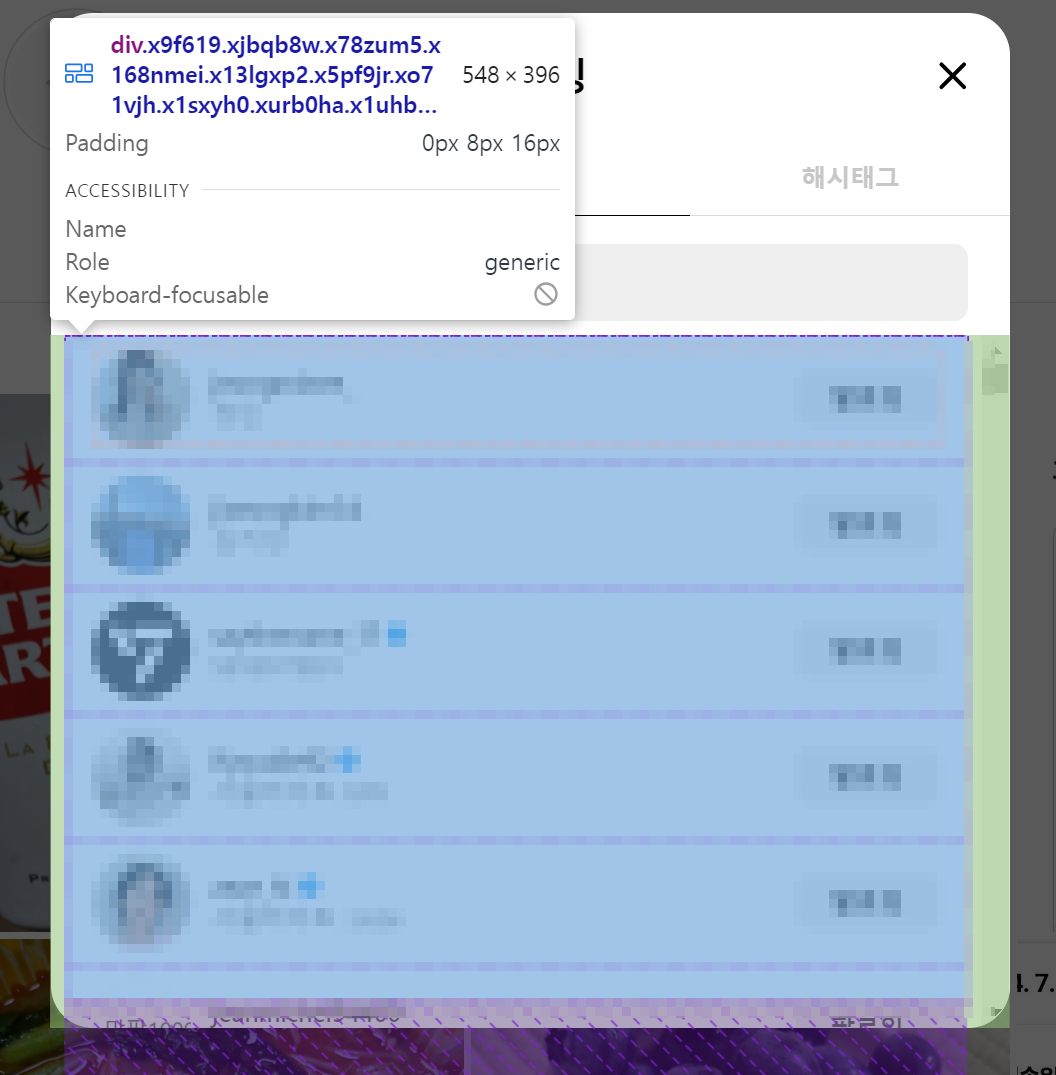
리스트 컨테이너와 사용자 div 클래스 id가 자주 변경되는 것으로 보입니다.
다른 방법이 있을 것 같지만 귀찮아서 그냥 id 이름을 잘 찾아 수정했습니다!
제 코드가 작동안된다면 클래스 id를 확인하고 수정해보세요!
following_container_xpath = "//div[@class='x9f619 xjbqb8w x78zum5 x168nmei x13lgxp2 x5pf9jr xo71vjh x1sxyh0 xurb0ha x1uhb9sk x6ikm8r x1rife3k x1iyjqo2 x2lwn1j xeuugli xdt5ytf xqjyukv x1qjc9v5 x1oa3qoh x1nhvcw1 x1l90r2v']"

user_div_xpath = f".//div[.//span[contains(@class, '_ap3a _aaco _aacw _aacx _aad7 _aade') and text()='{user}']]"-
스크롤 방식
스크롤 시 로딩이 걸리는 경우가 종종 있어 대기 시간과 재시도 로직을 넣었습니다. -
차단 방지
인스타에서 차단할까봐 전체적인 대기 시간을 길게 길게 잡았습니다!
코드
follow.py 파일을 작성합니다.
import sys
import time
from bs4 import BeautifulSoup
from selenium import webdriver
from selenium.webdriver.common.by import By
from selenium.webdriver.support.ui import WebDriverWait
from selenium.webdriver.support import expected_conditions as EC
from selenium.common.exceptions import TimeoutException

TIME_WAIT = 5
INSTAGRAM_URL = 'https://www.instagram.com'

def scroll_to_bottom(driver, dialog):
    print("Scrolling to bottom...")
    last_height = driver.execute_script("return arguments[0].scrollHeight", dialog)
    retries = 0
    max_retries = 3

    while retries < max_retries:
        driver.execute_script("arguments[0].scrollTo(0, arguments[0].scrollHeight);", dialog)
        time.sleep(2)  # 대기 시간을 3초로 늘림
        new_height = driver.execute_script("return arguments[0].scrollHeight", dialog)

        if new_height == last_height:
            retries += 1
        else:
            retries = 0

        last_height = new_height
        print(f"Scrolling... (Retry: {retries})")

    if retries == max_retries:
        print("Reached bottom of scroll or no more content loaded.")
    else:
        print("Scrolling completed.")

def get_follow_list(driver: webdriver.Chrome, list_type: str) -> list:
    if list_type == 'followers':
        button_xpath = "//a[contains(@href, '/followers/')]"
    else:
        button_xpath = "//a[contains(@href, '/following/')]"

    try:
        print(f"Clicking {list_type} button...")
        WebDriverWait(driver, 20).until(EC.element_to_be_clickable((By.XPATH, button_xpath))).click()
    except Exception as e:
        print(f"Could not click on {list_type} button. Error: {str(e)}")
        print("Trying JavaScript click.")
        button = driver.find_element(By.XPATH, button_xpath)
        driver.execute_script("arguments[0].click();", button)

    time.sleep(TIME_WAIT)

    try:
        print("Waiting for popup to appear...")
        popup_class = "x9f619 xjbqb8w x78zum5 x168nmei x13lgxp2 x5pf9jr xo71vjh x1sxyh0 xurb0ha x1uhb9sk x6ikm8r x1rife3k x1iyjqo2 x2lwn1j xeuugli xdt5ytf xqjyukv x1qjc9v5 x1oa3qoh x1nhvcw1 x1l90r2v"
        dialog = WebDriverWait(driver, 20).until(
            EC.presence_of_element_located((By.CLASS_NAME, popup_class.replace(" ", ".")))
        )
        print("Popup found.")
    except Exception as e:
        print(f"Could not find the popup. Error: {str(e)}")
        return []

    print("Starting to scroll...")
    scroll_to_bottom(driver, dialog)
    print("Scrolling completed.")

    print("Parsing follow list...")
    soup = BeautifulSoup(driver.page_source, 'html.parser')
    follow_list = []
    for span in soup.find_all('span', ['_ap3a _aaco _aacw _aacx _aad7 _aade']):
        if span.string:  # Only add non-empty strings
            follow_list.append(span.string)

    print(f'{list_type}:', follow_list)
    print(f'Total {list_type} count: {len(follow_list)}\n')
    return follow_list

def unfollow_users(driver: webdriver.Chrome, users_to_unfollow: list):
    print("Starting unfollow process...")

    # 팔로잉 리스트 컨테이너 찾기
    following_container_xpath = "//div[@class='x9f619 xjbqb8w x78zum5 x168nmei x13lgxp2 x5pf9jr xo71vjh x1sxyh0 xurb0ha x1uhb9sk x6ikm8r x1rife3k x1iyjqo2 x2lwn1j xeuugli xdt5ytf xqjyukv x1qjc9v5 x1oa3qoh x1nhvcw1 x1l90r2v']"
    following_container = WebDriverWait(driver, 20).until(EC.presence_of_element_located((By.XPATH, following_container_xpath)))

    for user in users_to_unfollow:
        try:
            # 사용자 이름으로 해당 사용자의 div 찾기
            user_div_xpath = f".//div[.//span[contains(@class, '_ap3a _aaco _aacw _aacx _aad7 _aade') and text()='{user}']]"
            user_div = following_container.find_element(By.XPATH, user_div_xpath)

            # 해당 div 내에서 '팔로잉' 버튼 찾기
            unfollow_button = user_div.find_element(By.XPATH, ".//button[.//div[text()='팔로잉']]")

            # 버튼 클릭
            driver.execute_script("arguments[0].click();", unfollow_button)
            print(f"Unfollowed: {user}")
            time.sleep(2)  # 언팔로우 사이에 약간의 딜레이
        except Exception as e:
            print(f"Failed to unfollow {user}: {str(e)}")

    print("Unfollow process completed.")

def main(driver: webdriver.Chrome, id: str, pw: str):
    print("Logging in...")
    driver.get(INSTAGRAM_URL)
    WebDriverWait(driver, 10).until(EC.presence_of_element_located((By.NAME, 'username'))).send_keys(id)
    driver.find_element(By.NAME, 'password').send_keys(pw)
    driver.find_element(By.XPATH, '//*[@id="loginForm"]/div/div[3]/button').click()

    try:
        WebDriverWait(driver, 5).until(EC.presence_of_element_located((By.ID, 'slfErrorAlert')))
        print('Invalid ID or password')
        return
    except:
        try:
            WebDriverWait(driver, 10).until(EC.element_to_be_clickable((By.XPATH, '//div[@role="dialog"]//button[contains(text(), "나중에 하기")]'))).click()
        except:
            pass

    while True:
        print(f"Navigating to {id}'s profile...")
        driver.get(f"{INSTAGRAM_URL}/{id}/")
        time.sleep(TIME_WAIT)

        print("Getting followers list...")
        followers_list = get_follow_list(driver, 'followers')

        print("Getting following list...")
        driver.get(f"{INSTAGRAM_URL}/{id}/")
        following_list = get_follow_list(driver, 'following')

        unfollowers_list = list(set(following_list) - set(followers_list))
        print('Unfollowers:', unfollowers_list)
        print(f'Total unfollowers count: {len(unfollowers_list)}')

        user_input = input("Is the collected data correct? (Y/N): ")
        if user_input.lower() == 'y':
            if unfollowers_list:
                print("Starting unfollow process...")
                unfollow_users(driver, unfollowers_list)
            else:
                print("No users to unfollow.")
            break
        elif user_input.lower() == 'n':
            print("Recollecting data...")
        else:
            print("Invalid input. Please enter Y or N.")

if __name__ == '__main__':
    if len(sys.argv) != 3:
        print('Usage: python follow.py <ID> <PASSWORD>')
        exit(1)

    driver = webdriver.Chrome()
    driver.implicitly_wait(TIME_WAIT)

    try:
        main(driver, sys.argv[1], sys.argv[2])
    except Exception as e:
        print(f"An error occurred: {str(e)}")
    finally:
        input("Press Enter to close the browser...")
        driver.quit()
실행방법
-
터미널에서 가상환경으로 접근 후 follow.py이 있는 디렉토리로 이동합니다
-
터미널에서
python follow.py <id> <password>를 입력합니다! id는 인스타 id입니다! -
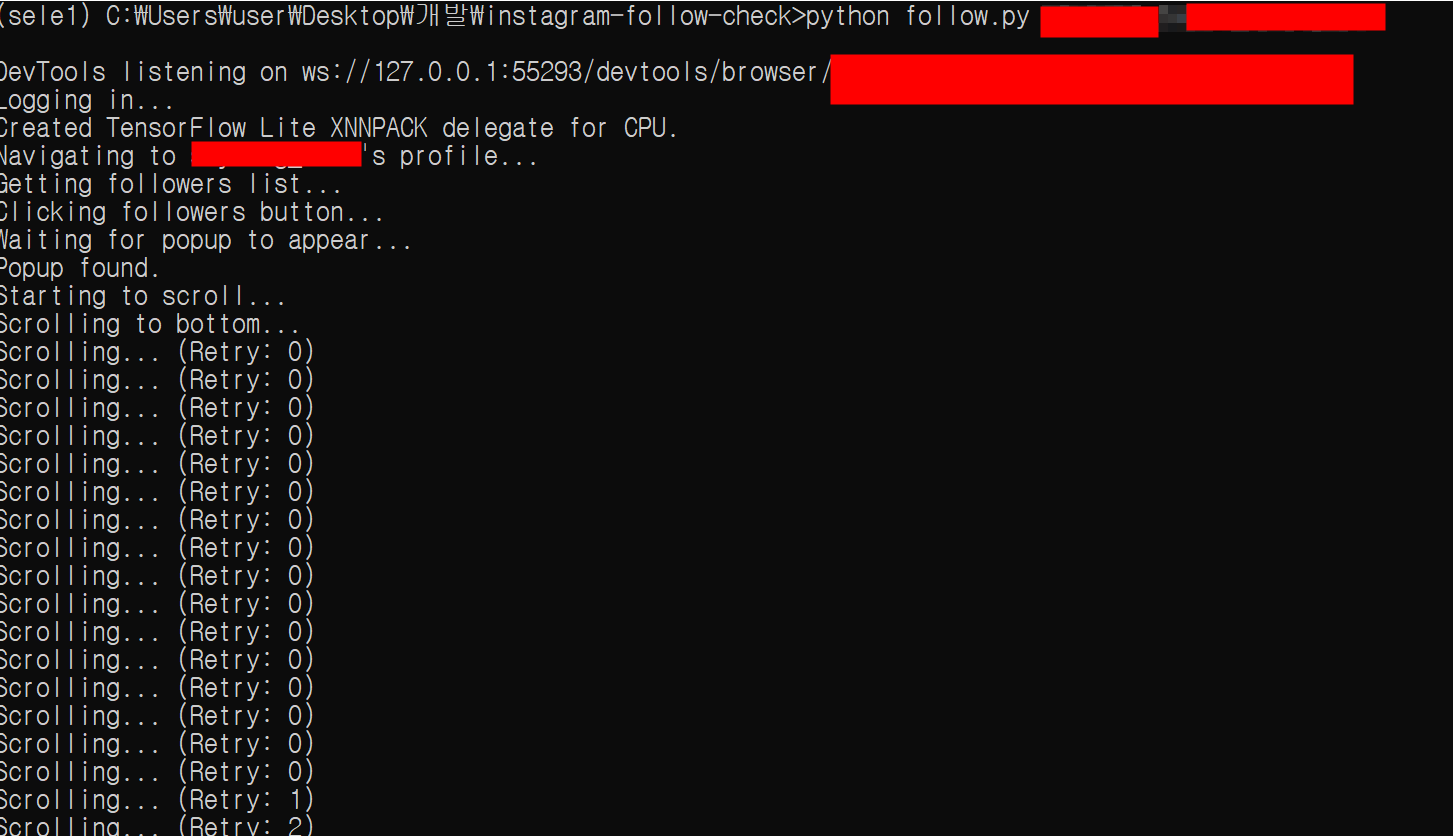
팔로워, 팔로우 리스트 수집을 기다립니다
-
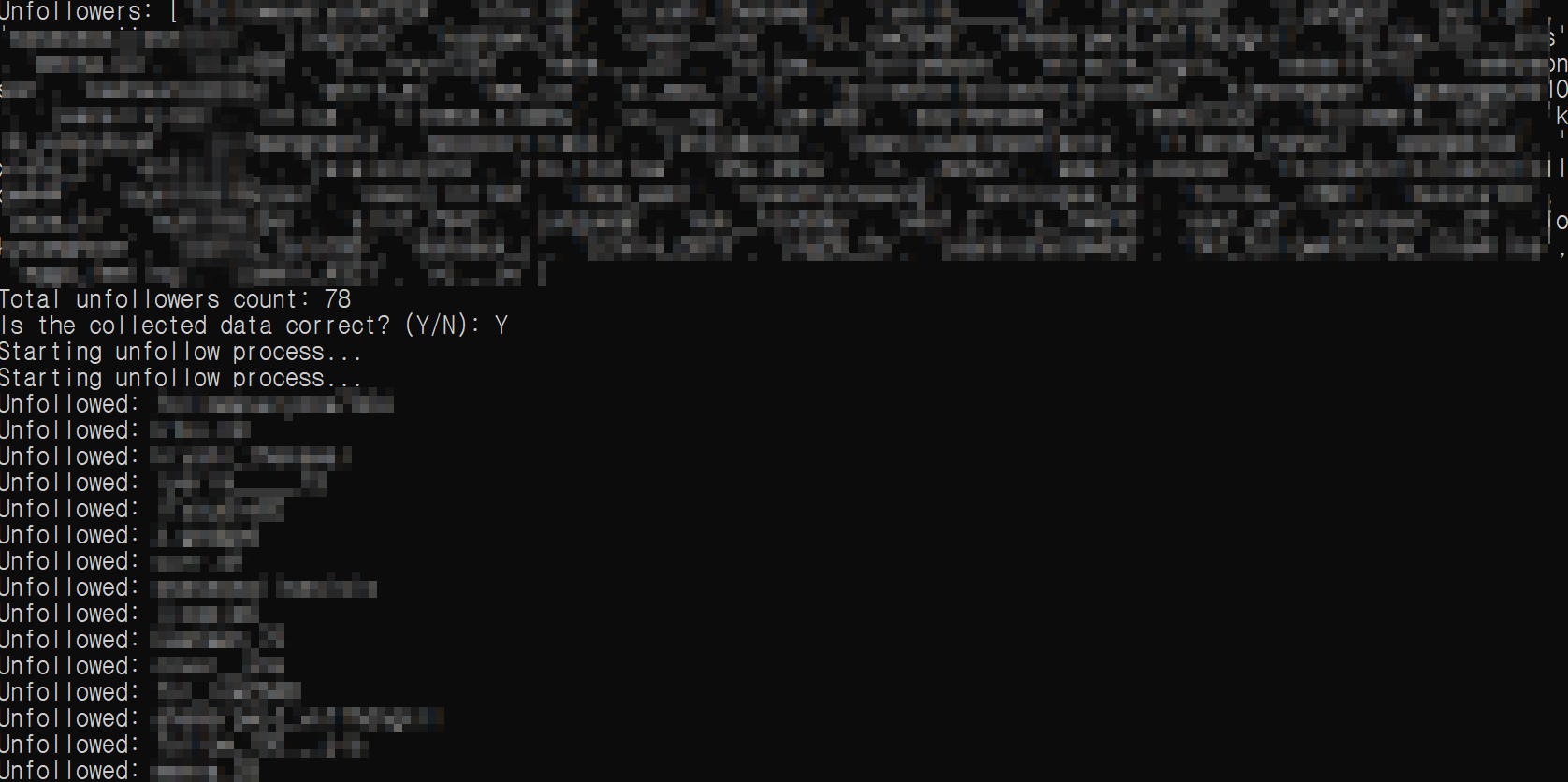
수집이 완료되면 언팔로우 리스트가 뜹니다!! 잘 수집되었나 확인 후 언팔로우를 원하면 Y, 재수집을 원하면 N을 입력하고 엔터 클릭!
-
언팔로우가 진행됩니다. 완료되면 엔터를 눌러 종료하세요!
그럼 끝!! 도움이 되었길 바래요!