WWDC2020 - Meet WidgetKit 을 보고 작성한 글입니다. 2024년 기준으로 많은 변화가 있었으므로 전체적인 흐름만 참고 부탁드립니다
좋은 위젯이란?
- 한눈에 볼 수 있다. (Glanceable)
사용자는 홈 화면에 오래 머무르지 않으므로 위젯과 상호작용 하지 않고도 한눈에 정보를 파악할 수 있어야 한다. - 적절한 시점에 적절한 정보를 보여준다 (Relevant)
위젯 스택에서 적절한 시점에 자동으로 위젯을 보여준다. - 개인 맞춤화되어 제공되어야 한다. (Personalization)
위젯 사이즈를 꼭 모두 만들 필욘 없지만 모두 지원하는 것을 추천한다.
Intents 를 사용해서 사용자가 맞춤으로 편집 가능하도록 해도 된다.
위젯의 작동 원리
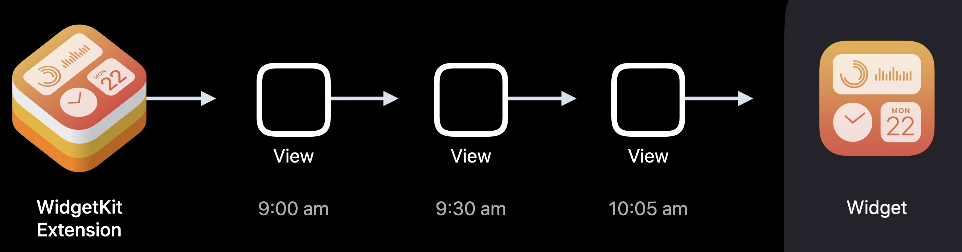
위젯은 켰을때 로딩되면 안되고, 바로 보여야 하기 때문에 타임라인 이라는 것을 활용하여 미리 데이터를 생성한다.
-> WidgetKit extension 은 background extension 이다.
- 타임라인은 뷰가 사전에 준비될 수 있도록 가능하게 한다.
위젯킷은 타임라인에 맞게 주기적으로 뷰 계층 시리즈를 반환한다. - 메인 앱에서도 이 타임라인을 새로고침 할 수 있다.
- extension은 업데이트를 예약한다.
사용자가 캘린더 위젯을 사용할때, 캘린더에 들어가서 일정을 변경하면, API로 타임라인을 업데이트한다.
디자인
-
Small (2x2)
-
medium (2x4)
-
large (4x4)
-
extra large (4x8)
모든 사이즈를 지원할 필요는 없다. -
일반적인 디자인이 있다.
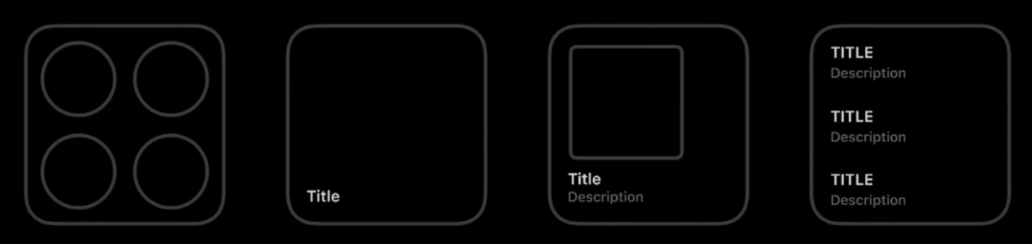
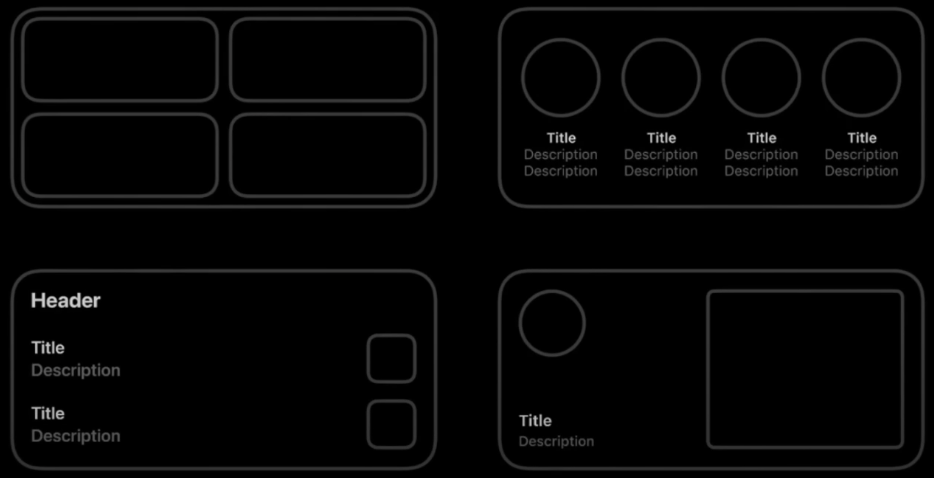
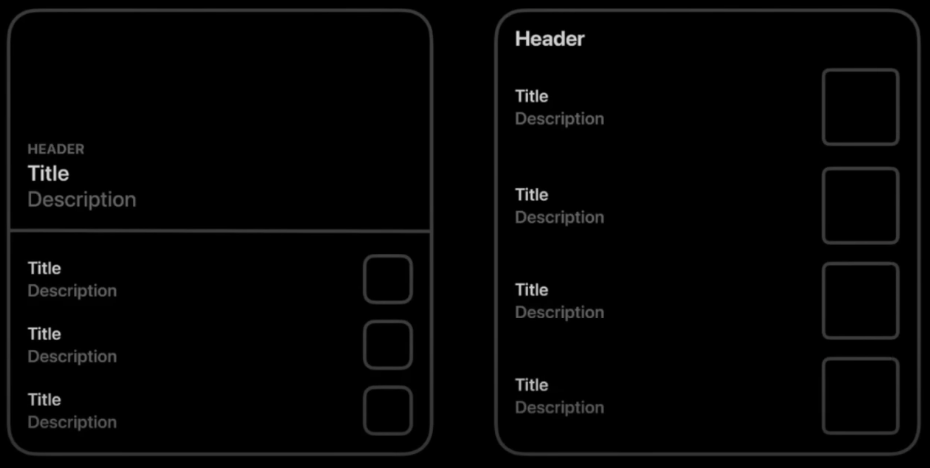
-
폰트 : SF Font Family 사용을 추천한다. 커스텀 폰트를 추천하지 않는다.
-
글자를 최소화 해라. 그래픽으로 해결할 수 있다면 글자를 줄여서 직관적으로 바꿔라.
위젯의 종류
- StaticConfiguration
-> 사용자가 설정할 필요 없는 위젯 ex) 활동량 위젯
@main
public struct SampleWidget: Widget {
    private let kind: String = "SampleWidget"

    public var body: some WidgetConfiguration {
        StaticConfiguration(
        	kind: kind,
            provider: Provider(),
            placeholder: PlaceholderView()) { entry in
            	SampleWidgetEntryView(entry: entry)
          	}
        .configurationDisplayName("My Widget")
        .description("This is an example widget.")
    }
}
- IntentConfiguration
-> 사용자가 설정해야 하는 위젯 ex) 리마인더 위젯
Intent 위젯의 코드는 게시글 하단에 있습니다.
StatelessUI
위젯에는 오직 탭 상호작용 밖에 없다. (영상, 스크롤 X)
위젯 전체를 앱을 열기위한 버튼으로 하거나,
일부분을 앱의 특정 widget URL API 로 앱의 특정 화면으로 연결할 수 있다.
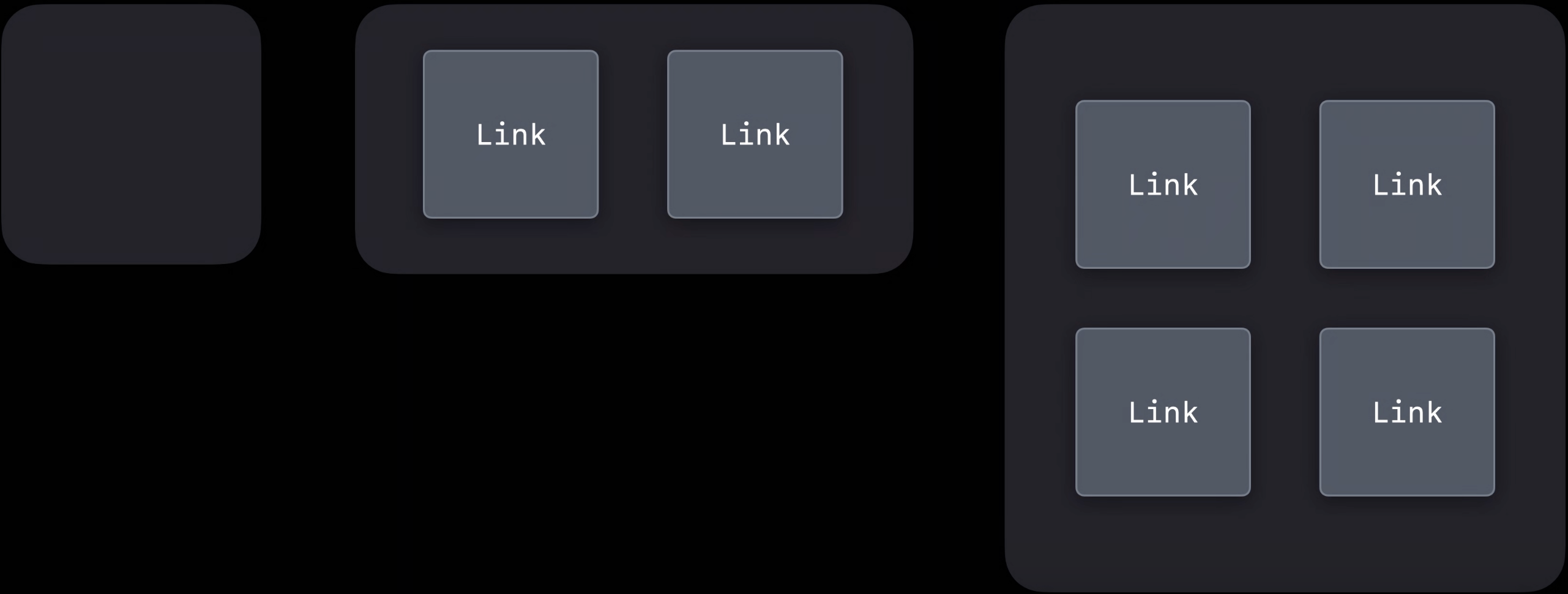
위젯의 View 종류
1. Placeholder
-> Default Content. 아무 데이터도 받지 않았을 때 보이는 화면 (ex 로딩 되기 전의 위젯 화면)
2. Snapshot
-> 더미 데이터가 아닌 지금 위젯이 어떻게 보이는지 나타낸다. 가장 최신 버전의 위젯의 뷰를 빠르게 보여주기 위해 시스템이 single entry를 표시하는 경우.
3. Timeline
-> 시간에 알맞게 표시되는 여러 뷰의 집합
TimelineProvider 프로토콜에 들어가는 것
associatedtype Entry: TimelineEntry: 날짜typealias Context = TimelineProviderContext: 타임라인을 요청할 때 현재의 환경 정보func getSnapshot(): 시스템이 single entry를 요청할 때funt getTimeline(): 시스템이 series of entrise를 요청할 때
public struct Provider: TimelineProvider {

	// single entry를 만들어서 반환한다.
	public func snapshot(with context: Context,
                         completion: @escaping (SimpleEntry) -> ()) {
        let entry = SimpleEntry(date: Date())
        completion(entry)
    }

	// entry 배열을 만들어 반환하고 데이터 업데이트 정책을 정한다.
    public func timeline(with context: Context,
                         completion: @escaping (Timeline<Entry>) -> ()) {
        let entry = SimpleEntry(date: Date())
        let timeline = Timeline(entries: [entry, entry], policy: .atEnd)
        completion(timeline)
    }
}
ReloadPolicy (업데이트 정책)
atEnd: 타임라인이 끝날 때 reload 를 요청after(date: Date): 특정 날짜 이후 reload 요청never: reload 안한다.
System reloads
- ReloadPolicy 에 따름
- 자주 보여지는 위젯은 더 많은 reload 를 받는다.
- 환경 변화 (ex 중요한 시간 변화가 발생할 경우)
App-driven reloads
기본적인 타임라인 리로드 외에도 리로드가 필요한 경우가 있다.
- 백드라운드 알림 -> WidgetKit API - WidgetCenter 로 타임라인 리로드 가능
- 유저가 앱 데이터 변경 -> 마찬가지
WidgetCenter
WidgetCenter 을 사용하면 앱 프로세스 또는 익스텐션에서 타임라인 업데이트 가능
reloadTimelines(ofKind:): 타임라인중 골라서 리로드reloadAllTimelines: 전체 타임라인 리로드getCurrentConfigurations(completion:): 현재 구성을 리스트로 받아올 수 있음
URLSession
더 많은 정보를 얻기 위해 서버에 쿼리해야 하는 경우
onBackgroundURLSessionEvents로 서버에서 익스텐션으로 정보 받아올 수 있다.
Intents framework
위에서 설명한 대로 사용자가 설정할 수 있는 위젯이다.
Intents는 유저에게 질문할 수 있는 Parameters 집합을 포함한다. (ex 날씨 위젯에서 위치, 주식 위젯에서 회사)
- 메인 앱에서 Intent 정보를 가져오거나 메인 앱에 없는 정보를 가져올 수도 있다.
->WWDC2020 What's New in SiriKit and Shortcuts영상 참고.
위에서 작성한 staticConfiguration 위젯의 코드를 IntentConfiguration 코드로 바꿔보자.
@main
public struct SampleWidget: Widget {
    private let kind: String = "SampleWidget"

    public var body: some WidgetConfiguration {
    	// 이 아래 부분이 다르다.
        IntentConfiguration(kind: kind,
                    intent: ConfigurationIntent.self
                            provider: Provider(),
                            placeholder: PlaceholderView()) { entry in
                                SampleWidgetEntryView(entry: entry)
                            }
        .configurationDisplayName("My Widget")
        .description("This is an example widget.")
    }
}
// 프로토콜 다르다
public struct Provider: IntentTimelineProvider {

	// 파라미터가 다르다.
    public func timeline(for configuration: ConfigurationIntent, with context: Context,
                         completion: @escaping (Timeline<Entry>) -> ()) {
        let entry = SimpleEntry(date: Date(), configuration: configuration)

        // 여기서 Intent 에 알맞은 타임라인을 생성하면 된다.

        completion(timeline)
    }
}
Intelligence
위젯이 스택에 있을때 다른 위젯들과 비교하여 적절한 시간에 등장하도록 하는 법
WWDC 2020 Enable Widget Peersonalization and Intelligence 참고