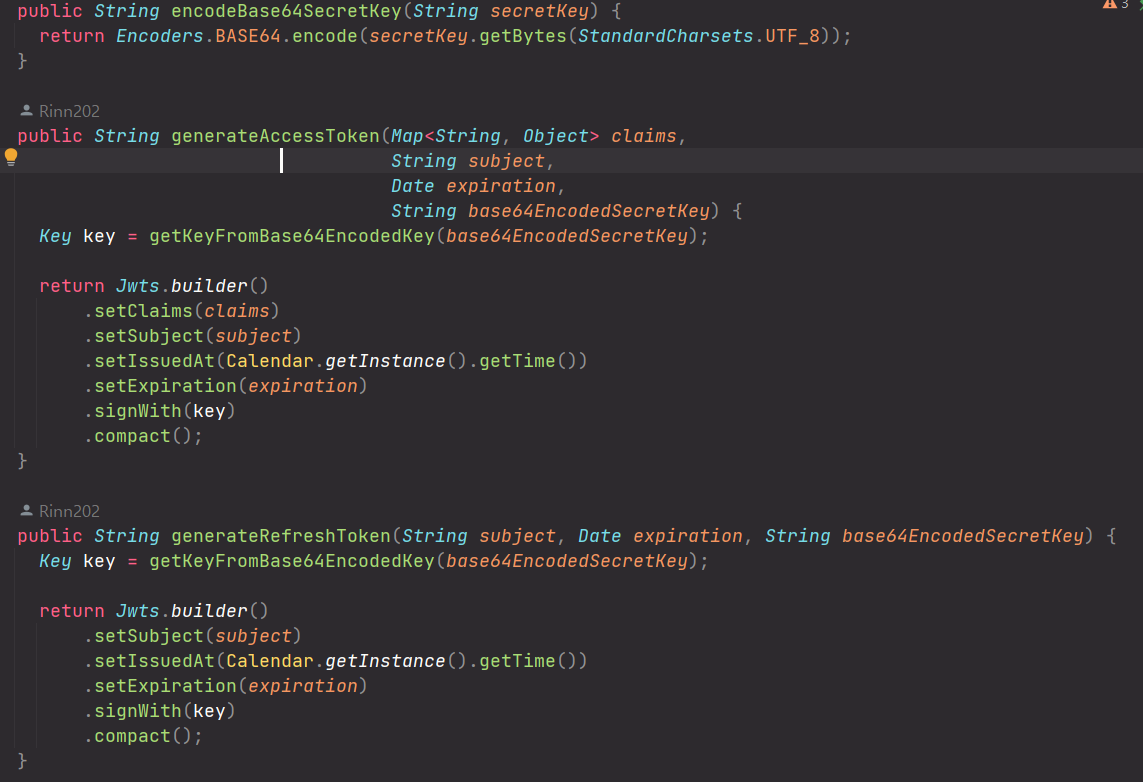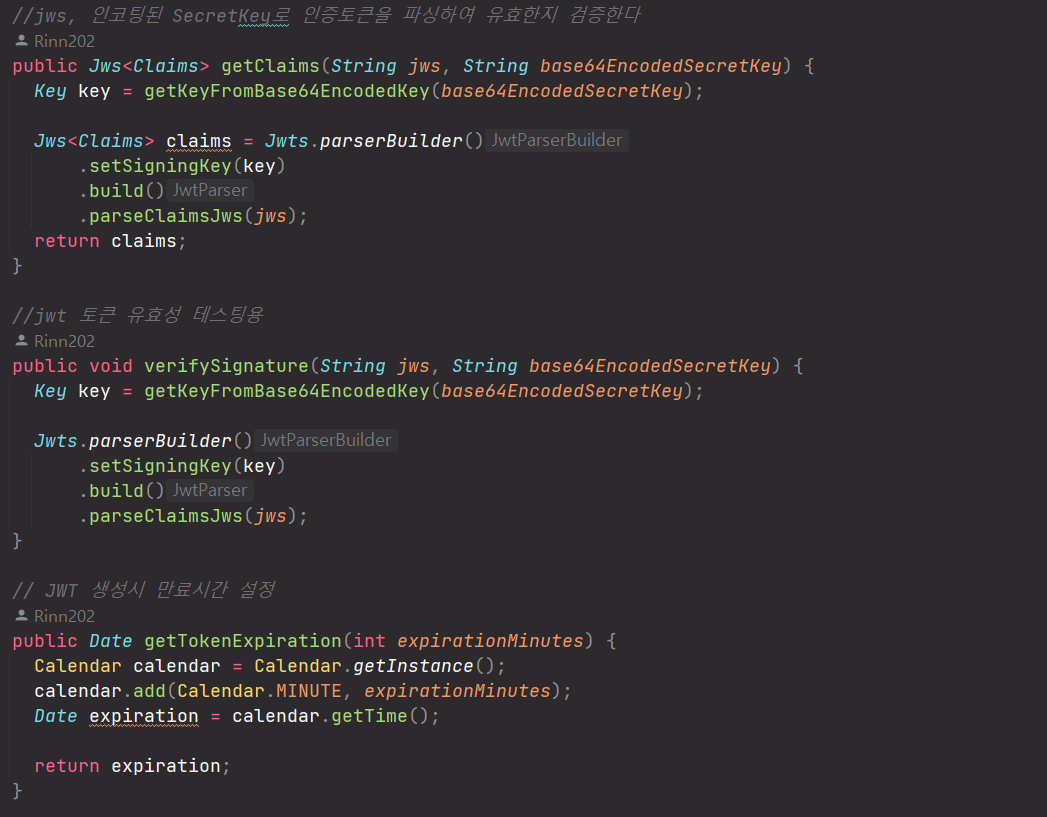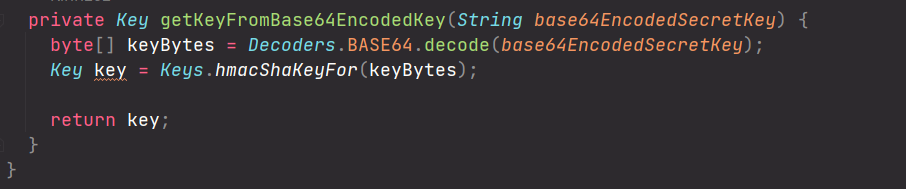
인증 처리 흐름
- Resource Owner) 로그인
- Frontend) request(oauth2/authorization/google)를 받아 Back으로 전달
- Backend) OAuth2LoginAuthenticationFilter 로직 실행
→ Resource Owner) Google의 로그인 화면 Redirect 받음
→ Authorization Server) Google에 Redirect URI(인증 성공시 받을 코드)를 포함한 인증 요청서 전달- Resource Owner) 리다이렉트 받은 화면에서 Google 로그인
- Authorization Server) Authorization Code를 요청/응답(Redirect URI)
- Authorization Server) Google에 Access Token을 요청/ 구글이 응답
- Resource Server) Back에서 Access Token으로 Google에 Resource(User Info)요청/응답
- Backend) Resource로 JWT(Access Token/Refresh Token) 생성
- Frontend) 인증된 토큰의 URI를 리다이렉트 받음
(http://localhost?access_token={jwt-access-token}&refresh_token={jwt-refresh-token})
아파치 서버를 사용해 보자
1.아파치 웹서버 다운로드 https://www.apachelounge.com/download/
2.httpd.conf의 ServerName의 주석을 해제하고 'ServerName localhost:80' 로 수정(note.edit)
3.cmd를 관리자권한으로 실행하여Apache24\bin 에서 httpd.exe -k install 실행
4.설치를 완료했으면 ApacheMonitor.exe로 실행후 start를 누르자(우측하단 빠른 실행창)
5.http://localhost 접속하여 It works! 가 뜨면 성공이다
OAuth2& JWT/CSR 구현
JWT ➝ JWT+oauth2 를 정리한 글입니다
주요 클래스와 해당 클래스의 DI 클래스, 사용 메서드를 정리했습니다
🍉SecurityConfiguration
시큐리티필터의 전체적인 설정을 담당하는 클래스
DI
JwtTokenizer
CustomAuthorityUtils
MemberService// OAuth2기능이 추가된 SuccessHandler를 만들기 위해 추가
method
- 1. filterChain()
HttpSecurity의 속성 값을 설정하여 build하는 메서드
전체적인 구조는 동일하나 oauth 속성이 추가된다
JwtAuthenticationFilter의 MemberAuthenticationSuccessHandler(CustomFilterConfigurer에서 DI)가 사라지고
oauth2Login구성 값에 OAuth2MemberSuccessHandler가 설정되었다

passwordEncoder()
Spring Security에서 사용할 PasswordEncoder를 빈으로 등록하는 메서드
return PasswordEncoderFactories.createDelegatingPasswordEncoder();
패스워드를 사용하지 않기 때문에 제거되었다
- 2. corsConfigurationSource()
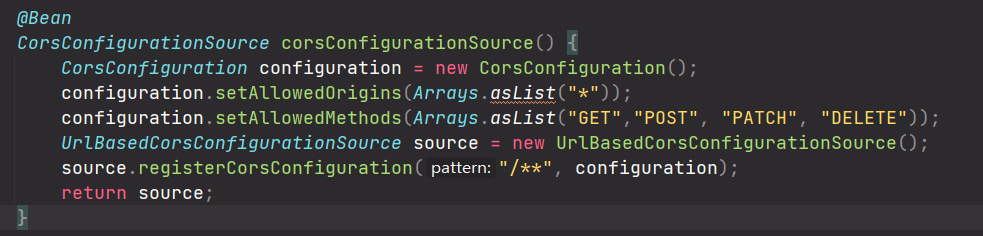
CORS정책 설정을 빈으로 등록하는 메서드 JWT와 동일
🍉CustomFilterConfigurer

extends AbstractHttpConfigurer<CustomFilterConfigurer, HttpSecurity>
SecurityConfiguration의 내부 클래스로, 시큐리티 필터에 추가된 커스텀 필터 클래스
method
- configure()
AbstractHttpConfigurer의 메서드를 오버라이딩
HttpSecurity를 받아 설정을 추가한다
1. 공통으로 사용되는 인증매니저를 호출한다
HttpSecurity➝getSharedObject()➝AuthenticationManager
인증을 직접 하지 않음으로 인증매니저를 호출하는 부분이 제거되었다
또한 JWT인증 필터를 포함해 인증과 관련된 클래스와 메서드가 제거되었다
당연히 JWT인증 뒤에 설정된 성공/실패 핸들러도 제거된다
토큰 생성 메서드는 OAuth2 인증성공 핸들러로 옮겨졌다
인증실패에 대한 응답을 서드파티에서 직접 하기 때문에 OAuth 실패 핸들러 생성되지 않았다2. JWT유효성 필터 등록(인증필터 실행 전 선행)
new JwtVerificationFilter(jwtTokenizer[DI], authorityUtils[DI]);
JWT인증 필터를addFilter()로 시큐리티 필터에 등록하는 부분도 제거됬다마지막으로 JWT인증 필터가 아닌 OAuth2인증 필터 실행 후 유효성필터가 실행되도록 수정한다
builder.addFilterAfter(jwtVerificationFilter, JwtAuthenticationFilter.class);
builder.addFilterAfter(jwtVerificationFilter, OAuth2LoginAuthenticationFilter.class);
🧊JwtAuthenticationFilter
extends UsernamePasswordAuthenticationFilter
~~기존 인증필터를 확장하여 기능하는 JWT인증 필터
JwtAuthenticationFilter
attemptAuthentication()
successfulAuthentication()
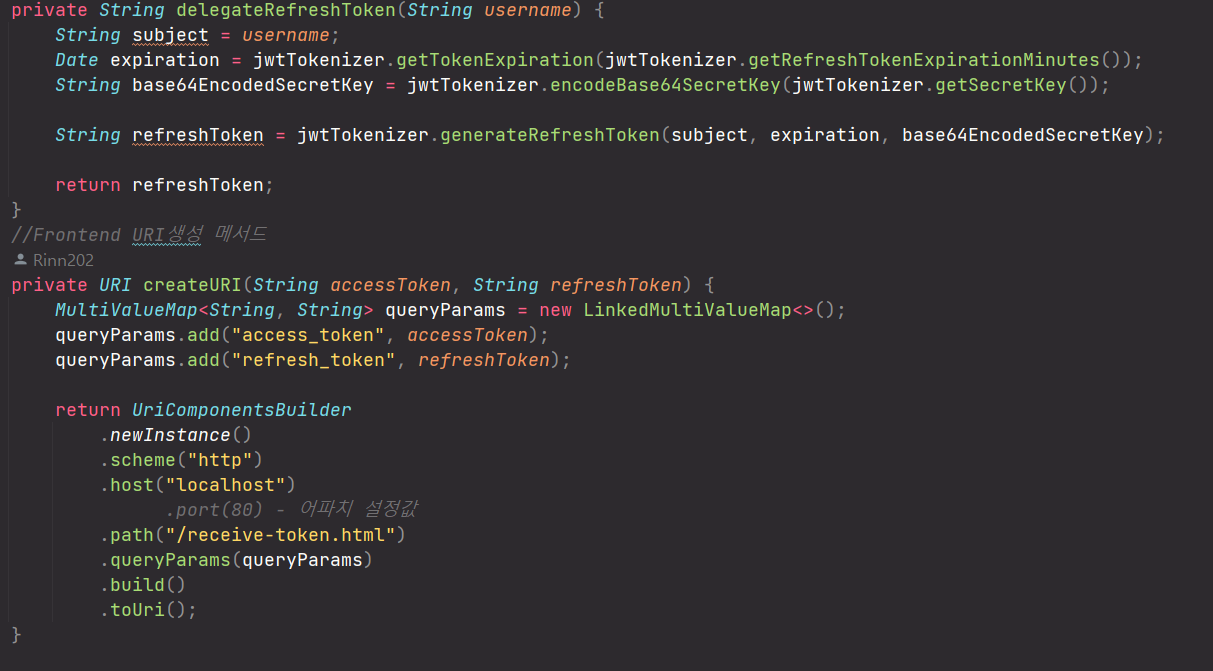
delegateAccessToken() ➝ OAuth2MemberSuccessHandler
delegateRefreshToken() ➝ OAuth2MemberSuccessHandler
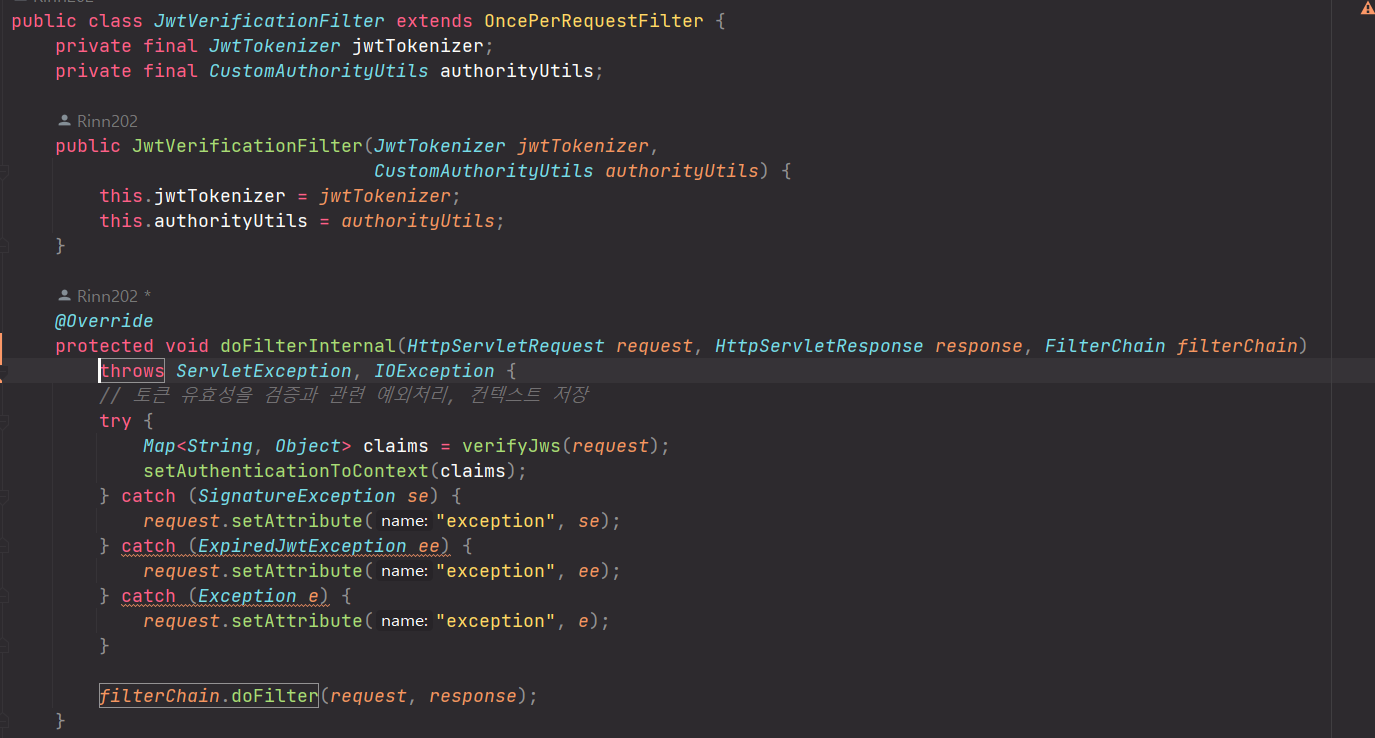
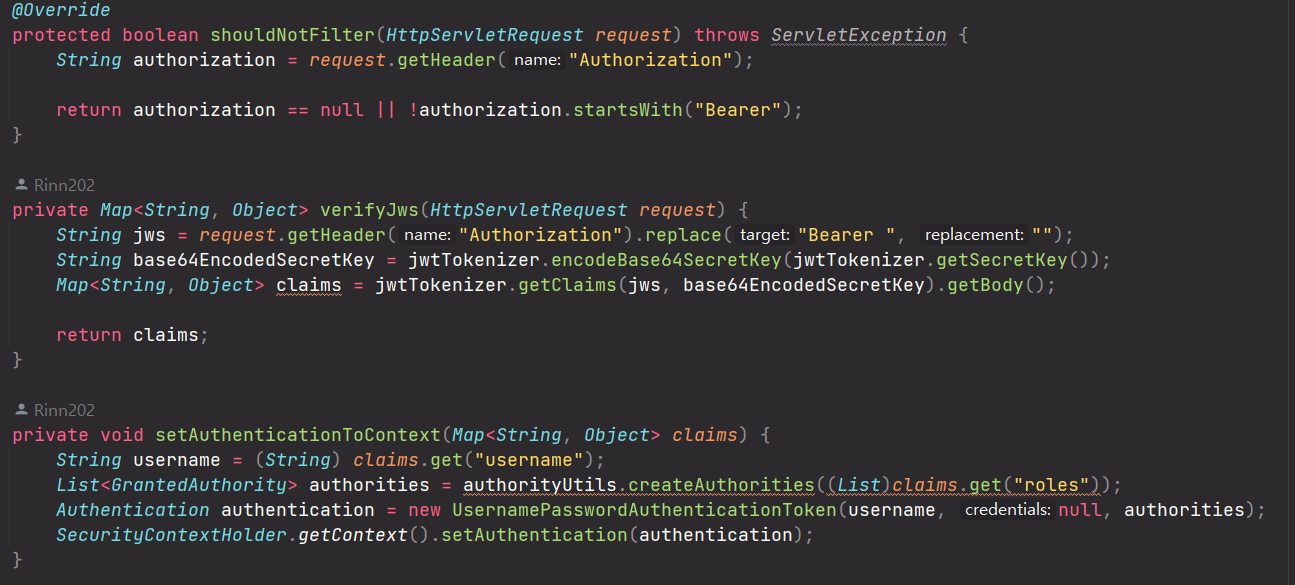
🧊JwtVerificationFilter
extends OncePerRequestFilter
토큰의 유효성을 확인하는 클래스
필터 구성은 구성은 JWT단독 설정 때와 동일하다. 단지 JWT인증이 아닌 AOuth2인증 뒤에 실행된다
🌻Authentication(Failure/Success)Handler
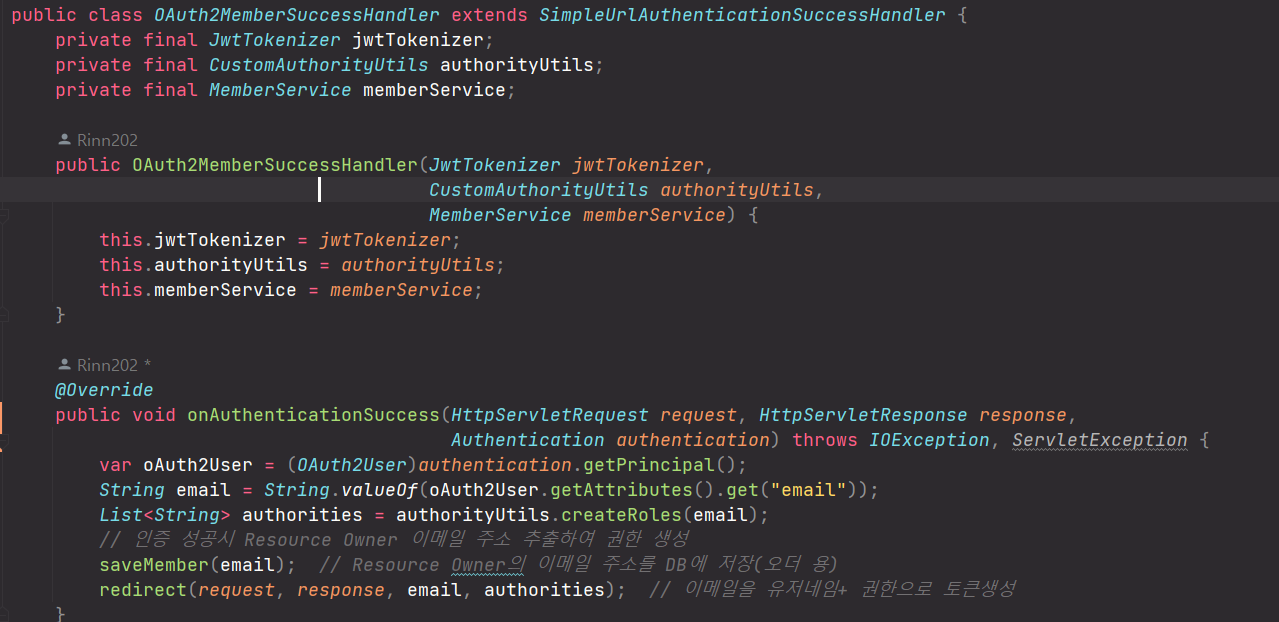
🌻OAuth2MemberSuccessHandler
extends SimpleUrlAuthenticationSuccessHandler
DI
JwtTokenizer
CustomAuthorityUtils
MemberService// 스템프 저장을 위함
filterChain()에 의해 DI받는다
method
- 1. onAuthenticationSuccess()
엑세스 토큰과 리프레시 토큰을 생성한다
Authentication➝OAuth2User➝String email➝List<String> authorities
saveMember(email)// 이메일을 DB저장redirect(request, response, email, authorities)//토큰을 생성해 리다이렉트
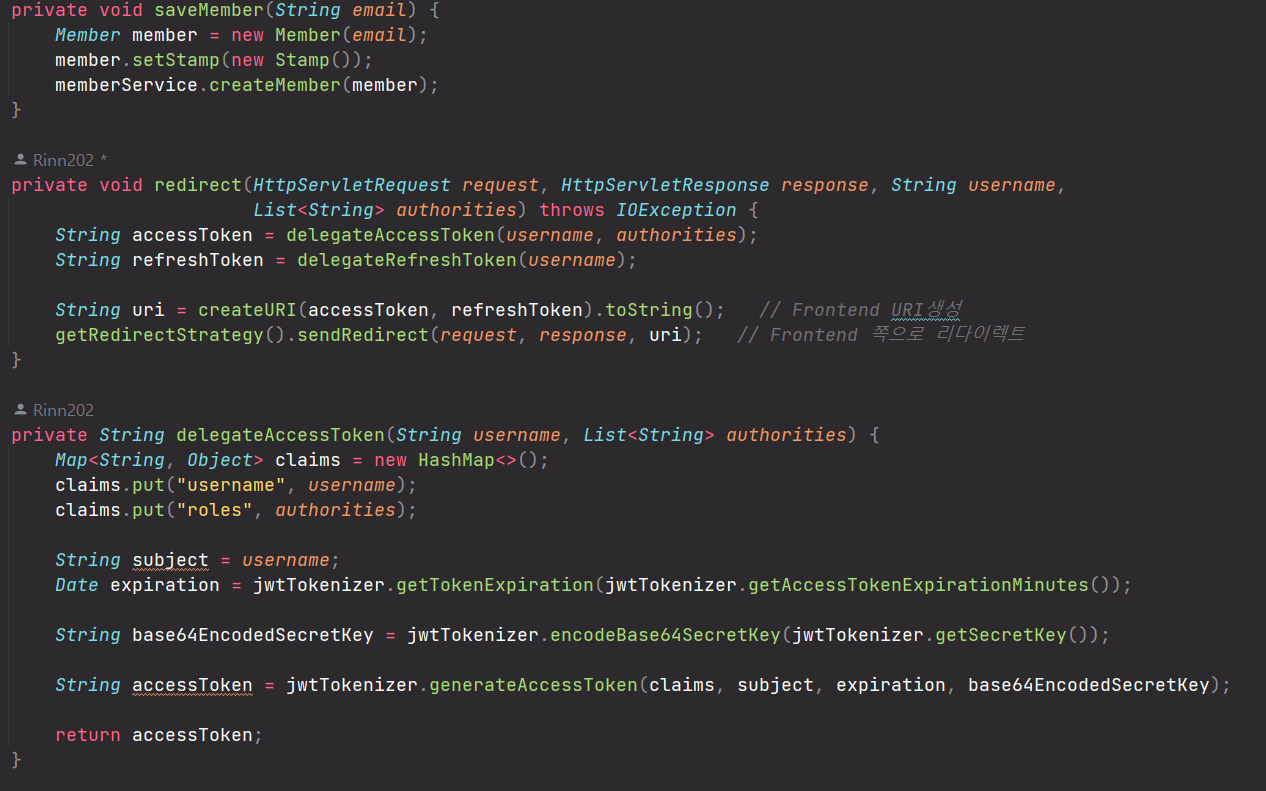
- 2. saveMember()
스템프 관리를 위해 이메일로 맴버를 생성해 DB저장한다
String email➝Member➝setStamp(new Stamp())
MemberService[DI]➝createMember(member)
- 3. redirect()
리다이렉트 페이지(uri)를 생성해 frontend로 보낸다
String username,List<String> authorities➝delegateAccessToken()
String username➝delegateRefreshToken()
createURI(accessToken, refreshToken).toString()➝String uri
getRedirectStrategy().sendRedirect(request, response, uri)
getRedirectStrategy()는 임폴트한SimpleUrlAuthenticationSuccessHandler의 메서드
- 4. delegateAccessToken()/delegateRefreshToken()
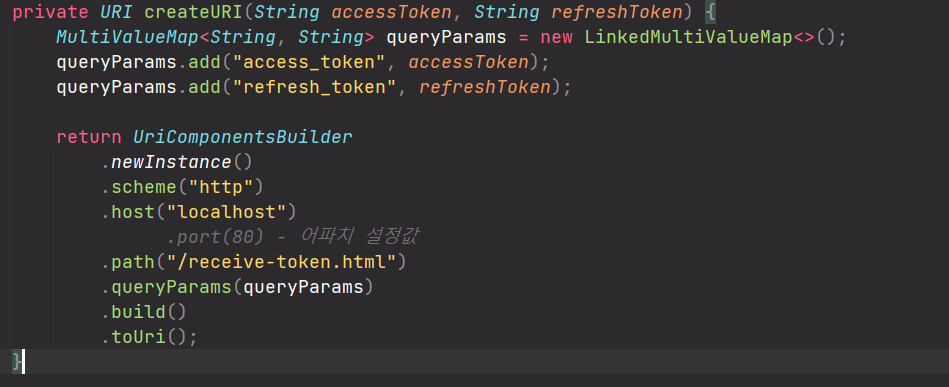
- 5. createURI()
엑세스토큰과 리프레쉬 토큰을Map객체에 담아 쿼리 파라미터 형태로URI로 만든다
UriComponentsBuilder를 사용한다. 스키마, 호스트, 경로를 함께 설정한다.
🌻AccessDeniedHandler
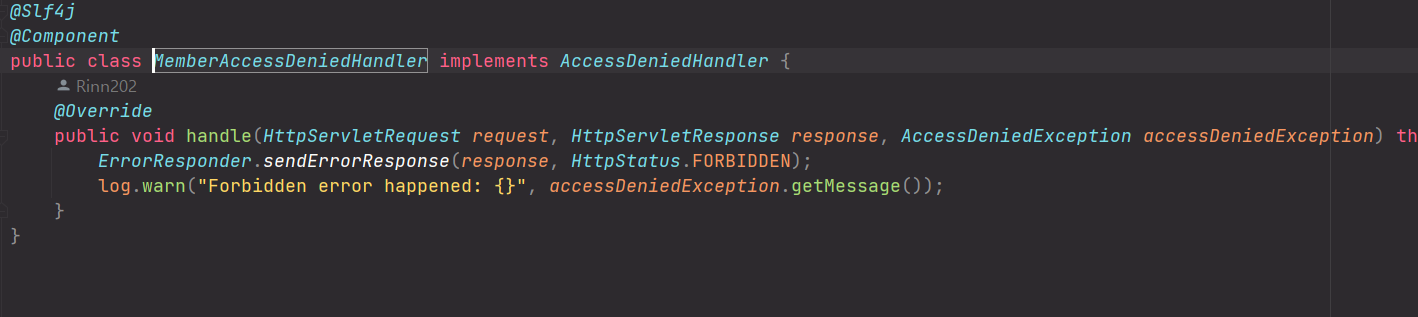
implements AccessDeniedHandler
권한 외 접근시 호출되는 커스텀 클래스
SecurityFilterChain의 http.accessDeniedHandler() 옵션으로 설정 되었다
구성은 JWT단독 설정 때와 동일하다
🌻AuthenticationEntryPoint
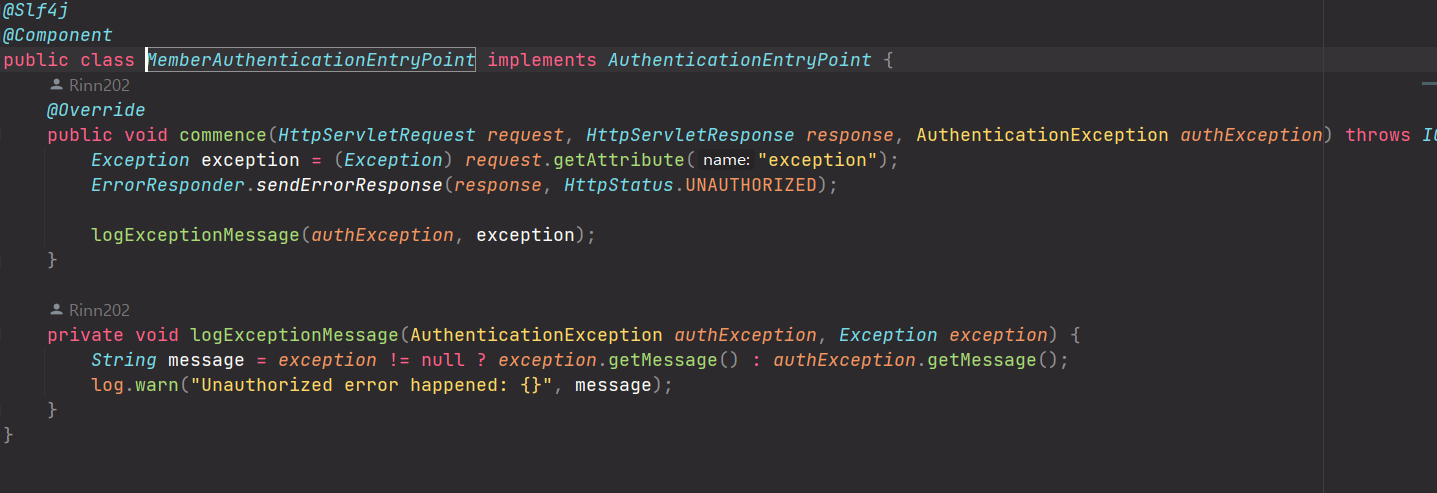
implements AuthenticationEntryPoint
미인증시 호출되는 커스텀 클래스
SecurityFilterChain의 http.authenticationEntryPoint() 옵션으로 설정 되었다
구성은 JWT단독 설정 때와 동일하다
🌻JwtTokenizer
토큰을 생성하는 클래스 OAuth2MemberSuccessHandler(생성)과 JwtVerificationFilter(검증)에서 쓰인다
구성은 JWT단독 설정 때와 동일하다