@RequestMapping
특정 URL로 Request를 보내면 들어온 요청을 Controller 내부의 특정 Method와 Mapping 하기 위해 사용한다.
Client로부터 요청이 왔을 때 어떤 Controller가 호출될지 Mapping하는것은 단순히 URL로 Mapping 하는것이 아니라 여러가지 요소(URL, Method 등)를 조합하여 Mapping한다.
- @RequestMapping
- Spring Boot 3.0 버전 이하
- URL path
/example, /example/모두 허용(Mapping)한다.
- URL path
- Spring Boot 3.0 버전 이상(현재 버전)
- URL path
/example만 허용(Mapping)한다.
- URL path
- 속성값들을 설정할 때 배열 형태로 다중 설정이 가능하다
ex) @RequestMapping({”/example”, “/example2”, “/example3”})
- HTTP Method POST, GET, PUT, PATCH, DELETE, HEAD 모두 허용한다
- method 속성으로 HTTP 메서드를 지정하면 지정된것만 허용한다.
package com.example.springbasicannotation.controller;

import org.springframework.web.bind.annotation.RequestMapping;
import org.springframework.web.bind.annotation.RequestMethod;
import org.springframework.web.bind.annotation.RestController;

// 응답 데이터를 반환한다.
@RestController
public class RequestMappingController {

    // HTTP Method 는 GET만 허용한다.
    @RequestMapping(value = "/v1", method = RequestMethod.GET)
    public String exampleV1() {
        // logic
        return "this is sparta!";
    }

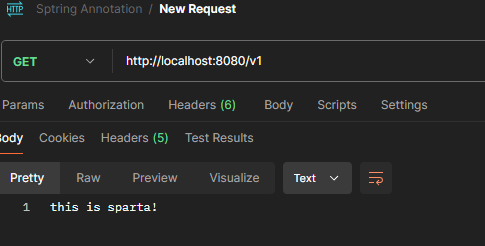
}- 실행결과
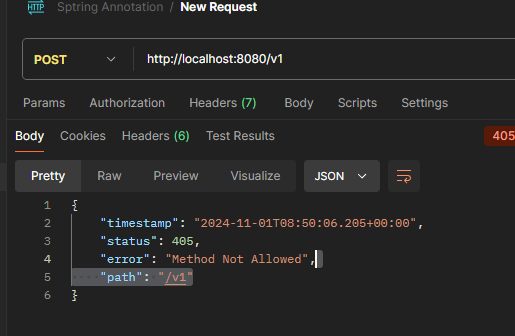
- 만약, 속성으로 설정된 HTTP Method로 요청이 오지않는다면
- localhost:8080/v1 + POST, PUT, PATCH, DELETE 의 경우
- localhost:8080/v1 + POST, PUT, PATCH, DELETE 의 경우
- HTTP 응답 상태코드 405(Client측 에러)Method Not Allowed Exception을 반환
@GetMapping
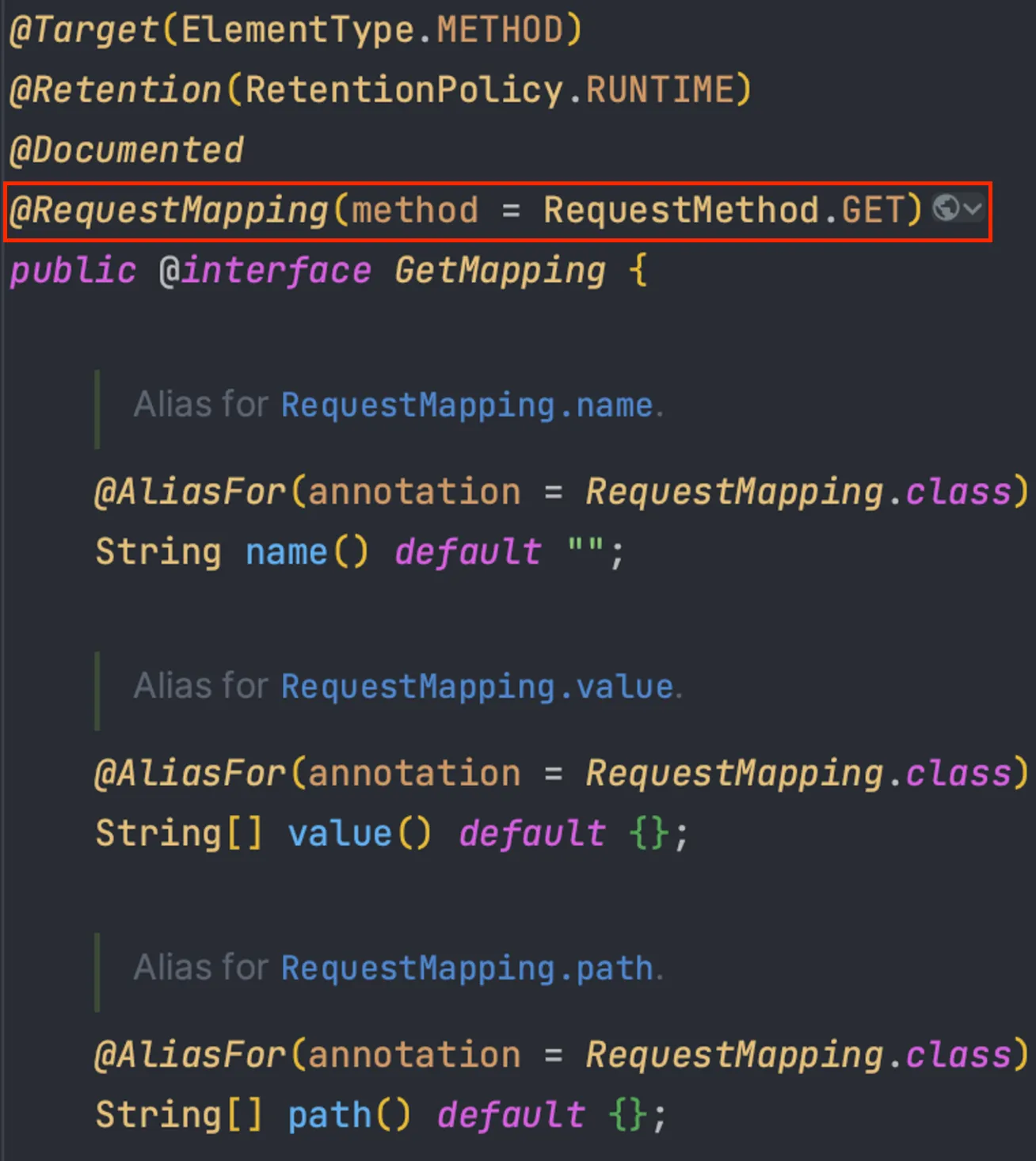
1. Target(ElementType.METHOD) Method Level에 해당 어노테이션을 적용한다 라는 의미
2. 내부적으로 @RequestMapping(method = RequestMethod.GET) 을 사용하고 있다.
- 코드예시
// Post, GET, Put, Patch, Delete 모두 가능
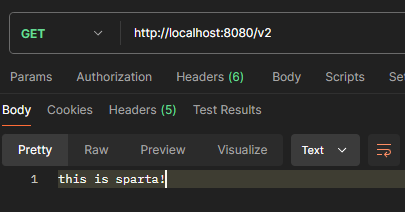
@GetMapping(value = "/v2")
public String exampleV2() {
	// logic
	return "this is sparta!";
}- Spring이 제공하는 Annotation들의 내부에 다 선언되어 있다.
- 대부분의 필요한 기능들이 이미 만들어져 있다. 사용 하면된다.
- @RequestMapping 보다는 직관적이고 축약된 @GetMapping, @PostMapping 형식을 일반적으로 사용한다.
- 실행 결과
- @PostMapping, @PutMapping, @DeleteMapping, @PatchMapping
- 모두 위의 @GetMapping과 같은 구조를 가지고 있다.
@RequestMapping 사용 방법
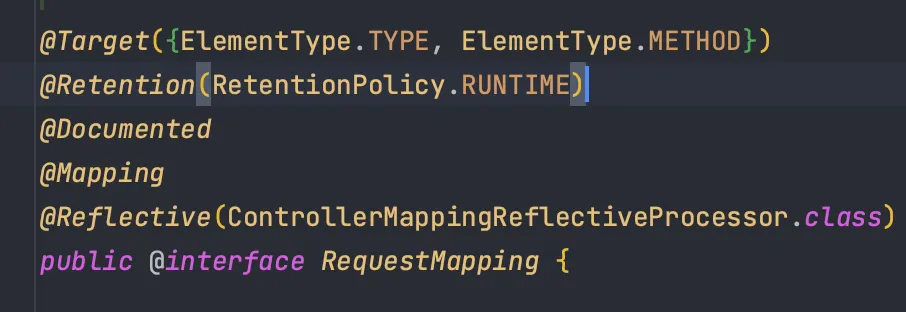
- @PostMapping, @PutMapping, @DeleteMapping, @PatchMapping의 Target은 Method Level 이다.
- 반면에 @RequestMapping의 Target은 class, method 레벨에 적용이 가능하다.
- Restful API의 계층 구조
ex) users/{userId}, category/{categoryId}/product/{productId}
- prefix로 선언할 URL을 class 레벨에 적용하는 것에 주로 사용된다.
- 코드 예시
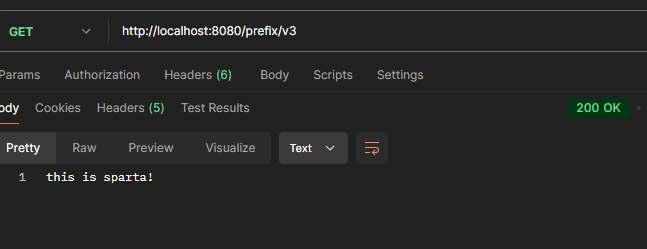
@RequestMapping("/prefix")
@RestController
public class RequestMappingController {
	// Post, GET, Put, Patch, Delete 모두 가능
	@GetMapping(value = "/v3")
	public String exampleV3() {
		// logic
		return "this is sparta!";
	}

}
- 실행결과
@PathVariable
HTTP 특성 중 하나인 비연결성을 극복하여 데이터를 전달하기 위한 방법 중 하나이다. URL로 전달된 값을 파라미터로 받아오는 역할을 수행한다.
-
@PathVariable
-
로 변수를 중괄호에 둘러싸인 값으로 사용할 수 있다.
ex)
user/{id} -
본적으로 @PathVariable로 설정된 경로 변수는 반드시 값을 가져야 하며 값이 없으면 응답 상태코드 404 Not Found Error가 발생한다.
-
근 Restful API를 설계하는 것이 API의 기준이 되며 해당 어노테이션의 사용 빈도가 높아졌다.
-
-
Restful API
- Create - POST
- Read - GET
- Update - PUT, PATCH
- Delete - DELETE
- Restful API 설계 예시
- postId글의 comment 댓글 작성
- POST +
posts/{postId}/comments
- POST +
- postId글의 comment 댓글 전체 조회
- GET +
posts/{postId}/comments
- GET +
- postId글의 commentId 댓글 단 건 조회
- GET +
posts/{postId}/comments/{commentId}
- GET +
- postId글의 commentId 댓글 수정
- PUT +
posts/{postId}/comments/{commentId}
- PUT +
- postId글의 commentId 댓글 삭제
- DELETE +
posts/{postId}/comments/{commentId}
- DELETE +
@PathVariable 규칙
- 타 변수명과 PathVariable 변수명이 같으면 속성 값 생략 가능
@RequestMapping("/posts/{postId}")랑 같다
@RequestMapping("/posts")
@RestController
public class PathVariableController {

	// postId로 된 post 단건 조회
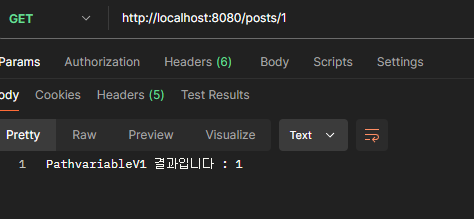
	@GetMapping("/{postId}")
	public String pathVariableV1(@PathVariable("postId") Long data) {
		// logic
		String result = "PathvariableV1 결과입니다 : " + data;
		return result;
	}
}-
postman 실행결과
-
생략
@RequestMapping("/posts")
@RestController
public class PathVariableController {

	// 변수명과 같다면 속성값 생략가능
	@GetMapping("/{postId}")
	public String pathVariableV2(@PathVariable Long postId) {
		// logic
		String result = "PathvariableV2 결과입니다 : " + postId;
		return result;
	}

}- 실행결과

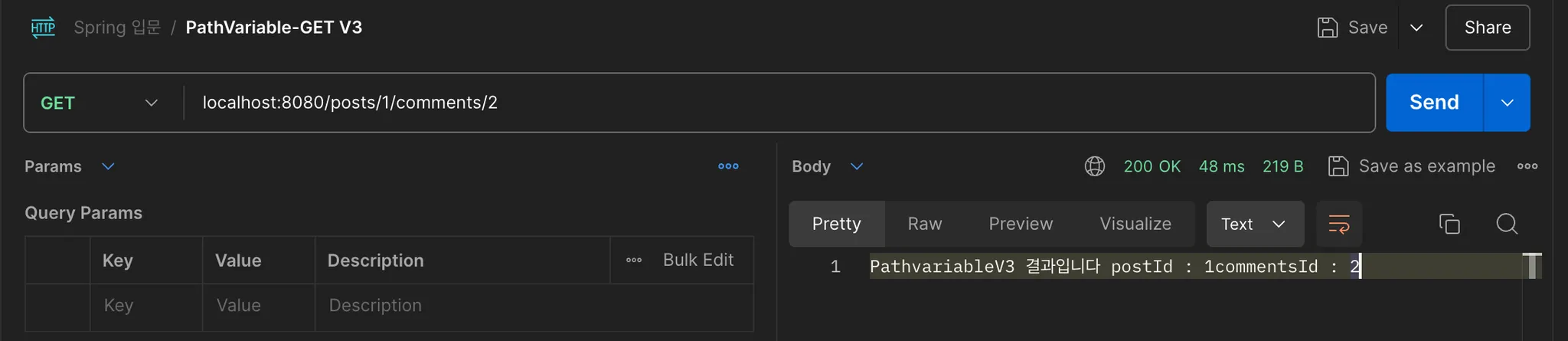
- @PathVariable 다중 사용 가능
@RestController
public class PathVariableController {

	@GetMapping("/{postId}/comments/{commentId}")
	public String pathVariableV3(
																@PathVariable Long postId,
																@PathVariable Long commentId
															) {
		// logic
		String result = "PathvariableV3 결과입니다 postId : " + postId + "commentsId : " + commentId;
		return result;
	}

}- 실행결과
@RequestMapping("/posts/{postId}")
@RestController
public class PathVariableController {

	@GetMapping("/comments/{commentId}")
	public String pathVariableV4(
																@PathVariable Long postId,
																@PathVariable Long commentId
															) {
		// logic
		String result = "PathvariableV4 결과입니다 postId : " + postId + "commentsId : " + commentId;
		return result;
	}

}
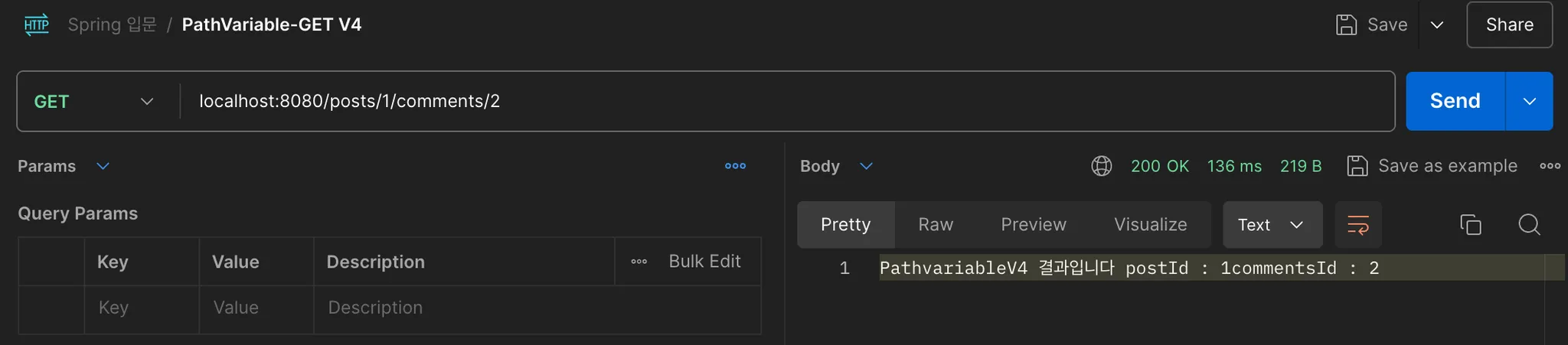
-실행결과