오늘은 Android Studio에서 lottie이미지를 추가하는 방법이다.
라이브러리 추가
// Lottie
implementation("com.airbnb.android:lottie:6.3.0")
로티 이미지 라이브러리를 추가해준다.
로티 이미지 다운로드
로티이미지
위 로티 홈페이지에서 원하는 애니메이션을 다운받아준다. 이때 꼭 json파일로 다운받아야 한다.
내 앱에 추가
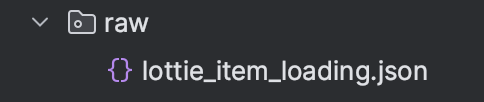
res폴더 아래에 raw폴더를 만들고, 그안에 로티 이미지를 아래와 같이 넣어준다.
xml
<com.airbnb.lottie.LottieAnimationView
            android:id="@+id/loading_animation"
            android:layout_width="wrap_content"
            android:layout_height="wrap_content"
            app:lottie_autoPlay="true"
            app:lottie_rawRes="@raw/lottie_search_loading"
            app:lottie_loop="true"
            android:visibility="gone"
            app:layout_constraintStart_toStartOf="parent"
            app:layout_constraintEnd_toEndOf="parent"
            app:layout_constraintTop_toBottomOf="@+id/linearLayout"/>
로티 이미지가 들어갈 부분에 xml코드를 작성해준다. rawRes안에 내가 넣어준 json파일 이름을 넣어주면된다.
autoPlay -> 자동재생
loop -> 무한반복
두가지 설정을 변경하거나 수정해주면 된다.
로티이미지
로티
lottie
Lottie

이우진