
Apply Changes and Restart Activity: 변경된xml 에뮬레이터에 적용시키기
Layout
버튼 각지게 하려면
style> Widget.Material.Button
- horizontal: 수평방향
vertical: 수직방향
Layout_width/Layout_height
- match_parent: 부모가 허용한 공간 전부 다 쓰기
wrap_content: 자식들이 알맞게 배치되게 적당히 크기조절
> 자식이 먼저 match_parent상태로 화면 전체를 차지한다고 쳐도 부모가 나중에 wrap_content를 하면 자식도 줄어든다. #부모 우선
> ex) Layout oriental을 vertical(세로방향)으로 설정
LinearLayout(부모)의 height를 match_parent를 하면(화면 전체를 사용)
button1(자식)은 height를 마음대로 쓸 수 있다
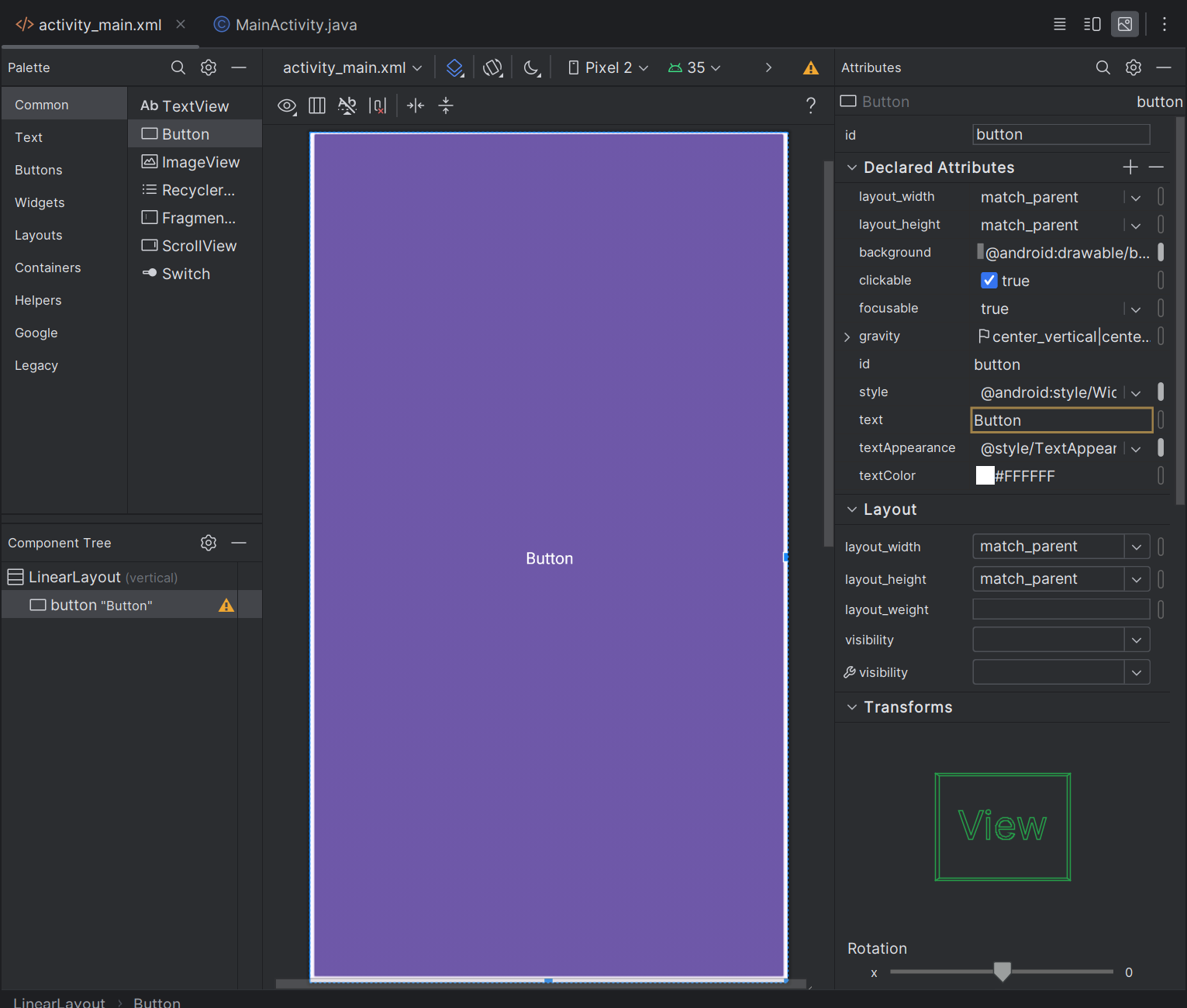
LinearLayout의 height가 match_parent일때, Button이 match_parent
하지만 LinearLayout이 height를 wrap_content로 하면 #화면을 적당히 사용중
button1은 match_parent을 하던 wrap_content을 하던 LinearLayout의 height크기보다 커질수 없다.
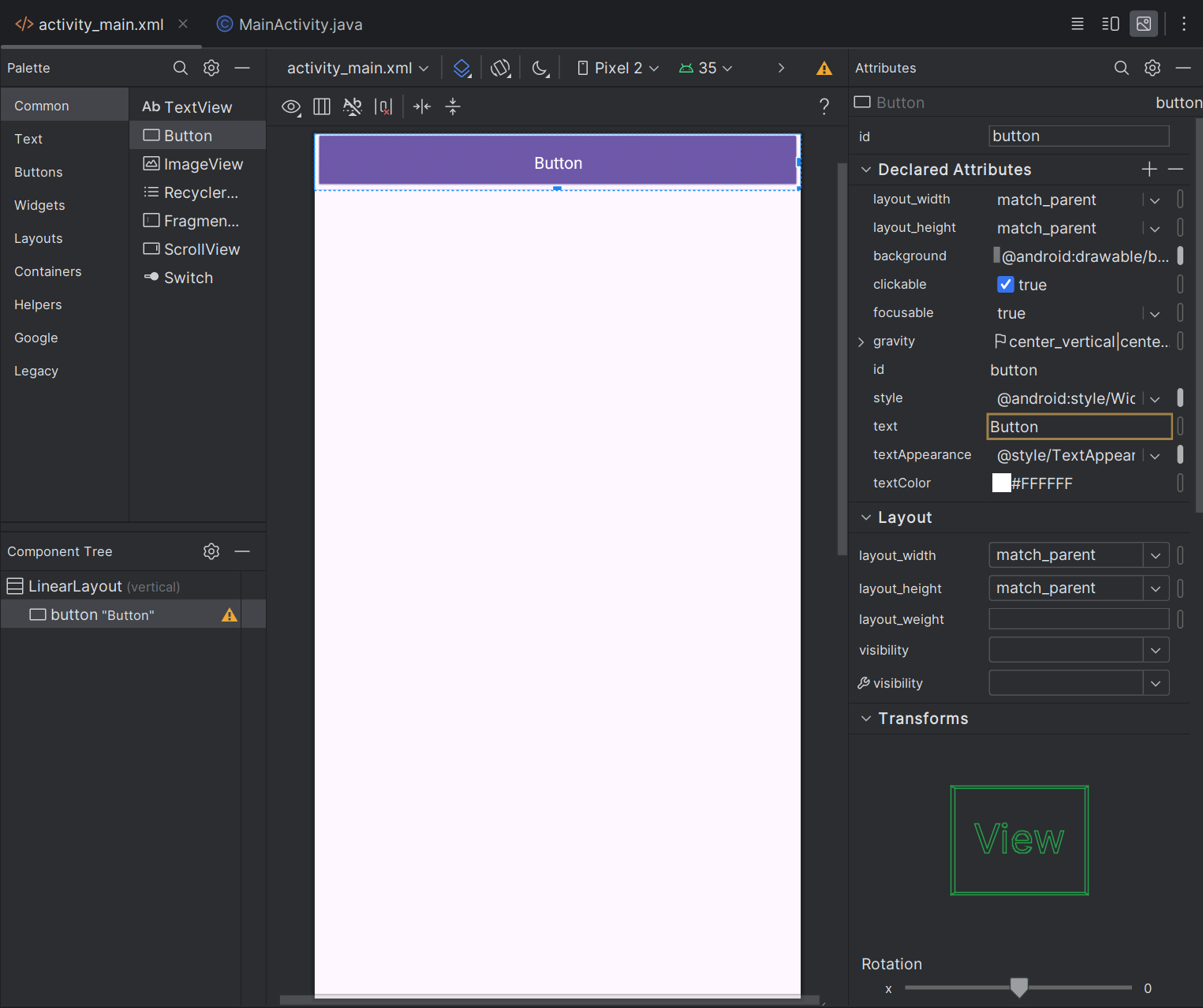
Button이 match_parent지만, 부모인 LinearLayout이 wrap_content이므로 버튼 크기가 화면 전체를 채우지 못한다.
객체 크기 비율 조정
객체 크기 비율이 정해지는 방향은 Layout의 oriental(horizontal/vertical)로 정해짐
LinearLayout > oriental > horizontal
> button1과 button2 생성
> button1 layout_weight: 1, button2 layout_weight: 1
> button1과 button2의 가로 비율이 1:1로 설정
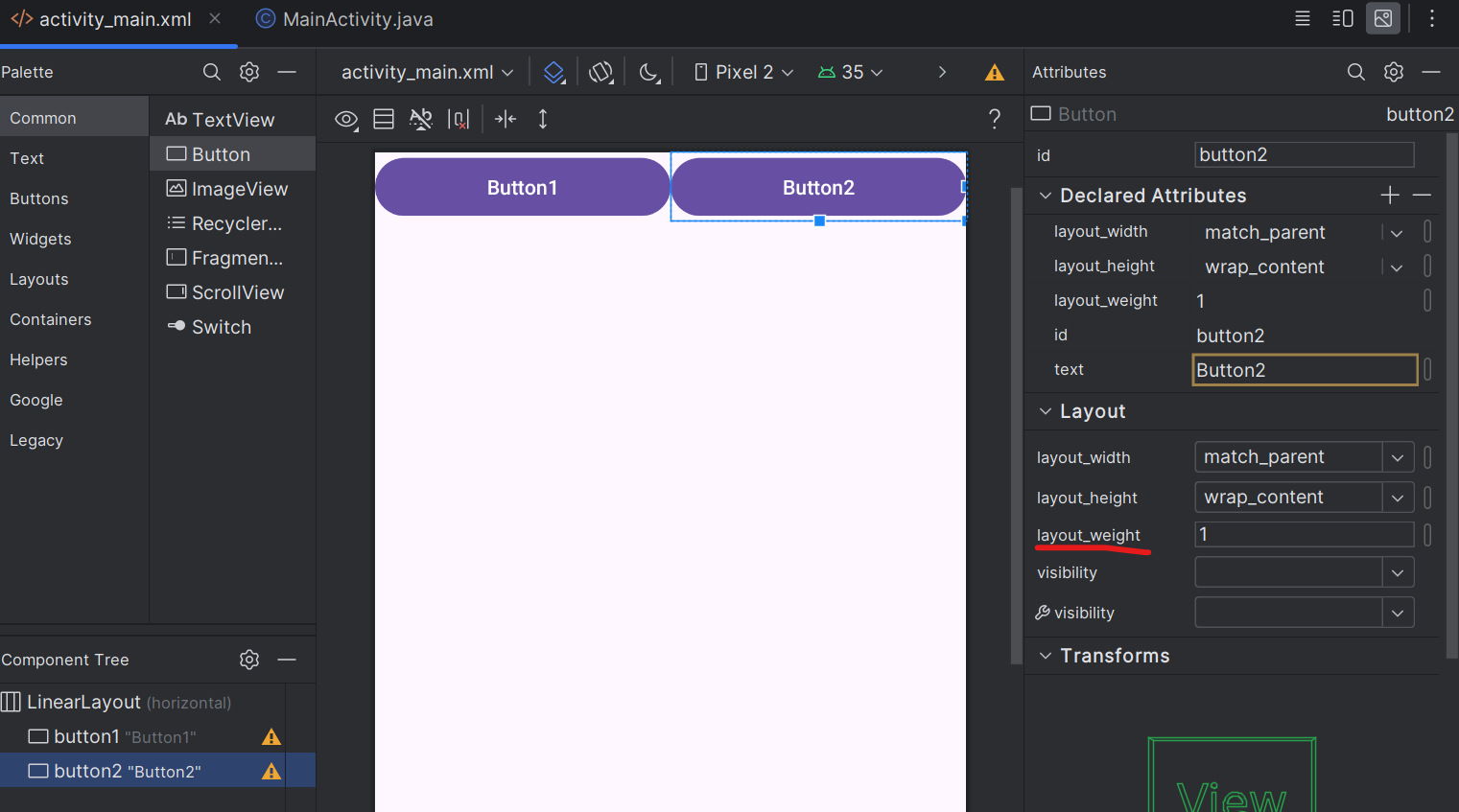
dp
안드로이드에서 사용되는 물리적인 단위가 아닌 상대적, 논리적인 단위.
화면크기가 달라져도 똑같이 보인다.
비율적으로 계산
layout_height는 wrap_content로 하는것 보다 0dp로 해놓는게 더 낫다. 버그가 생길수 있기 때문
gravity
gravity: - 부모에게 사용
자식을 자신의 어디 중심에 위치 시킬지
레이아웃에게 사용하면 블록들의 중심을 결정, 블록에게 사용하면 블록의 텍스트의 중심을 결정
ex) top, bottom, left, right...
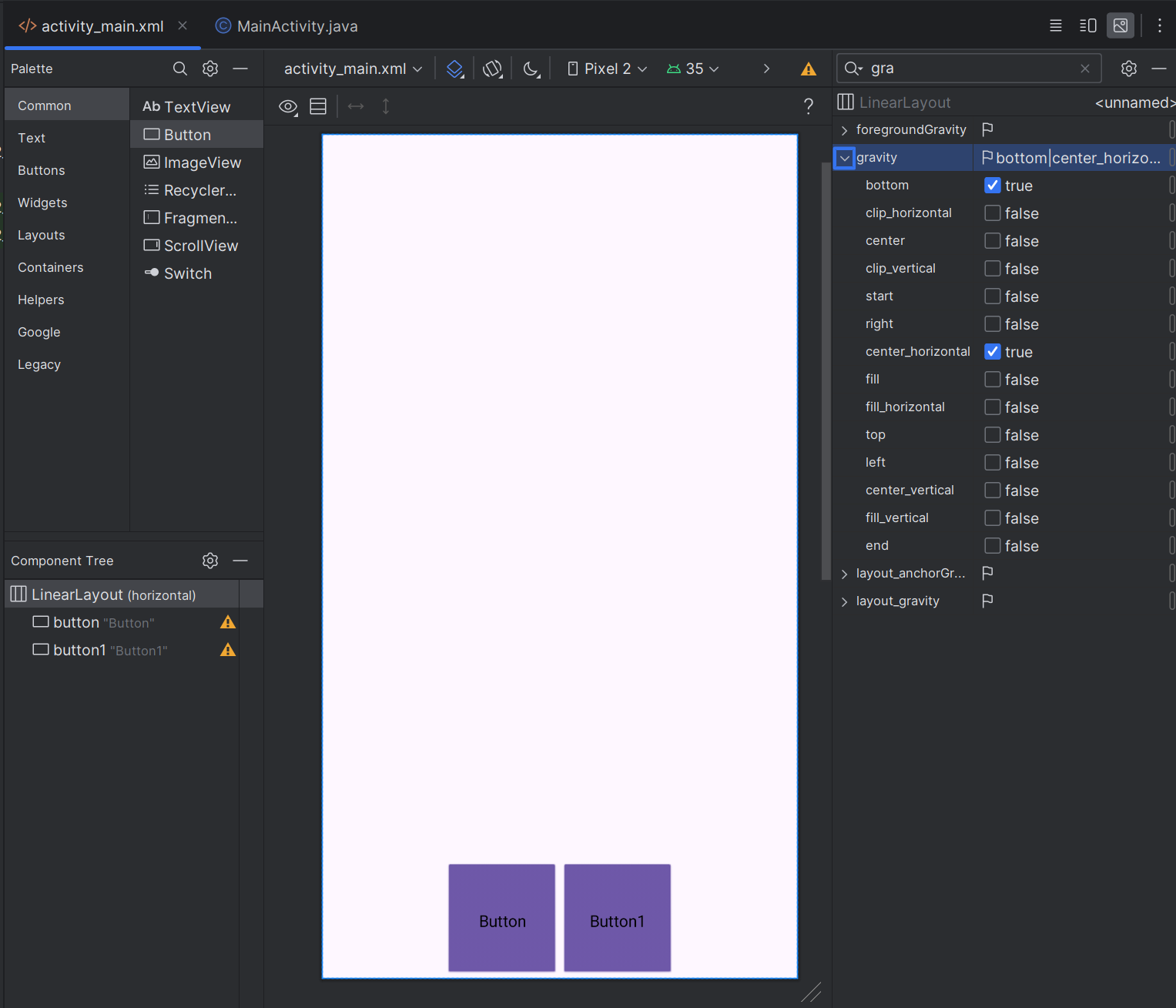
LinearLayout > gravity: bottom, center_horizontal
layout_gravity: - 자식에게 사용
자신의 위치를 부모의 어디에 위치 시킬지
ex) top, bottom, left, right, center_vertical, center_horizontal
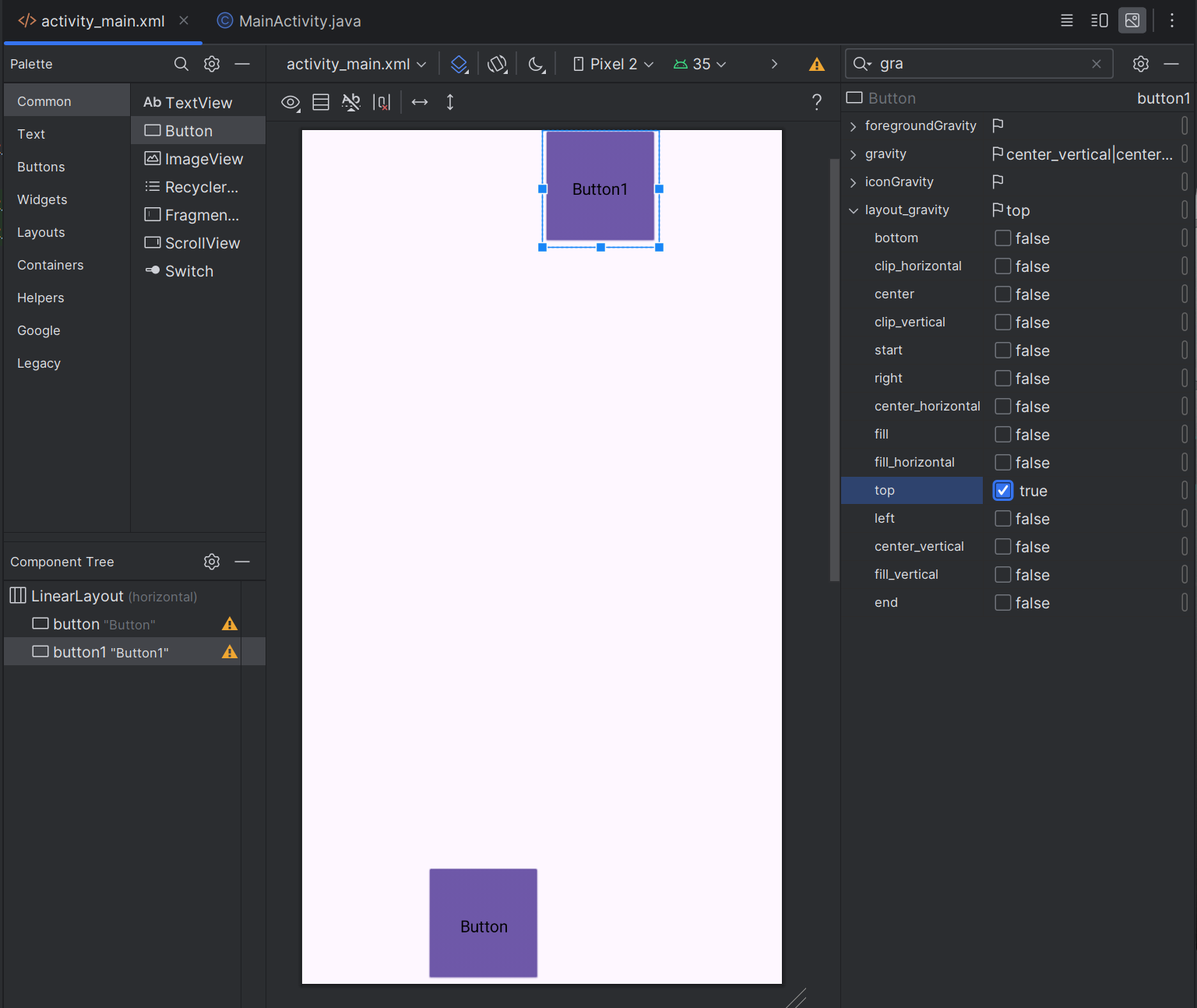
Button1 > layout_gravity: top
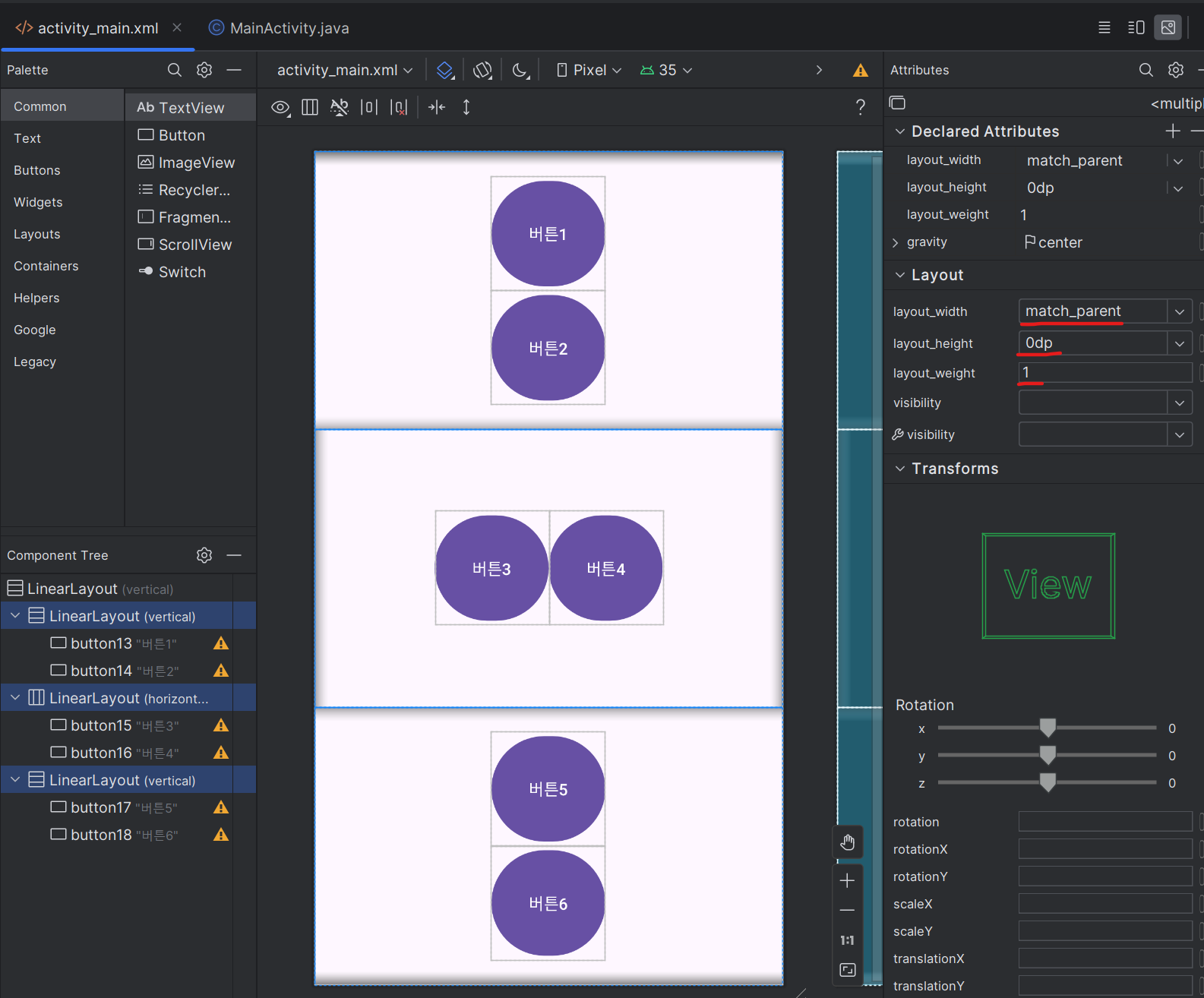
pro20240902_2
>LinearLayout 안에 LinearLayout(vertical), LinearLayout(horizontal), LinearLayout(vertical)생성
>세개 레이아웃끼리 형제관계로 있어야 한다
>각 레이아웃에 블록 두개 생성
>모든 레이아웃 height: 0dp, weight: 1(모든 비율 1:1:1), gravity: center
>두번째 레이아웃(horizontal)안에 블럭두개 weight: 0
pro20240902_3
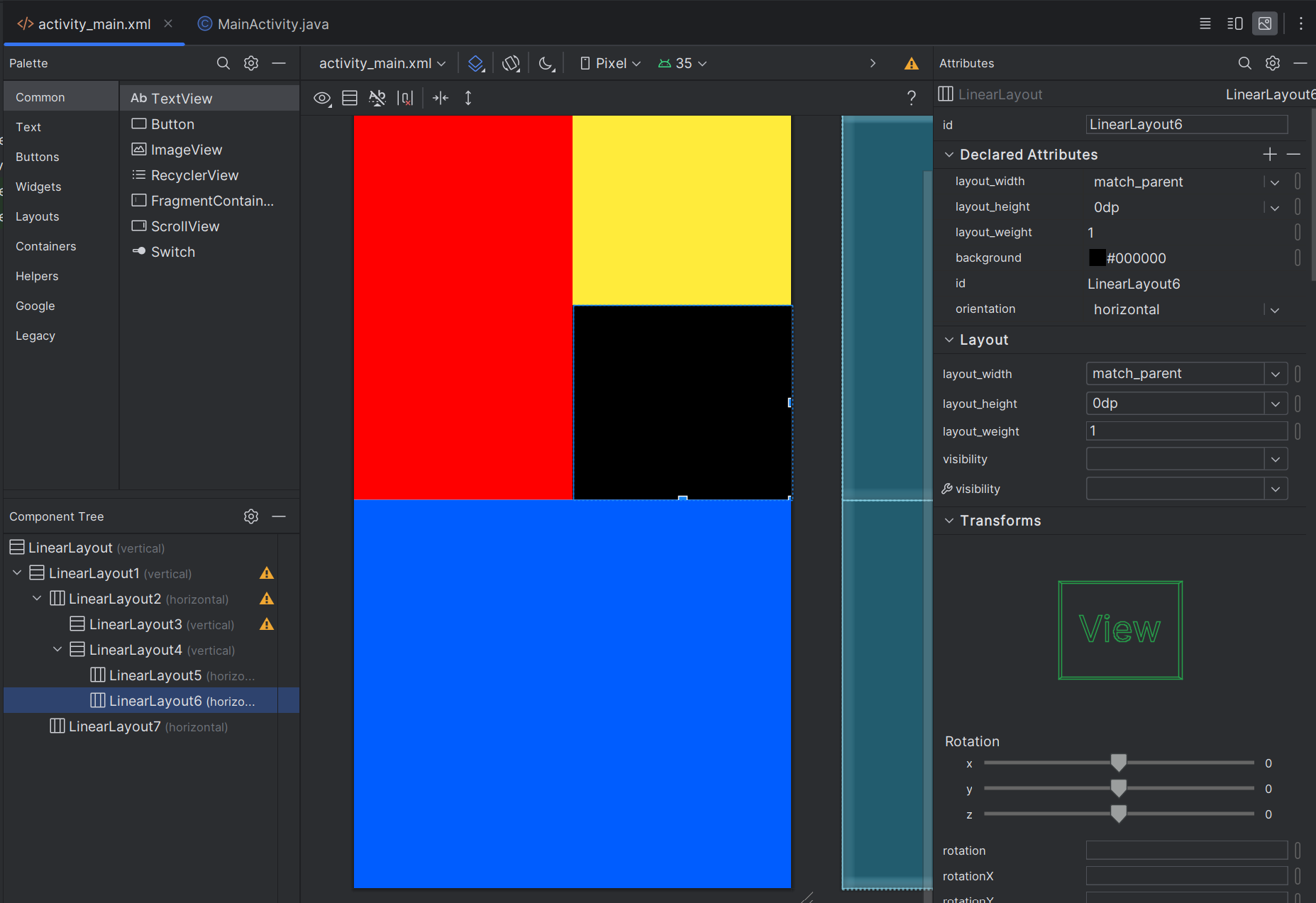
레이아웃 안에 레이아웃 배치
>LinearLayout2(horizontal) - layout_width:match_parent, layout_height:0dp, layout_weight:1
>LinearLayout3(vertical) - layout_width:0dp, layout_height:match_parent, layout_weight:1 (red)
>LinearLayout4(vertical) - layout_width:0dp, layout_height:match_parent, layout_weight:1
>LinearLayout5(horizontal) - layout_width:match_parent, layout_height:0dp, layout_weight:1 (yellow)
>LinearLayout6(horizontal) - layout_width:match_parent, layout_height:0dp, layout_weight:1 (black)
>LinearLayout7(horizontal) - layout_width:match_parent, layout_height:0dp, layout_weight:1 (blue)
pro20240902_4
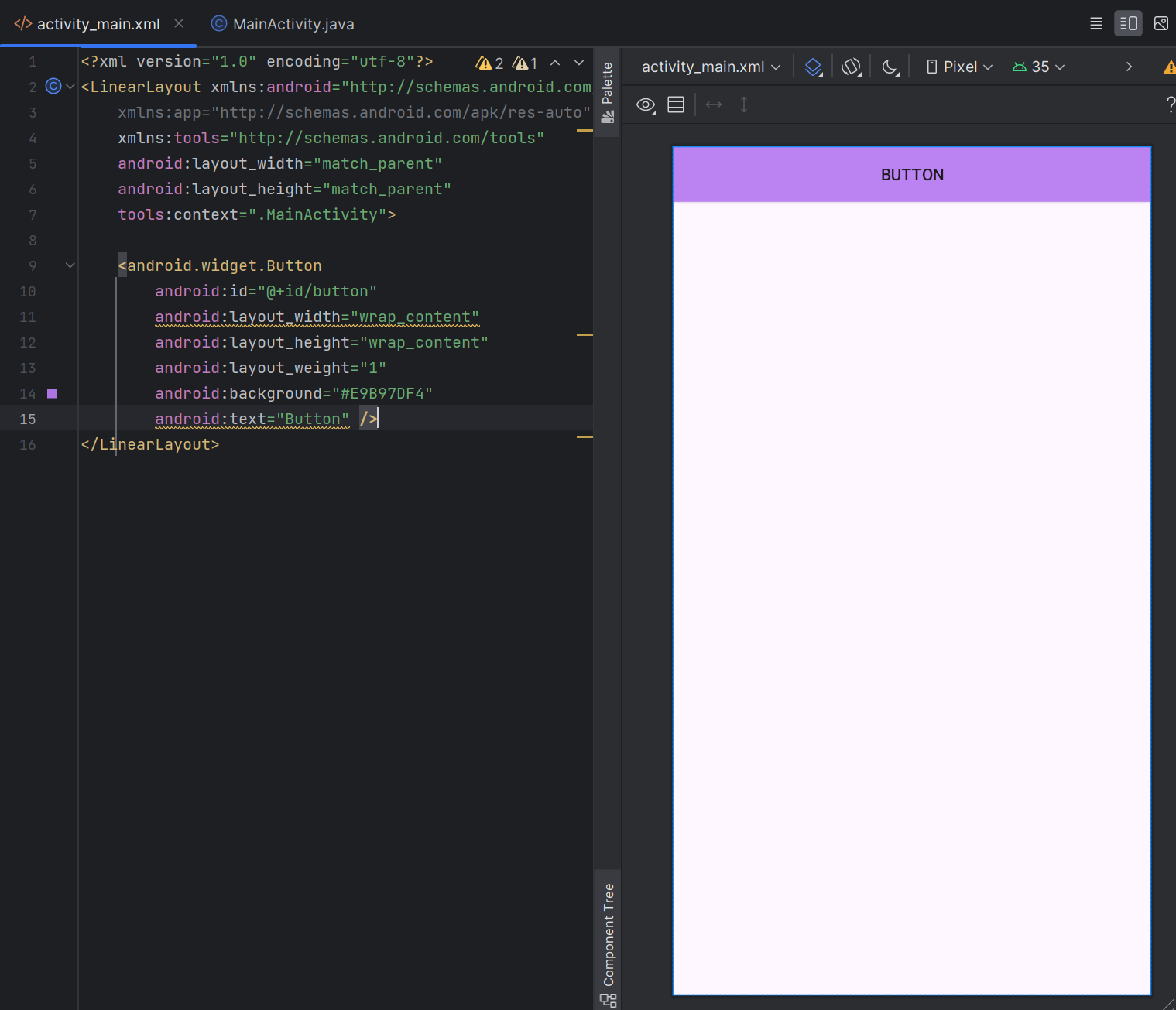
- .xml 코딩방식으로
activity_main.xml
<android.widget.Button
        android:id="@+id/button"
        android:layout_width="wrap_content"
        android:layout_height="wrap_content"
        android:layout_weight="1"
        android:background="#F80909"
        android:text="Button" />
<Button/>이 아닌 <android.widget.Button/>으로 사용한다
padding: 위젯의 경계선으로부터 위젯 안의 요소가 떨어지도록 설정
layout_margin: 위젯과 위젯 사이의 거리
