스태틱
css 스타일시트 적용
정적 파일 경로 설정
config/settings.py
STATIC_URL = 'static/'
STATICFILES_DIRS = [
    BASE_DIR / "static"
]
static/style.css 생성
textarea {
    width: 100%;
}

input[type=submit] {
    margin-top: 10px;
}
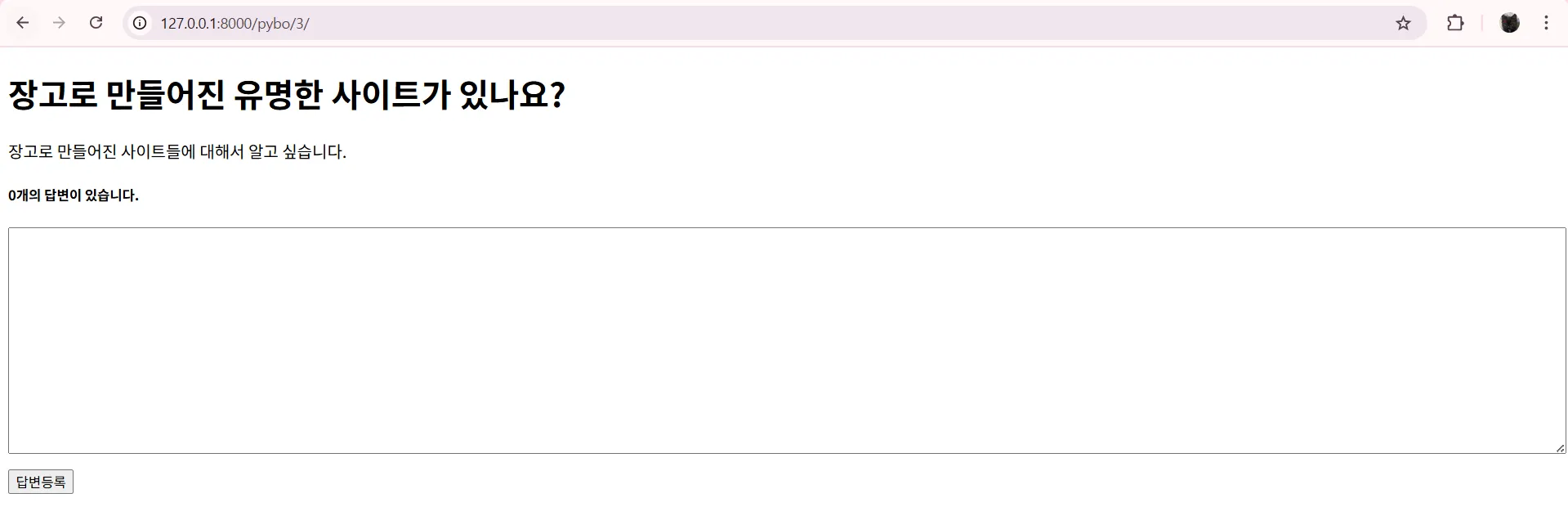
templates\pybo\question_detail.html 에 스타일시트 적용
{% load static %}
<link rel="stylesheet" type="text/css" href="{% static 'style.css' %}">
css 가 적용된 모습 확인
부트스트랩
https://getbootstrap.com/docs/4.5/getting-started/download/
공홈에서 다운로드
원하는 경로에 저장
C:\Users\DS 14\Desktop\bootstrap-4.5.3-dist\css\bootstrap.min.css
해당 파일 복사해서 작업 디렉토리의 static 폴더에 넣어줌
templates\pybo\question_list.html 에 bootstrap.min.css 적용
{% load static %}
    <link rel="stylesheet" type="text/css" href="{% static 'bootstrap.min.css' %}">
테이블 제목 작성
templates\pybo\question_list.html
<body>
    <div class="container my-3">
        <table class="table">
            <thead>
                <tr>
                    <th>번호</th>
                    <th>제목</th>
                    <th>작성일시</th>
                </tr>
            </thead>
        </table>
    </div>
</body>
결과

테이블 작성
templates\pybo\question_list.html
<body>
    <div class="container my-3">
        <table class="table">
            <thead>
                <tr>
                    <th>번호</th>
                    <th>제목</th>
                    <th>작성일시</th>
                </tr>
            </thead>
            <tbody>
                {% if question_list %}
                {% for question in question_list %}
                <tr>
                    <td>{{ forloop.counter }}</td>
                    <td>
                        <a href="{% url 'pybo:detail' question.id %}">
                            {{ question.subject }}
                        </a>
                    </td>
                    <td>{{ qustion.create_date }}</td>
                </tr>
                {% endfor %}
                {% else %}
                <tr>
                    <td colspan="3">질문이 없습니다.</td>
                </tr>
                {% endif %}
            </tbody>
        </table>
    </div>
</body>colspan: 합칠 셀의 개수(가로, column)
결과

templates\pybo\question_detail.html
<!DOCTYPE html>
<html lang="en">
<head>
    <meta charset="UTF-8">
    <meta name="viewport" content="width=device-width, initial-scale=1.0">
    {% load static %}
    <link rel="stylesheet" type="text/css" href="{% static 'bootstrap.min.css' %}">
    <title>Document</title>
</head>
<body>
    <!-- 컨테이너 -->
    <div class="container my-3">
        <!-- 질문 제목 -->
        <h2 class="border-bottom py-2">{{ question.subject }}</h2>

        <!-- 질문 내용 -->
        <div class="card my-3">
            <div class="card-body">
                <div class="card-text" style="white-space: pre-line;">
                    {{ question.content }}
                </div>
                <div class="d-flex justify-content-end">
                    <div class="badge badge-light p-2">
                        {{ question.create_date }}
                    </div>
                </div>
            </div>
        </div>

        <!-- 답변 개수 -->
        <h5 class="border-bottom my-3 py-2">
            {{ question.answer_set.count }}개의 답변이 있습니다.
        </h5>

        <!-- 딥변 내용 -->
        {% for answer in question.answer_set.all %}
        <div class="card my-3">
            <div class="card-body">
                <div class="card-text" style="white-space: pre-line;">
                    {{ answer.content }}
                </div>
                <div class="d-flex justify-content-end">
                    <div class="badge badge-light p-2">
                        {{ answer.create_date }}
                    </div>
                </div>
            </div>
        </div>
        {% endfor %}

        <!-- 답변 등록 폼 -->
        <form action="{% url 'pybo:answer_create' question.id %}" method="post" class="my-3">
            {% csrf_token %}
            <div class="form-group">
                <textarea name="content" id="content" class="form-control" rows="10"></textarea>
            </div>
            <input type="submit" value="답변 등록" class="btn btn-primary">
        </form>
    </div>
</body>
</html>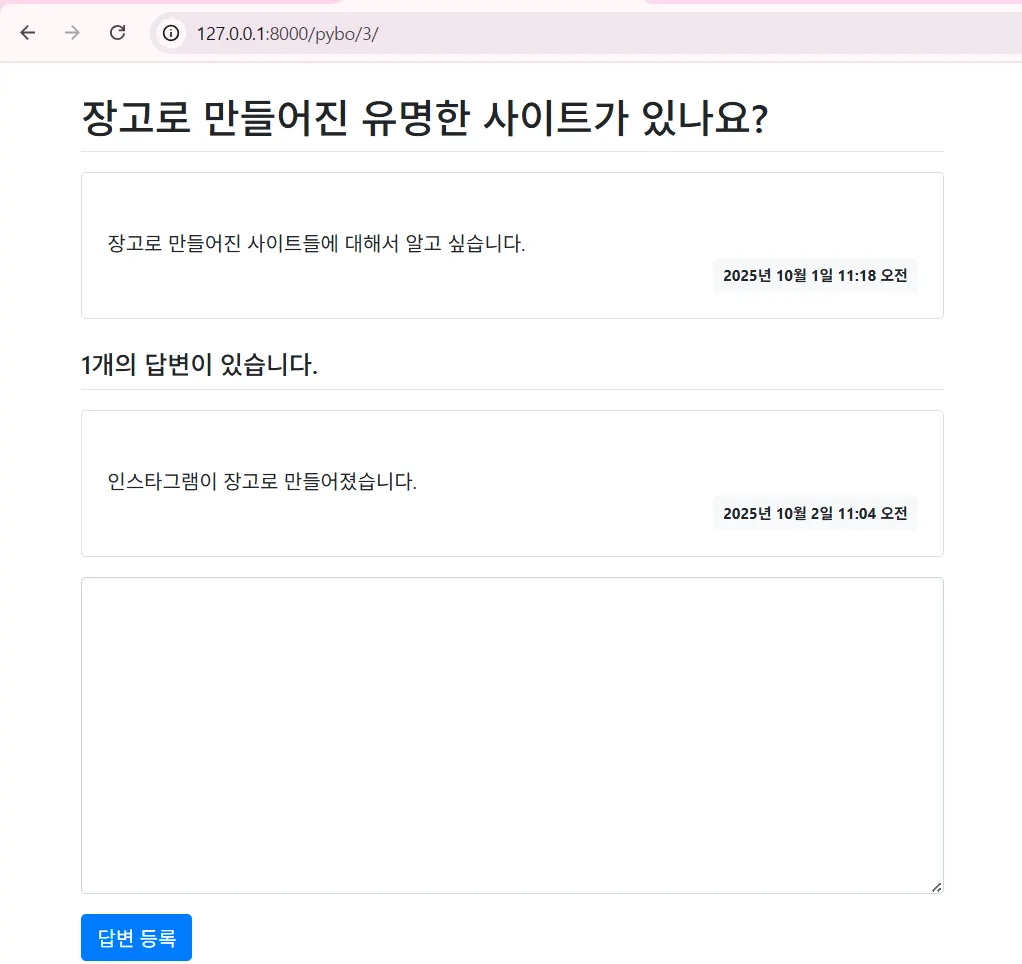
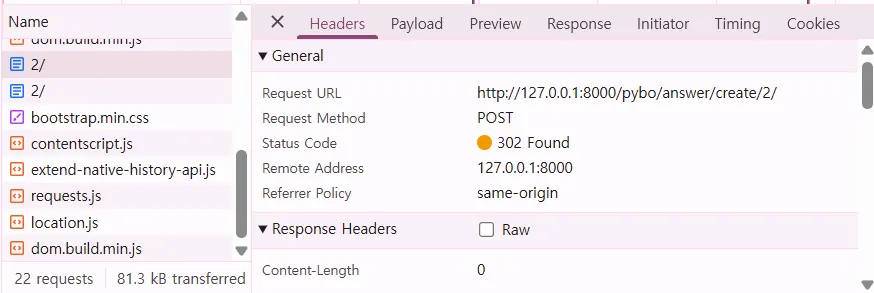
답변 등록(answer_create) 시에 status code 302 로 뜨는 이유
def answer_create(request, question_id):
    question = get_object_or_404(Question, pk=question_id)
    # question.answer_set.create(content=request.POST.get('content'),
    #                            create_date=timezone.now())
    answer = Answer(question=question, content=request.POST.get('content'),
                    create_date=timezone.now())
    answer.save()
return redirect('pybo:detail', question_id=question.id)- answer_create 가 직접 처리하지 않고 detail 에게 요청을 다시 보내 리다이렉트로 처리하고 있기 때문
표준 html과 템플릿 상속
표준 html
기본 틀 작성
templates\base.html
<!DOCTYPE html>
<html lang="en">
<head>
    <meta charset="UTF-8">
    <meta name="viewport" content="width=device-width, initial-scale=1.0">
    {% load static %}
    <link rel="stylesheet" type="text/css" href="{% static 'bootstrap.min.css' %}">
    <style>
        a {
            color: black;
        }
    </style>
    <title>Document</title>
</head>
<body>
    <!-- 기본 템플릿 안에 삽입될 내용 -->
    {% block content %}
    {% endblock %}
</body>
</html>
질문 리스트, 질문 상세 표준 html 적용
{% extends 'base.html' %}
{% block content %}
<div class="container my-3">
	...
</div>
{% endblock %}
질문 등록 기능 만들기
질문 등록 버튼 생성
templates\pybo\question_list.html
...
</table>
<a href="{% url 'pybo:question_create' %}" class="btn btn-primary">
    질문 등록하기
</a>
url 매핑 추가
pybo\urls.py
path('question/create/', views.question_create, name='question_create'),questsion_create() 함수 작성
pybo\views.py
def question_create(request):
    form = QuestionForm()
    return render(request, 'pybo/question_form.html', {'form':form})
question_create() 에 사용할 장고 폼 작성
pybo\forms.py
from django import forms
from .models import Question

class QuestionForm(forms.ModelForm):
    class Meta:
        model = Question
        fields = ['subject', 'content']
질문 등록을 위한 html 파일 생성하여 장고 폼 사용
templates\pybo\question_form.html
{% extends 'base.html' %}
{% block content %}
<div class="container">
    <h5 class="my-3 border-bottom pb-2"></h5>
    <form method="post" class="post-form my-3">
        {% csrf_token %}
        {{ form.as_p }}
        <button type="submit" class="btn btn-primary">저장하기</button>
    </form>
</div>
{% endblock %}
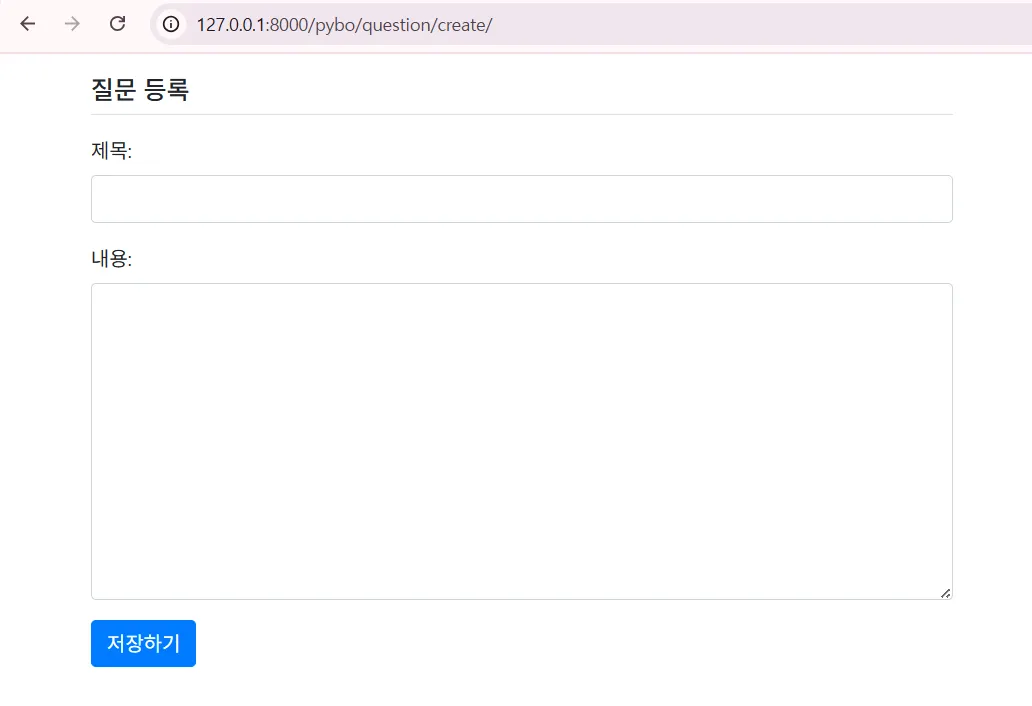
{{ form.as_p }}: 모델 폼과 연결된 입력 항목 subject, content 에 값을 입력할 수 있는 HTML 코드를 자동으로 만들어줌
입력 데이터 저장
pybo\views.py
def question_create(request):
    # POST 요청
    if request.method == 'POST':
        form = QuestionForm(request.POST)
        if form.is_valid():
            question = form.save(commit=False)
            question.create_date=timezone.now()
            question.save()
            return redirect('pybo:index')
    # GET 요청
    else:
        form = QuestionForm()
    context = {'form': form}
return render(request, 'pybo/question_form.html', context)- POST, GET 요청에 따라 다르게 처리
form.save(commit=False)commit=false: 임시 저장 → 아직 create_date 에 값이 설정되지 않았으므로 → QuestionForm 에는 create_date 필드가 없음class QuestionForm(forms.ModelForm): class Meta: model = Question fields = ['subject', 'content']
폼에 부트스트랩 적용
pybo\forms.py
class QuestionForm(forms.ModelForm):
    class Meta:
        ...
        widgets = {
            'subject': forms.TextInput(attrs={'class': 'form-control'}),
            'content': forms.Textarea(attrs={'class': 'form-control', 'rows': 10})
        }
label 속성 수정
pybo\forms.py
class QuestionForm(forms.ModelForm):
    class Meta:
        ...
        labels = {
            'subject': '제목',
            'content': '내용'
        }
결과
as_p 를 사용하지 않고 수작업으로 폼 작성
templates\pybo\question_form.html
{% extends 'base.html' %}
{% block content %}
<div class="container">
    <h5 class="my-3 border-bottom pb-2">질문 등록</h5>
    <form method="post" class="post-form my-3">
        {% csrf_token %}
        <!-- 오류 표시 -->
        {% if forms.errors %}
        <button type="submit" class="btn btn-primary">저장하기</button>
        <div class="alert alert-danger">
        {% for field in form %}
            {% if field.errors %}
            <strong>{{ field.errors }}</strong>
            {% endif %}
        {% endfor %}
        </div>
        {% endif %}
        <!-- 폼 -->
        <div class="form-group">
            <label for="subject">제목</label>
            <input type="text" class="form-control" name="subject" id="subject"
                    value="{{ form.subject.value|default_if_none:'' }}">
        </div>
        <div class="form-group">
            <label for="content"></label>
            <textarea class="form-control" name="content" id="content" rows="10">
                {{ form.subject.value|default_if_none:'' }}
            </textarea>
        </div>
        <button type="submit" class="btn btn-primary">저장하기</button>
    </form>
</div>
{% endblock %}
오류 잘 뜨는지 테스트 결과
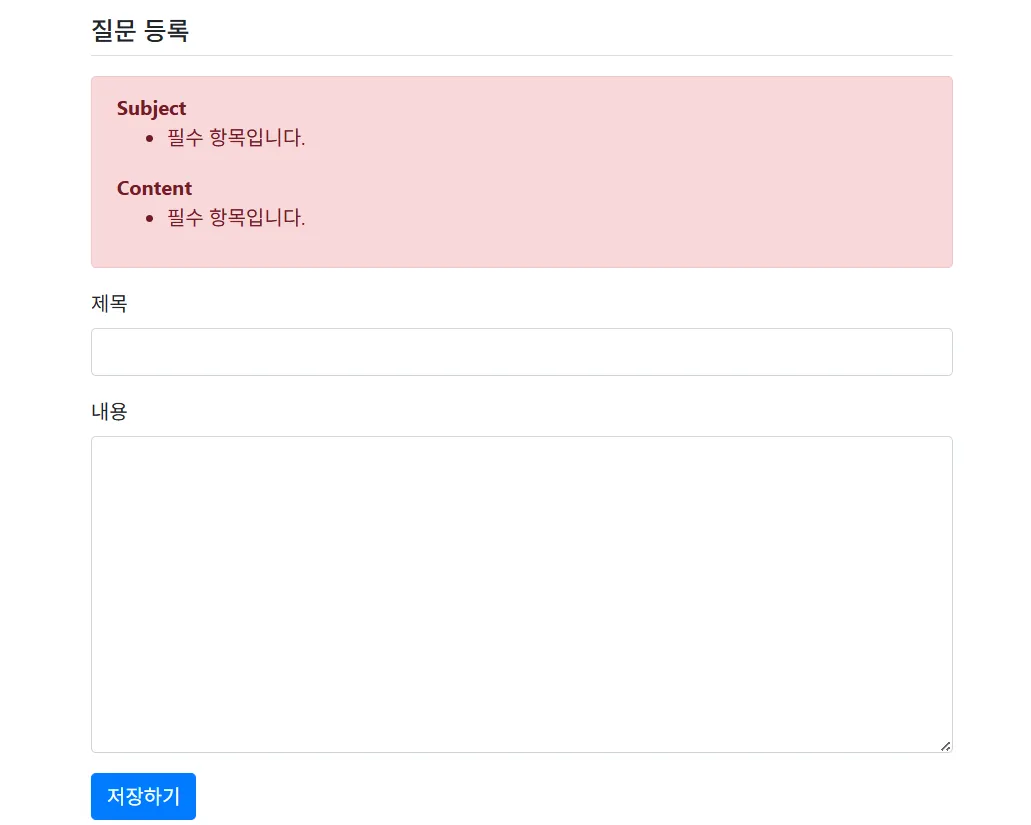
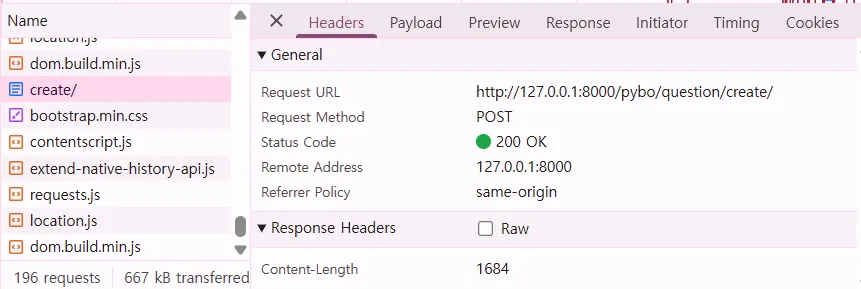
그러나 status code 는 200 으로 뜸
→ question_create 의 로직에서
def question_create(request):
    # POST 요청
    if request.method == 'POST':
        form = QuestionForm(request.POST)
        if form.is_valid():
            question = form.save(commit=False)
            question.create_date=timezone.now()
            question.save()
            return redirect('pybo:index')
    # GET 요청
    else:
        form = QuestionForm()
    context = {'form': form}
    return render(request, 'pybo/question_form.html', context)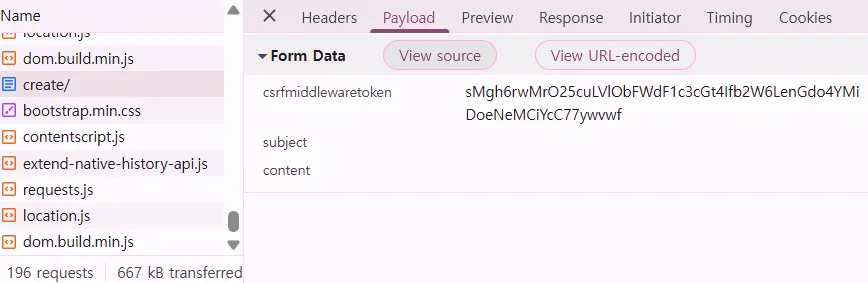
답변 등록 기능에 장고 폼 적용
pybo\forms.py
from .models import Question, Answer
...
class AnswerForm(forms.ModelForm):
    class Meta:
        model = Answer
        fields = ['content']
        labels = {
            'content': '답변내용',
        }
pybo\views.py
def answer_create(request, question_id):
    question = get_object_or_404(Question, pk=question_id)
    if request.method == "POST":
        form = AnswerForm(request.POST)
        if form.is_valid():
            answer = form.save(commit=False)
            answer.create_date = timezone.now()
            answer.question = question
            answer.save()
            return redirect('pybo:detail', question_id=question.id)
    else:
        form = AnswerForm()
    context = {'question': question, 'form': form}
    return render(request, 'pybo/question_detail.html', context)