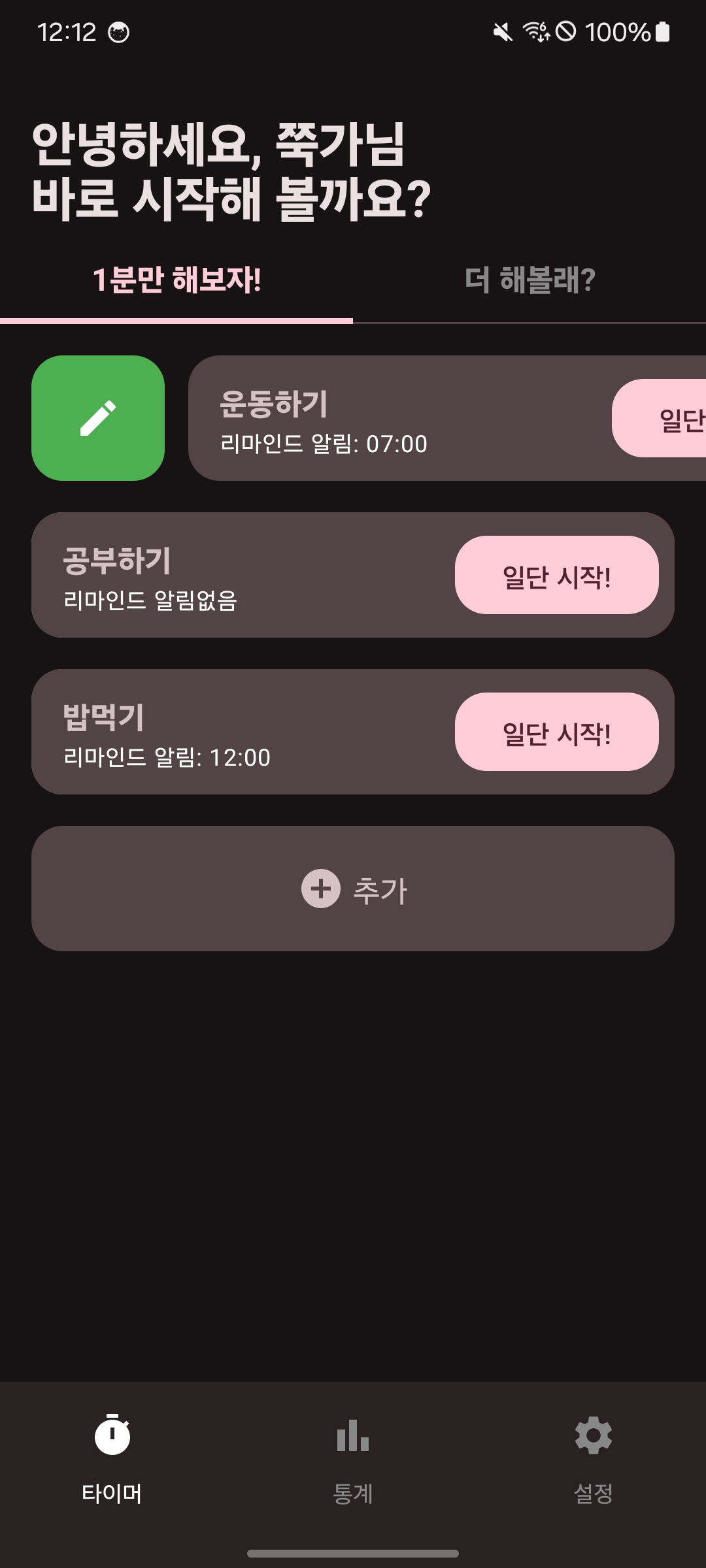
📌 문제상황
LazyColumn의 아이템의 높이에 따라 다른 컴포저블의 높이를 자동으로 조정하고 싶은 상황이 생겼습니다. 이 문제를 해결하기 위해 onGloballyPositioned를 활용하기로 했습니다.
📌 해결과정
우선 onGloballyPositioned는 Jetpack Compose에서 사용되는 Modifier 중 하나로, 컴포저블의 전역 위치와 크기를 측정할 수 있게 해주는 기능입니다. 이 Modifier는 특정 컴포저블이 화면에서 차지하는 위치와 크기를 알 수 있도록 도와줍니다.
Box(
    modifier = Modifier
        .size(100.dp)
        .onGloballyPositioned { coordinates ->
            val position = coordinates.positionInRoot() // 전역 좌표
            val size = coordinates.size // 크기
            // 여기서 position과 size를 사용하여 필요한 작업 수행
        }
) {
    // Box 내용
}
먼저, 첫 번째 Box의 높이를 저장할 상태 변수를 선언했습니다. 이 변수는 remember를 사용하여 상태를 유지합니다.
LocalDensity는 Compose의 Composition Local 중 하나로, 현재 화면의 밀도(density) 정보를 제공합니다. 이 정보는 화면의 DPI(Dots Per Inch)와 관련이 있으며, 이를 통해 픽셀과 DP 간의 변환을 수행할 수 있습니다.
var itemHeight by remember { mutableStateOf(0.dp) }
val density = LocalDensity.current
Card에 onGloballyPositioned를 추가하여 Card의 크기가 결정된 후에 콜백이 호출되도록 설정했습니다. 이 콜백 내에서 coordinates.size.height를 사용하여 Card의 높이를 측정하고, 이를 DP로 변환하여 itemHeight에 저장했습니다.
Card(
	modifier = Modifier
    .fillMaxWidth()
    .padding(vertical = 8.dp, horizontal = 16.dp)
    .onGloballyPositioned { coordinates ->
    	itemHeight = itemHeight = with(density) { coordinates.size.height.toDp() }
    },
    shape = RoundedCornerShape(16.dp)
)
원하는 컴포저블의 height에 itemHeight를 넣어주면 위에 Card의 높이에 맞춰 자동으로 조정되고 깔끔한 UI가 유지됩니다.
TextButton(
	modifier = Modifier
		.width(100.dp)
		.height(height)
		.padding(horizontal = 16.dp),
	...
)

Card(
	modifier = Modifier
		.fillMaxWidth()
		.padding(horizontal = 16.dp, vertical = 8.dp)
		.height(itemHeight),
    shape = RoundedCornerShape(16.dp),
    onClick = {}
)
📌 결과
아래와 같이 스와이프 요소와 추가버튼이 LazyColumn의 아이템과 높이가 동일한 것을 확인할 수 있습니다.