css와 js연결.
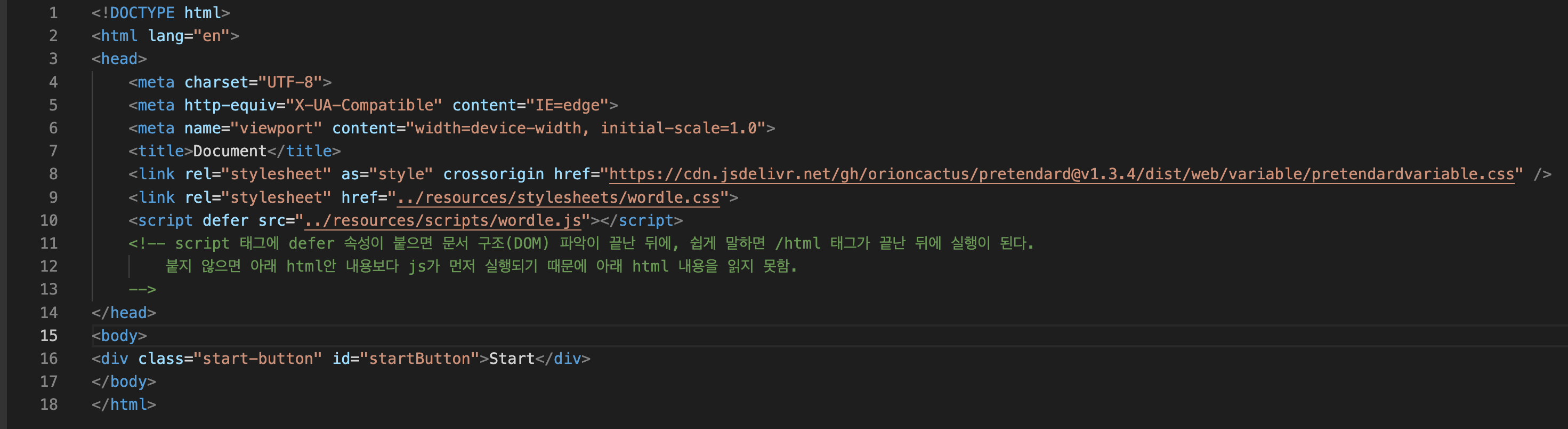
defer
: script 태그에 defer 속성이 붙으면 문서 구조(DOM) 파악이 끝난 뒤에, 쉽게 말하면 /html 태그가 끝난 뒤에 실행이 된다.
붙지 않으면 아래 html안 내용보다 js가 먼저 실행되기 때문에 아래 html 내용을 읽지 못함.
flex: 1
flex-grow: 1; flex-shrink: 1; flex-basis: auto; 와 같은 말
<!DOCTYPE html>
<html lang="en">
<head>
    <meta charset="UTF-8">
    <meta http-equiv="X-UA-Compatible" content="IE=edge">
    <meta name="viewport" content="width=device-width, initial-scale=1.0">
    <title>Document</title>
    <link rel="stylesheet" as="style" crossorigin href="https://cdn.jsdelivr.net/gh/orioncactus/pretendard@v1.3.4/dist/web/variable/pretendardvariable.css" />
    <link rel="stylesheet" href="../resources/stylesheets/wordle.css">
    <script defer src="../resources/scripts/wordle.js"></script>

    <!--
        script 태그에 defer 속성이 붙으면 문서 구조(DOM) 파악이 끝난 뒤에, 쉽게 말하면 /html 태그가 끝난 뒤에 실행이 된다.
        붙지 않으면 아래 html안 내용보다 js가 먼저 실행되기 때문에 아래 html 내용을 읽지 못함.
    -->
</head>
<body>
<div class="start-button visible" id="startButton">Start</div>
<header class="header">
    <nav class=header-box>
        <div class="left_menu">
            <svg width="24" height="17" viewBox="0 0 24 17" fill="none" xmlns="http://www.w3.org/2000/svg"><rect x="0.172974" width="20" height="3" rx="1.5" fill="rgb(255,255,255)"></rect><rect x="0.172974" y="7" width="20" height="3" rx="1.5" fill="rgb(255,255,255)"></rect><rect x="0.172974" y="14" width="20" height="3" rx="1.5" fill="rgb(255,255,255)"></rect>
                <rect x="0.172974" width="20" height="3" rx="1.5" fill="rgb(255,255,255)"></rect>
                <rect x="0.172974" y="7" width="20" height="3" rx="1.5" fill="rgb(255,255,255)"></rect>
                <rect x="0.172974" y="14" width="20" height="3" rx="1.5" fill="rgb(255,255,255)"></rect>
            </svg>
            <svg xmlns="http://www.w3.org/2000/svg" height="24" viewBox="0 0 24 24" width="24" class="game-icon" data-testid="icon-help"><path fill="var(--color-tone-1)" d="M11 18h2v-2h-2v2zm1-16C6.48 2 2 6.48 2 12s4.48 10 10 10 10-4.48 10-10S17.52 2 12 2zm0 18c-4.41 0-8-3.59-8-8s3.59-8 8-8 8 3.59 8 8-3.59 8-8 8zm0-14c-2.21 0-4 1.79-4 4h2c0-1.1.9-2 2-2s2 .9 2 2c0 2-3 1.75-3 5h2c0-2.25 3-2.5 3-5 0-2.21-1.79-4-4-4z"></path>
                <path fill="rgb(255,255,255)" d="M11 18h2v-2h-2v2zm1-16C6.48 2 2 6.48 2 12s4.48 10 10 10 10-4.48 10-10S17.52 2 12 2zm0 18c-4.41 0-8-3.59-8-8s3.59-8 8-8 8 3.59 8 8-3.59 8-8 8zm0-14c-2.21 0-4 1.79-4 4h2c0-1.1.9-2 2-2s2 .9 2 2c0 2-3 1.75-3 5h2c0-2.25 3-2.5 3-5 0-2.21-1.79-4-4-4z"></path>
            </svg>
        </div>
        <div class="logo">워들리</div>
        <div class="right_menu">
            <svg xmlns="http://www.w3.org/2000/svg" height="24" viewBox="0 0 24 24" width="24" class="game-icon" data-testid="icon-statistics"><path fill="var(--color-tone-1)" d="M16,11V3H8v6H2v12h20V11H16z M10,5h4v14h-4V5z M4,11h4v8H4V11z M20,19h-4v-6h4V19z"></path>
                <path fill="rgb(255,255,255)" d="M16,11V3H8v6H2v12h20V11H16z M10,5h4v14h-4V5z M4,11h4v8H4V11z M20,19h-4v-6h4V19z"></path>
            </svg>
            <svg xmlns="http://www.w3.org/2000/svg" height="24" viewBox="0 0 24 24" width="24" class="game-icon" data-testid="icon-settings"><path fill="var(--color-tone-1)" d="M19.14,12.94c0.04-0.3,0.06-0.61,0.06-0.94c0-0.32-0.02-0.64-0.07-0.94l2.03-1.58c0.18-0.14,0.23-0.41,0.12-0.61 l-1.92-3.32c-0.12-0.22-0.37-0.29-0.59-0.22l-2.39,0.96c-0.5-0.38-1.03-0.7-1.62-0.94L14.4,2.81c-0.04-0.24-0.24-0.41-0.48-0.41 h-3.84c-0.24,0-0.43,0.17-0.47,0.41L9.25,5.35C8.66,5.59,8.12,5.92,7.63,6.29L5.24,5.33c-0.22-0.08-0.47,0-0.59,0.22L2.74,8.87 C2.62,9.08,2.66,9.34,2.86,9.48l2.03,1.58C4.84,11.36,4.8,11.69,4.8,12s0.02,0.64,0.07,0.94l-2.03,1.58 c-0.18,0.14-0.23,0.41-0.12,0.61l1.92,3.32c0.12,0.22,0.37,0.29,0.59,0.22l2.39-0.96c0.5,0.38,1.03,0.7,1.62,0.94l0.36,2.54 c0.05,0.24,0.24,0.41,0.48,0.41h3.84c0.24,0,0.44-0.17,0.47-0.41l0.36-2.54c0.59-0.24,1.13-0.56,1.62-0.94l2.39,0.96 c0.22,0.08,0.47,0,0.59-0.22l1.92-3.32c0.12-0.22,0.07-0.47-0.12-0.61L19.14,12.94z M12,15.6c-1.98,0-3.6-1.62-3.6-3.6 s1.62-3.6,3.6-3.6s3.6,1.62,3.6,3.6S13.98,15.6,12,15.6z"></path>
                <path fill="rgb(255,255,255)" d="M19.14,12.94c0.04-0.3,0.06-0.61,0.06-0.94c0-0.32-0.02-0.64-0.07-0.94l2.03-1.58c0.18-0.14,0.23-0.41,0.12-0.61 l-1.92-3.32c-0.12-0.22-0.37-0.29-0.59-0.22l-2.39,0.96c-0.5-0.38-1.03-0.7-1.62-0.94L14.4,2.81c-0.04-0.24-0.24-0.41-0.48-0.41 h-3.84c-0.24,0-0.43,0.17-0.47,0.41L9.25,5.35C8.66,5.59,8.12,5.92,7.63,6.29L5.24,5.33c-0.22-0.08-0.47,0-0.59,0.22L2.74,8.87 C2.62,9.08,2.66,9.34,2.86,9.48l2.03,1.58C4.84,11.36,4.8,11.69,4.8,12s0.02,0.64,0.07,0.94l-2.03,1.58 c-0.18,0.14-0.23,0.41-0.12,0.61l1.92,3.32c0.12,0.22,0.37,0.29,0.59,0.22l2.39-0.96c0.5,0.38,1.03,0.7,1.62,0.94l0.36,2.54 c0.05,0.24,0.24,0.41,0.48,0.41h3.84c0.24,0,0.44-0.17,0.47-0.41l0.36-2.54c0.59-0.24,1.13-0.56,1.62-0.94l2.39,0.96 c0.22,0.08,0.47,0,0.59-0.22l1.92-3.32c0.12-0.22,0.07-0.47-0.12-0.61L19.14,12.94z M12,15.6c-1.98,0-3.6-1.62-3.6-3.6 s1.62-3.6,3.6-3.6s3.6,1.62,3.6,3.6S13.98,15.6,12,15.6z"></path>
            </svg>
        </div>
    </nav>
</header>
<div class="ground" id="ground">
    <div class="top">
        <div class="number-container" id="numberContainer">
            <div class="number"></div>
            <div class="number"></div>
            <div class="number"></div>
            <div class="number"></div>
            <div class="number"></div>
            <div class="number"></div>
            <div class="number"></div>
            <div class="number"></div>
            <div class="number"></div>
            <div class="number"></div>
            <div class="number"></div>
            <div class="number"></div>
            <div class="number"></div>
            <div class="number"></div>
            <div class="number"></div>
            <div class="number"></div>
            <div class="number"></div>
            <div class="number"></div>
            <div class="number"></div>
            <div class="number"></div>
            <div class="number"></div>
            <div class="number"></div>
            <div class="number"></div>
            <div class="number"></div>
            <div class="number"></div>
            <div class="number"></div>
            <div class="number"></div>
            <div class="number"></div>
            <div class="number"></div>
            <div class="number"></div>
        </div>
    </div>
    <div class="bottom">
        <div class="key-container" id="keyContainer">
            <div class="row">
                <div class="key">Q</div>
                <div class="key">W</div>
                <div class="key">E</div>
                <div class="key">R</div>
                <div class="key">T</div>
                <div class="key">Y</div>
                <div class="key">U</div>
                <div class="key">I</div>
                <div class="key">O</div>
                <div class="key">P</div>
            </div>
            <div class="row">
                <div class="key">A</div>
                <div class="key">S</div>
                <div class="key">D</div>
                <div class="key">F</div>
                <div class="key">G</div>
                <div class="key">H</div>
                <div class="key">J</div>
                <div class="key">K</div>
                <div class="key">L</div>
            </div>
            <div class="row">
                <div class="key">ENTER</div>
                <div class="key">Z</div>
                <div class="key">X</div>
                <div class="key">C</div>
                <div class="key">V</div>
                <div class="key">B</div>
                <div class="key">N</div>
                <div class="key">M</div>
                <div class="key">←</div>
            </div>
        </div>
    </div>
</div>
</body>
</html>
body {
background-color: rgb(16, 17, 19);
font-family: 'Pretendard', 'sans-serif';
font-weight: 300;
}
.header {
height: 3rem;
display: fixed;
color: #ffffff;
border-bottom: 0.1px solid #3a3a3c;
}
.header-box {
display: flex;
flex-direction: row;
justify-content: center;
}
svg {
margin: 0 0.375rem 0 0.375rem;
}
.left_menu {
display: flex;
flex-direction: row;
align-items: center;
justify-content: center;
}
.right_menu {
display: flex;
flex-direction: row;
align-items: center;
justify-content: center;
}
.logo {
flex: 1;
font-family: 'nyt-karnakcondensed';
font-weight: 700;
font-size: 37px;
letter-spacing: 0.01em;
text-align: center;
pointer-events: none;
}
body > .start-button {
top: 50%;
left: 50%;
background-color: rgb(50, 150, 250);
border-radius: 0.25rem;
box-shadow: 0 0 0.75rem 0.0625rem rgba(0,0,0,33%);
color: rgb(255, 255, 255);
cursor: pointer;
font-size: 2rem;
font-weight: 500;
letter-spacing: 0.2rem;
opacity: 0;
padding: 1rem 1.5rem;
pointer-events: none;
position: fixed;
transform: translate(-50%, -50%);
user-select: none;
/* 1rem = 16px */
/* 사용자가 16px기본설정을 바꾸면 1rem은 유동적으로 그 값을 따라간다. */
/* 0.625rem -> 10px */
}
body > .start-button.visible {
opacity: 1;
pointer-events: all;
}
body > .start-button:hover {
filter: brightness(105%);
}
body > .start-button:active {
filter: brightness(95%);
}
body > .ground {
top: 0;
left: 0;
width: 100%;
height: 100%;
align-items: stretch;
box-sizing: border-box;
display: flex;
flex-direction: column;
justify-content: flex-start;
opacity: 0;
padding: 2rem 0;
pointer-events: none;
position: fixed;
}
body > .ground.visible {
opacity: 1;
pointer-events: all;
}
body > .ground > .top {
align-items: center;
display: flex;
flex: 1;
flex-direction: row;
justify-content: center;
/* flex-grow: 1; flex-shrink: 1; flex-basis: auto; 와 같은 말 */
}
body > .ground > .top > .number-container {
display: grid;
gap: 0.25rem;
grid-template-columns: repeat(5, 1fr);
}
body > .ground > .top > .number-container > .number {
width: calc((100vh - 25rem) / 6);
height: calc((100vh - 25rem) / 6);
background-color: #121213;
border: 0.125rem solid #3a3a3c;;
}
body > .ground > .bottom {
align-items: center;
display: flex;
flex-direction: row;
justify-content: center;
}
body > .ground > .bottom > .key-container {
align-items: center;
display: flex;
flex-direction: column;
justify-content: center;
}
body > .ground > .bottom > .key-container > .row {
display: grid;
gap: 0.25rem;
grid-auto-flow: column;
grid-template-columns: 1fr;
}
body > .ground > .bottom > .key-container > .row + .row {
margin-top: 0.25rem;
}
body > .ground > .bottom > .key-container > .row > .key {
background-color: #818384;
border-radius: 0.5rem;
cursor: pointer;
padding: 1.25rem 1rem;
user-select: none;
color: #ffffff;
font-weight: 500;
letter-spacing: 0.2rem;
margin: 0.0625rem;
}
@media (max-width: 718px){
}
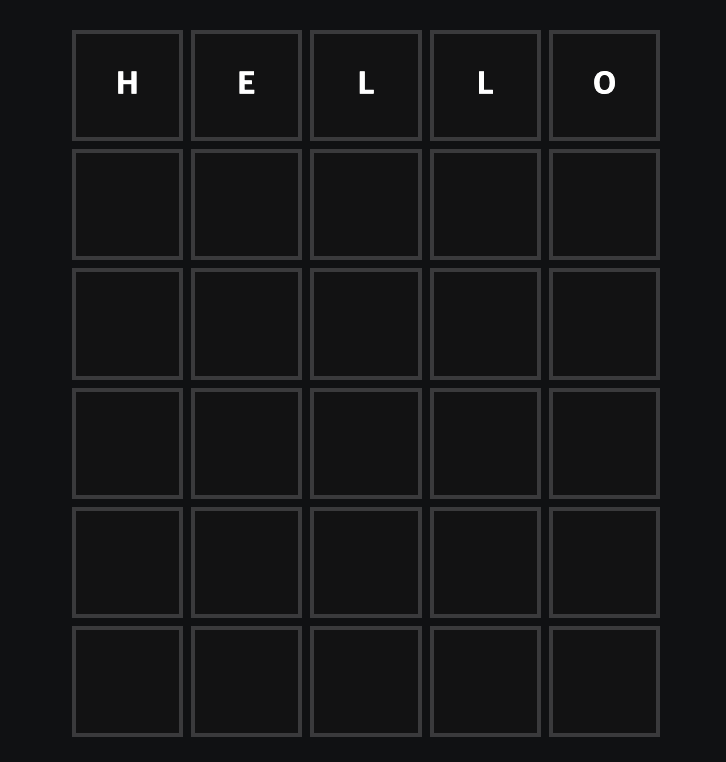
버튼을 클릭하면
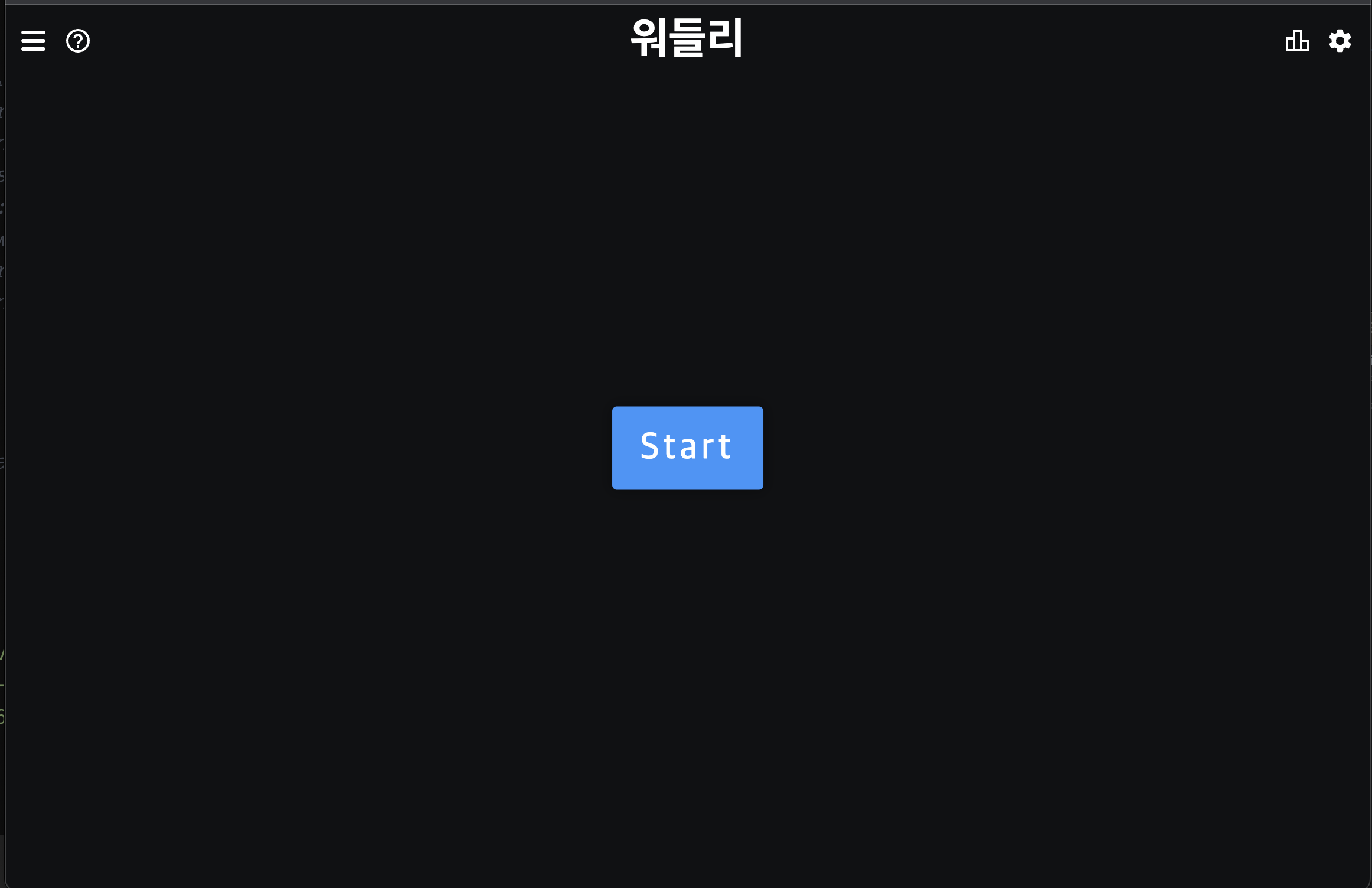
화면이 나온다.
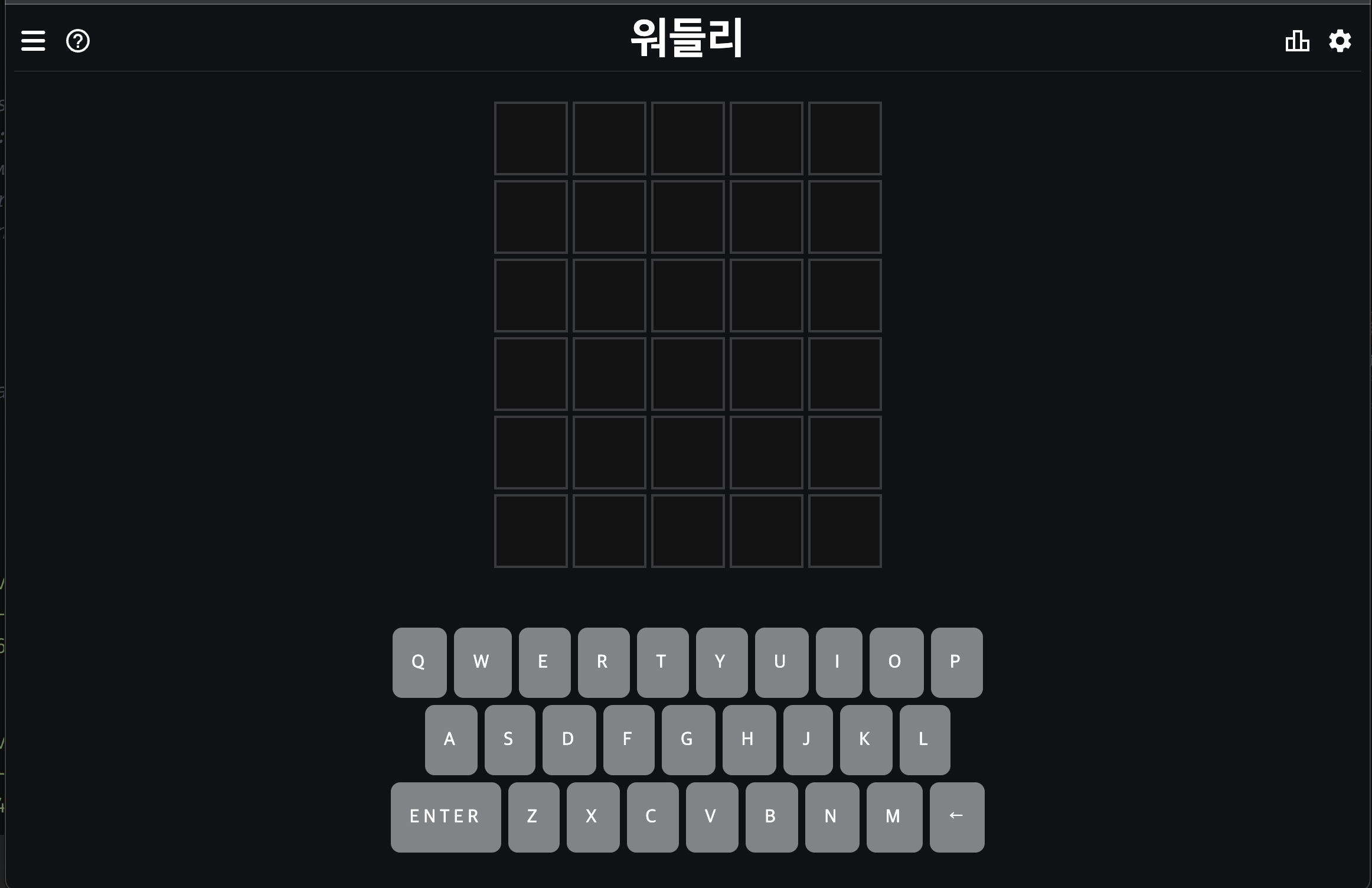
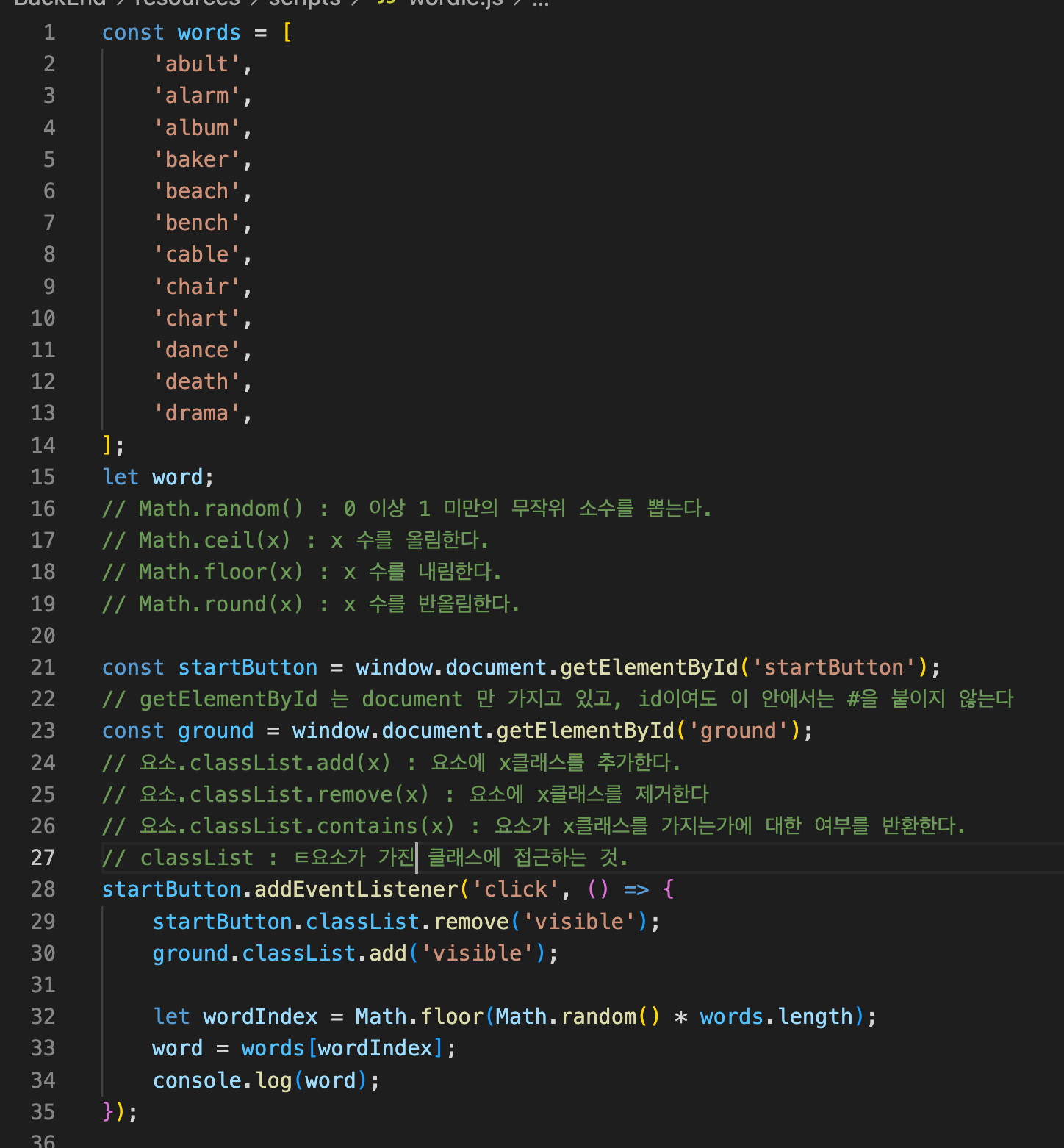
words라는 배열에 임의의 단어들을 배열로 만들었다.
Math.random()을 돌려줌으로써 클릭시 랜덤으로 단어가 지정되게 하였다.
Math.random()
: 0 이상 1 미만
0.0 ~ 0.99999999~
dataset
html 태그에 'data-어쩌고' 라고 되어있는 속성 값에는 '그 요소'.dataset['어쩌고'] 로 접근할 수 있다.
html에 data-message="Hello"라고 추가.
<div class="start-button visible" id="startButton" data-message="Hello">Start</div>
그리고 js 클릭이벤트 안에서 아래 내용 추가.
alert(startButton.dataset['message']);
이제 클릭 버튼을 눌러보면 alert가 뜬다.
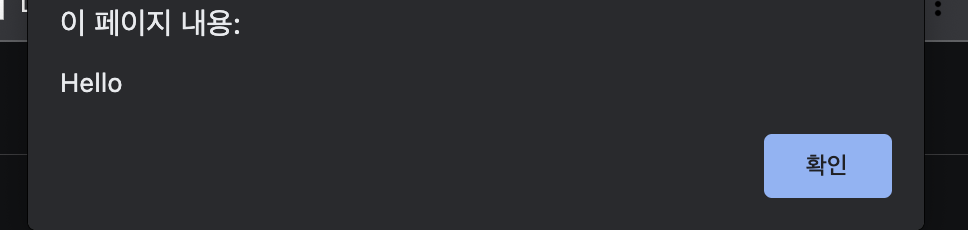
다음으로는 아래 내용 입력 후
startButton.dataset['key'] = 'value';
start버튼 클릭 후 개발자도구를 확인해보면 data-key="value" 내용이 추가됨.
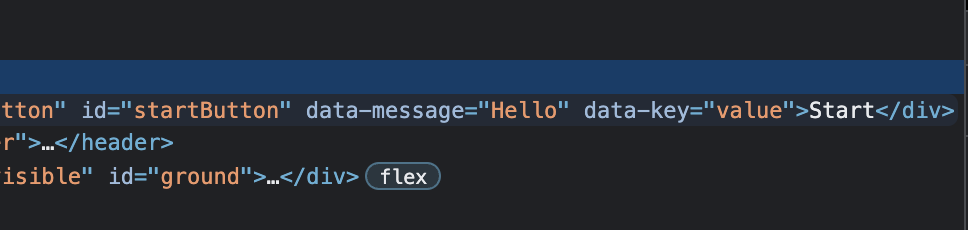
28개의 div에 data-key와 그 값을 넣어주었다.
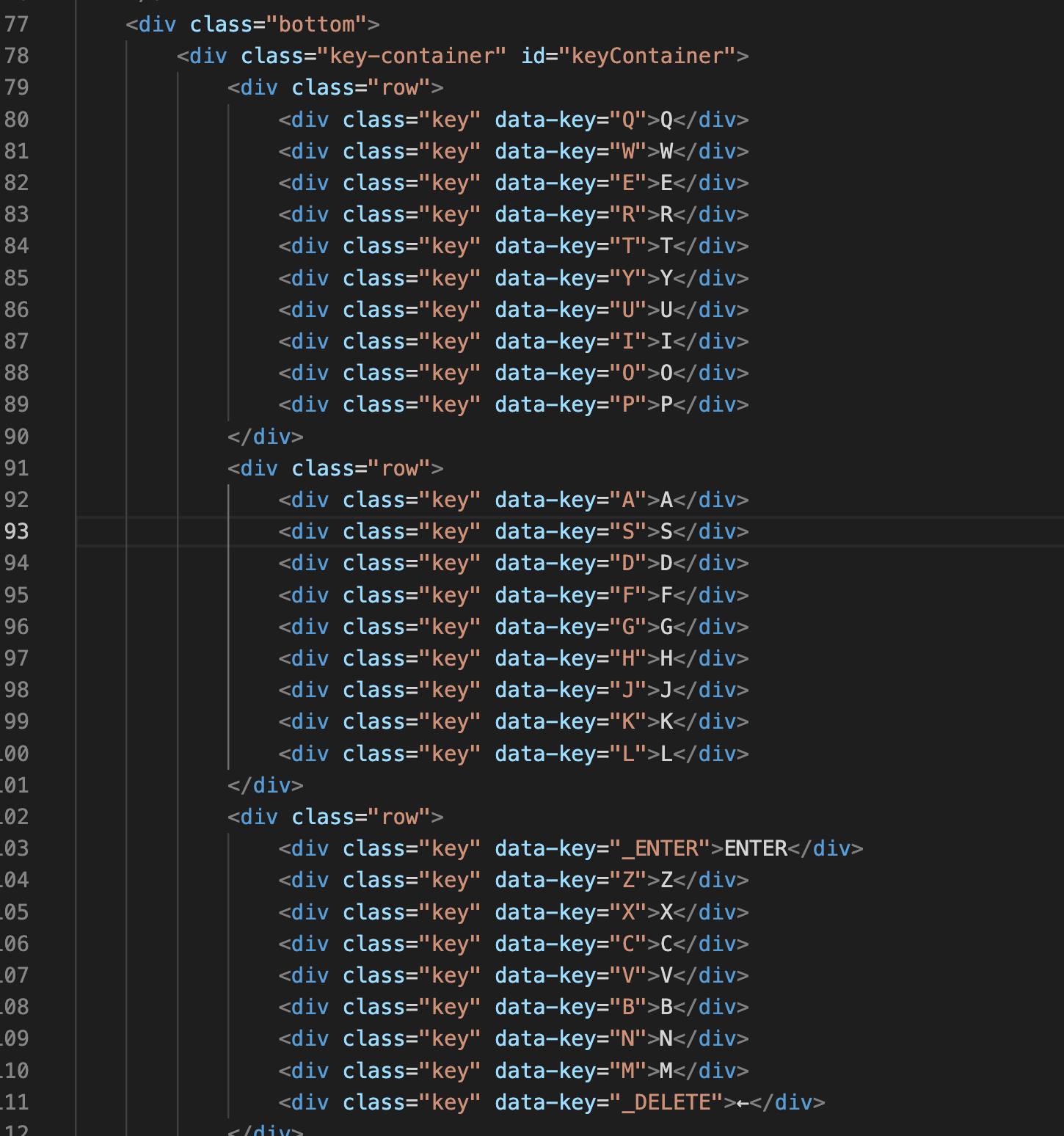
data-key를 잡아보니 그 자손이 다 호출되었다.

이를 forEach를 돌려 그 dataset의 key가 가지는 값을 호출한다.
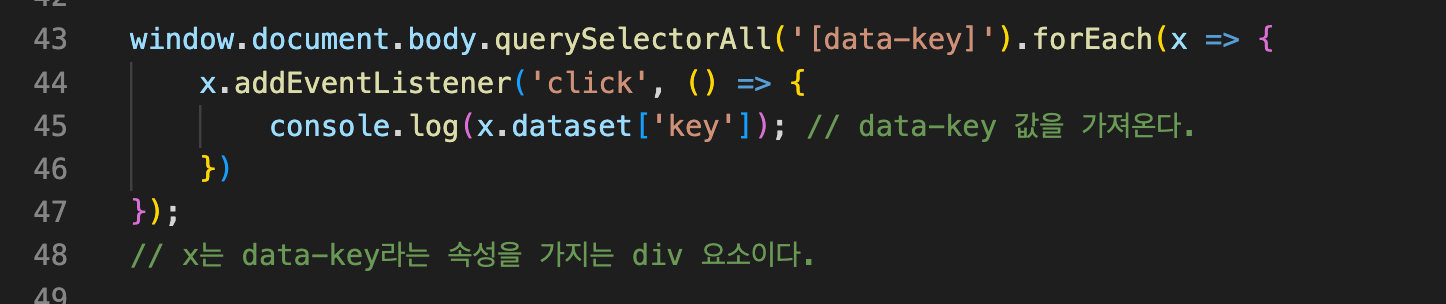
그럼 내가 누르는 키대로 찍히는 것을 확인할 수 있다.
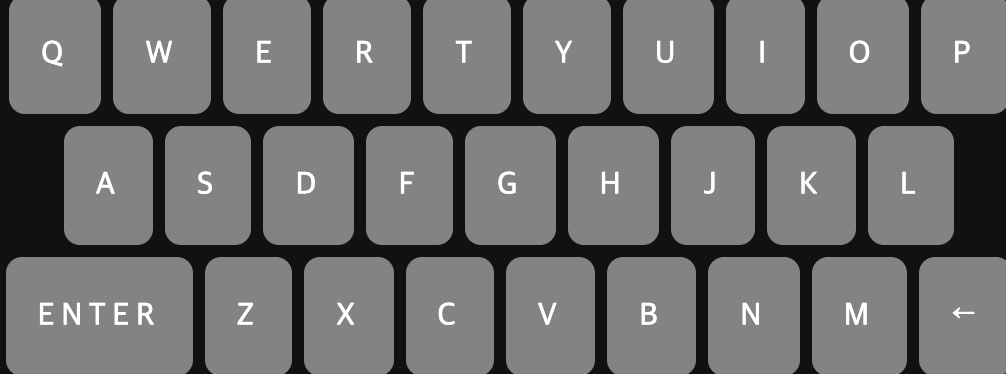
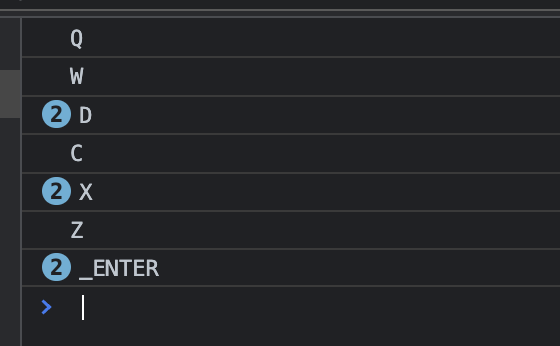
이제 알파벳을 클릭하면 차례대로 grid에 뜨게 해본다.
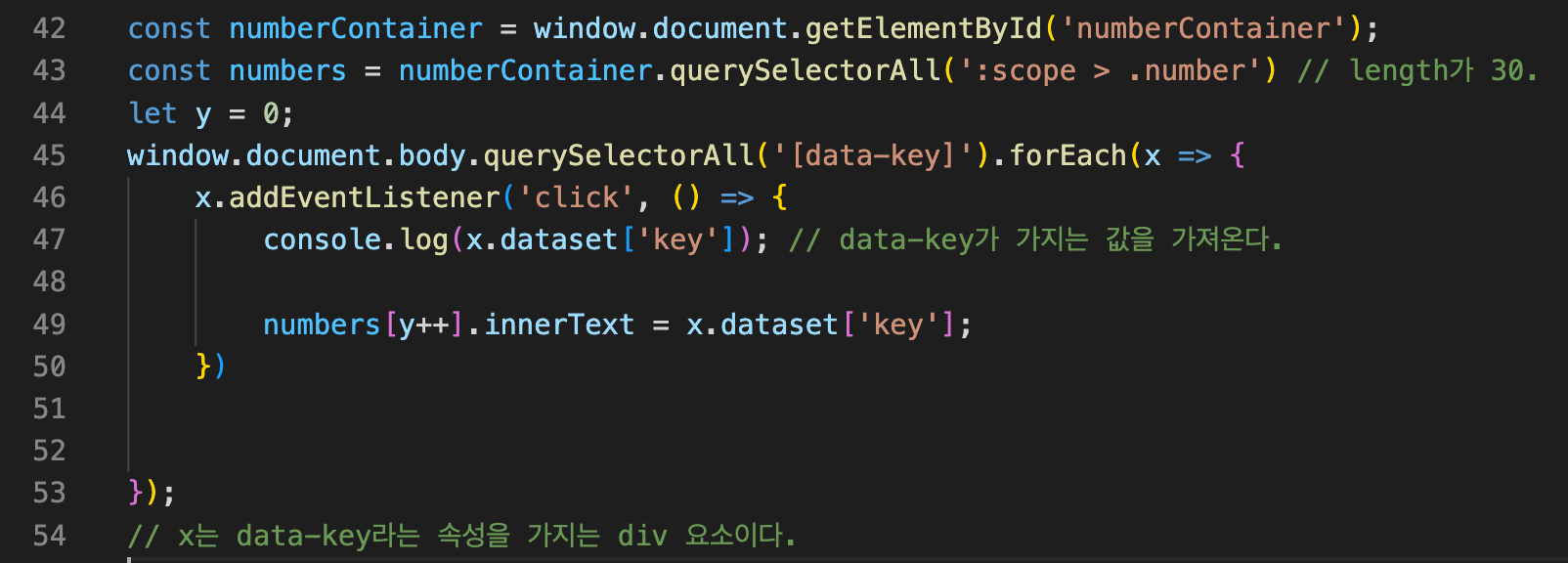
data-key의 value인 알파벳들을 클릭할 때마다 numbers[인덱스]가 증가하면 될 것.