
I. 목표
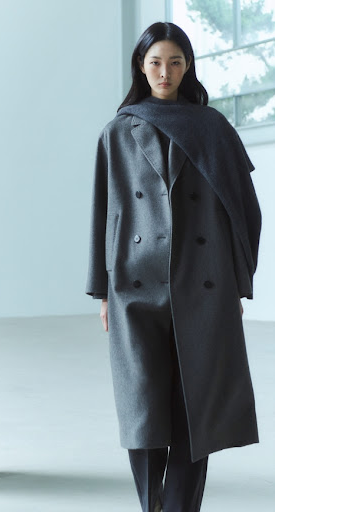
목표 1: 객체 (사람)를 이미지의 중앙으로 정렬하는 기능을 구현하고자 한다.
II. 구현 과정
1. 모델 선정
- ultralytics의 YOLOv5s 사전 훈련 모델을 사용한다.
yolov5_model = torch.hub.load('ultralytics/yolov5', 'yolov5s', pretrained=True)
2. OpenCV 이미지 생성
- 업로드된 원본 이미지의 메타 데이터에 있는 파일명으로부터 OpenCV 이미지 파일을 생성한다.
cimage = cv2.imread(uploaded_metadata['path'])
3. 객체 인식
1. 추론
def centerize_processed_image(cimage) -> Image.Image:
	results = yolov5_model(cimage)
2. 예측
-detection: | xmin | ymin | xmax | ymax | confidence | class | name |for detection in results.xyxy[0]: if int(detection[5]) == 0: # 0번: 사람 클래스 xmin, ymin, xmax, ymax = map(int, detection[:4])
4. 이미지 조작
1. 좌표 추출
		   # 이미지 너비, 높이 추출
           height, width = cimage.shape[0], cimage.shape[1]

           # 이미지 중앙 x 좌표 추출
           image_center_x = width // 2

           # 사람 중앙 x 좌표 추출
           person_center_x = (xmin + xmax) // 2
2. 이미지 조작
			# x축 방향으로 이동
            shift_x = image_center_x - person_center_x
            move = np.float32([[1, 0, shift_x], [0, 1, 0]])
            moved_image = cv2.warpAffine(cimage, move, (width, height)
3. 이미지 타입 변환
- OpenCV Image에서 PIL Image로 변환img = cv2.cvtColor(moved_image, cv2.COLOR_BGR2RGB) return Image.fromarray(img)
III. 결과
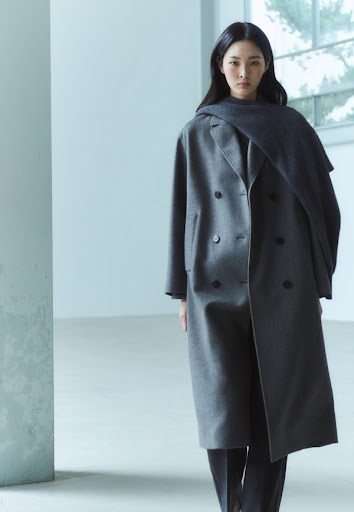
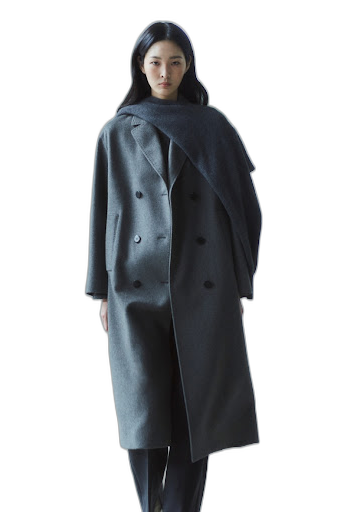
- 아래의 이미지처럼 원하는 결과를 얻을 수 있었다.
1. 원본 이미지
2. 중앙 배치 이미지
3. 배경 제거 이미지

시행착오는 성장의 밑거름입니다.