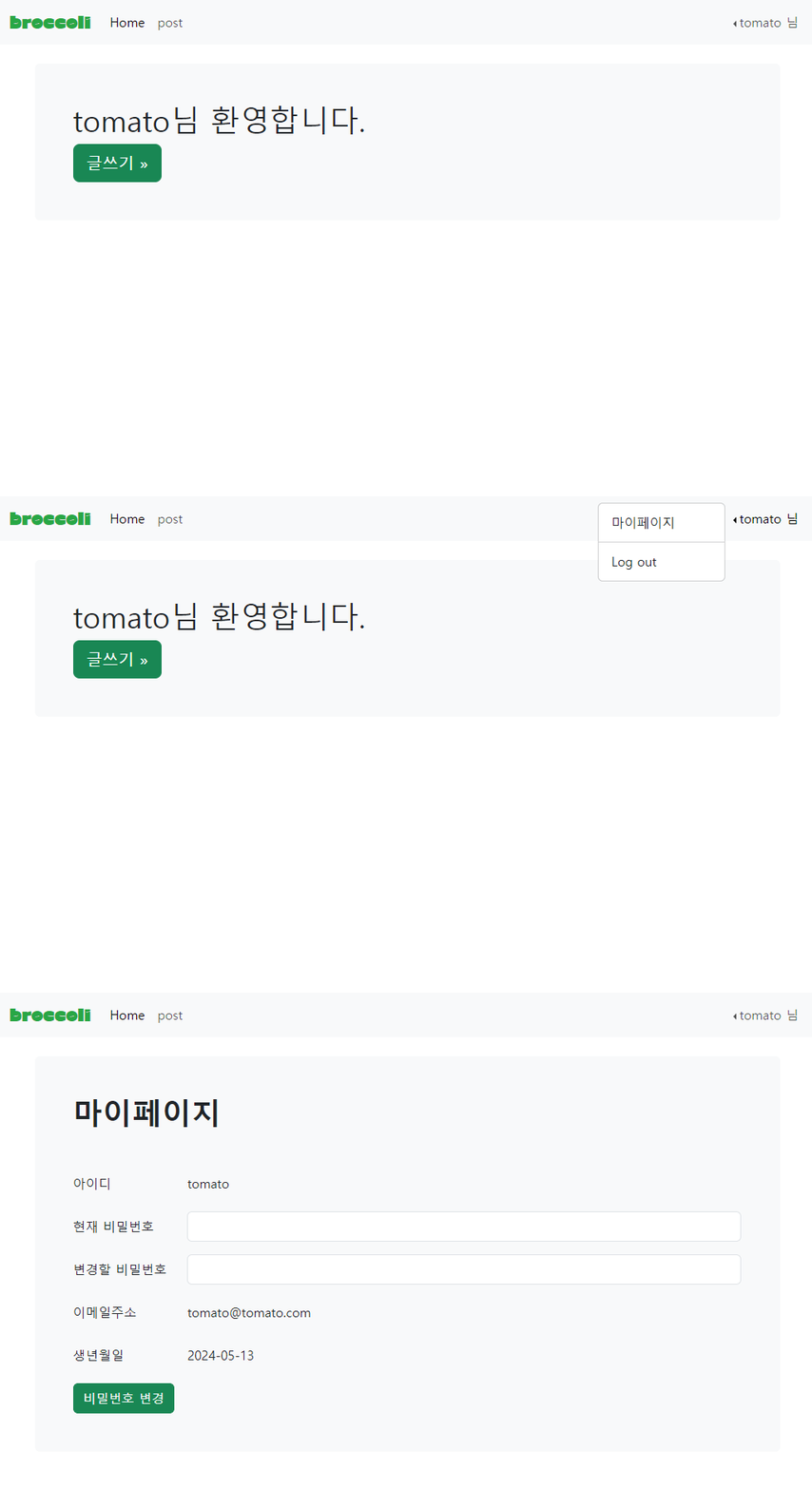
마이페이지를 구현해보자
내비게이션 바(nVtop.php)를 수정하고 mypage.php , mypage_proc.php을 생성할 것이다.
nVtop.php
1) 내비게이션 바에 드롭다운 만들기
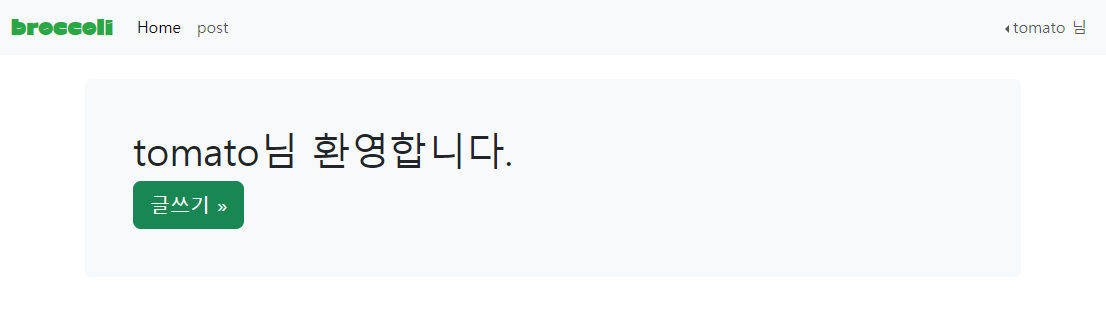
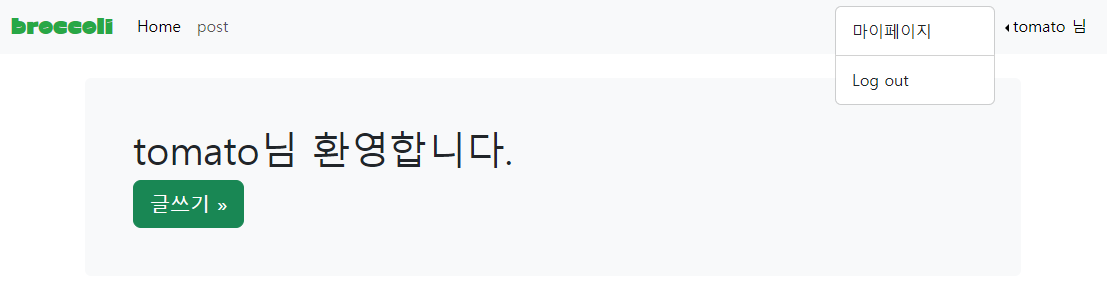
오른쪽 상단에서 아이디를 누르면 드롭다운이 나오게 만들어보자.
부트스트랩에서 적당한 드롭다운을 가져와서 수정해주자.
<ul class="navbar-nav ms-auto mb-2 mb-md-0 dropstart">
        <li class="nav-item dropdown">
          <a class="nav-link dropdown-toggle " data-bs-toggle="dropdown" href="#" role="button" aria-expanded="false"><?php
                echo $_SESSION['username'].' 님';
                ?></a>
          <ul class="dropdown-menu">
          <li><a class="dropdown-item" href="mypage.php">마이페이지</a></li>
          <li><hr class="dropdown-divider"></li>
          <li><a class="dropdown-item" href="logout.php">Log out</a></li>
          </ul>
        </li>
      </ul>
마이페이지를 누르면 mypage.php 로, Log out을 누르면 logout.php로 이동한다.
로그아웃 기능은 링크 참고.
mypage.php
1) 데이터 베이스 연결
     // 데이터베이스 연결 설정
      $servername = "localhost";
      $username = "root";
      $password = "";
      $dbname = "login_info";

      // 데이터베이스에 연결
      $conn = new mysqli($servername, $username, $password, $dbname);

      // 연결 확인
      if ($conn->connect_error) {
      die("연결 실패: " . $conn->connect_error);
      }
2) DB에서 정보 가져오기
이메일 정보 가져오기
$userid = $_SESSION['username'];

      //이메일 정보 가져오기
      $sql_email= "SELECT email FROM login_info WHERE id = ?";
      //SQLi방어를 위한 prepared Statement
      $stmt = $conn->prepare($sql_email);
      $stmt->bind_param('s', $userid);
      $stmt->execute();
      $result = $stmt->get_result();

    if ($result->num_rows > 0) {
        $user = $result->fetch_assoc();
        $email = $user['email'];

    } else {
        echo "User not found";
        exit;
    }
    //생년월일 정보 가져오기
    $sql_birth = "SELECT birth FROM login_info WHERE id = ?";
    //SQLi방어를 위한 prepared Statement
    $stmt_birth = $conn->prepare($sql_birth);
    $stmt_birth->bind_param('s', $userid);
    $stmt_birth->execute();
    $result_birth = $stmt_birth->get_result();

    if ($result_birth->num_rows > 0) {
        $user_birth = $result_birth->fetch_assoc();
        $birth = $user_birth['birth'];
    } else {
        echo "User not found";
        exit;
    }
SQLi 방어를 위해 Prepared Statement를 사용했다.
여기서 굳이 사용해야하나..? 싶긴한데 일단 넣었다.
3) 웹페이지 요소 구성
이것도 부트스트랩에서 적당한거 가져와서 값만 조금씩 수정했다.
<main class="container">
    <div class="bg-body-tertiary p-5 rounded">
        <h1 class="fw-bolder mb-5">마이페이지</h1>
<!--아이디-->
        <div class="mb-3 row">
            <label for="staticEmail" class="col-sm-2 col-form-label">아이디</label>
            <div class="col-sm-10">
            <input type="text" readonly class="form-control-plaintext" id="staticEmail" value="<?php echo $_SESSION['username'];?>">
            </div>
        </div>
<!--현재 비밀번호-->
    <form action="mypage_proc.php" method="post">
        <div class="mb-3 row">
            <label for="inputPassword" class="col-sm-2 col-form-label">현재 비밀번호</label>
            <div class="col-sm-10">
            <input type="password" class="form-control" name="old_pass" >
            </div>
        </div>
<!--변경할 비밀번호-->
        <div class="mb-3 row">
            <label for="inputPassword" class="col-sm-2 col-form-label">변경할 비밀번호</label>
            <div class="col-sm-10">
            <input type="password" class="form-control" name= "new_pass" >
            </div>
        </div>

<!--이메일-->
        <div class="mb-3 row">
            <label for="staticEmail" class="col-sm-2 col-form-label">이메일주소</label>
            <div class="col-sm-10">
            <input type="text" readonly class="form-control-plaintext" id="staticEmail" value="<?php echo $email;?>">
            </div>
        </div>
<!--생년월일-->
        <div class="mb-3 row">
            <label for="staticBirth" class="col-sm-2 col-form-label">생년월일</label>
            <div class="col-sm-10">
            <input type="text" readonly class="form-control-plaintext" id="staticBirth" value="<?php echo $birth?;>">
            </div>
        </div>

        <button type="submit" class="btn btn-success">비밀번호 변경</button>
        </form>
    </div>
mypage_proc.php
1) 비밀번호 입력값 가져오기
	$old_pass = $_POST['old_pass'];
	$new_pass = $_POST['new_pass'];
    $userid = $_SESSION['username'];

    // sha256으로 현재 비밀번호 해시화
    $old_pass_hash = hash('sha256', $old_pass);
현재 비밀번호 ($old_pass) 랑 변경할 비밀번호($new_pass) 받아오기.
회원정보 DB에 저장할때 sha256으로 해시처리 했으므로 비교를 위해 입력한 현재 비밀번호를 해시처리 해주자.
2) 비밀번호 변경하기
// sha256으로 현재 비밀번호 해시화
    $old_pass_hash = hash('sha256', $old_pass);

    // 현재 비밀번호 확인
    $sql_check = "SELECT PW FROM login_info WHERE id = ?";
    $stmt_check = $conn->prepare($sql_check);
    $stmt_check->bind_param('s', $userid);
    $stmt_check->execute();
    $result_check = $stmt_check->get_result();

    if ($result_check->num_rows == 1) {
        $row = $result_check->fetch_assoc();
        $stored_pass_hash = $row['PW'];

        // 현재 비밀번호가 일치하는지 확인
        if ($old_pass_hash === $stored_pass_hash) {
            $new_pass_hash = hash('sha256', $new_pass);

            // 비밀번호 업데이트
            $sql_update = "UPDATE login_info SET PW = ? WHERE id = ?";
            $stmt_update = $conn->prepare($sql_update);
            $stmt_update->bind_param('ss', $new_pass_hash, $userid);

            if ($stmt_update->execute()) {
                echo "<script>alert('비밀번호 변경에 성공했습니다. 다시 로그인 해주세요.');</script>";
                session_unset(); // 모든 세션 변수 제거
                session_destroy(); // 세션 파괴
                echo "<script>window.location.href = 'index.html';</script>"; // 로그인 페이지로 리디렉션
            } else {
                echo "<script>alert('비밀번호 변경에 실패했습니다. 다시 시도해주세요.');</script>";
                echo "<script>window.location.href = 'mypage.php';</script>";
            }
        } else {
            echo "<script>alert('비밀번호가 일치하지 않습니다. 다시 시도해주세요.');</script>";
            echo "<script>window.location.href = 'mypage.php';</script>";
        }
    } else {
        echo "<script>alert('비밀번호가 일치하지 않습니다. 다시 시도해주세요.');</script>";
        echo "<script>window.location.href = 'mypage.php';</script>";
    }

    $stmt_check->close();
    $stmt_update->close();
    $conn->close();


    exit;
여기도 SQLi 방어를 위해 Prepared Statement 처리.
세션으로 가져온 아이디에 해당하는 비밀번호가 마이페이지에서 입력한 현재 비밀번호와 일치하면
변경할 비밀번호를 sha256으로 해시화 한 후 DB에 있는 비밀번호를 업데이트한다.
비밀번호 변경에 성공하면 세션을 파괴해 로그아웃 후 재로그인 해야한다.
현재 비밀번호와 DB에 있는 비밀번호가 일치하지 않으면 경고창을 출력하고 mypage.php로 리다이렉트 한다.