
import 'package:flutter/material.dart';

void main() {
  runApp(const MyApp());
}

class MyApp extends StatelessWidget {
  const MyApp({super.key});

  @override
  Widget build(BuildContext context) {
    return MaterialApp(
      title: 'Flutter Demo',
      theme: ThemeData(
        colorScheme: ColorScheme.fromSeed(seedColor: Colors.deepPurple),
        useMaterial3: true,
      ),
      home: const MainScreen2(),
    );
  }
}

class MainScreen extends StatelessWidget {
  const MainScreen({super.key});

   @override
  Widget build(BuildContext context) {
    return Scaffold(appBar: AppBar(title: Text('나의 첫 앱'),),body: Text('안녕하세요'),);
  }
}
class MainScreen2 extends StatefulWidget {
  const MainScreen2({super.key});

  @override
  State<MainScreen2> createState() => _MainScreen2State();
}

class _MainScreen2State extends State<MainScreen2> {
  String msg='정은하';
  @override
  void initState() {

    //3초 뒤에 메세지 변경
    super.initState();
    Future.delayed(Duration(seconds:3),(){
      setState(() {
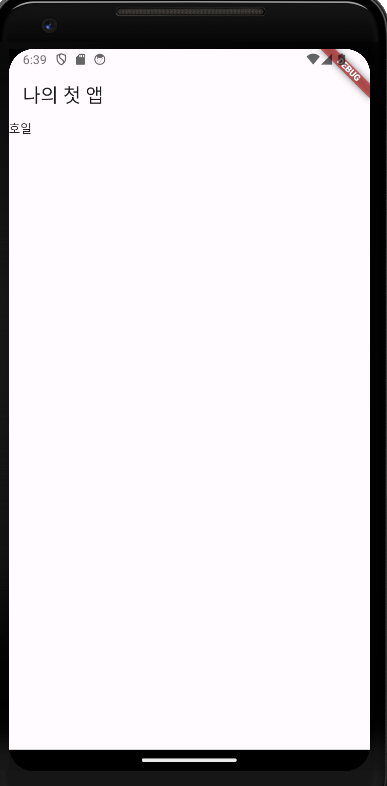
         msg='호일';
      });

    },);
  }
  @override
  Widget build(BuildContext context) {
    return Scaffold(appBar: AppBar(title: Text('나의 첫 앱'),),body: Text(msg),);
  }
}
Stateless Widget: 한 번 생성되면 내부 데이터나 상태를 변경할 수 없음, UI를 그리기 위한 정보만 가짐
Stateful Widget: 상태를 가지는 위젯, 사용자 상호 작용 또는 다른 이벤트에 따라 상태를 변경할 수 있음

If you remain stagnant, you won't achieve anything