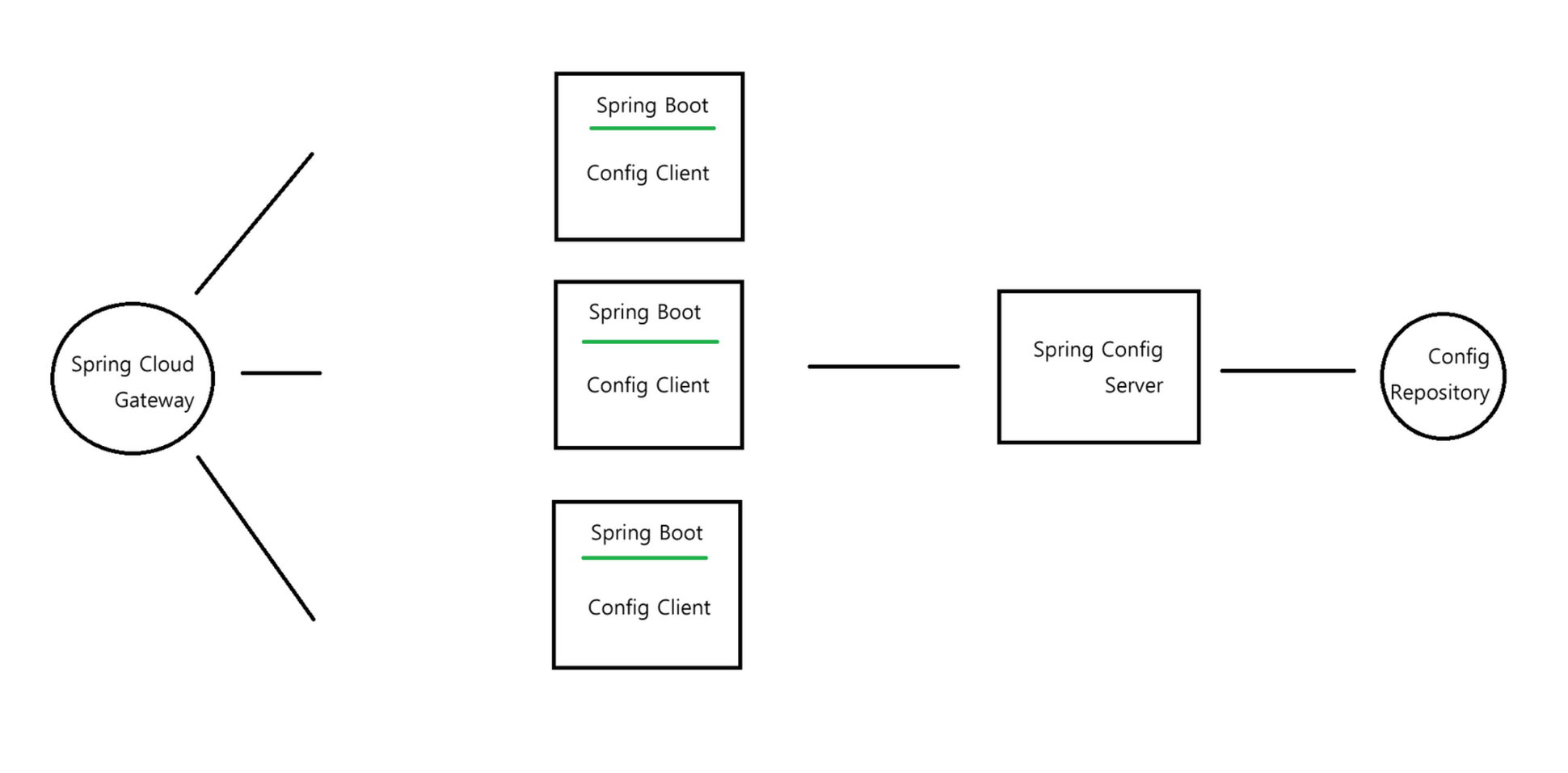
Config 저장소의 종류
- Git Service, RDB, Document NoSQL, Redis, File, Vault 등등
Git 저장소 사용법
- GitHub Repository 생성
- 비공개
- 설정 파일 생성
- 파일명 규칙 : 이름-환경.properties / 이름-환경.yml
- 대시(-)로 구분자를 넣어야 하고, 환경은 dev, prod 와 같은 특정 환경을 명시
- Repository 외부 접속을 위한 비대칭 키 생성
ssh-keygen -m PEM -t rsa -b 4096 -C "코멘트(계정명 넣어도 됨)"명령어 입력 후 enter 계속 해주면 됨
생성이 완료되면 /사용자/.ssh 경로에 생성 됨
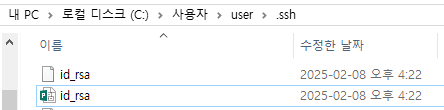
public 키 내용을 복사해서 깃허브 레파지토리에 등록
- public 키 등록
- 생성한 레파지토리 -> Settings -> Deploy keys -> Add Deploy key
Config Server 설정
-
Config 저장소 주소와 접속 private 키 준비
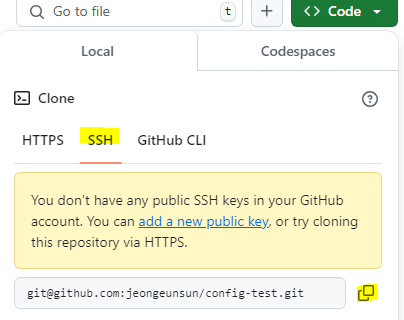
-
비대칭키 중 private 키 내용 가져오기
cat 키이름
프로젝트 생성, 의존성 추가
https://start.spring.io/
config server, spring security 필수 !
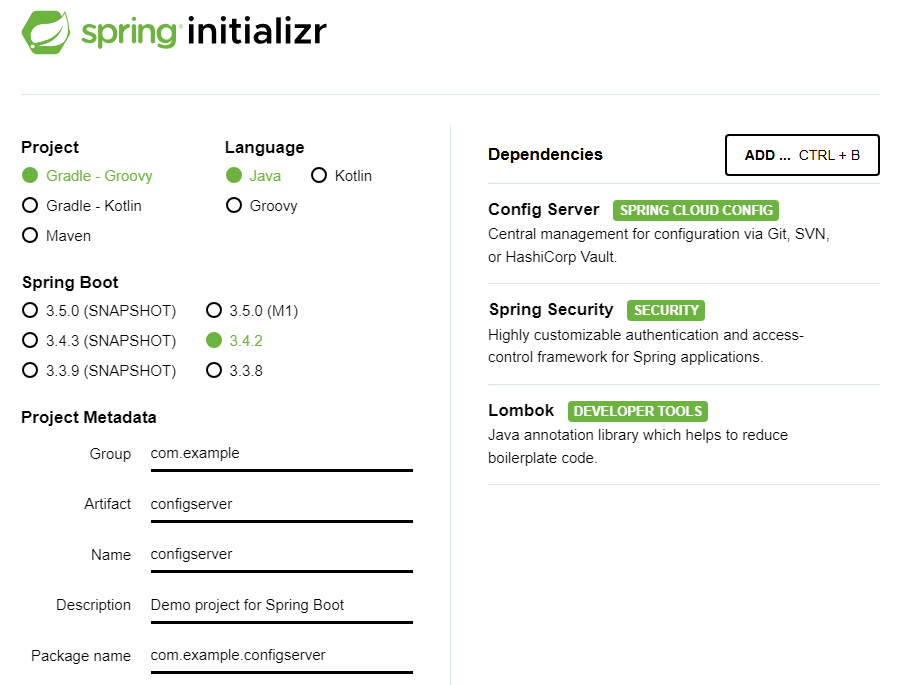
Main 클래스 어노테이션 등록
@EnableConfigServer
Config 저장소 연결
application.properties
server.port=9000

spring.cloud.config.server.git.uri=주소
spring.cloud.config.server.git.ignoreLocalSshSettings=true
spring.cloud.config.server.git.private-key=비밀키내용
아 요기 비밀키 내용은 -----BEGIN RSA PRIVATE KEY----- 이렇게 시작하는데 줄바꿈마다 \n\을 직접 써줘야 한다..
와 근데 귀찮아서 gpt한테 써달라하고 복붙했었는데 계속 privatekey 잘못됬다고 해서 직접 쓰니까 해결됬다 아오 !
Config 서버 시큐리티 설정
기본적으로 Config Client와 Config Server간 통신시 내부망을 사용하지만 추가적인 보안을 위해 HttpBasic 보안 설정을 권장한다. 따라서 Security Config 설정을 통해 모든 경로에 대해서 HttpBasic 보안 설정을 진행
@Configuration
@EnableWebSecurity
public class SecurityConfig {
    @Bean
    public BCryptPasswordEncoder bCryptPasswordEncoder(){
        return new BCryptPasswordEncoder();
    }

    @Bean
    public SecurityFilterChain filterChain(HttpSecurity http) throws Exception{
        http
                .csrf((auth)-> auth.disable());
        http
                .authorizeHttpRequests((auth) -> auth.anyRequest().authenticated());
        http
                .httpBasic(Customizer.withDefaults());
        return http.build();
    }

    @Bean
    public UserDetailsService userDetailsService() {
        UserDetails user1 = User.builder()
                .username("admin")
                .password(bCryptPasswordEncoder().encode("1234"))
                .roles("ADMIN")
                .build();

        return new InMemoryUserDetailsManager(user1);
    }
}
접근 주소
- 설정 정보 데이터를 얻기 위해 Config Client가 Config Server에 접근하는 주소는 아래와 같다
http://ip:port/이름/환경
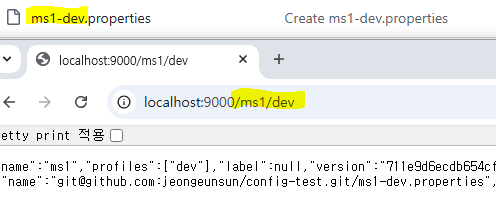
다음은 Config 클라이언트 설정부터..

passionate !!