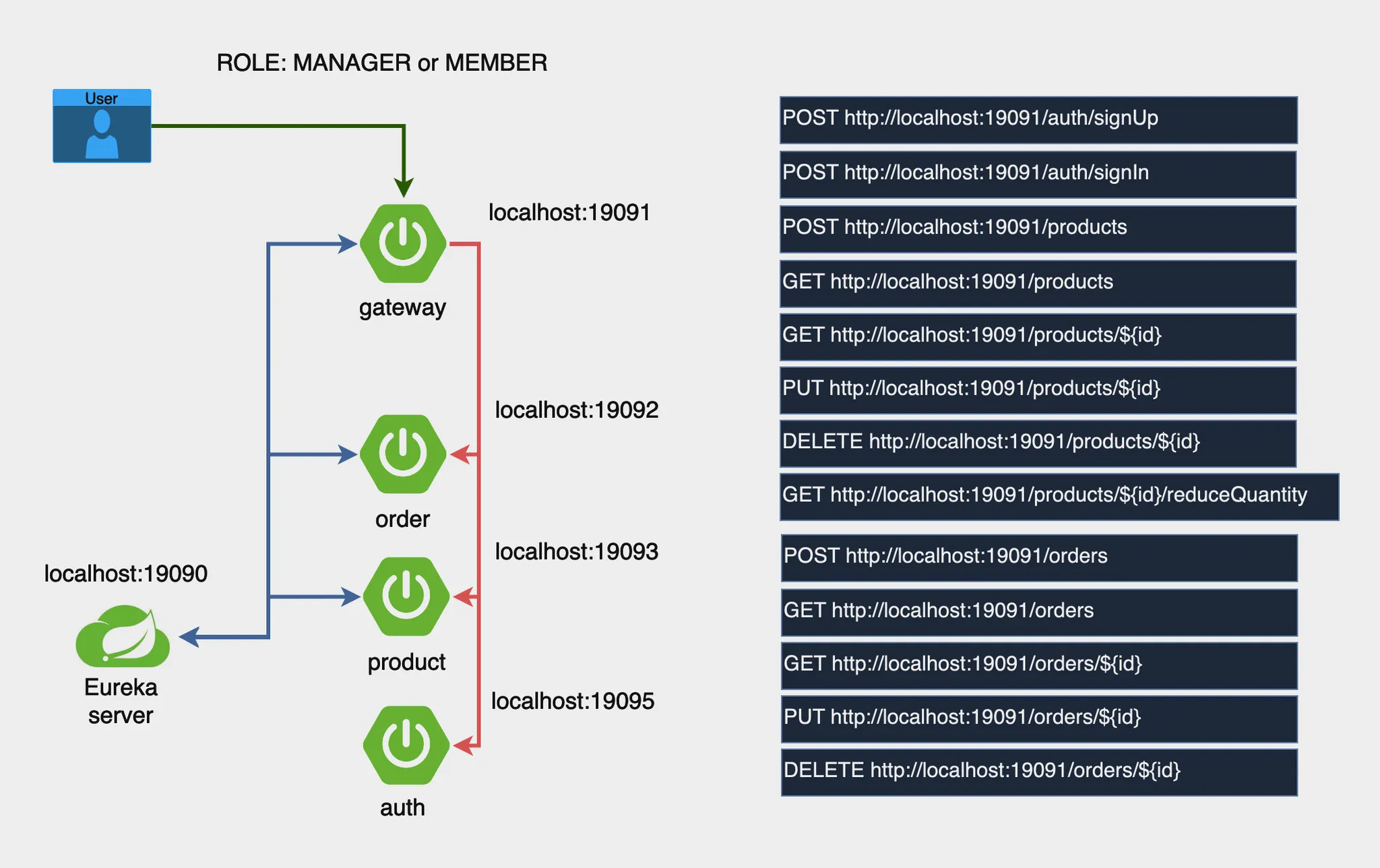
혼자서 해보라고 내주신 MSA 프로젝트 실습 과제 두둥..
개발 순서
- 프로젝트 생성 - MSA 구조
- Eureka Server 구현
- Gateway 추가
- Auth 서버 , Product 서버, Order 서버 개발
- 통합테스트 및 동작 확인
프로젝트 생성
- Eureka Server
- Artifact : eureka-server
- dependencies : Eureka Server, Spring Web
- Gateway
- Artifact : gateway
- dependencies : Spring Cloud Gateway, Eureka Discovery Client, Spring Boot Actuator
- Auth
- Artifact : auth-service
- dependencies : Spring Web, Spring Security, Eureka Discovery Client, Spring Boot Actuator, Spring Data JPA, MySQL Driver
- Product
- Artifact : product-service
- dependencies : Spring Web, Eureka Discovery Client, Spring Boot Actuator, Spring Data JPA, MySQL Driver
- Order
- Artifact : order-service
- dependencies : Spring Web, Eureka Discovery Client, Spring Boot Actuator, Spring Data JPA, MySQL Driver
application.yml 파일 작성
- Eureka Server
server:
  port: 19090

spring:
  application:
    name: eureka-server

eureka:
  client:
    register-with-eureka: false
    fetch-registry: false
  server:
enable-self-preservation: false- Gateway
server:
  port: 19091

spring:
  application:
    name: gateway

eureka:
  client:
    service-url:
defaultZone: http://localhost:19090/eureka/- Auth, Product, Order 공통 설정
spring:
  datasource:
    url: jdbc:mysql://localhost:3306/msa_project
    driver-class-name: com.mysql.cj.jdbc.Driver
    username: root
    password: wjd9160827

eureka:
  client:
    service-url:
      defaultZone: http://localhost:19090/eureka
    register-with-eureka: true #유레카 서버에 등록할지 여부
fetch-registry: true #유레카 서버의 정보를 가져올지 여부-
Eureka Server 실행
@EnableEurekaServer어노테이션 EurekaServerApplication에 추가
http://localhost:19090/로 접속해 Eureka 대시보드 확인! -
Gateway 등록 및 라우팅 설정
spring:
  cloud:
    gateway:
      routes:
        - id: product-service
          uri: lb://product-service
          predicates:
            - Path=/products/**
        - id: order-service
          uri: lb://order-service
          predicates:
            - Path=/orders/**
        - id: auth-service
          uri: lb://auth-service
          predicates:
- Path=/auth/**- Auth, Product, Order 초기 API 작성
@RestController
@RequestMapping("/auth")
public class AuthController {
    @GetMapping("/check")
    public String check() {
        return "Auth Service is running!";
    }
}-
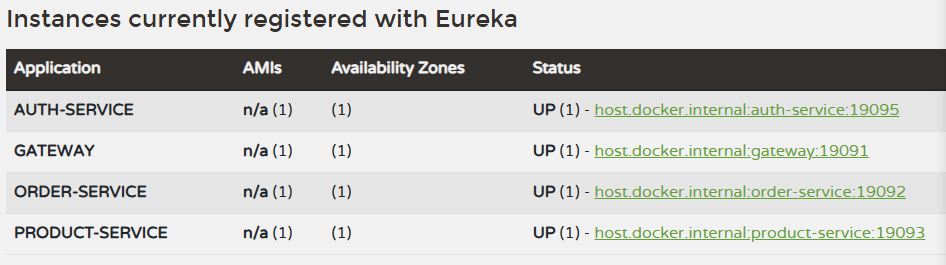
각 서비스 Eureka에 등록되었는지 확인
-
Gateway를 통해 라우팅 테스트
http://localhost:19091/를 통해 마이크로서버 노출 잘 되는지 확인! - 성공!
GitHub 레포지토리 연결
- 각 서비스 디렉토리가 있는 곳으로 이동해서 Git 초기화
git init - GitHub 레포지토리 연결
git remote add origin https://github.com/username/msa-projects.git - 모든 파일 Git 추가 후 커밋
git add .
git commit -m "init commit" - GitHub에 푸시
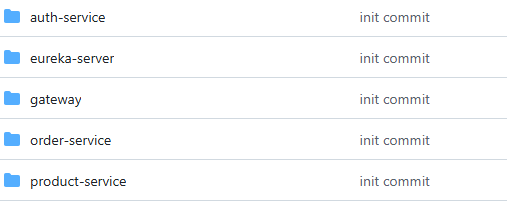
git push -u origin master - 확인
passionate !!