언리얼의 온라인 서브시스템을 이용하여 리슨서버에 클라이언트를 접속시키겠습니다.
세션을 오픈하고, 세션 검색 및 검색 결과로 나타난 세션에 참가하는 것까지 다뤄보겠습니다.
Online Subsystem Steam (OSS Steam)
온라인 서브시스템 (Online Subsystem, OSS)
온라인 서브시스템이란 간단하게 말하면 매칭이나 리더보드와 같은 온라인 기능을 스팀이나 PSN 등 여러 플랫폼에서 동작하는 기능을 인터페이스로 묶어 플랫폼 구분 없이 간단하게 구현이 가능한 플러그인을 말합니다.
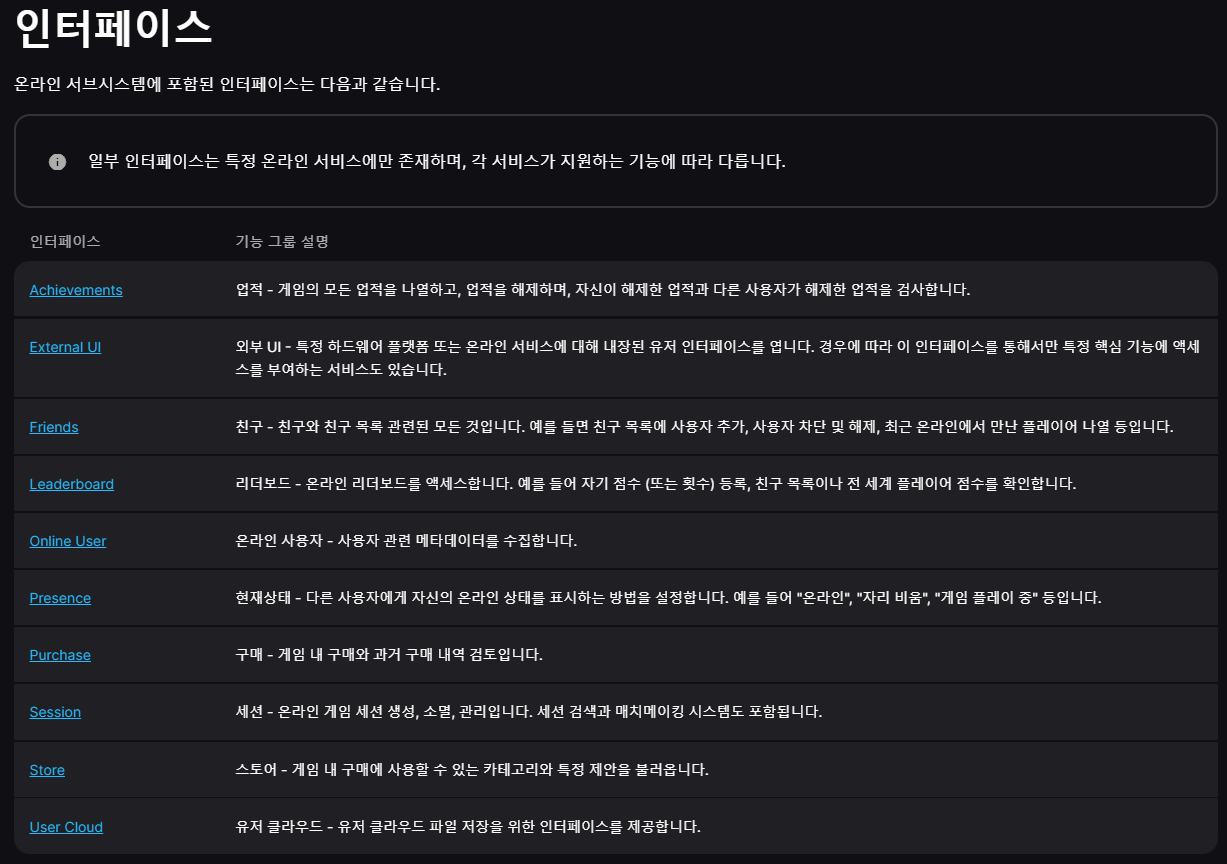
OSS에선 아래와 같은 기능이 인터페이스로 제공되고 있네요.
저는 이 중 Session 인터페이스를 이용하여 리슨서버에서 세션을 생성하고 클라이언트에서 세션에 접속하는 걸 구현해보겠습니다.
환경 세팅
OSS Steam 문서를 보면 Steamworks SDK를 설치하라고 하는데 접속 테스트만 하는 경우엔 필요하지 않았으니 참고하시길 바랍니다.
Steamworks 개발자 등록도 필요없습니다.
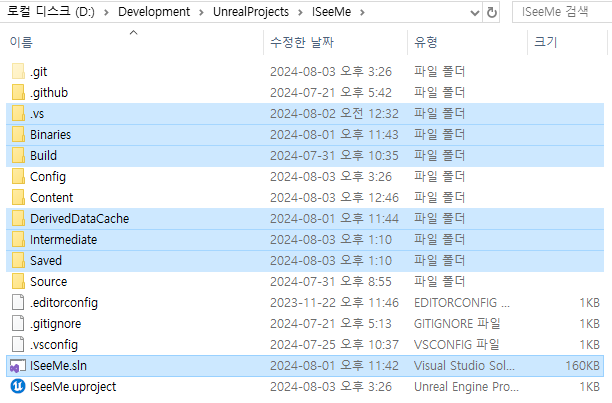
빌드 파일 제거
먼저 사진에 선택되어있는 것처럼 프로젝트를 빌드 할 때 생성되는 임시 파일들을 제거해줍니다.
환경을 세팅하고 빌드를 새로 해줘야하는데 혹시 모를 충돌이 일어나지 않도록 깔끔하게 해줍시다.
DefaultEngine.ini 파일
Config 폴더 내에 있는 DefaultEngine.ini 파일에 아래 텍스트를 복사해 넣습니다.
세미콜론은 주석이라 빼고 넣으셔도 됩니다.
; NetDriverDefinitions: 아래 프로퍼티로 들어오는 넷 드라이버를 설명
; 1. DefName: 넷 드라이버 정의 고유 이름
; 2. DriverClassName: 주요 넷 드라이버의 클래스 이름
; 3. DriverClassNameFallBack: 주요 넷 드라이버 클래스의 초기화에 실패한 경우 사용할 예비 넷 드라이버의 클래스 이름
[/Script/Engine.GameEngine]
+NetDriverDefinitions=(DefName="GameNetDriver",DriverClassName="OnlineSubsystemSteam.SteamNetDriver",DriverClassNameFallback="OnlineSubsystemUtils.IpNetDriver")

; 언리얼 엔진이 Online Subsystem Steam을 사용하도록 설정
[OnlineSubsystem]
DefaultPlatformService=Steam

; OnlineSubsystemSteam 모듈 환경설정
[OnlineSubsystemSteam]
bEnabled=true
SteamDevAppId=480 ; 테스트용 App ID
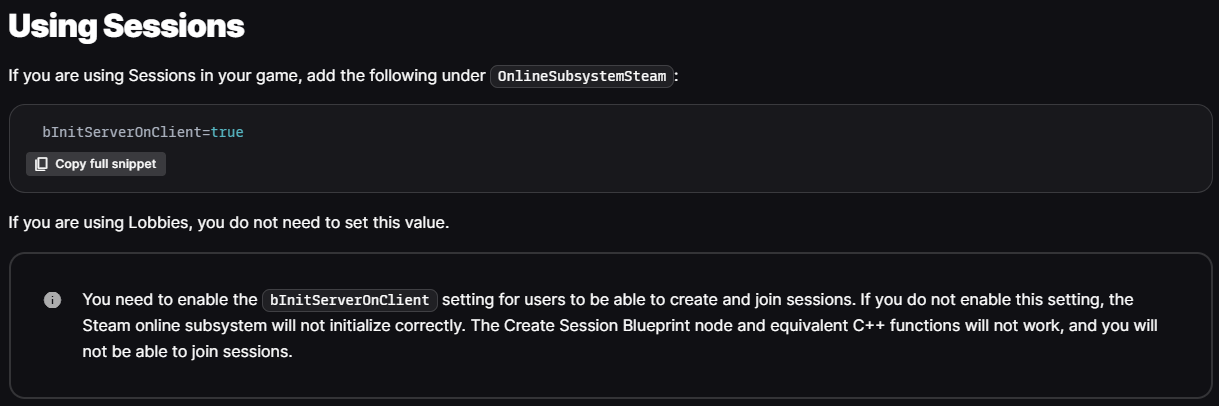
bInitServerOnClient=true ; 세션 사용

; 애플리케이션 연결을 위한 넷 드라이버에 Steam 클래스를 지정
[/Script/OnlineSubsystemSteam.SteamNetDriver]
NetConnectionClassName="OnlineSubsystemSteam.SteamNetConnection"- 테스트용 App ID를 480으로 하는 이유는 아래와 같습니다.
특이한 건 테스트 시 "SpaceWar"라는 이름으로 게임이 실행되었습니다.

한글 문서엔 왜 빠졌는지 모르겠지만세션을 사용을 위한 세팅에 대해서도 설명해주고 있습니다.
모듈 추가
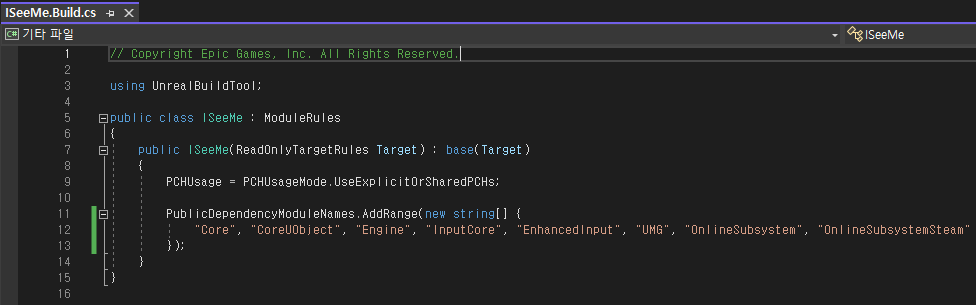
Source 폴더 내에 있는 {프로젝트명}.Build.cs에서 PublicDependencyModuleNames에
OnlineSubsystem과 OnlineSubsystemSteam를 추가해줍니다.
플러그인 추가
이제 uproject 파일을 우클릭하여 Generate Visual Studio project files로 프로젝트 파일을 만들고 솔루션(sln) 파일에서 프로젝트를 빌드하여 에디터를 실행합니다.
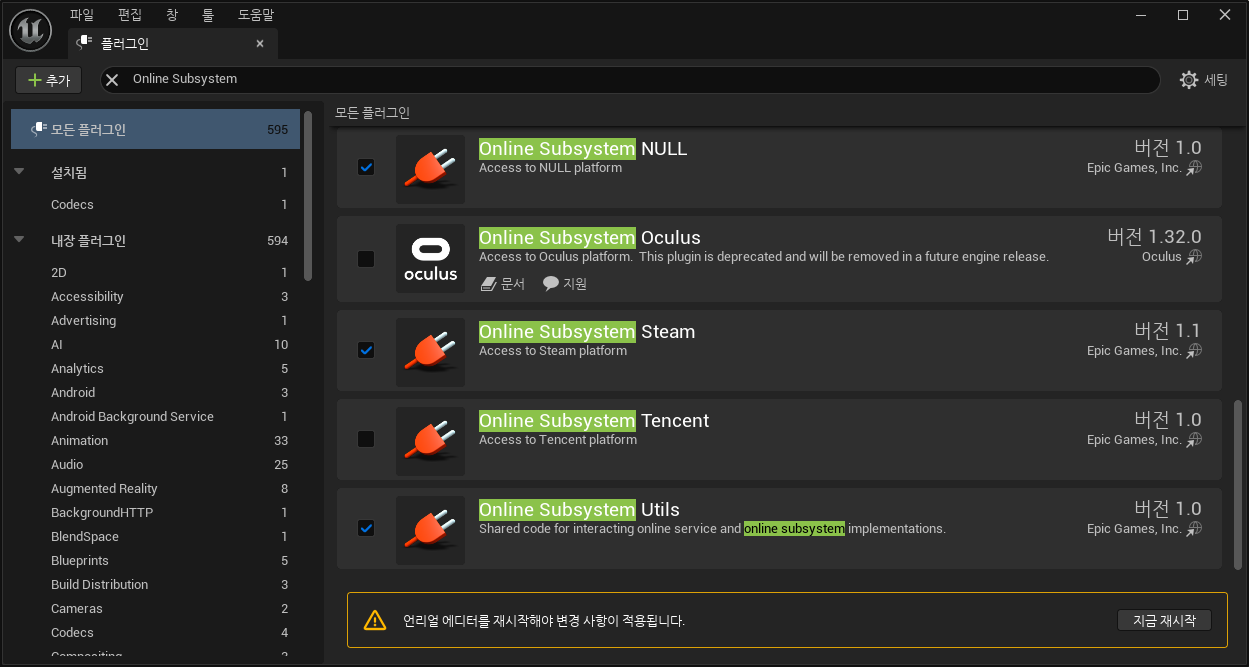
'편집 - 플러그인'을 선택 후 Online Subsystem Steam을 찾아 체크 후 에디터를 종료합니다.
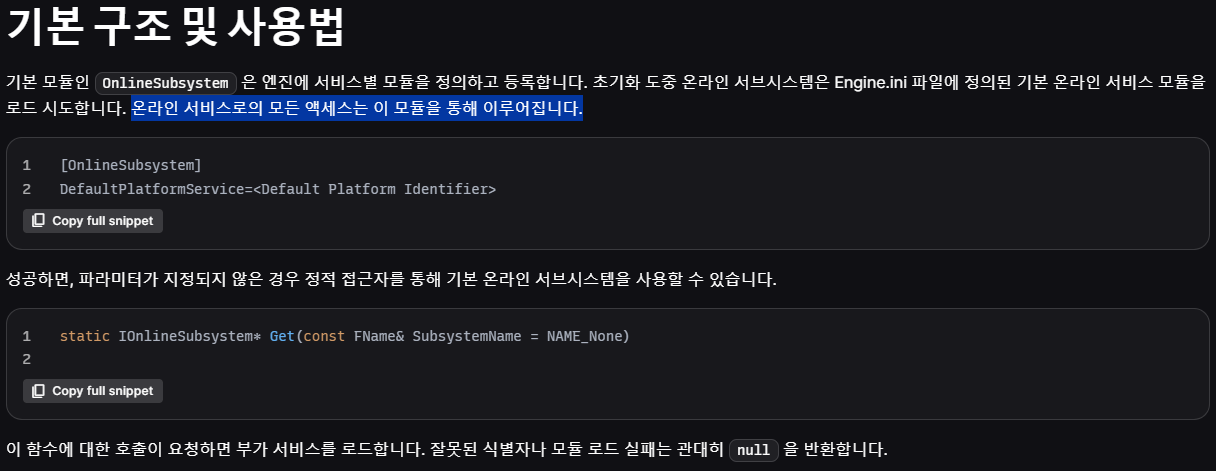
온라인 서브시스템의 세션
문서에 들어가시면 번역이 안되어 놀랄 수 있는데 영어 부분이 제거가 안된거니 안심하고 스크롤을 내려도 됩니다.
구현을 시작하기 앞서 삼인칭 템플릿 프로젝트에서 로비를 구현한 프로젝트에서 진행하려고 합니다.
로비 구현은 깃허브 커밋을 참고해주세요.
https://github.com/dnjfs/ISeeMe/commit/6d8eac67a8f58122934838e3d06fa797c82462b0가볍게 설명하자면 EntryMap이란 레벨을 만들어 게임의 기본 맵으로 설정하여 로비 컨트롤러에 로비 UI를 띄웠습니다.
로비에서 호스팅 버튼을 클릭하면 리슨서버로 레벨을 오픈하고, 참가 버튼을 클릭하면 입력한 IP주소로 접속을 요청합니다. (블루프린트 구현)
온라인 서브시스템 인터페이스 가져오기
OSS 인터페이스 가져오기
IOnlineSubsystem::Get() 함수로 아까 DefaultEngine.ini의 DefaultPlatformService에 세팅한 모듈을 로드한다고 합니다.
또한 세션 인터페이스는 OSS 인터페이스를 통해 접근할 수 있습니다.
코드
로비에서 사용할 PlayerController를 상속받은 ISMLobbyController 클래스를 추가하여 해당 컨트롤러에서 구현하려고 합니다.
플레이어 컨트롤러는 서버에 플레이어 수만큼 존재하여 각 플레이어에게 할당되어 있으므로 세션을 생성하고 참가하는데 가장 적절하다고 생각했습니다.
- ISMLobbyController.h
// 화면 로깅용 매크로
#define	LOG_SCREEN(Format, ...) \
	if (GEngine)\
		GEngine->AddOnScreenDebugMessage(-1, 10.f, FColor::Red, FString::Printf(TEXT(Format), ##__VA_ARGS__))

UCLASS()
class ISEEME_API AISMLobbyController : public APlayerController
{
	GENERATED_BODY()

protected:
	virtual void BeginPlay() override;
};- ISMLobbyController.cpp
#include "OnlineSubsystem.h" // 온라인 서브시스템 사용을 위해 포함

void AISMLobbyController::BeginPlay()
{
	Super::BeginPlay();

	if (IOnlineSubsystem* OSS = IOnlineSubsystem::Get())
		LOG_SCREEN("SubsystemName: %s", *OSS->GetSubsystemName().ToString());
}
테스트
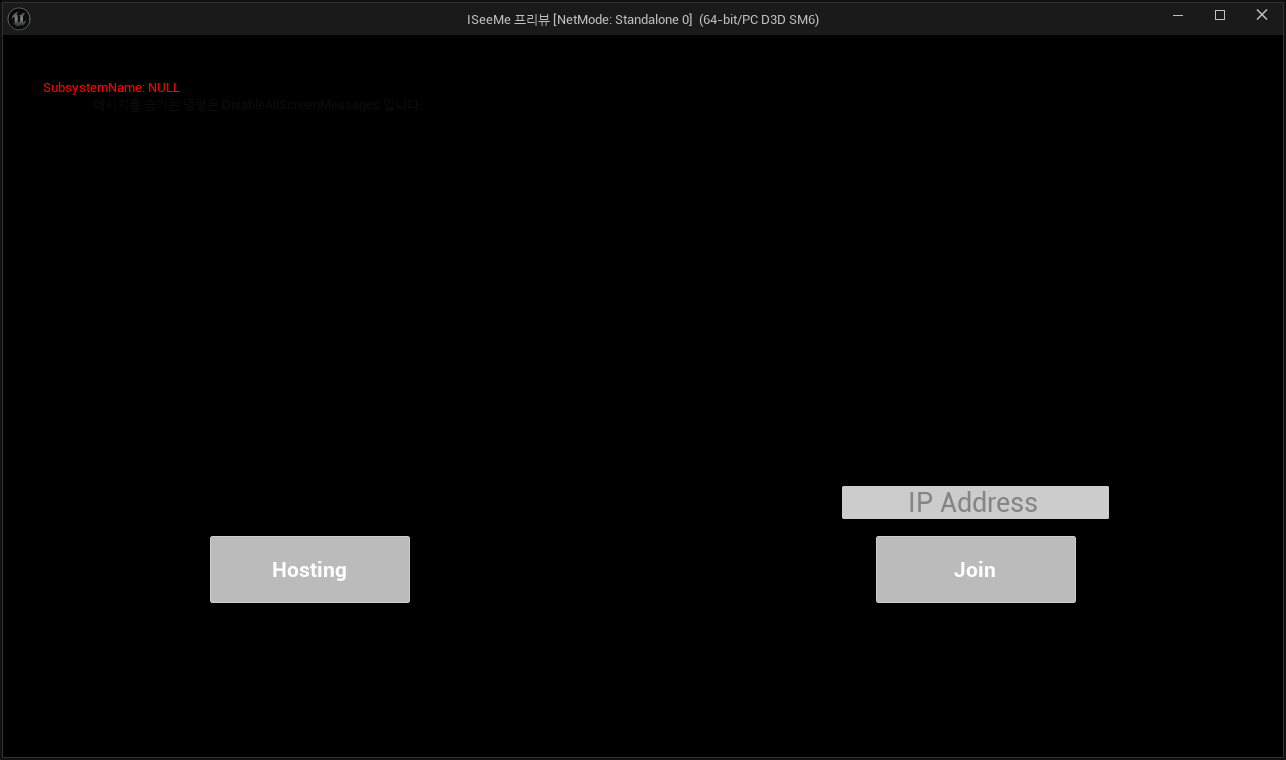
신나게 코드를 작성하고 에디터에서 바로 실행하면 OSS 인터페이스가 nullptr은 아니니 화면에 로그는 나타나지만 SubsystemName이 NULL로 나왔습니다.
테스트 환경을 제대로 세팅하지 않아서 그런건데 몇가지만 지키면 테스트가 가능합니다.
- 테스트 환경
- 스팀 클라이언트가 실행된 상태
- NetMode는 StandAlone
- 독립형 게임으로 실행 (혹은 패키징 된 프로그램으로 실행)
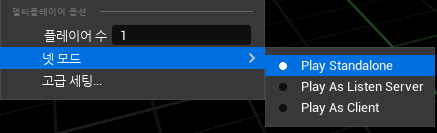
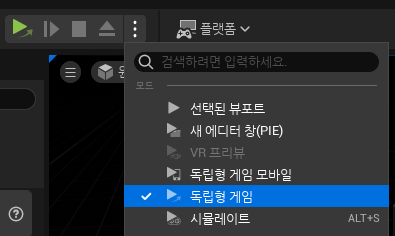
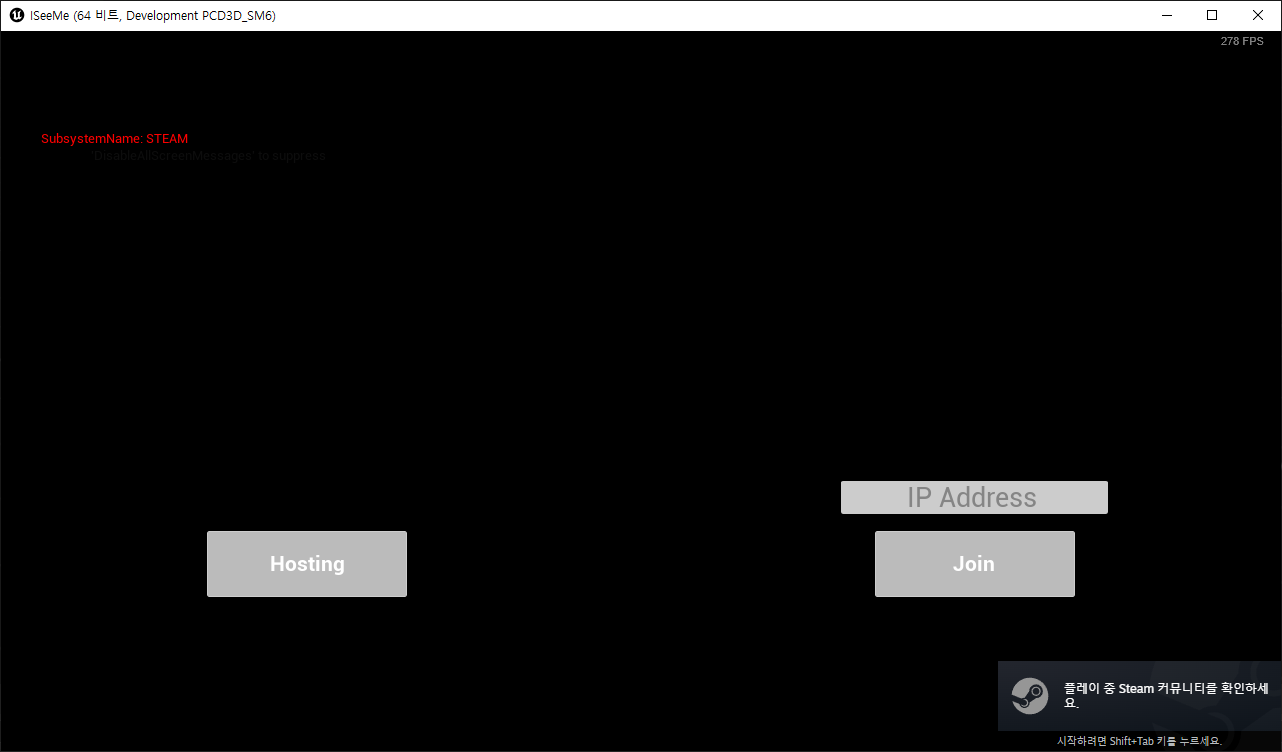
SubsystemName이 정상적으로 "STEAM"으로 출력되고 우측 하단에 스팀 레이아웃이 나타나는 것도 확인할 수 있습니다.
[Shift + Tab]으로 현재 스팀에 로그인 한 계정의 Steam 커뮤니티 창도 열 수 있습니다.
세션 인터페이스로 세션 생성하기
세션 인터페이스 가져오기
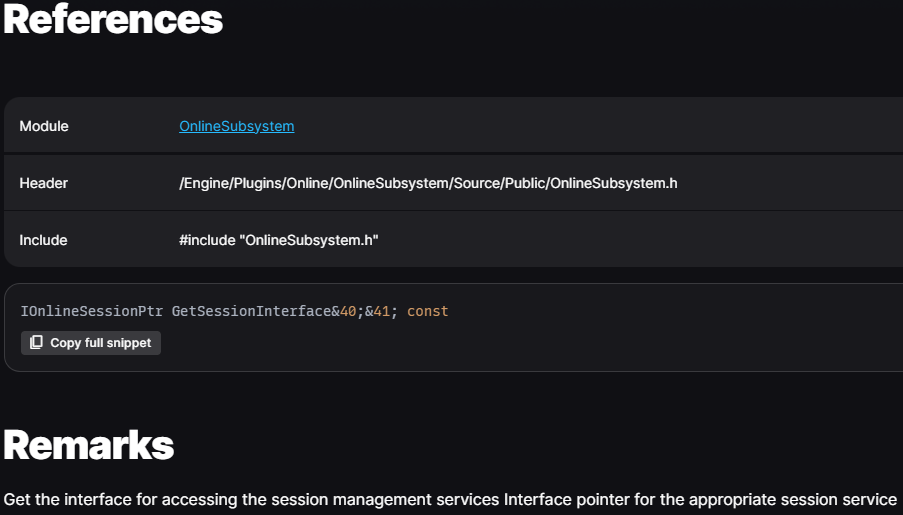
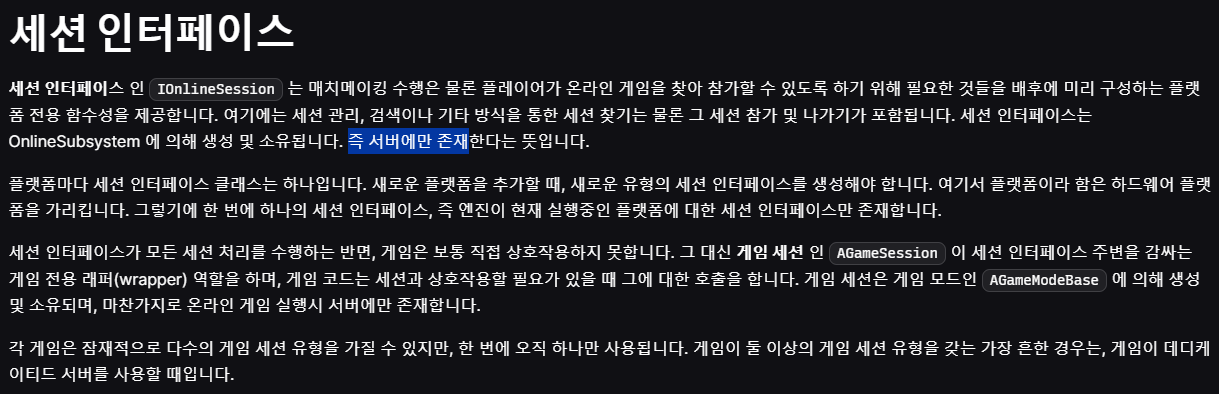
IOnlineSubsystem::GetSessionInterface() 함수로 IOnlineSessionPtr 타입의 세션 인터페이스의 포인터를 받아올 수 있습니다.
OSS 인터페이스를 가져온 이후 주의할 건 세션 인터페이스는 서버에만 존재합니다.
당연하지만 Authority가 없는 클라이언트에선 호출하지 않도록 주의합시다.
세션 생성
플레이어가 세션을 생성하기 위해서는 IOnlineSession::CreateSession() 함수를 이용하면 됩니다.
세션 생성 완료 시 OnCreateSessionComplete 델리게이트가 발동된다고 하네요.

더 자세히 알아보고 싶었는데 IOnlineSessionPtr 레퍼런스 문서를 찾아봐도 별다른 설명이 없어 엔진 코드에서 직접 찾아왔습니다.
- OnlineSessionInterface.h
인터페이스라 그런지 순수 가상 함수로 선언이 되어있어 실제 내부 구현은 "FOnlineSessionSteam" 클래스에서 인터페이스를 상속받아 구현하고 있습니다.
실제로 FOnlineSessionSteam::CreateSession() 성공 시 TriggerOnCreateSessionCompleteDelegates()로 델리게이트를 발동시키고 있었습니다.
너무 깊이 들어가면 어지러우니 여기까지
/**
 * Creates an online session based upon the settings object specified.
 * NOTE: online session registration is an async process and does not complete
 * until the OnCreateSessionComplete delegate is called.
 *
 * @param HostingPlayerId the index of the player hosting the session
 * @param SessionName the name to use for this session so that multiple sessions can exist at the same time
 * @param NewSessionSettings the settings to use for the new session
 *
 * @return true if successful creating the session, false otherwise
 */
virtual bool CreateSession(const FUniqueNetId& HostingPlayerId, FName SessionName, const FOnlineSessionSettings& NewSessionSettings) = 0;

/**
* Delegate fired when a session create request has completed
*
* @param SessionName the name of the session this callback is for
* @param bWasSuccessful true if the async action completed without error, false if there was an error
*/
DEFINE_ONLINE_DELEGATE_TWO_PARAM(OnCreateSessionComplete, FName, bool);
코드
- ISMLobbyController.h
#include "Interfaces/OnlineSessionInterface.h" // 세션 인터페이스 사용을 위해 포함

DECLARE_DELEGATE_TwoParams(FOnCreateSessionCompleteDelegate, FName /*SessionName*/, bool /*bWasSuccessful*/);

UCLASS()
class ISEEME_API AISMLobbyController : public APlayerController
{
...

	AISMLobbyController();

// Online Subsystem
protected:
	bool GetSessionInterface();

// Online Subsystem
protected:
	bool GetSessionInterface();

	UFUNCTION(BlueprintCallable)
	void CreateSession();

	void OnCreateSessionComplete(FName SessionName, bool bWasSuccessful);

private:
	IOnlineSessionPtr OnlineSessionInterface;

	FOnCreateSessionCompleteDelegate CreateSessionComplete;
};- ISMLobbyController.cpp
AISMLobbyController::AISMLobbyController()
	: CreateSessionComplete(FOnCreateSessionCompleteDelegate::CreateUObject(this, &ThisClass::OnCreateSessionComplete))
{
}

void AISMLobbyController::BeginPlay()
{
	...

	if (GetSessionInterface() == false)
	{
		LOG_SCREEN("Failed GetSessionInterface()");
		return;
	}
}

bool AISMLobbyController::GetSessionInterface()
{
	IOnlineSubsystem* OSS = IOnlineSubsystem::Get();
	if (OSS == nullptr)
		return false;

	LOG_SCREEN("SubsystemName: %s", *OSS->GetSubsystemName().ToString());

	OnlineSessionInterface = OSS->GetSessionInterface();
	if (OnlineSessionInterface.IsValid() == false)
		return false;

	return true;
}

void AISMLobbyController::CreateSession()
{
	// NAME_GameSession 이름의 세션이 존재하는지 검사하여 파괴
	if (FNamedOnlineSession* ExistingSession = OnlineSessionInterface->GetNamedSession(NAME_GameSession))
	{
		OnlineSessionInterface->DestroySession(NAME_GameSession);
		LOG_SCREEN("Destroy session: %s", NAME_GameSession);
	}

	// 델리게이트 연결
	OnlineSessionInterface->AddOnCreateSessionCompleteDelegate_Handle(CreateSessionComplete);

	TSharedPtr<FOnlineSessionSettings> SessionSettings = MakeShareable(new FOnlineSessionSettings());
	SessionSettings->NumPublicConnections = 2;		// 허용되는 플레이어 수
	SessionSettings->bShouldAdvertise = true;		// 광고되는 세션인지 개인 세션인지
	SessionSettings->bAllowJoinInProgress = true;	// 세션 진행중에 참여 허용
	SessionSettings->bIsLANMatch = false;			// LAN에서만 실행되고 외부 공개되지 않음
	SessionSettings->bIsDedicated = false;			// 데디케이티드 서버인지 (리슨 서버가 아닌지)
	SessionSettings->bUsesPresence = true;			// Presence 사용 (유저 정보에 세션 정보를 표시하는듯)
	SessionSettings->bAllowJoinViaPresence = true;	// Presence를 통해 참여 허용
	SessionSettings->bUseLobbiesIfAvailable = true; // 플랫폼이 지원하는 경우 로비 API 사용

	// 세션 생성
	if (const ULocalPlayer* LocalPlayer = GetWorld()->GetFirstLocalPlayerFromController())
		OnlineSessionInterface->CreateSession(*LocalPlayer->GetPreferredUniqueNetId(), NAME_GameSession, *SessionSettings);
}

void AISMLobbyController::OnCreateSessionComplete(FName SessionName, bool bWasSuccessful)
{
	if (!bWasSuccessful)
	{
		LOG_SCREEN("Failed CreateSession()");
		return;
	}

	LOG_SCREEN("Successful CreateSession()");
}
- OnlineSessionSettings.h
FOnlineSessionSettings 멤버의 자세한 설명은 해당 헤더에서 확인할 수 있습니다./** * Container for all settings describing a single online session */ class ONLINESUBSYSTEM_API FOnlineSessionSettings { public: /** The number of publicly available connections advertised */ int32 NumPublicConnections; /** The number of connections that are private (invite/password) only */ int32 NumPrivateConnections; /** Whether this match is publicly advertised on the online service */ bool bShouldAdvertise; /** Whether joining in progress is allowed or not */ bool bAllowJoinInProgress; /** This game will be lan only and not be visible to external players */ bool bIsLANMatch; /** Whether the server is dedicated or player hosted */ bool bIsDedicated; /** Whether the match should gather stats or not */ bool bUsesStats; /** Whether the match allows invitations for this session or not */ bool bAllowInvites; /** Whether to display user presence information or not */ bool bUsesPresence; /** Whether joining via player presence is allowed or not */ bool bAllowJoinViaPresence; /** Whether joining via player presence is allowed for friends only or not */ bool bAllowJoinViaPresenceFriendsOnly; /** Whether the server employs anti-cheat (punkbuster, vac, etc) */ bool bAntiCheatProtected; /** Whether to prefer lobbies APIs if the platform supports them */ bool bUseLobbiesIfAvailable; /** Whether to create (and auto join) a voice chat room for the lobby, if the platform supports it */ bool bUseLobbiesVoiceChatIfAvailable; /** Manual override for the Session Id instead of having one assigned by the backend. Its size may be restricted depending on the platform */ FString SessionIdOverride; ... };
테스트
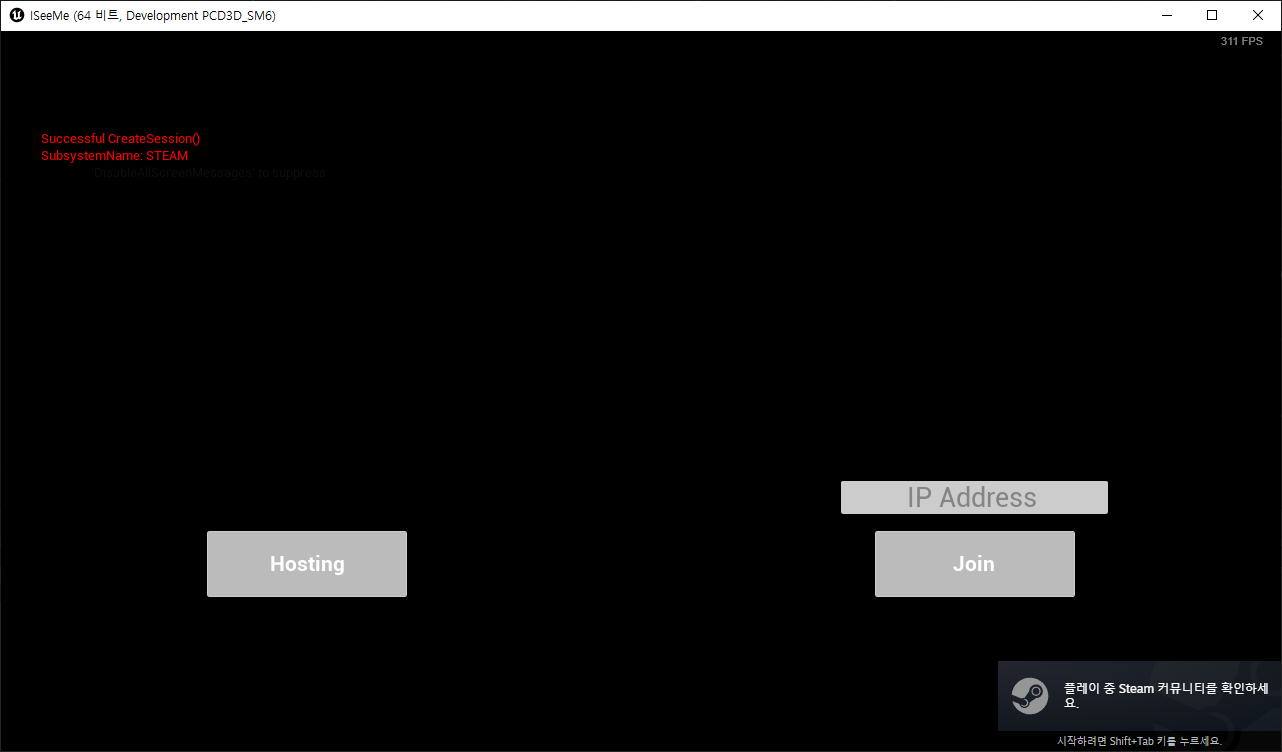
호스팅 버튼 클릭 시 로그가 찍히며 세션이 잘 생성되는 걸 확인할 수 있었습니다.
세션 생성 완료 시 레벨 이동
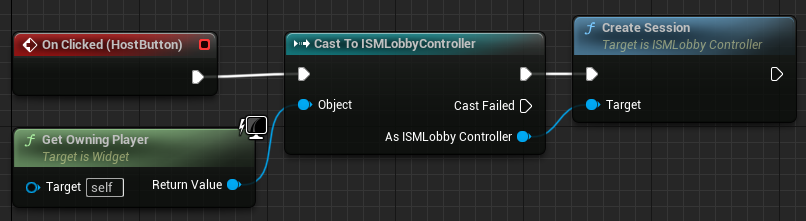
막상 세션 생성이 됐는데 아무 일도 일어나지 않으니 허전해서 레벨을 이동하는 로직을 간단하게 추가하였습니다.
코드
- ISMLobbyController.cpp
#include "Kismet/GameplayStatics.h"

void AISMLobbyController::OnCreateSessionComplete(FName SessionName, bool bWasSuccessful)
{
	if (!bWasSuccessful)
	{
		LOG_SCREEN("Failed CreateSession()");
		return;
	}

	LOG_SCREEN("Successful CreateSession()");

	UGameplayStatics::OpenLevel(this, TEXT("ThirdPersonMap"), true, "Listen");
}- WBP_Lobby
테스트
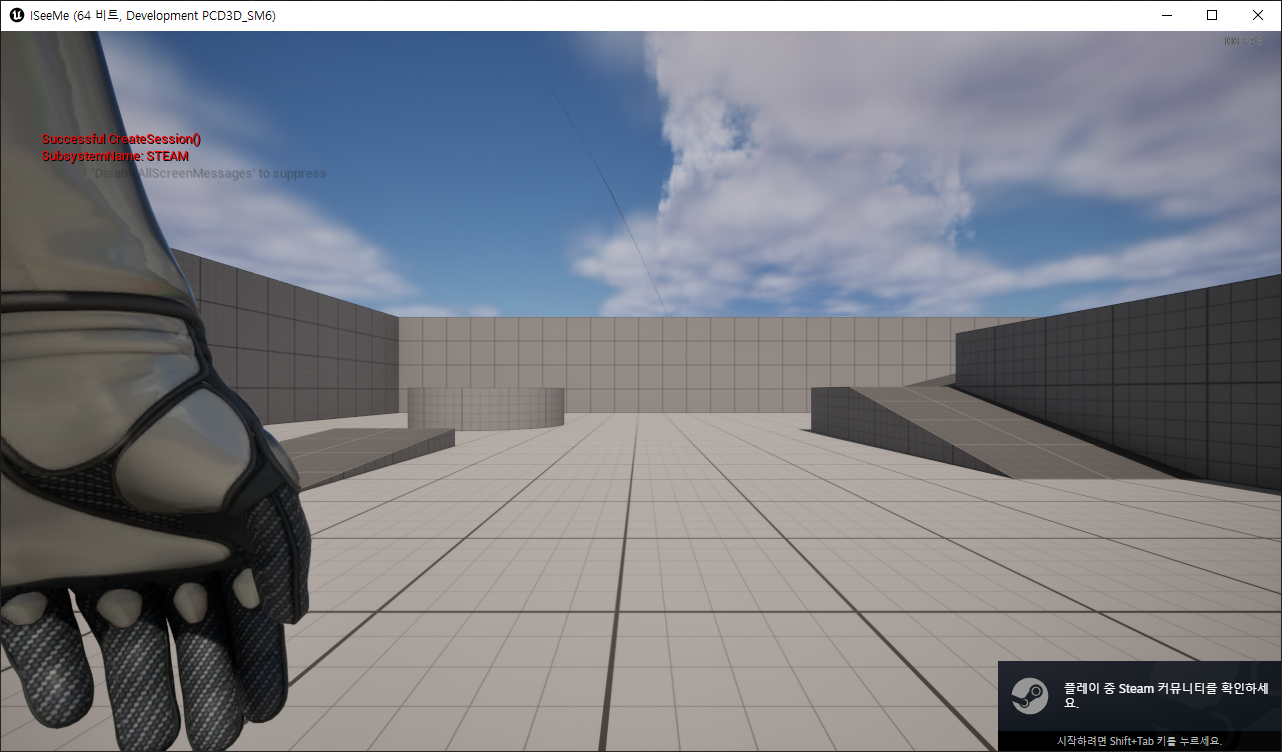
레벨 이동도 정상적으로 되었고 "Listen" 옵션을 넣은대로 리슨 서버로 잘 열렸는지는 세션 참여가 되는 것으로 확인해보려고 합니다.
세션 검색 및 참여
세션 검색
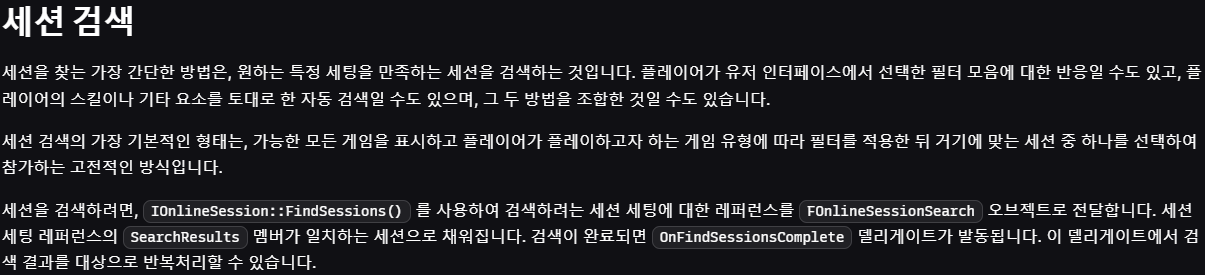
IOnlineSession::FindSessions() 함수로 세션을 찾을 수 있습니다.
검색하려는 세션 세팅에 대한 레퍼런스를 FOnlineSessionSearch 오브젝트로 전달하고, 검색 결과는 세션 세팅 레퍼런스의 SearchResults로 채워집니다.
세션 검색 완료 시 OnFindSessionsComplete 델리게이트가 발동됩니다.
세션 참여
IOnlineSession::JoinSession() 함수로 세션에 참가할 수 있습니다.
참가 프로세스 완료 시 OnJoinSessionComplete 델리게이트가 발동됩니다.
APlayerController::ClientTravel() 혹은 UWorld::ServerTravel()로 플레이어를 호스트의 레벨로 이동시킵니다.

코드
- ISMLobbyController.h
DECLARE_DELEGATE_OneParam(FOnFindSessionsCompleteDelegate, bool /*bWasSuccessful*/);
DECLARE_DELEGATE_TwoParams(FOnJoinSessionCompleteDelegate, FName /*SessionName*/, EOnJoinSessionCompleteResult::Type /*Result*/);

UCLASS()
class ISEEME_API AISMLobbyController : public APlayerController
{
	...

	UFUNCTION(BlueprintCallable)
	void JoinSession();

	void OnFindSessionComplete(bool bWasSuccessful);
	void OnJoinSessionComplate(FName SessionName, EOnJoinSessionCompleteResult::Type Result);

private:
	TSharedPtr<FOnlineSessionSearch> SessionSearch;

	FOnFindSessionsCompleteDelegate FindSessionComplete;
	FOnJoinSessionCompleteDelegate JoinSessionComplete;
};- ISMLobbyController.cpp
#include "Online/OnlineSessionNames.h"

AISMLobbyController::AISMLobbyController()
	: CreateSessionComplete(FOnCreateSessionCompleteDelegate::CreateUObject(this, &ThisClass::OnCreateSessionComplete))
	, FindSessionComplete(FOnFindSessionsCompleteDelegate::CreateUObject(this, &ThisClass::OnFindSessionComplete))
	, JoinSessionComplete(FOnJoinSessionCompleteDelegate::CreateUObject(this, &ThisClass::OnJoinSessionComplate))
{
}

void AISMLobbyController::CreateSession()
{
	...

	// FOnlineSessionSettings() 코드 참고
	// 세션의 MatchType을 모두에게 열림, 온라인 서비스와 핑 데이터를 통해 세션 홍보 옵션으로 설정
	SessionSettings->Set(FName("MatchType"), FString("FreeForAll"), EOnlineDataAdvertisementType::ViaOnlineServiceAndPing);

	// 세션 생성
	if (const ULocalPlayer* LocalPlayer = GetWorld()->GetFirstLocalPlayerFromController())
		OnlineSessionInterface->CreateSession(*LocalPlayer->GetPreferredUniqueNetId(), NAME_GameSession, *SessionSettings);
}

void AISMLobbyController::JoinSession()
{
	if (OnlineSessionInterface.IsValid() == false)
	{
		LOG_SCREEN("Session Interface is Invalid");
		return;
	}

	// 델리게이트 연결
	OnlineSessionInterface->AddOnFindSessionsCompleteDelegate_Handle(FindSessionComplete);

	// Find Game Session
	SessionSearch = MakeShareable(new FOnlineSessionSearch());
	SessionSearch->MaxSearchResults = 100;	// 검색 결과로 나오는 세션 수 최대값
	SessionSearch->bIsLanQuery = false;		// LAN 사용 여부
	SessionSearch->QuerySettings.Set(SEARCH_PRESENCE, true, EOnlineComparisonOp::Equals); // 찾을 세션 쿼리를 Presence로 설정

	// 세션 검색
	if (const ULocalPlayer* LocalPlayer = GetWorld()->GetFirstLocalPlayerFromController())
		OnlineSessionInterface->FindSessions(*LocalPlayer->GetPreferredUniqueNetId(), SessionSearch.ToSharedRef());
}

void AISMLobbyController::OnFindSessionComplete(bool bWasSuccessful)
{
	if (OnlineSessionInterface.IsValid() == false)
	{
		LOG_SCREEN("Session Interface is Invalid");
			return;
	}

	if (!bWasSuccessful)
	{
		LOG_SCREEN("Failed FindSession()");
		return;
	}

	LOG_SCREEN("======== Search Result ========");

	for (auto Result : SessionSearch->SearchResults)
	{
		FString Id = Result.GetSessionIdStr();
		FString User = Result.Session.OwningUserName;

		// 매치 타입 확인하기
		FString MatchType;
		Result.Session.SessionSettings.Get(FName("MatchType"), MatchType);

		// 찾은 세션의 정보 출력하기
		LOG_SCREEN("Session ID: %s / Owner: %s", *Id, *User);

		// 세션의 매치 타입이 "FreeForAll"일 경우 세션 참가
		if (MatchType == FString("FreeForAll"))
		{
			LOG_SCREEN("Joining Match Type: %s", *MatchType);

			// 델리게이트 연결
			OnlineSessionInterface->AddOnJoinSessionCompleteDelegate_Handle(JoinSessionComplete);

			// 세션 참가
			if (const ULocalPlayer* LocalPlayer = GetWorld()->GetFirstLocalPlayerFromController())
				OnlineSessionInterface->JoinSession(*LocalPlayer->GetPreferredUniqueNetId(), NAME_GameSession, Result);
		}
	}
}

void AISMLobbyController::OnJoinSessionComplate(FName SessionName, EOnJoinSessionCompleteResult::Type Result)
{
	if (OnlineSessionInterface.IsValid() == false)
	{
		LOG_SCREEN("Session Interface is Invalid");
		return;
	}

	if (Result != EOnJoinSessionCompleteResult::Type::Success)
	{
		LOG_SCREEN("Failed JoinSession() - %d", Result);
		return;
	}

	// 세션에 정상적으로 참가하면 IP Address 얻어와서 해당 서버에 접속
	FString Address;
	if (OnlineSessionInterface->GetResolvedConnectString(NAME_GameSession, Address))
	{
		LOG_SCREEN("IP Address: %s", *Address);

		if (APlayerController* PlayerController = GetGameInstance()->GetFirstLocalPlayerController())
			PlayerController->ClientTravel(Address, ETravelType::TRAVEL_Absolute);
	}
}
- OnlineSessionSettings.h
FOnlineSessionSearch 멤버의 자세한 설명도 해당 헤더에서 확인할 수 있습니다.
주석 설명에도 OnFindSessionsCompleteDelegate가 트리거되며 세션 검색 결과가 담겨온다고 하네요./** * Encapsulation of a search for sessions request. * Contains all the search parameters and any search results returned after * the OnFindSessionsCompleteDelegate has triggered * Check the SearchState for Done/Failed state before using the data */ class FOnlineSessionSearch { public: /** Array of all sessions found when searching for the given criteria */ TArray<FOnlineSessionSearchResult> SearchResults; /** State of the search */ EOnlineAsyncTaskState::Type SearchState; /** Max number of queries returned by the matchmaking service */ int32 MaxSearchResults; /** The query to use for finding matching servers */ FOnlineSearchSettings QuerySettings; /** Whether the query is intended for LAN matches or not */ bool bIsLanQuery; /** * Used to sort games into buckets since a the difference in terms of feel for ping * in the same bucket is often not a useful comparison and skill is better */ int32 PingBucketSize; /** Search hash used by the online subsystem to disambiguate search queries, stamped every time FindSession is called */ int32 PlatformHash; /** Amount of time to wait for the search results. May not apply to all platforms. */ float TimeoutInSeconds; ... };
- WBP_Lobby
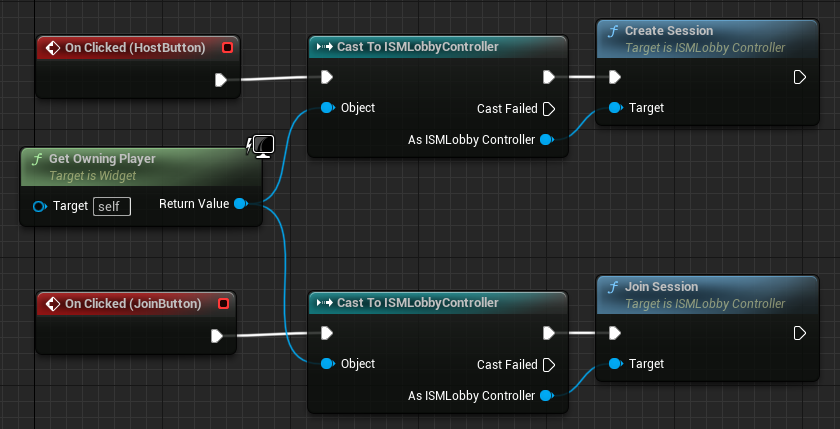
조인 버튼에도 세션 참가 로직을 연결합니다.
테스트
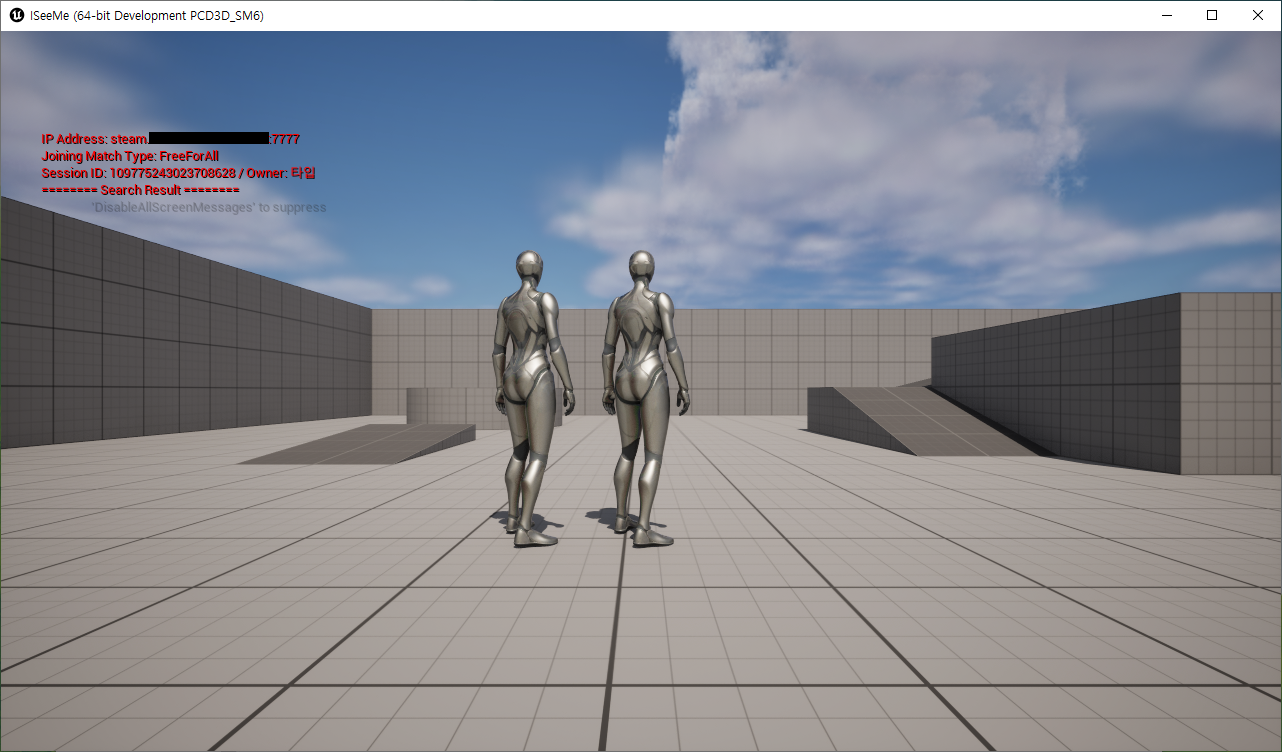
Join 버튼 클릭 시 세션을 검색하고, 결과로 나온 세션에 참가합니다.
이렇게 OSS Steam을 통하여 서로 다른 PC의 세션 매칭이 되는 걸 확인하였습니다.
참고한 블로그
https://online-unreal.tistory.com/entry/언리얼엔진-5-C-온라인-서브시스템-스팀-Setup
https://beankong-devlog.tistory.com/122

5.6 버전 기준으로 SteamNetDriver 플러그인의 NAT 우회를 지원하지 않아 P2P 연결이 불가능합니다.
리슨 서버 구조라면 SteamSocketsNetDriver 플러그인을 사용합시다.
https://dev.epicgames.com/documentation/ko-kr/unreal-engine/using-steam-sockets-in-unreal-engine