오늘의 강의 내용
- 유튜브 nva영역 카피캣
.png)
카피캣 영역인 유튜브nav영역
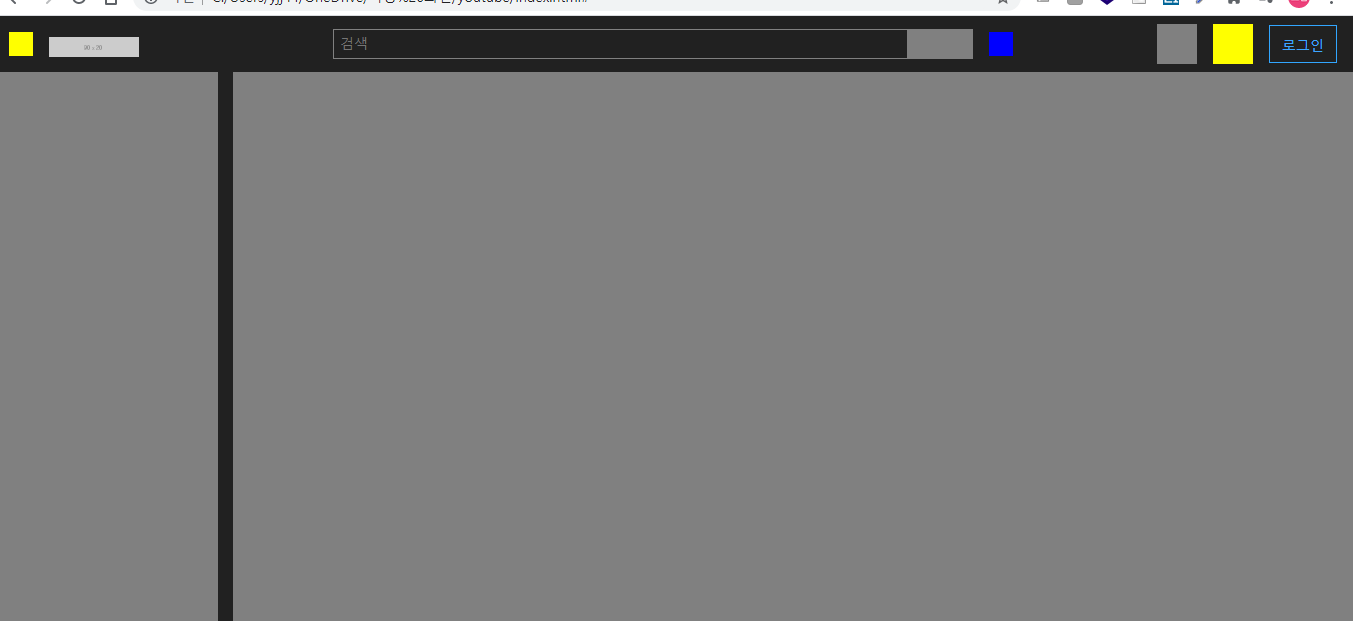
유튜브nav영역 카피캣 완료된 모습
<!-- index.html언어 -->
<nav id="youtube_top_nav">

			<div class="youtube_top_wrap flex_align_between">
				<div class="nav_left flex_align_start">
					<button type="button" class="btn_menu"></button>
					<h1>
						<a href="#">
							<img src="https://via.placeholder.com/90x20">
						</a>
					</h1>
				</div>

				<div class="nav_center flex_align_start">
					<div class="search_wrap flex_align_start">
						<input type="text" placeholder="검색">
						<button type="button" class="btn_search"></button>
					</div>
					<button type="button" class="btn_voice"></button>
				</div>

				<div class="nav_right flex_align_end">
					<button type="button" class="btn_menu btn_menu_1"></button>
					<button type="button" class="btn_menu btn_menu_2"></button>
					<a href="#" class="btn_login">로그인</a>
				</div>
			</div>

		</nav>

<!-- style.css언어 -->
.flex_align_between {
	display: flex;
	flex-direction: row;
	flex-wrap: wrap;
	justify-content: space-between;
	align-items: center;
	align-content: stretch;
}

.flex_align_start {
	display: flex;
	flex-direction: row;
	flex-wrap: wrap;
	justify-content: flex-start;
	align-items: center;
	align-content: stretch;
}

.flex_align_end {
	display: flex;
	flex-direction: row;
	flex-wrap: wrap;
	justify-content: flex-end;
	align-items: center;
	align-content: stretch;
}


/* 상단 메뉴 */
#youtube_top_nav {
	position: fixed;

	width: 100%;
	height: 56px;
	background-color: #212121;

	padding: 0 16px;
}

#youtube_top_nav .nav_left {
	height: 56px;
}

#youtube_top_nav .nav_left .btn_menu {
	width: 24px;
	height: 24px;
	background-color: yellow;
}

#youtube_top_nav .nav_left h1 {
	margin-left: 16px;
}

#youtube_top_nav .nav_left h1 a {

}

#youtube_top_nav .nav_left h1 img {
	width: 90px;
	height: 20px;
}

#youtube_top_nav .nav_right {
	height: 56px;
}

#youtube_top_nav .nav_right .btn_menu {
	width: 40px;
	height: 40px;
	margin-right: 16px;
}

#youtube_top_nav .nav_right .btn_menu.btn_menu_1 {
	background-color: gray;
}

#youtube_top_nav .nav_right .btn_menu.btn_menu_2 {
	background-color: yellow;
}

#youtube_top_nav .nav_right .btn_login {
	border: solid 1px #32a6ff;
	padding: 10px 12px 8px;
	font-size: 14px;

	color: #3ea6ff;
}

#youtube_top_nav .nav_center {
	position: absolute;
	left: 50%;
	transform: translateX(-50%);
}

#youtube_top_nav .nav_center .search_wrap {
	width: 640px;
	height: 30px;
}

#youtube_top_nav .nav_center .search_wrap input {
	width: calc(100% - 65px);
	height: 30px;
	border: solid 1px gray;
	background-color: #212121;

	color: #ffffff;
	padding: 2px 6px;

	font-size: 14px;
}

#youtube_top_nav .nav_center .search_wrap .btn_search {
	width: 65px;
	height: 30px;
	border: solid 1px gray;
	background-color: gray;
}

#youtube_top_nav .nav_center .btn_voice {
	width: 24px;
	height: 24px;
	background-color: blue;

	margin-left: 16px;
}
강의를 끝난후 소감
사이트 카피캣 할때에 사이트마다 다양한 방법으로 배치를 하는데 잘모르는 방법은 나만의 방법으로 바꾸어 쓰는법을 익혀야 겠다.
힘든점, 문제점
딱히 이번강의에서 힘든점은 없었다.
개선방안
생소한 방법을 내가 아는방법의 한에서 똑같은 작업을 이루어 낼수있도록 연습을 하여야 겠다.

i will be the best