Atlantis
Atlantis(아틀란티스)는 Terraform 사용 시 Git Pull Request을 통해 협업할 수 있는 환경을 만들어주는 CNCF 프로젝트이다.
공식 문서
0. 필수 요구 사항
- Atlantis 서버를 호스팅할 머신
- 온라인 Git 저장소(Github, Gitlab 등..)
- state를 저장할 backend 설정
- Comment를 생성할 Git 계정의 엑세스 토큰
- Webhook Secret
1. 설치
Helm, Manifest, Docker 설치 방법은 여러 가지있고 여기서는 Docker Compose로 실행했다.
docker-compose.yaml
services:
  atlantis:
    image: ghcr.io/runatlantis/atlantis
    command: server --gh-user=YoonDongGwan --gh-token=[PERSONAL_ACCESS_TOKEN] --repo-allowlist=github.com/YoonDongGwan/* --gh-webhook-secret=[WEBHOOK_SECRET]
    ports:
    - 4141:4141
    volumes:
    - ~/.aws:/home/atlantis/.aws
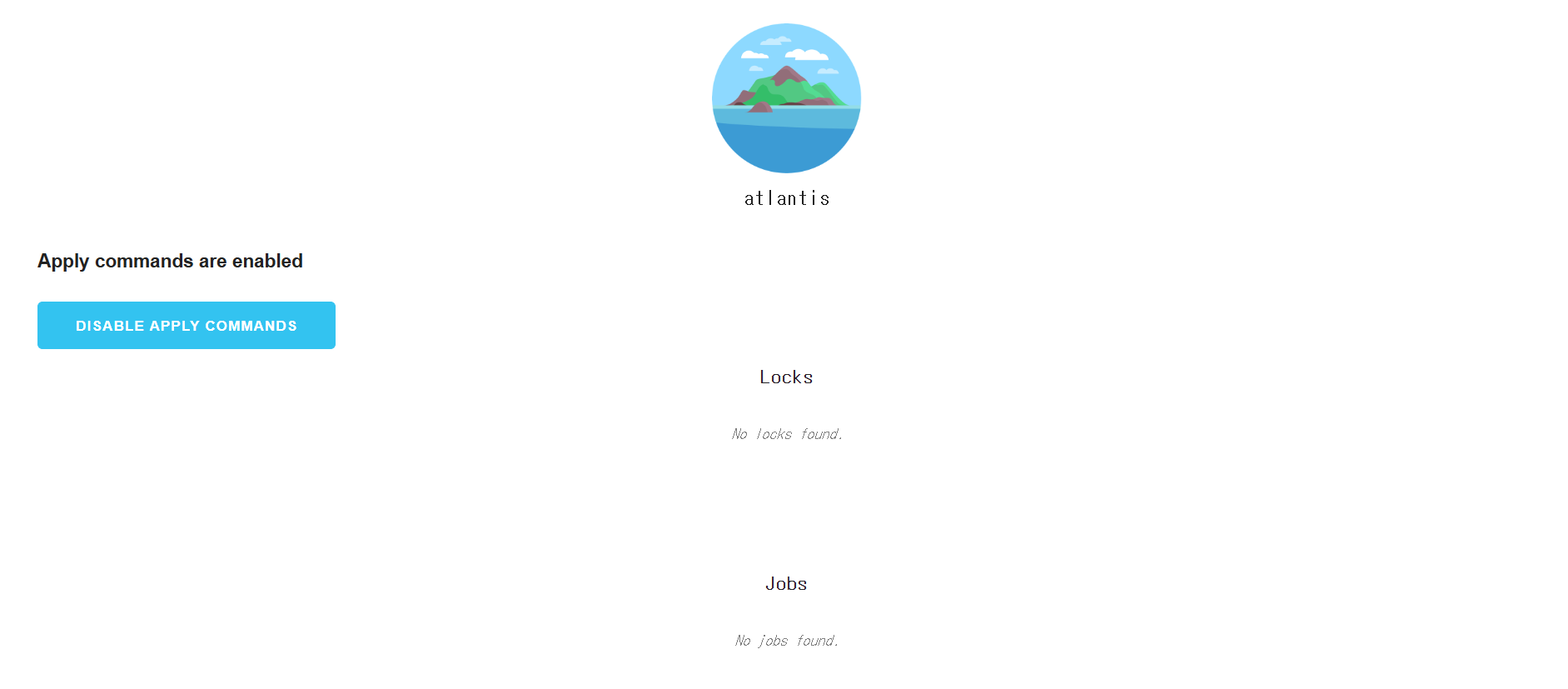
$ docker compose up -dhttp://호스팅한 머신의 IP:4141로 접속해서 아래와 같은 웹이 보이면 성공이다.
2. Github Webhook
사용 중인 Git 저장소가 Github이므로 Github Webhook을 설정해준다.
Terraform Repo → Settings → Webhooks → Add webhook
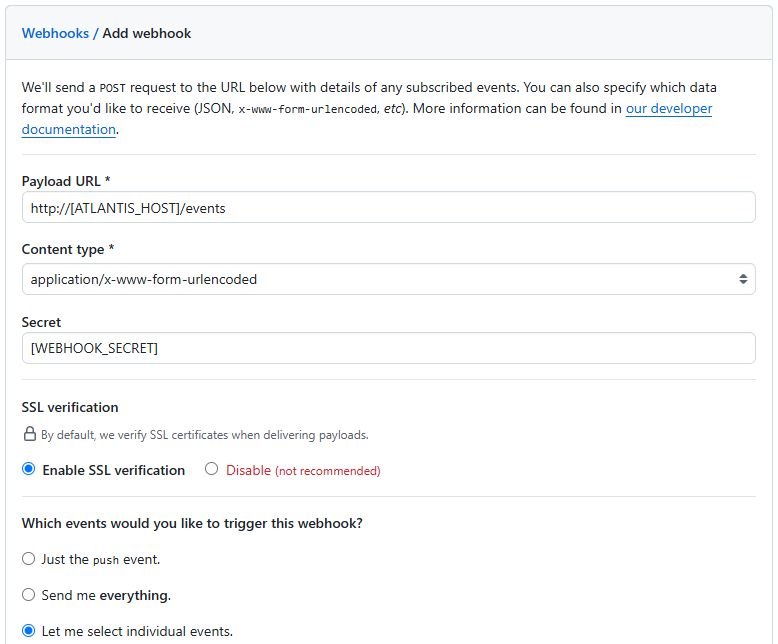
Payload URL에는 외부에서 접근 가능한 아틀란티스 URL을, Secret에는 자체 생산한 24자리 이상의 Webhook Secret을 넣어준다.
Webhook Secret은 24자리 이상의 아무 알파벳과 숫자의 조합으로 직접 만들면 된다.
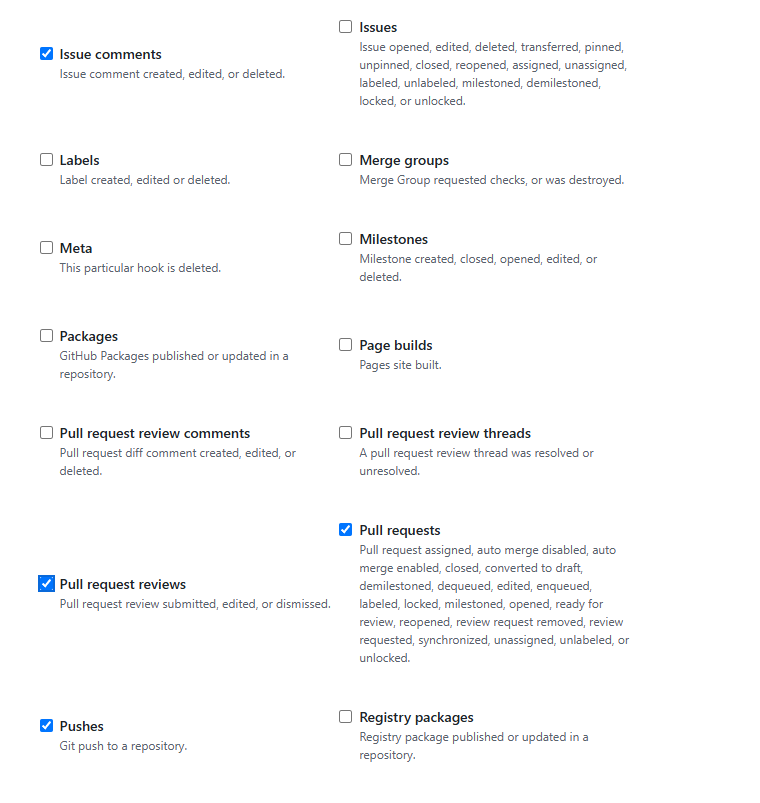
Which events would you like to trigger this webhook? 항목에서는 Let me select individual events. 를 선택하고 아래의 항목을 선택해준다.
- Issue comments
- Pull request reviews
- Pull requests
- Pushes
3. Pull Request
브랜치명은 상관없지만 여기서는 새로운 브랜치 atlantis를 만들고 Terraform 코드에 원하는대로 수정을 줘 Git 저장소에 Push한다.
그리고 해당 main ← atlantis Pull Request를 생성하면 Atlantis에서 Webhook을 통해 감지하여 자동으로 코멘트를 생성해준다.
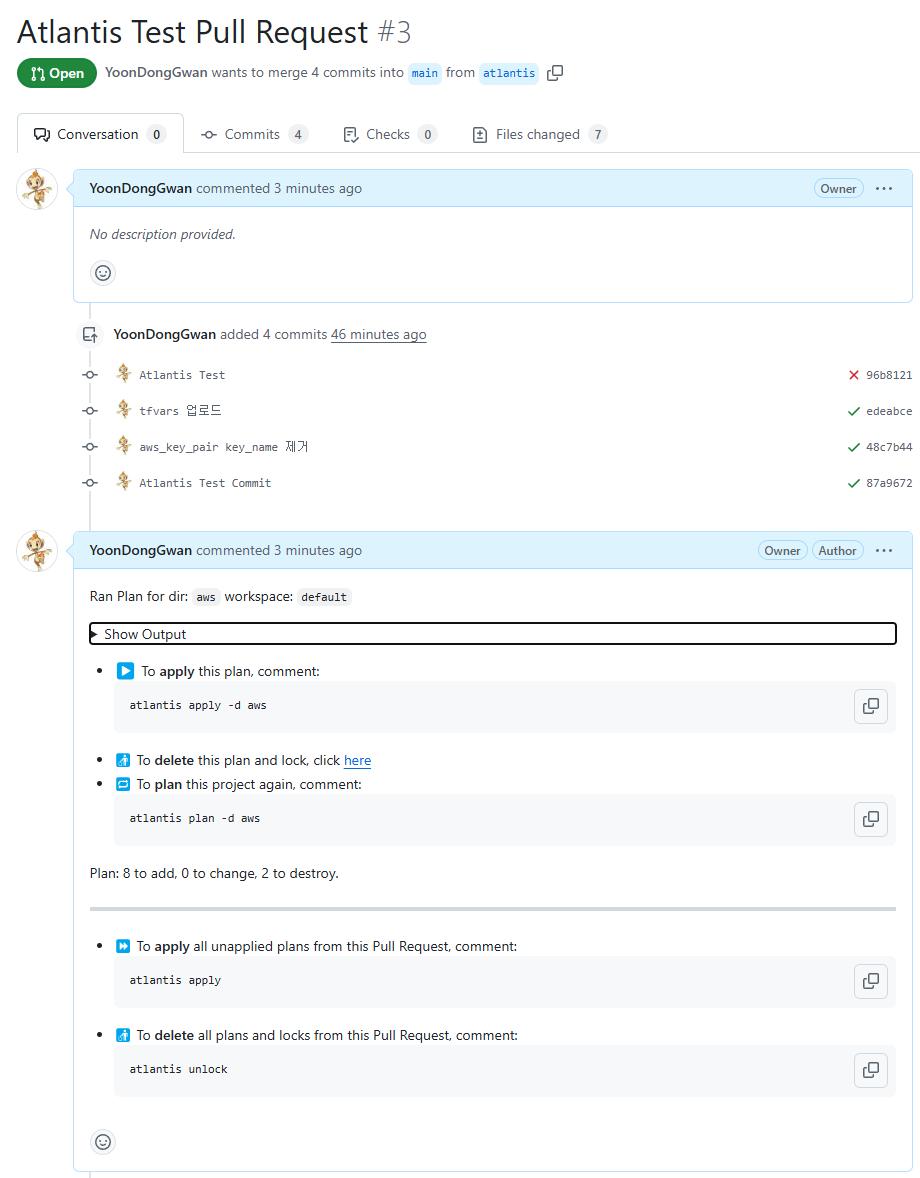
그리고 Show Output을 열어보면 terraform plan 한 것과 같이 인프라 변경 사항이 출력된다.
Terraform used the selected providers to generate the following execution
plan. Resource actions are indicated with the following symbols:
+ create
-/+ destroy and then create replacement

Terraform will perform the following actions:

  # module.ec2_atlantis.aws_instance.ec2_instance must be replaced
-/+ resource "aws_instance" "ec2_instance" {
      ~ arn                                  = "arn:aws:ec2:ap-northeast-2:xxxxxxxxxx:instance/i-032238b4c2f67a644" -> (known after apply)
      ~ associate_public_ip_address          = true -> (known after apply)
      ~ availability_zone                    = "ap-northeast-2a" -> (known after apply)
      ~ cpu_core_count                       = 1 -> (known after apply)
      ~ cpu_threads_per_core                 = 2 -> (known after apply)
      ~ disable_api_stop                     = false -> (known after apply)
      ~ disable_api_termination              = false -> (known after apply)
      ~ ebs_optimized                        = false -> (known after apply)
      - hibernation                          = false -> null
      + host_id                              = (known after apply)
      + host_resource_group_arn              = (known after apply)
      + iam_instance_profile                 = (known after apply)
      ~ id                                   = "i-032238b4c2f67a644" -> (known after apply)
      ~ instance_initiated_shutdown_behavior = "stop" -> (known after apply)
      + instance_lifecycle                   = (known after apply)
      ~ instance_state                       = "running" -> (known after apply)
      ~ ipv6_address_count                   = 0 -> (known after apply)
      ~ ipv6_addresses                       = [] -> (known after apply)
      ~ key_name                             = "terraform-20241219080943026000000001" -> (known after apply) # forces replacement
      ~ monitoring                           = false -> (known after apply)
      + outpost_arn                          = (known after apply)
      + password_data                        = (known after apply)
      + placement_group                      = (known after apply)
      ~ placement_partition_number           = 0 -> (known after apply)
      ~ primary_network_interface_id         = "eni-0c0f89f50f4140dc0" -> (known after apply)
      ~ private_dns                          = "ip-10-100-0-215.ap-northeast-2.compute.internal" -> (known after apply)
      ~ private_ip                           = "10.100.0.215" -> (known after apply)
      ~ public_dns                           = "ec2-3-35-231-83.ap-northeast-2.compute.amazonaws.com" -> (known after apply)
      ~ public_ip                            = "3.35.231.83" -> (known after apply)
      ~ secondary_private_ips                = [] -> (known after apply)
      ~ security_groups                      = [] -> (known after apply)
      + spot_instance_request_id             = (known after apply)
        tags                                 = {
            "Name" = "ec2-ap-northeast-2a-atlantis"
        }
      ~ tenancy                              = "default" -> (known after apply)
      + user_data                            = (known after apply)
      + user_data_base64                     = (known after apply)
        # (8 unchanged attributes hidden)

      ~ capacity_reservation_specification (known after apply)
      - capacity_reservation_specification {
          - capacity_reservation_preference = "open" -> null
        }

      ~ cpu_options (known after apply)
      - cpu_options {
          - core_count       = 1 -> null
          - threads_per_core = 2 -> null
            # (1 unchanged attribute hidden)
        }

      - credit_specification {
          - cpu_credits = "unlimited" -> null
        }

      ~ ebs_block_device (known after apply)

      ~ enclave_options (known after apply)
      - enclave_options {
          - enabled = false -> null
        }

      ~ ephemeral_block_device (known after apply)

      ~ instance_market_options (known after apply)

      ~ maintenance_options (known after apply)
      - maintenance_options {
          - auto_recovery = "default" -> null
        }

      ~ metadata_options (known after apply)
      - metadata_options {
          - http_endpoint               = "enabled" -> null
          - http_protocol_ipv6          = "disabled" -> null
          - http_put_response_hop_limit = 2 -> null
          - http_tokens                 = "required" -> null
          - instance_metadata_tags      = "disabled" -> null
        }

      ~ network_interface (known after apply)

      ~ private_dns_name_options (known after apply)
      - private_dns_name_options {
          - enable_resource_name_dns_a_record    = false -> null
          - enable_resource_name_dns_aaaa_record = false -> null
          - hostname_type                        = "ip-name" -> null
        }

      ~ root_block_device (known after apply)
      - root_block_device {
          - delete_on_termination = true -> null
          - device_name           = "/dev/xvda" -> null
          - encrypted             = false -> null
          - iops                  = 3000 -> null
          - tags                  = {} -> null
          - tags_all              = {} -> null
          - throughput            = 125 -> null
          - volume_id             = "vol-0b1677c1b98156cbc" -> null
          - volume_size           = 30 -> null
          - volume_type           = "gp3" -> null
            # (1 unchanged attribute hidden)
        }
    }

... 이하 생략

Plan: 8 to add, 0 to change, 2 to destroy.
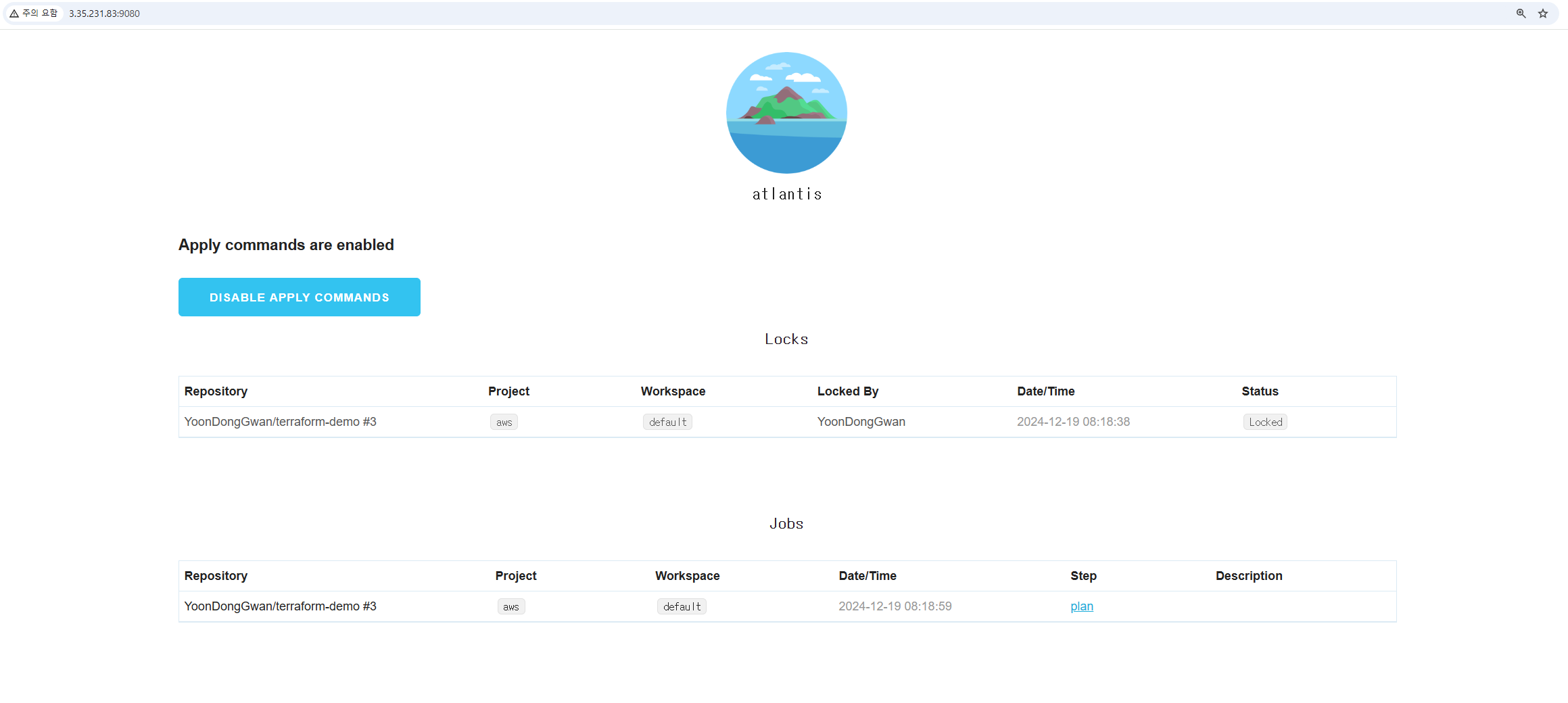
그리고 다시 Atlantis 웹으로 가보면 어떤 Job이 계획 중인지 확인할 수 있고 동시성 이슈를 고려해 Lock이 자동으로 걸려있는 것을 볼 수 있다.
4. atlantis apply
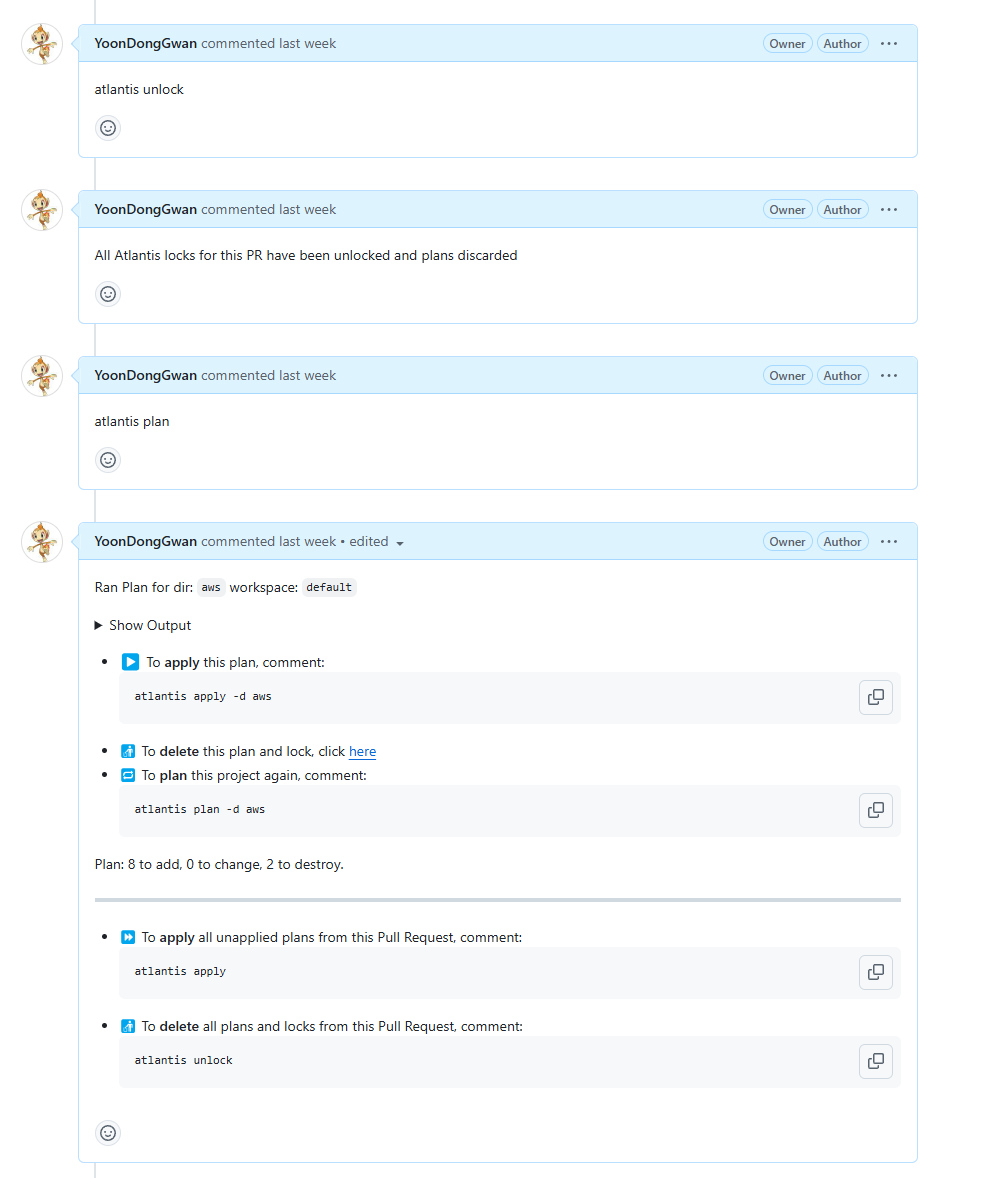
Show Output 으로 인프라 변경 사항을 파악했다면 이슈 코멘트에 atlantis [COMMAND] 를 추가해 계획을 실행, 취소할 수 있다.
atlantis apply 는 변경 계획을 실제로 실행하며, atlantis unlock 은 계획을 취소한다.
atlantis plan 은 변경 계획을 다시 출력해준다.
# Bonus. Infracost
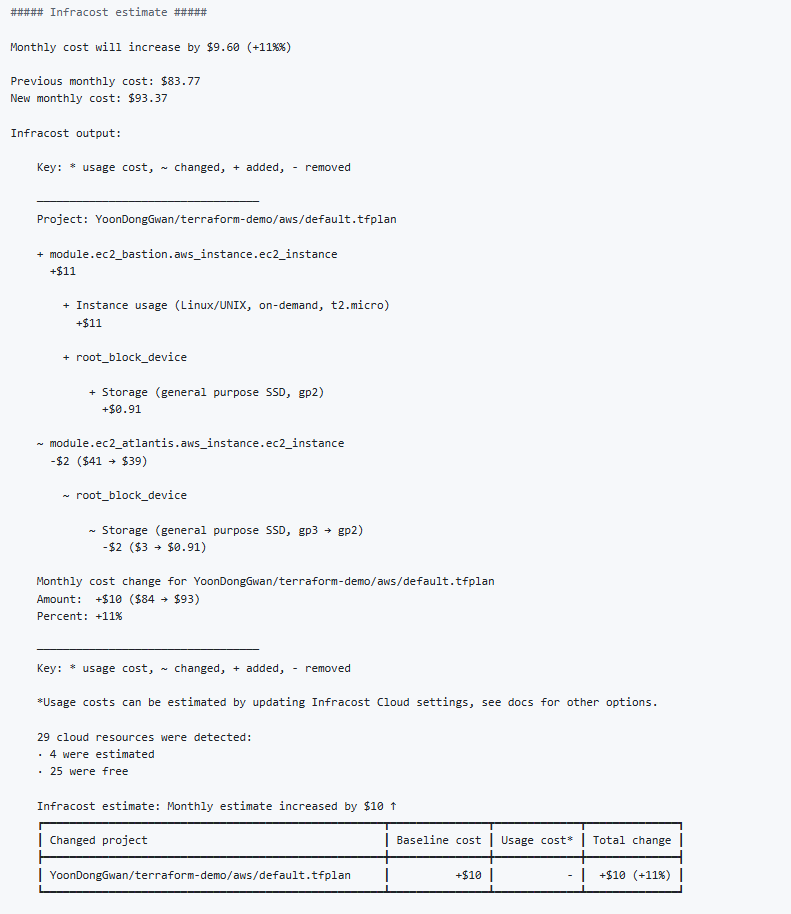
Infracost라는 솔루션을 사용하면 인프라 변경 사항을 적용하였을 때, 예상 증가/감소 비용을 계산할 수 있다.
Infracost 측에서 Atlantis와 같이 사용할 수 있는 이미지를 제공해주기 때문에 이를 사용해보려한다.
먼저 Infracost 홈페이지에서 회원가입한 이후 Settings → Org settings → API tokens 로 이동해 CLI and CI/CD token 을 복사해준다.
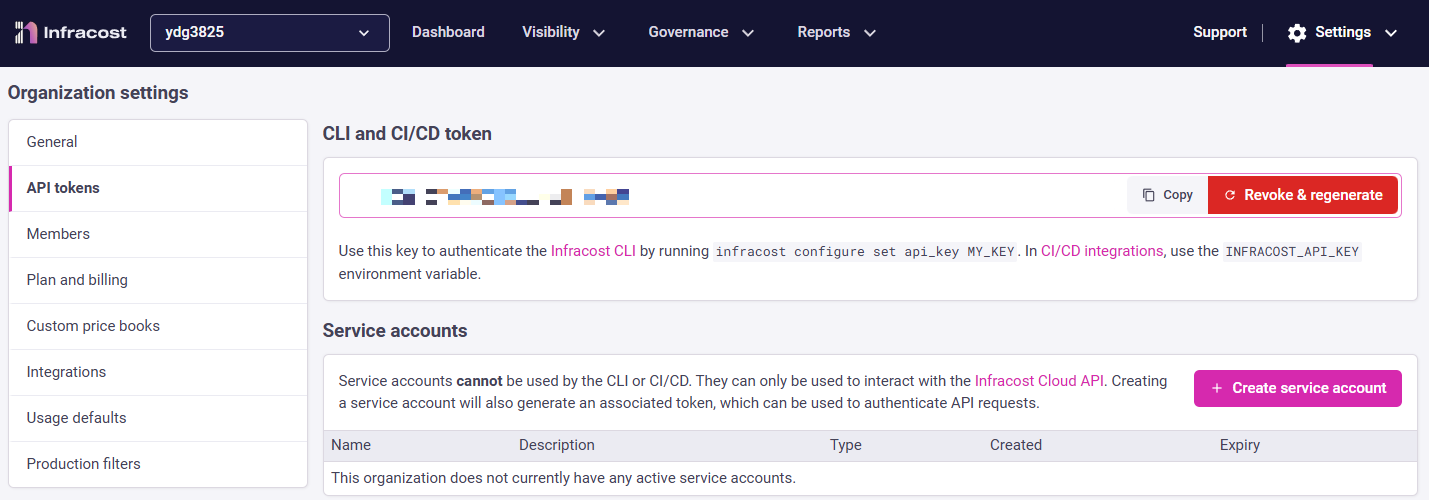
그리고 도커 컴포즈 파일을 생성해주고
docker-compose.yaml
services:
  atlantis:
    image: infracost/infracost-atlantis:latest
    command: server --gh-user=YoonDongGwan --gh-token=[PERSONAL_ACCESS_TOKEN] --repo-allowlist=github.com/YoonDongGwan/* --gh-webhook-secret=[WEBHOOK_SECRET] --repo-config=/tmp/repo-config.json
    ports:
    - 4141:4141
    volumes:
    - ~/.aws:/home/atlantis/.aws
    - ./repo-config.json:/tmp/repo-config.json
컨피그 파일을 생성해주는데 위에서 복사한 토큰을 환경변수 INFRACOST_API_KEY 에 주입시킨다.
repo-config.json
{
      "repos": [
        {
          "id": "/.*/",
          "workflow": "terraform-infracost"
        }
      ],
      "workflows": {
        "terraform-infracost": {
          "plan": {
            "steps": [
              "init",
              "plan",
              {
                "env": {
                  "name": "INFRACOST_API_KEY",
                  "value": "[YOUR_INFRACOST_TOKEN]"
                }
              },
              {
                "env": {
                  "name": "INFRACOST_TERRAFORM_BINARY",
                  "command": "echo \"terraform${ATLANTIS_TERRAFORM_VERSION}\""
                }
              },
              {
                "run": "/home/atlantis/infracost_atlantis_diff.sh"
              }
            ]
          }
        }
      }
    }
$ docker compose up -d그리고 Atlantis를 사용한 것과 똑같이 Pull Request를 생성해보면, 똑같은 이슈 코멘트가 생성되고 Show Output을 열어 밑으로 내려보면 Infracost가 계산해준 예상 비용을 확인해볼 수 있다.