선행으로 node.js와 express 패키지 설치가 필요하다.
툴은 vscode 사용합니다.
- node.js는 인터넷에서 따로 다운로드하기(최신판 LTS 버전 받으면 됨)
- express 패키지는 vscode에서 해당 작업 폴더에 들어가서 ctrl+shift+`로 터미널 열어준 뒤 npm init -> npm install -> npm install express 하면 된다.
-
스포티파이 api 깃허브에서 데모코드를 실행해본다.
https://github.com/spotify/web-api-examples/tree/master/authorization/authorization_code -
데모코드를 실행하기 위해서는 스포티파이 대시보드에서 api 생성이 필요하다.
https://developer.spotify.com/documentation/web-api/tutorials/getting-started
1번의 깃허브 링크에서 authorization_code폴더에 있는 파일을 전부 다운로드(readme 제외)해서 작업폴더에 넣는다.
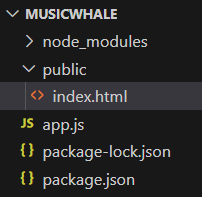
-
스포티파이 대시보드에서 리다이렉트 url을 http://localhost:8888/callback 으로 바꿔주고, vscode에서는 작업폴더의 app.js에서 client_id, redirect_uri, client_secret을 바꿔준다.
-
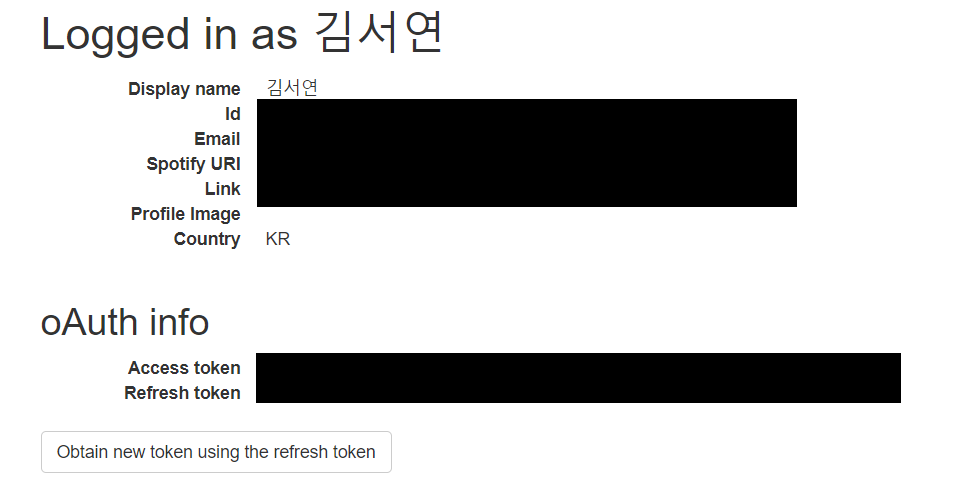
그 후 터미널에서 npm start로 로컬서버(http://localhost:8888/)에 연결하면 api 호출이 완료된다.

https://velog.io/@tidchron 으로 이전