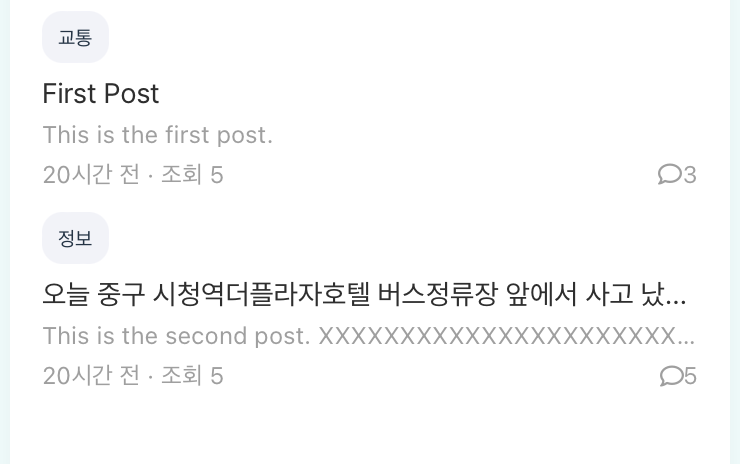
현재까지 내가 만든 화면 vs 만들어야 하는 화면
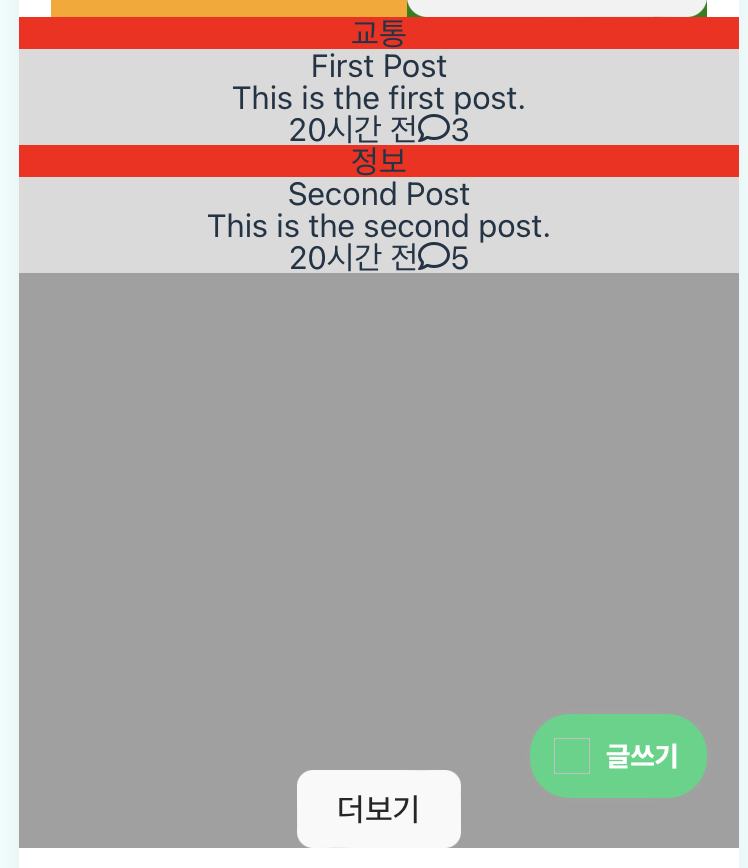 | 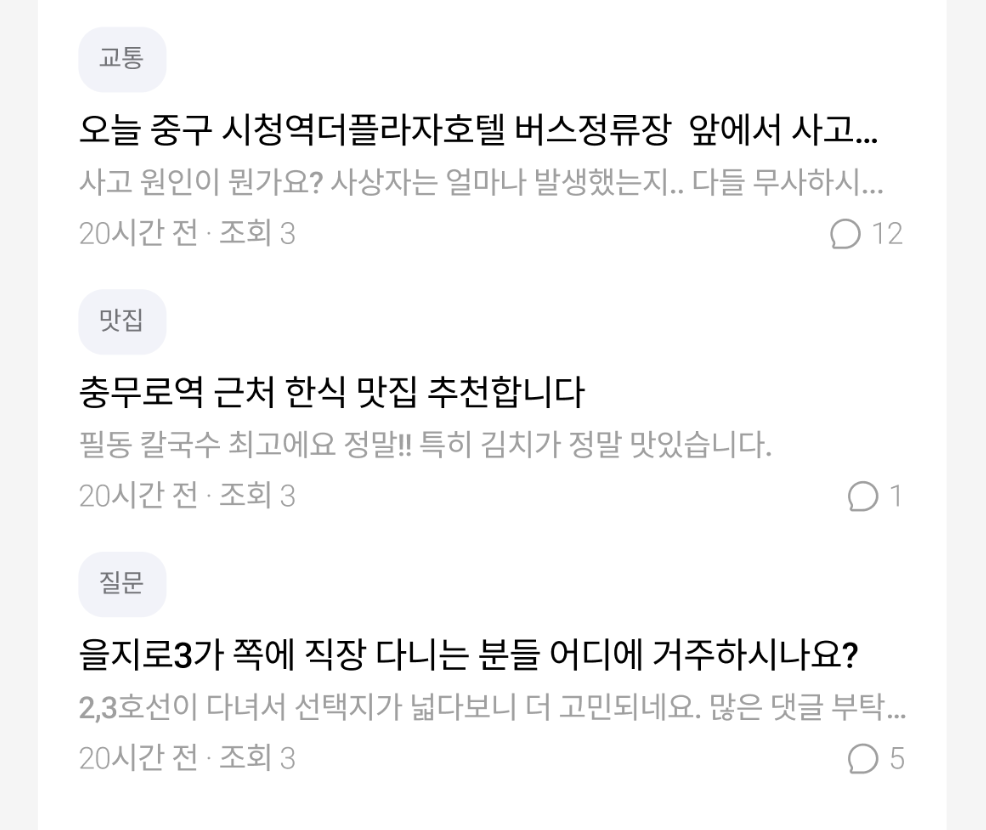 |
|---|
PostList.vue에 들어갈 PostItem 컴포넌트를 만들어야 한다.
일단 배경색으로 영역을 구분하기 쉽게 하였다.
그래야 태그의 영역을 보고 즉각적으로 반영할 수 있기 때문이다.
다음은 PostItem.vue의 템플릿 코드이다.
<template>
  <div class="post-item-container" @click="handleClick">
    <div class="post-tag">
      <span>{{ post.tag }}</span>
    </div>
    <div class="post-content">
      <h3 id="post-title">{{ post.title }}</h3>
      <p id="post-content">{{ post.content }}</p>
    </div>
    <div class="post-meta">
      <div class="time-views">
        <span id="time">20시간 전</span>
        <span id="views">조회 5</span>
      </div>
      <div class="post-comment">
        <font-awesome-icon id="comment-icon" :icon="['far', 'comment']" />
        <span id="comment-count">{{ post.comments }}</span>
      </div>
    </div>
  </div>
</template>
우선, 배치를 어떻게 할 지 생각해보았다.
post-tag, post-conten, post-meta 모두 왼쪽에서부터 시작하므로 post-item-containe에 deploy: flex; 를 넣고 * align-content: flex-start; 을 사용하여 왼쪽 정렬을 시킨다. 그리고 time, views를 div로 묶고, 아이콘과 comment-count를 div로 묶은 후 상위 컨테이너에 flex를 적용하여 flex-direction: row로 가로 정렬 시켜 나란히 배치하도록 할 것이다.
생각대로 되지 않는 법... 트러블 발생!
- 이렇게 해도 item들이 왼쪽 정렬이 되지 않아 왜그런지 한참 찾아보았다.
알고보니 아이템의 세로 정렬을 위해 display-direction: colum을 하여 메인축이 세로가 되었는데 내가 이걸 고려하지 못하고 align-content를 사용하여 아이템을 정렬하려 했기 때문이다.
-> 그래서 aling-item: flex-start;로 다시 입력했더니 다행히 왼쪽 정렬이 수행되었다.
- comment 양쪽 사이드로 보내기 안 됨
먼저, comment가 차지하고 있는 영역의 크기를 살펴보니 딱 content의 크기만큼 차지하고 있었다. flex의 특징은 width는 content의 크기만큼이고 height는 컨테이너의 높이만큼 늘어난다는 것이다. 그래서 justify-content: space-between를 해도 소용이 없었던 것이다.
-> comment의 영역을 끝까지 넓히기 위해 width="100%"로 설정하고 justify-content: space-between를 적용하였더니 post-meta와 post-comment가 양쪽으로 잘 배치되었다.
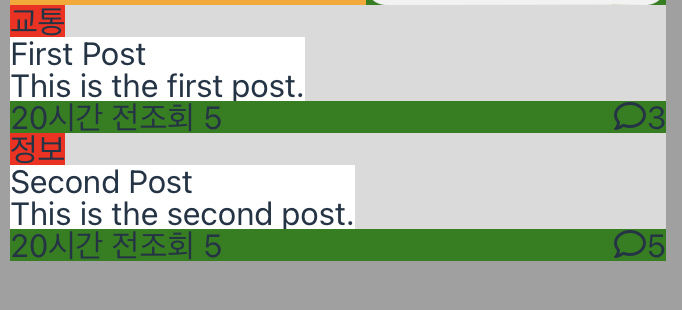
이 과정을 겪으면서 내가 아직 Flex에 대한 이해가 부족하다는 것을 느껴 다시 정리를 해보았다.
https://aboard-catfish-8f9.notion.site/Flex-4c89103a304e4c4db651dc0e04f33c45?pvs=4
CSS 하던 중 말줄임표를 넣으면서 텍스트 정렬 트러블 발생!
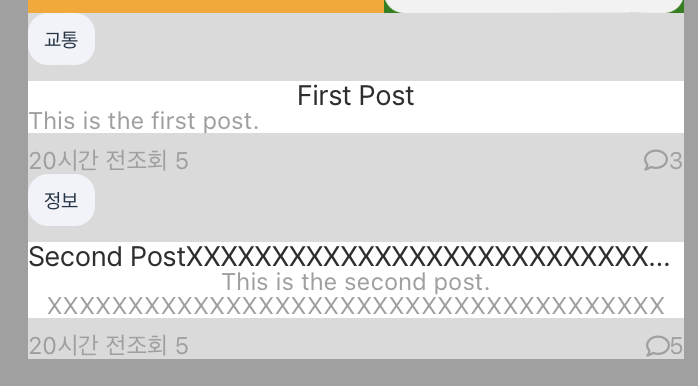
말줄임표가 잘 되는지 확인하려고 글자의 갯수를 화면 넘어가게 넓히는 순간 텍스트가 가운데 정렬로 변했다. 부모 요소인 post-content 에 align-items: flex-start와 display: flex; flex-direction: column 속성이 적용되어 있기 때문에 왼쪽부터 텍스트가 정렬될 줄 알았다.
하지만 이러한 속성만으로는 텍스트가 가운데 정렬되지 않는다고 한다!! 이제 알았다..
-> 텍스트를 왼쪽 정렬로 확실히 고정하려면 post-title과 post-content 요소에 명시적으로 텍스트 정렬을 설정해야 한다. 따라서 text-align: left;를 적용하여 텍스트를 왼쪽 정렬로 설정해주었다.
.post-item-container .post-content {
  background-color: white;
  display: flex;
  flex-direction: column;
  align-items: flex-start;
  width: 100%;
  text-align: left;
}

#post-title {
  @include custom-text($font-size: 14px);
  width:100%;
  white-space: nowrap;  /* 텍스트를 한 줄로 유지 */
  overflow: hidden;  /* 내용이 넘치면 숨김 */
  text-overflow: ellipsis;  /* 넘치는 텍스트를 말줄임표로 표시 */
}

#post-content {
  font-size: 12px;
  color: #9F9F9F;
  width:100%;
  white-space: nowrap;  /* 텍스트를 한 줄로 유지 */
  overflow: hidden;  /* 내용이 넘치면 숨김 */
  text-overflow: ellipsis;  /* 넘치는 텍스트를 말줄임표로 표시 */
}
최종 완료 화면!