<!DOCTYPE html>
<html xmlns="http://www.w3.org/1999/xhtml" xmlns:th="http://www.thymeleaf.org">
<head>
    <meta charset="UTF-8">
    <title>파일게시판 - 리스트</title>

    <style type="text/css">
        li {
            list-style: none;
            float: left;
        }
    </style>
</head>
<body>
<div>
    <div style="padding: 10px; text-align: center;">
        <h1><a th:href="@{/board/list}" style="text-decoration: none;">파일자료실</a></h1>
    </div>
    <div>
        <table>
            <thead style="text-align: center;">
            <tr>
                <th style="text-align: center;">순서</th>
                <th style="text-align: center;">작성자</th>
                <th style="text-align: center;">제목</th>
                <th style="text-align: center;">작성일</th>
            </tr>
            </thead>
            <tbody>
            <tr th:each="data : ${testList}" th:onclick="'window.location.href = \'' + @{/board/detail/{b_no}(b_no=${data.b_no})} + '\''">
                <td th:text="${data.b_no}" style="cursor: pointer; text-align: center;"></td>
                <td th:text="${data.writer}" style="cursor: pointer; text-align: center;"></td>
                <td th:text="${data.title}" style="cursor: pointer; text-align: center;"></td>
                <td th:text="${data.reg_date}" style="cursor: pointer; text-align: center;"></td>
            </tr>
            </tbody>
        </table>
    </div>
    <div style="text-align: right;">
        <button class="btn btn-info" onclick="location.href='/board/insert'">글작성</button>
    </div>
    <br/><br/><br/>
</div>
</body>
</html>
list.html
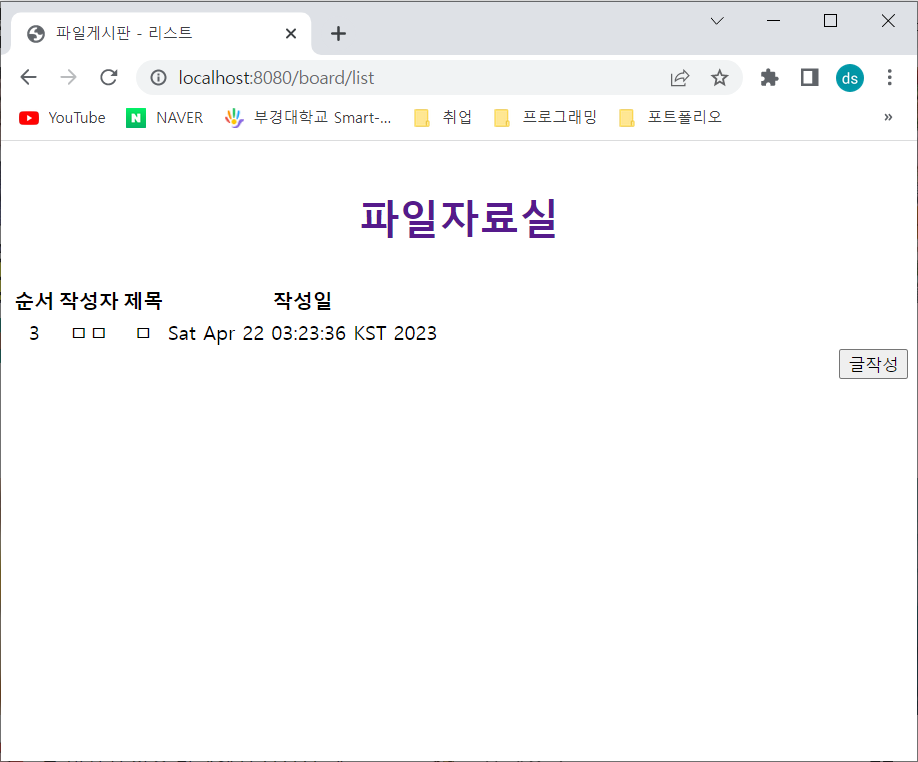
테스트용으로 insert 한 내용이 보인다.
<!DOCTYPE html>
<html xmlns:th="http://www.thymeleaf.org">
<head>
    <meta charset="UTF-8">
    <title>파일게시판 - 상세페이지</title>
</head>
<body>
<div>
    <div style="padding: 10px; text-align: center;">
        <h1><a th:href="@{/board/list}" style="text-decoration: none;">CrazyAcade - 자료실</a></h1>
    </div>
    <div>
        <div>
            <h4 style="font-weight: bolder;">상세내용</h4>
            <br/>
            <form role="form" th:object=${boardVO} th:action="@{/board/list}" method="post">
                <div>
                    <label style="font-weight: bolder;">제목</label>
                    <p th:text="${detail.title}"></p>
                    <input type="hidden" th:field="${detail.title}">
                </div>
                <div>
                    <label style="font-weight: bolder;">작성자</label>
                    <p th:text="${detail.writer}"></p>
                    <input type="hidden" th:field="${detail.writer}">
                </div>
                <div>
                    <label style="font-weight: bolder;">작성일자</label>
                    <p th:text="${detail.reg_date}"></p>
                </div>
                <div>
                    <label style="font-weight: bolder;">첨부파일</label>
                    <p>
                        <a th:if="${file}" th:href="@{/board/fileDown/{bno}(bno=${file.b_no})}"
                        >[[${file.fileoriginname}]]</a>
                    </p>
                </div>
                <div>
                    <label for="" style="font-weight: bolder;">내용</label>
                    <p th:text="${detail.content}"></p>
                    <input type="hidden" th:field="${detail.content}">
                </div>
                <div style="text-align: right;">
                    <input type="submit" th:value="목록" th:formaction="@{/board/list}">
                    <input type="submit" th:value="수정" th:formaction="@{/board/update/{b_no}(b_no=${detail.b_no})}">
                    <input type="submit" th:value="삭제" th:formaction="@{/board/delete/{b_no}(b_no=${detail.b_no})}">
                </div>
            </form>
        </div>
    </div>
    <br/><br/><br/>
</div>
</body>
</html>
detail.html
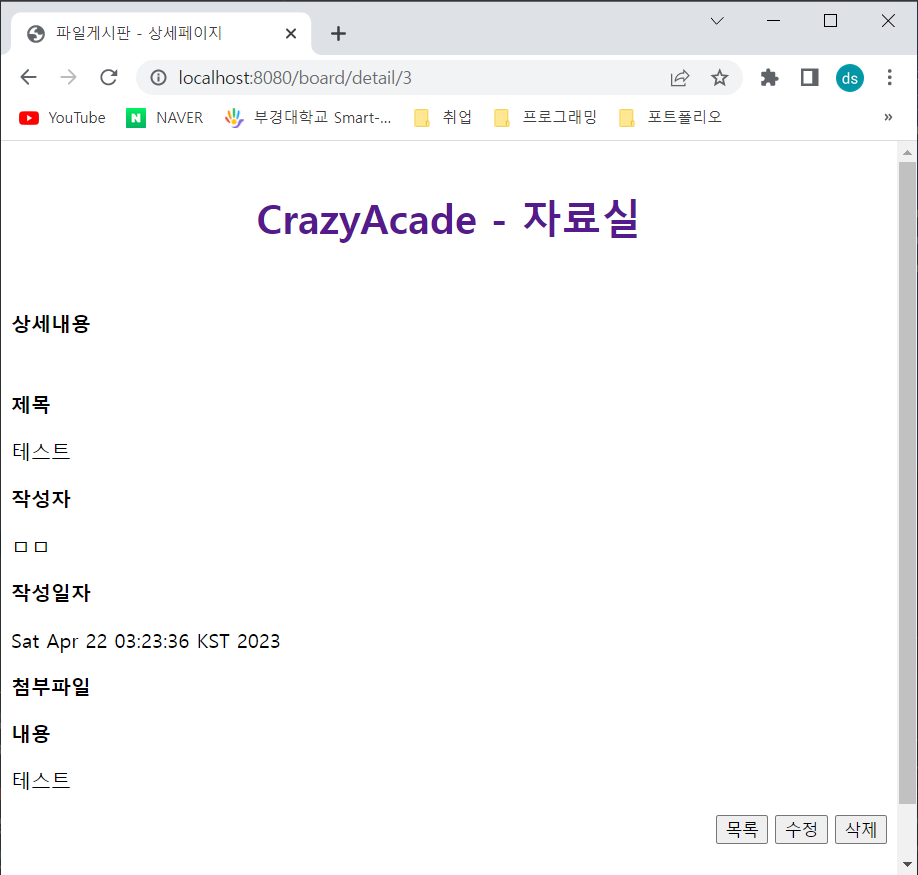
클릭하면 상세내용이 보인다.
<!DOCTYPE html>
<html xmlns:th="http://www.thymeleaf.org">
<head>
  <meta http-equiv="Content-Type" content="text/html; charset=UTF-8">
  <title>파일게시판 - 글작성</title>
</head>
<body>
<div>
  <div style="padding: 10px; text-align: center;">
    <h1><a th:href="@{/board/list}" style="text-decoration: none;">게시글작성</a></h1>
  </div>
  <div>
    <form role="form" th:object=${boardVO} th:action="@{/board/insertProc}" method="post" enctype="multipart/form-data">
      <div>
        <label for="title" style="font-weight: bolder;">제목</label>
        <input type="text" th:field="*{title}" id="title" name="title" placeholder="제목을 입력하세요" required="required">
      </div>
      <div class="form-group">
        <label for="writer" style="font-weight: bolder;">작성자</label>
        <input type="text" th:field="*{writer}" id="writer" name="writer" placeholder="작성자를 입력하세요" required="required">
      </div>
      <div class="form-group" style="font-weight: bolder;">
        <label for="content">내용</label><br/>
        <textarea th:field="*{content}" id="content" name="content" rows="15" cols="50" placeholder="내용을 입력하세요" required="required"></textarea>
      </div>
      <div class="form-group">
        <input type="file" name="files">
      </div>
      <div style="text-align: right;">
        <input type="submit" th:value="목록" th:formaction="@{/board/list}">
        <input type="submit" th:value="작성">
        <input type="reset" th:value="취소">
      </div>
    </form>
  </div>
  <br/><br/><br/>
</div>
</body>
</html>
insert.html
list.html에서 글작성 버튼을 누르면 아래와 같이 확인 할수 있다.
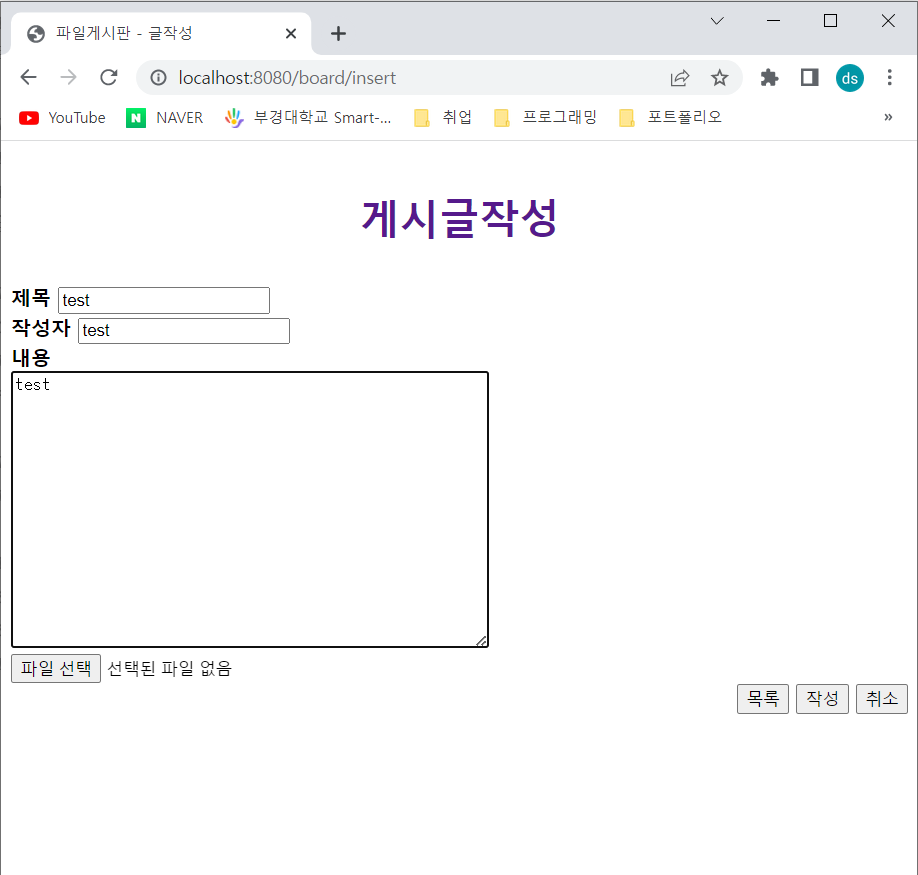
작성버튼을 클릭하면
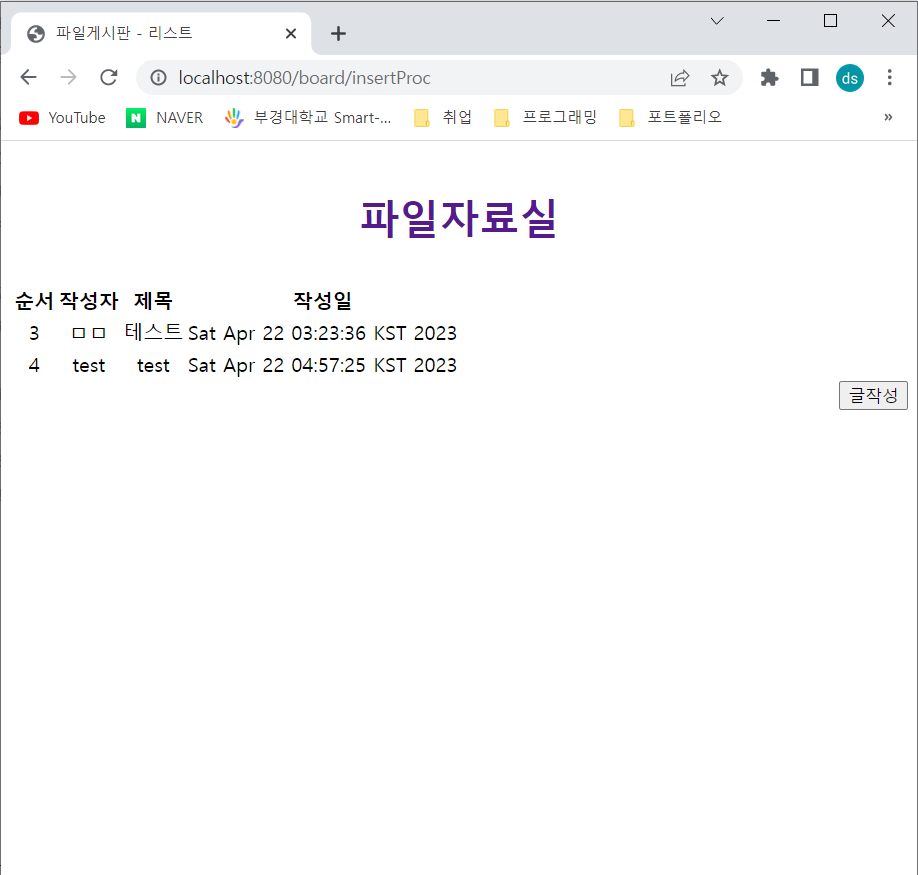
작성한 내용이 추가된것을 확인 할 수 있다.
<!DOCTYPE html>
<html xmlns:th="http://www.thymeleaf.org">
<head>
    <meta charset="UTF-8">
    <title>파일게시판 - 내용수정</title>
</head>
<body>
<div>
    <div style="padding: 10px; text-align: center;">
        <h1><a th:href="@{/board/list}" style="text-decoration: none;">게시글 수정</a></h1>
    </div>
    <div class="container">
        <form role="form" th:object="${boardVO}" th:action="@{/board/updateProc}" method="post">
            <div>
                <label for="title" style="font-weight: bolder;">제목</label>
                <input type="text" id="title" name="title" th:value="${detail.title}">
            </div>
            <div>
                <label for="writer" style="font-weight: bolder;">작성자</label>
                <input type="text" id="writer" name="writer" th:value="${detail.writer}" disabled="disabled">
            </div>
            <div class="form-group">
                <label for="content" style="font-weight: bolder;">내용</label><br>
                <textarea id="content" name="content" rows="15" cols="50">[[${detail.content}]]</textarea>
            </div>
            <div style="text-align: right;">
                <input type="hidden" name="b_no" th:value="${detail.b_no}">
                <input type="submit" th:value="목록" th:formaction="@{/board/list}">
                <input type="submit" th:value="저장">
                <input type="submit" th:value="삭제" th:formaction="@{/board/delete/{bno}(bno=${detail.b_no})}">
            </div>
        </form>
    </div>
    <br/><br/><br/>
</div>
</body>
</html>
update.html
detail.html 에서 수정버튼을 클릭하면
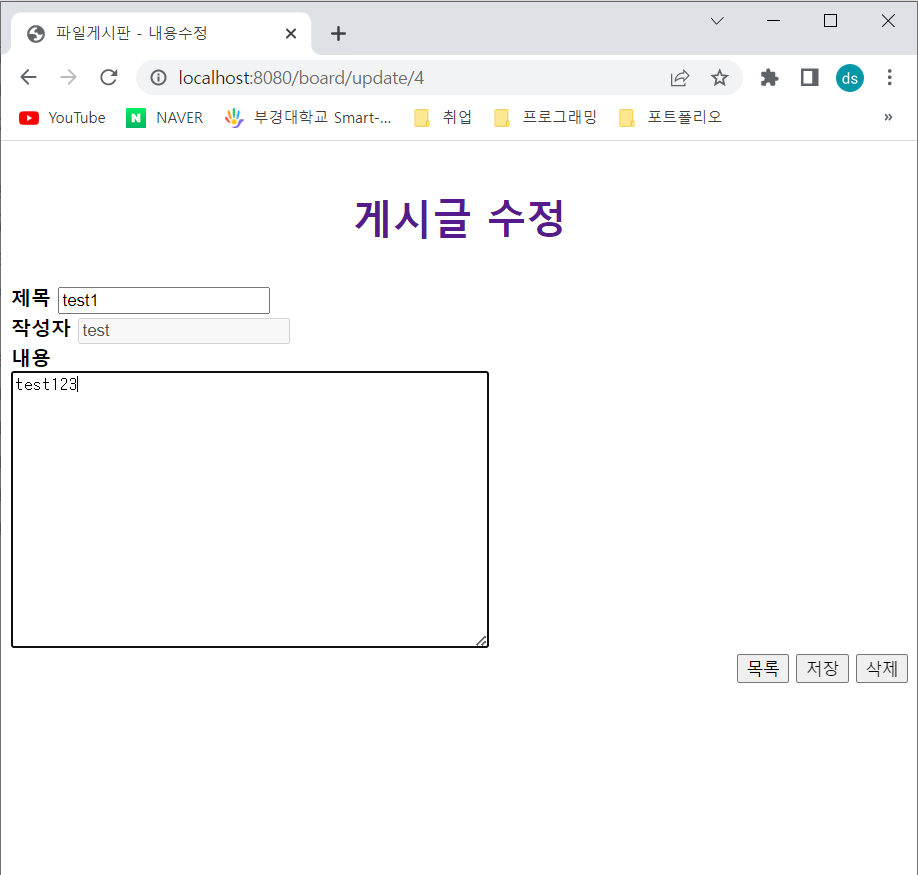
위와 같이 수정할수 있다. 저장버튼을 클릭하면 수정한 내용을 확인 할 수있다.
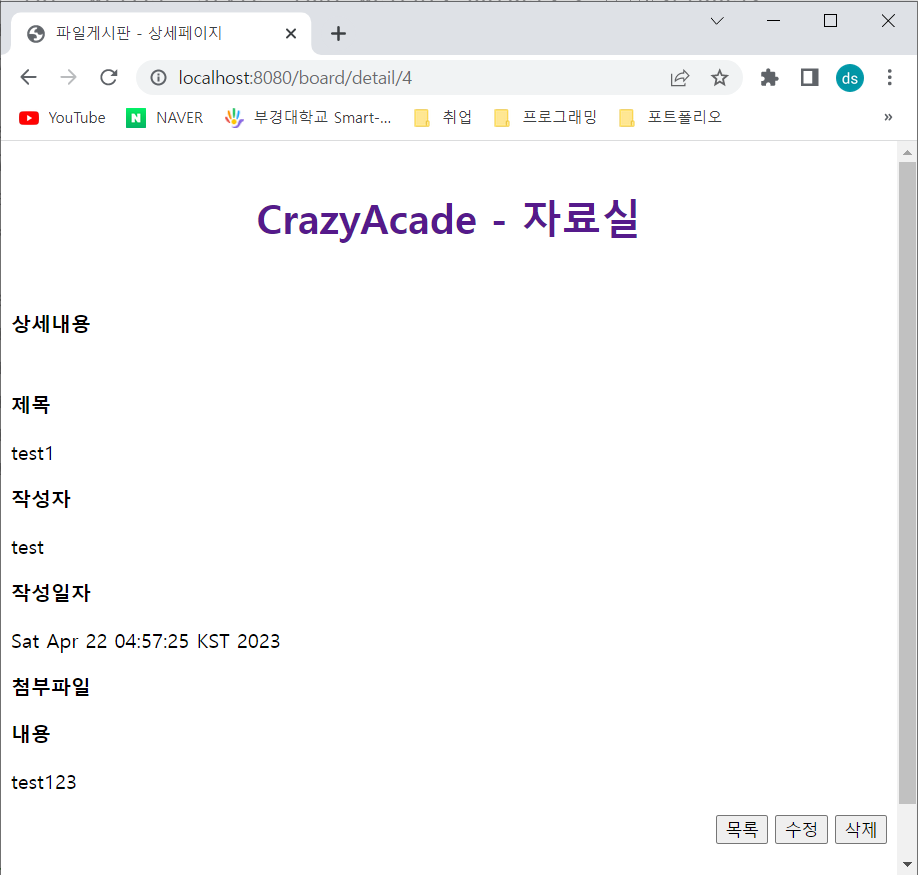
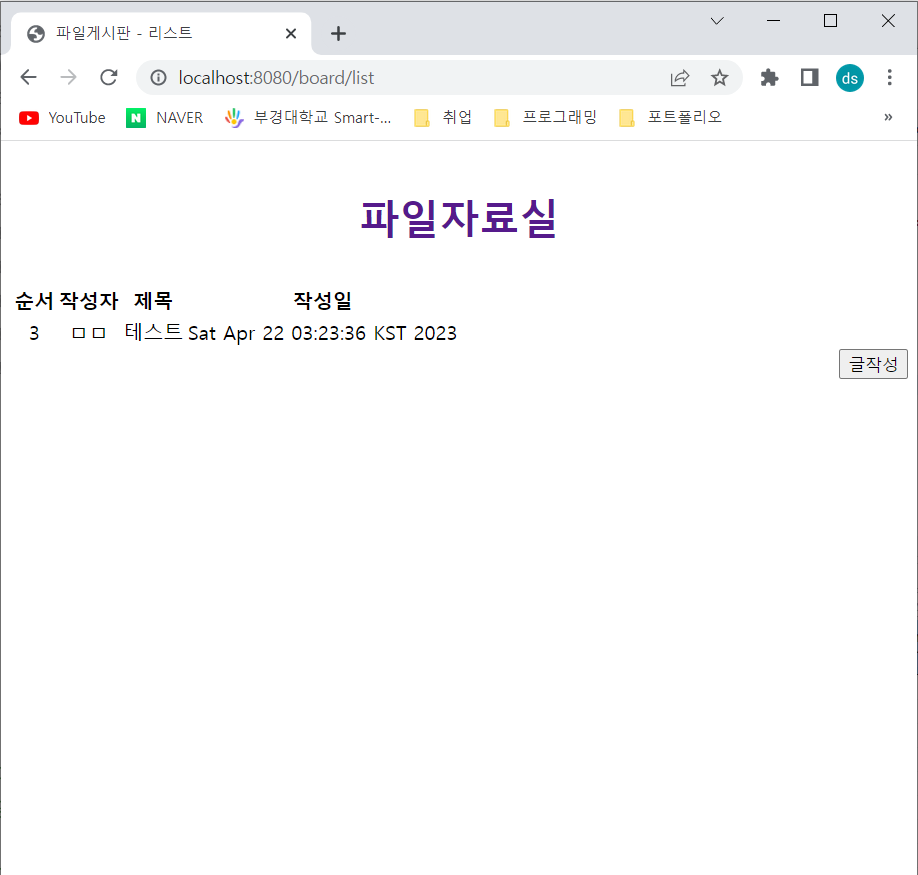
삭제버튼을 클릭하면 삭제됨을 확인 할 수 있다.

반갑습니다.