GeckoView Quick Start
https://firefox-source-docs.mozilla.org/mobile/android/geckoview/consumer/geckoview-quick-start.html
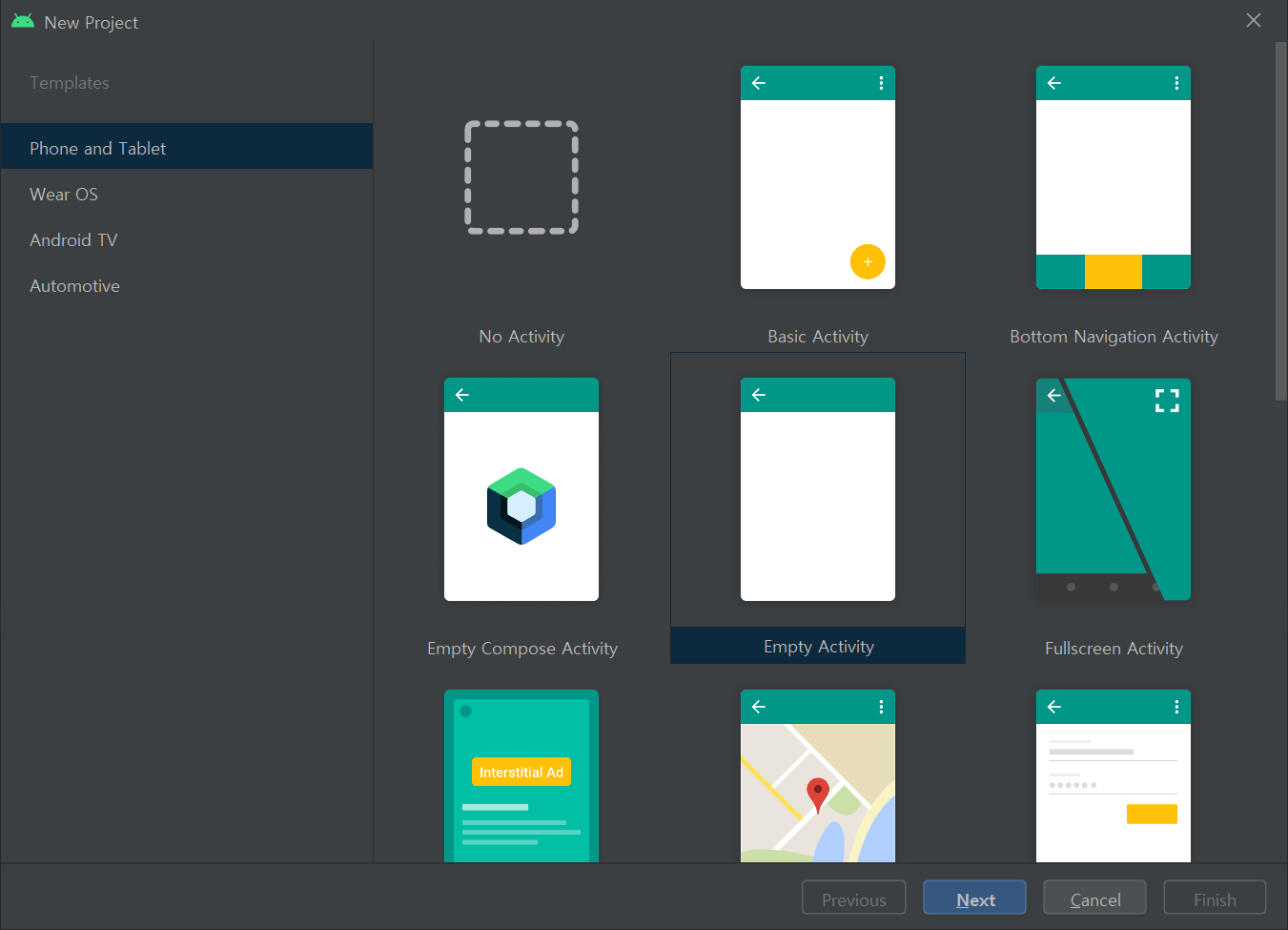
1.New Android Project - Empty Activity를 선택
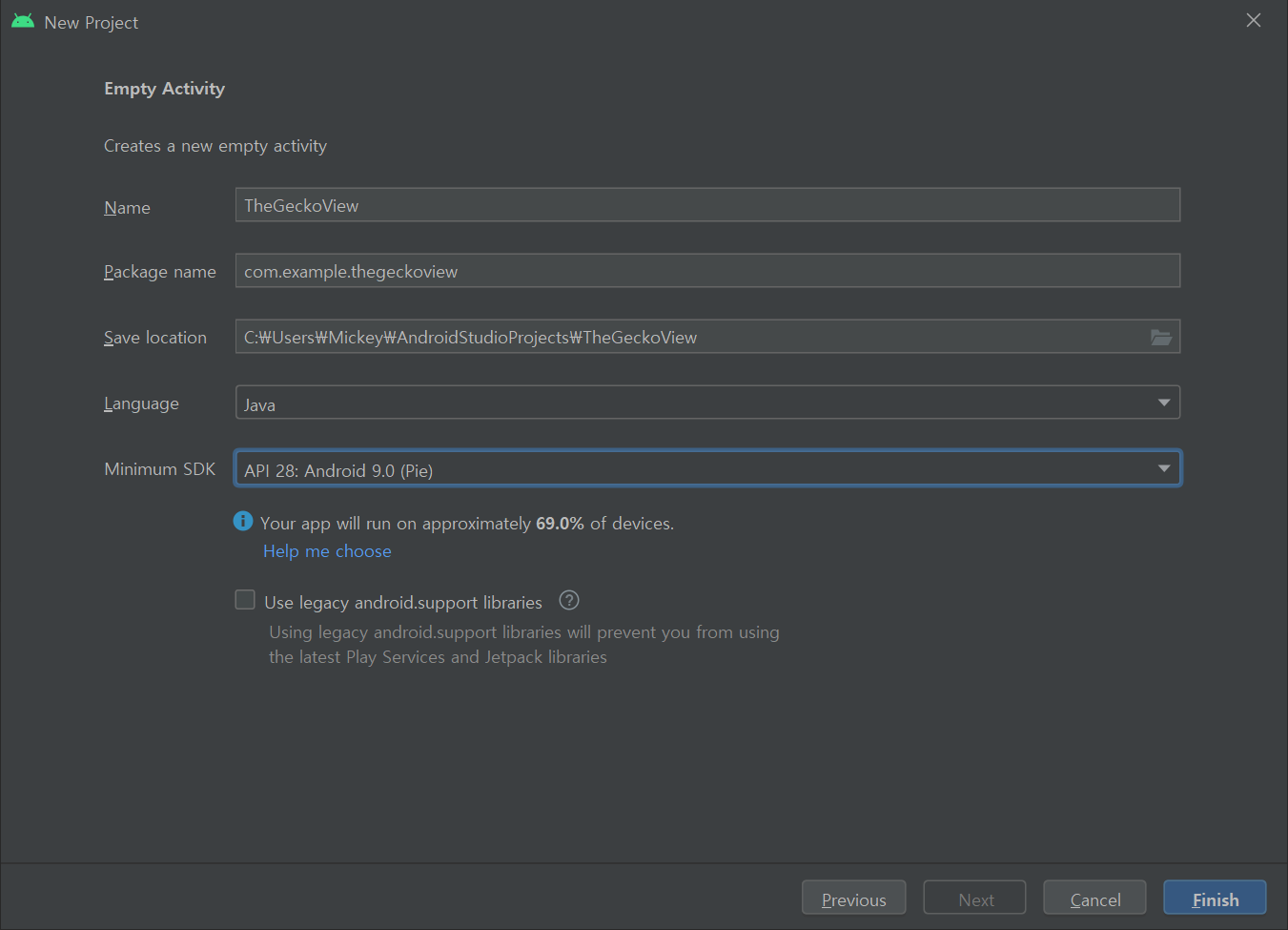
2.Project 이름 지정 - TheGeckoView로 설정
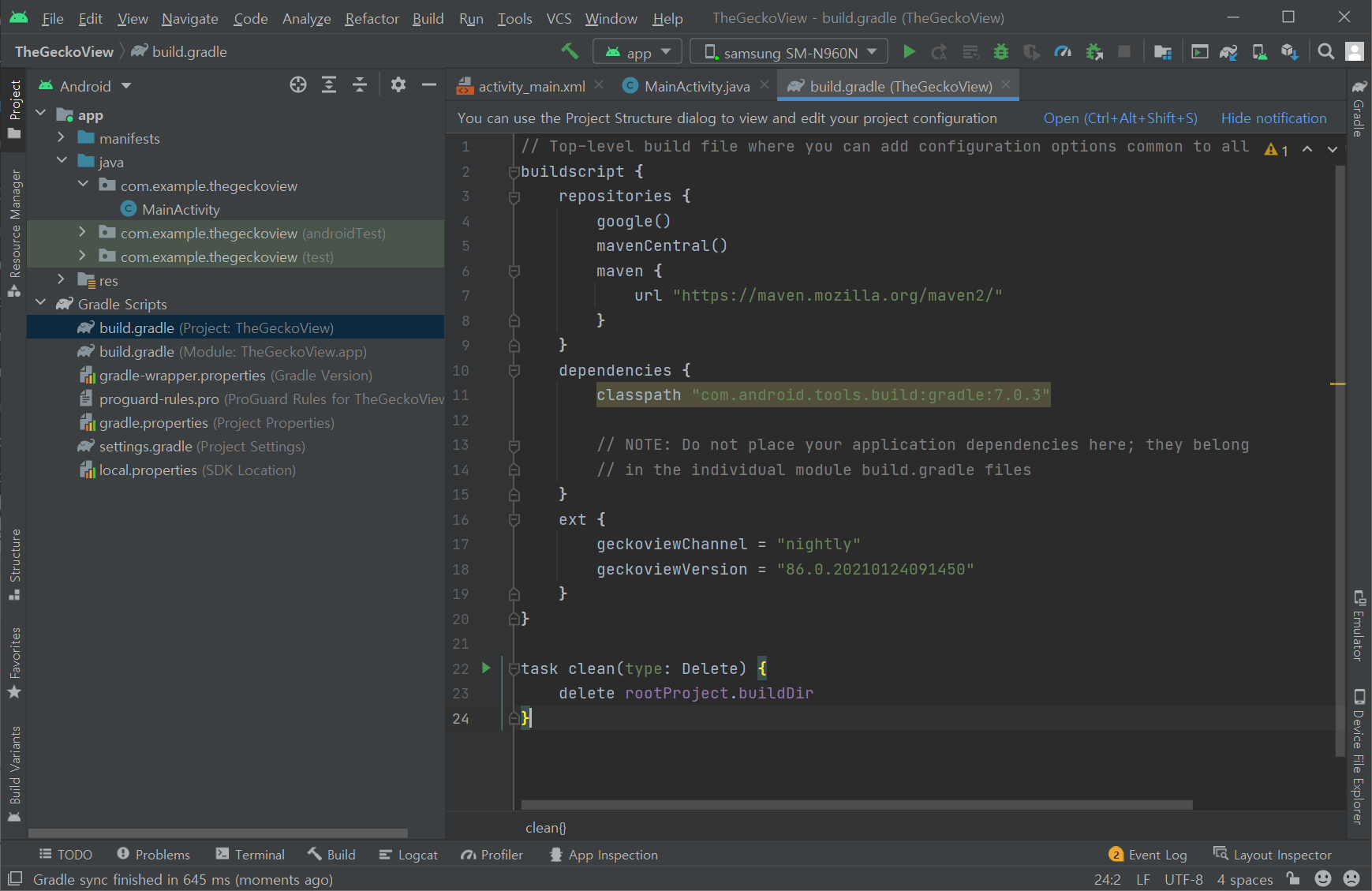
3.build.gradle 파일 수정
buildscript/repositories 하위에
maven {
url "https://maven.mozilla.org/maven2/"
} 추가
buildscript 하위에
ext {
geckoviewChannel = "nightly"
geckoviewVersion = "97.0.20220108220226"
} 추가
최신버전은 아래링크에서 찾을 수 있음
https://maven.mozilla.org/?prefix=maven2/org/mozilla/geckoview/geckoview-nightly-arm64-v8a/
4.build.gradle 파일 수정
dependencies 하위에
implementation "org.mozilla.geckoview:geckoview-${geckoviewChannel}:${geckoviewVersion}" 추가
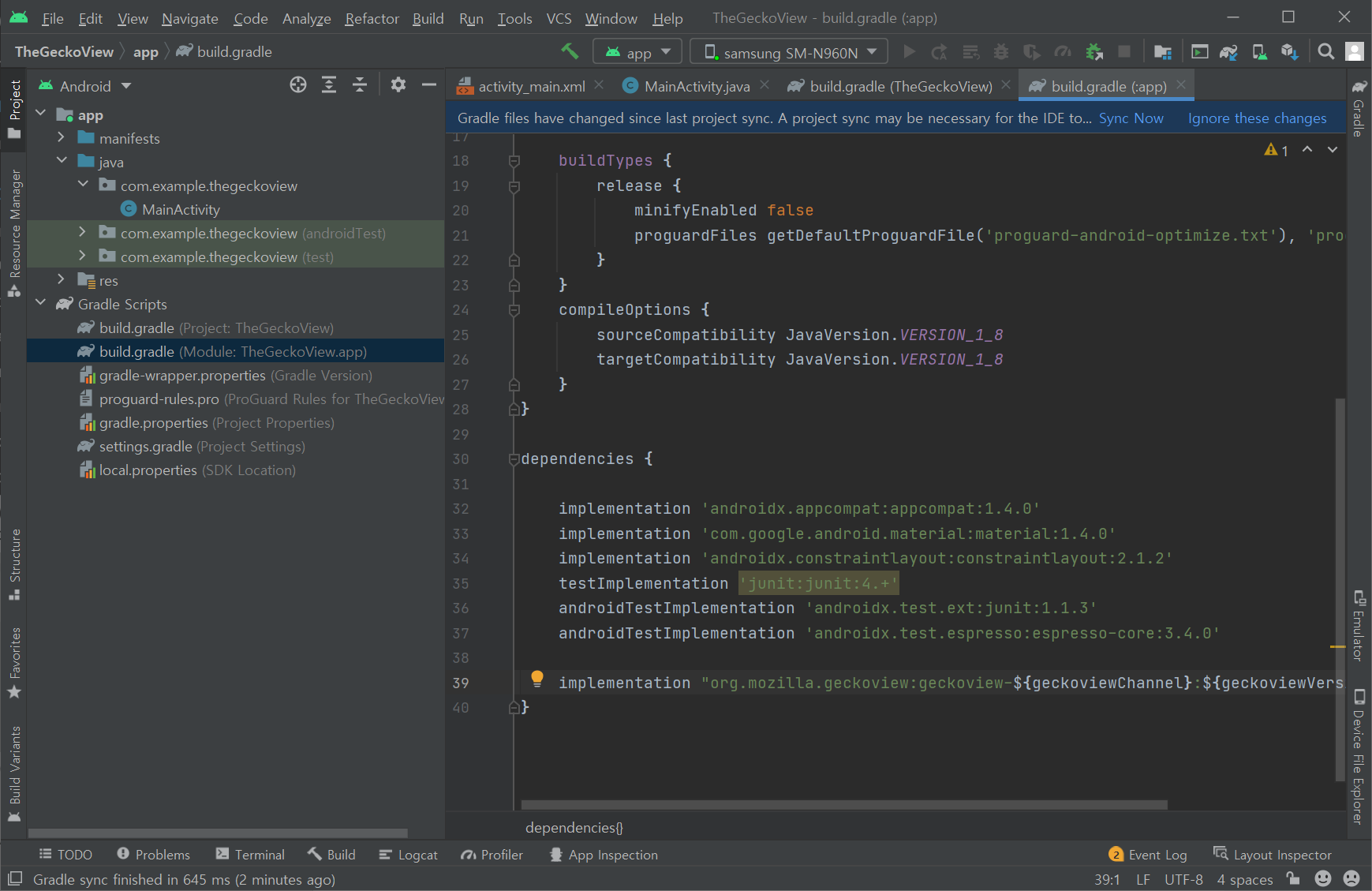
5.build.gradle의 compileOptions 확인
compileOptions {
sourceCompatibility JavaVersion.VERSION_1_8
targetCompatibility JavaVersion.VERSION_1_8
}
JavaVersion 동일 한지 확인
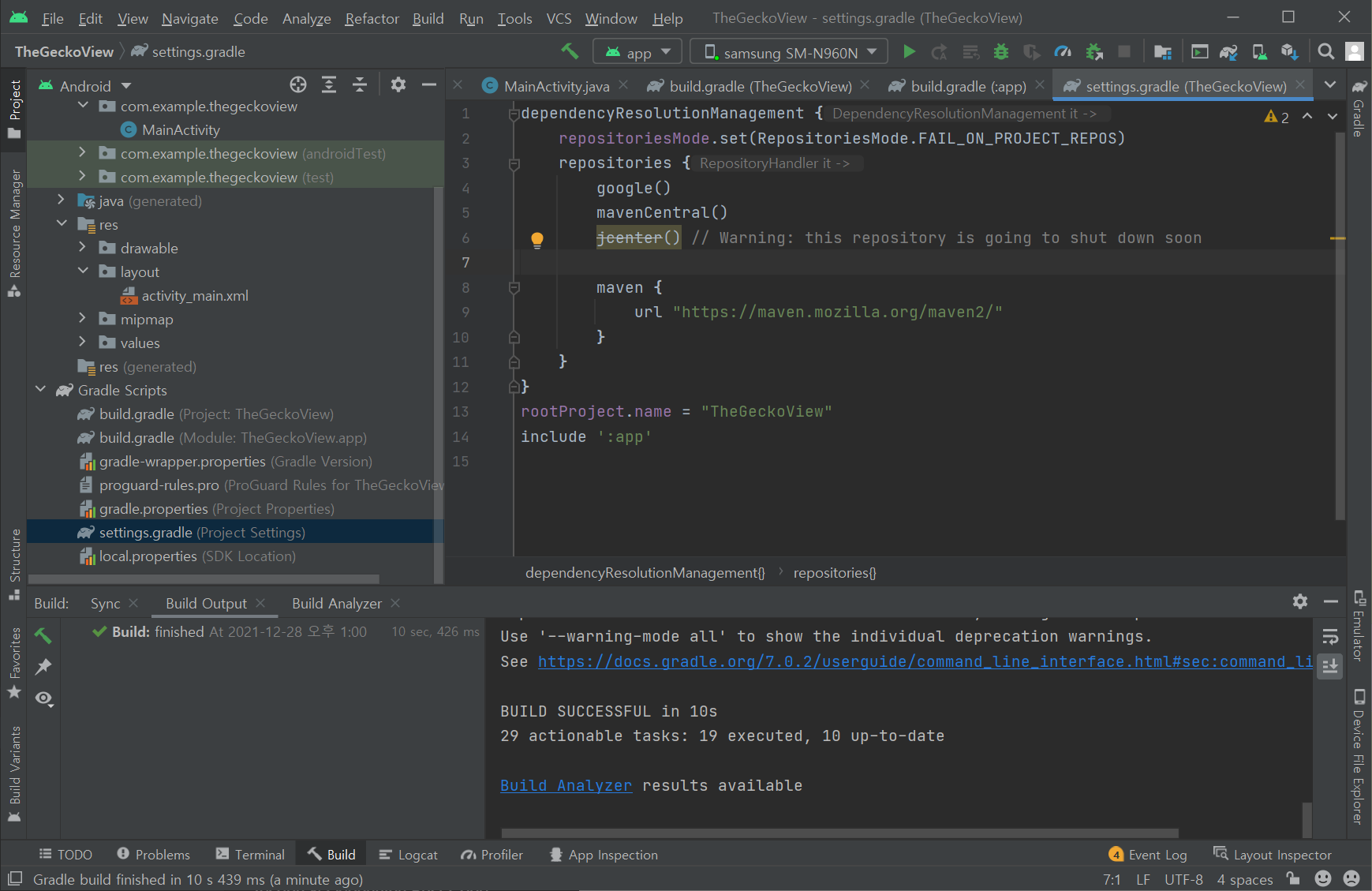
6.settings.gradle 파일 수정
dependencyResolutionManagement/repositories 하위에
maven {
url "https://maven.mozilla.org/maven2/"
} 추가
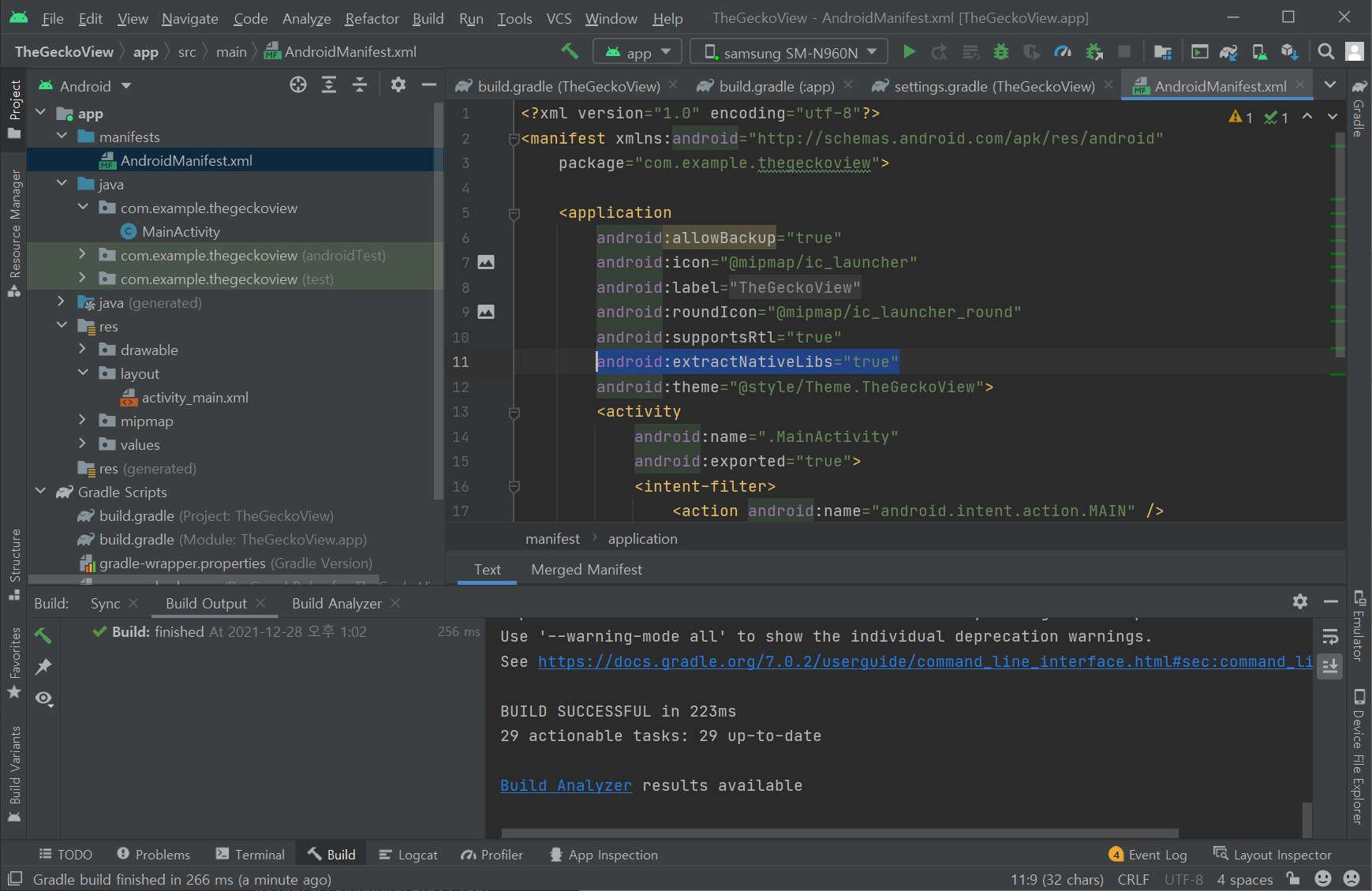
7.AndroidManifest.xml 파일 수정
application attribute로 android:extractNativeLibs="true" 추가
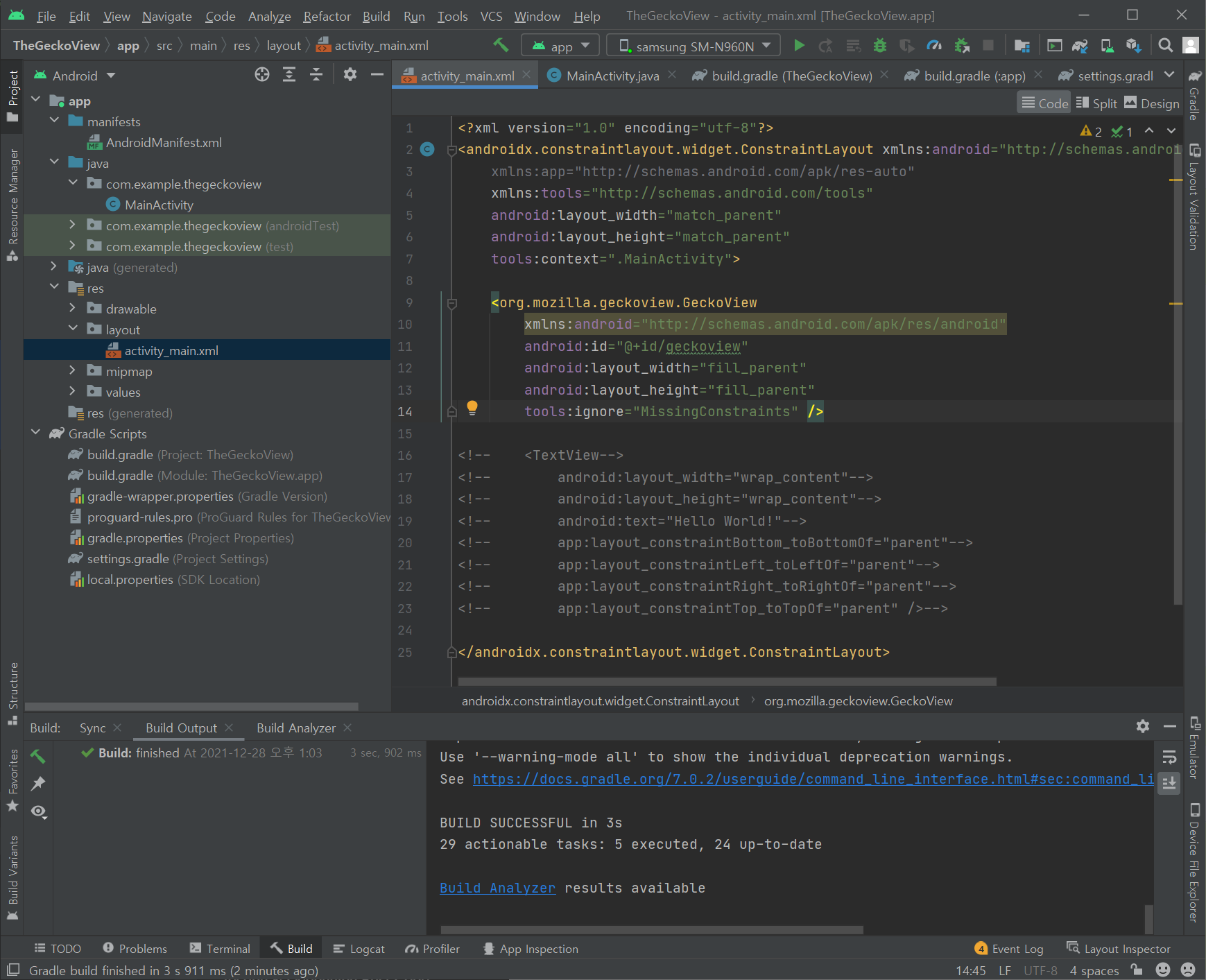
8.layout/activity_main.xml 파일 수정
Layout에
<org.mozilla.geckoview.GeckoView
xmlns:android="http://schemas.android.com/apk/res/android"
android:id="@+id/geckoview"
android:layout_width="fill_parent"
android:layout_height="fill_parent"
tools:ignore="MissingConstraints" /> 추가
9.MainActivity.java 수정
import org.mozilla.geckoview.GeckoRuntime;
import org.mozilla.geckoview.GeckoSession;
import org.mozilla.geckoview.GeckoView;
추가
onCreate() 안에
GeckoView view = findViewById(R.id.geckoview);
GeckoSession session = new GeckoSession();
GeckoRuntime runtime = GeckoRuntime.create(this);
    session.open(runtime);
    view.setSession(session);
// session.loadUri("about:buildconfig"); // Or any other URL...
session.loadUri("https://www.youtube.com");
추가
