- 전전글에 이은 실습 글이다.
- bindService() 실습을 위해 챗지피티가 알려준 음악 재생 앱을 만들어보자.
- 플레이 버튼을 누르면 백그라운드에서 음악이 재생되고, 스탑을 누르면 멈추는 간단한 기능을 구현해볼 것이다.
🪅 Service :: MusicService.kt
import android.media.MediaPlayer를 사용할 것이다.binder: 서비스와 클라이언트 사이의 통신을 가능하게 해주는 클래스. 여기서는 binder를 상속받아 MusicBinder라는 클래스를 만들었고, 이 클래스는 클라이언트에서 서비스 내부의 메소드를 사용할 수 있게 해준다.chat GPT의 한마디..참고
즉, MusicBinder는 MusicService 내부에서 서비스와 클라이언트 간의 통신을 중개하는 역할을 합니다. 클라이언트는 MusicService에 연결될 때 반환된 Binder 객체를 통해 서비스의 메서드를 호출할 수 있습니다. 이를 통해 서비스와 클라이언트 간의 효과적인 상호작용이 가능해집니다.- 서비스 클래스를 안드로이드 매니페스트에 등록해야하나, 안드로이드스튜디오에서 New > Service로 만들면 자동으로 등록된다 ^_^
class MusicService : Service() {
	// MediaPlayer 객체 생성
    private var mediaPlayer: MediaPlayer? = null
    // binder 생성
    private val binder = MusicBinder()

    // binder를 상속받은 MusicBinder 클래스.
    inner class MusicBinder: Binder() {
        fun getService():MusicService = this@MusicService
    }

    override fun onBind(intent: Intent): IBinder {
        return binder
    }

    fun startMusic(){
        if (mediaPlayer == null){
            mediaPlayer = MediaPlayer.create(this, R.raw.music)
            mediaPlayer?.isLooping = true
            mediaPlayer?.start()
        }else{
            mediaPlayer?.start()
        }
    }

    fun stopMusic(){
        mediaPlayer?.stop()
        mediaPlayer?.release()
        mediaPlayer = null
    }
}-
inner class MusicBinder
: MusicBinder 내부 클래스가 MusicService 클래스의 프라이빗 멤버에 접근할 수 있기 때문에 보안 측면에서도 안전 -
클라이언트에서 MusicService의 MusicBinding 클래스를 가져와서 getService() 함수를 호출해 사용할 서비스를 가져올 수 있다.
🪅 MainActivity.kt
[1] onCreate()
- MusicService로 갈 인텐트 생성 후
bindService()함수 실행. - 이 때 두번째 매개변수로 ServiceConnection 객체 넣어줘야 함.
- 서비스와 연결해둔 후, 각 버튼 클릭 시 연결된 서비스에서 메소드 호출
    override fun onCreate(savedInstanceState: Bundle?) {
        super.onCreate(savedInstanceState)
        binding = ActivityMainBinding.inflate(layoutInflater)
        setContentView(binding.root)

        val intent = Intent(this, MusicService::class.java)
        bindService(intent, connection, Context.BIND_AUTO_CREATE)

        binding.playButton.setOnClickListener {
            musicService?.startMusic()
        }

        binding.stopButton.setOnClickListener {
            musicService?.stopMusic()
        }
    }
[2] ServiceConnection
bindService()가 호출될 때 자동으로 실행되는onServiceConnected에서는 바인더를 통해 MusicService 객체를 가져온다.unBindService()가 호출될 때 자동으로 실행되는onServiceDisconnected에서는 연결 상태를 false로 바꿔준다.
   private var musicService: MusicService? = null
    private var isBound = false

    private val connection = object: ServiceConnection {
        override fun onServiceConnected(name: ComponentName?, service: IBinder?) {
            val binder = service as MusicService.MusicBinder
            musicService = binder.getService()
            isBound = true
        }

        override fun onServiceDisconnected(name: ComponentName?) {
            isBound = false
        }
    }
[3] onDestroy
- 액티비티가 종료될 때
unbindService를 통해 음악 재생을 멈춘다.
 override fun onDestroy() {
        super.onDestroy()
        if (isBound){
            unbindService(connection)
            isBound  = false
        }
    }
🪅 정리
(1) 백그라운드 단에서 실행하고 싶은게 있으면 인텐트에 담아서 bindService() 실행
(2) bindService() 호출되면 ServiceConnected() 호출되면서, getService()로 서비스 객체를 가져옴 (생명주기 상 MusicService의 onBind()가 실행되면서 binder가 반환됨.)
(3) 가져온 서비스 객체에 연결된 메소드를 실행하며 백그라운드단 제어
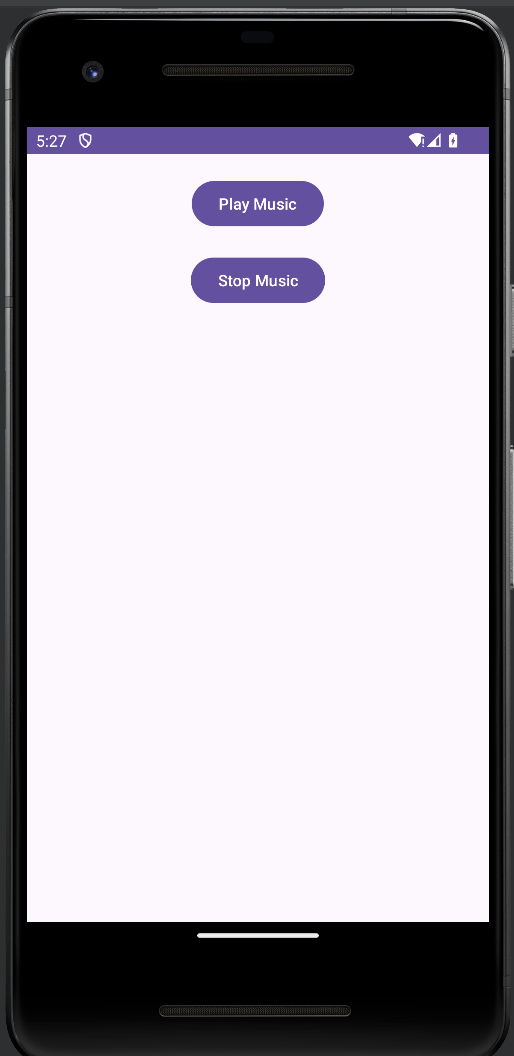
실행 결과
- 플레이를 누르면 노래가 나오고, 스탑 누르면 멈춘다.
- gif로 소리까지 녹화하기 실패하여 스샷으로 대체...

야금야금 앱 개발자