결과
엘리먼트가 뷰포트에 보임/안보임에 따라 실행되는 자바스크립트 트리거
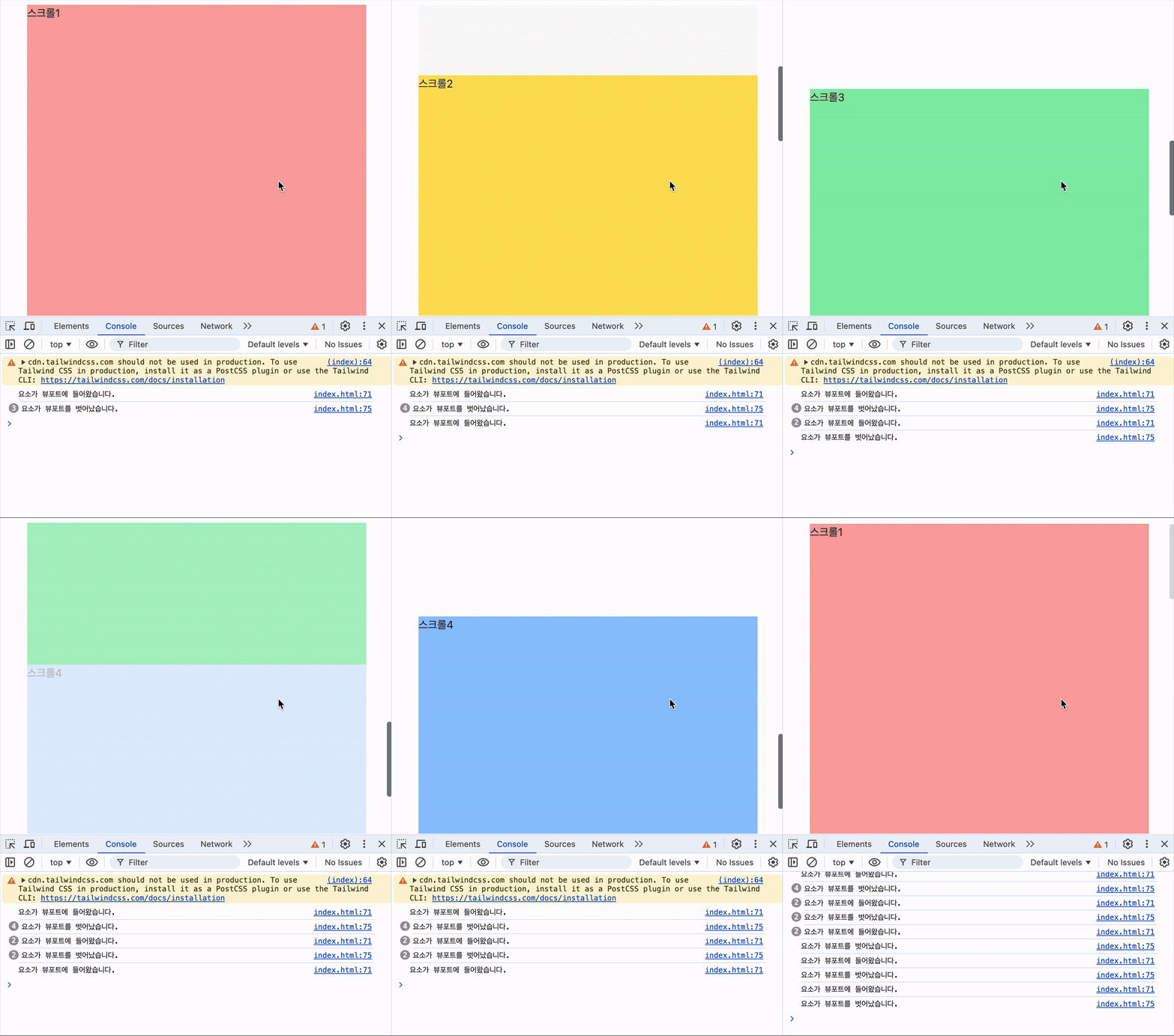
코드
<!DOCTYPE html>
<html lang="en">
<head>
    <meta charset="UTF-8">
    <meta name="viewport" content="width=device-width, initial-scale=1.0">
    <title>Document</title>
    <script src="https://cdn.tailwindcss.com"></script>
    <link href="https://cdn.jsdelivr.net/npm/daisyui@4.12.10/dist/full.min.css" rel="stylesheet" type="text/css" />

    <style>
        .target { opacity: 0; transition: opacity 0.5s; }
        .target.active { opacity: 1; }
    </style>

</head>
<body class="w-screen flex flex-col justify-center items-center">
    <div class="target w-[500px] h-screen bg-red-300">스크롤1</div>
    <div class="target w-[500px] h-screen bg-yellow-300">스크롤2</div>
    <div class="target w-[500px] h-screen bg-green-300">스크롤3</div>
    <div class="target w-[500px] h-screen bg-blue-300">스크롤4</div>
</body>
</html>

<script>
    // 대상 요소를 선택합니다.
    const targetElement = document.querySelectorAll('.target');

    // Intersection Observer 콜백 함수
    const observerCallback = (entries, observer) => {
        entries.forEach(entry => {
            if (entry.isIntersecting) {
                // 요소가 뷰포트에 들어올 때 실행할 동작
                console.log('요소가 뷰포트에 들어왔습니다.');
                entry.target.classList.add('active');
            } else {
                // 요소가 뷰포트를 벗어날 때 실행할 동작
                console.log('요소가 뷰포트를 벗어났습니다.');
                entry.target.classList.remove('active');
            }
        });
    };

    // Intersection Observer 옵션
    const observerOptions = {
        root: null, // 뷰포트 기준
        rootMargin: '0px',
        threshold: 0.5 // 요소가 50% 이상 보일 때 콜백 실행
    };

    // Intersection Observer 인스턴스 생성
    const observer = new IntersectionObserver(observerCallback, observerOptions);

    // 대상 요소를 관찰합니다.
    targetElement.forEach(element => {
        observer.observe(element);
    });
</script>
겪은 이슈를 공유합니다.