input type (인라인 레벨 요소)
<!DOCTYPE html>
<html lang="ko">
<head>
    <meta charset="UTF-8">
    <meta name="viewport" content="width=device-width, initial-scale=1.0">
    <title>input tag</title>
</head>
<body>
    <h1>회원가입</h1>
    아이디 : <input type="text" placeholder="아이디를 입력하세요..."> <br><br>
    비밀번호 : <input type="password" placeholder="비밀번호를 입력하세요..." maxlength="10"><br><br>
    좋아하는 색 : <input type="color" name="red"><br><br>
    생년월일 : <input type="date" name="2025/03/13"><br><br>
    남자 <input type="checkbox" name="checkbox">
    여자 <input type="checkbox" name="checkbox"><br><br>

    <input type="button" value="가입완료">

</body>
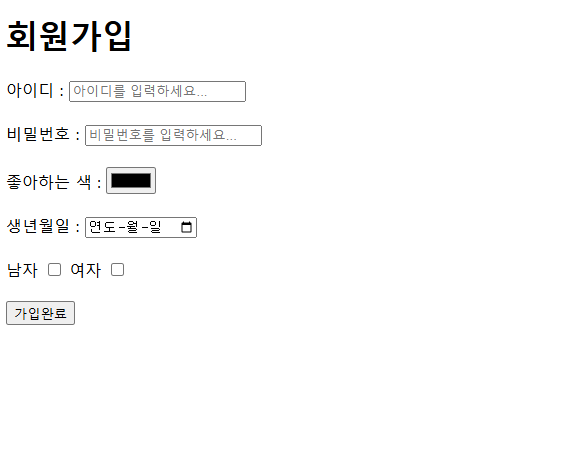
</html>- Text, password, date , color, checkbox, button 등등 다양하게 있다.
placeholder는 박스 내에 부가 설명을 해주고 타자를 치면 사라집니다.
- 위 코드의 결과물 -

기초부터 차근차근 달려볼까요 :)