투두리스트 만들기
import React, { useState } from 'react'
import styled from 'styled-components'

function App() {
  const [todo, setTodo] = useState([{id:1677592159409, state:false, title: "리액트 공부하기", txt:"리액트 시작해보자."},
  {id:1677592159409, state:false, title: "리액트 공부하기", txt:"리액트 시작해보자."},
  {id:1677592159410, state:false, title: "리액트 공부하기", txt:"리액트 시작해보자."},
  {id:1677592159411, state:false, title: "리액트 공부하기", txt:"리액트 시작해보자."},
  {id:1677592159412, state:false, title: "리액트 공부하기", txt:"리액트 시작해보자."},
  {id:1677592159413, state:false, title: "리액트 공부하기", txt:"리액트 시작해보자."},
])
  const [title, setTitle] = useState('')
  const [txt, setTxt] = useState('')

  const write = (e) => {
    e.preventDefault()
    const newTodo = {id:Date.now(), state:false, title, txt}
    console.log(newTodo)
    setTodo([...todo, newTodo])
    setTitle('')
    setTxt('')
  }

  const done = (e) => {
    const find = todo.filter(el => el.id === Number(e.target.id))[0]
    find.state = true
    setTodo([...todo])
  }
  const cancel = (e) => {
    const find = todo.filter(el => el.id === Number(e.target.id))[0]
    find.state = false
    setTodo([...todo])
  }
  const deletetodo = (e) => {
    const find = todo.filter(el => el.id !== Number(e.target.id))
    setTodo(find)
  }


  return (
    <Layout>
    <Form onSubmit={write}>
      <input id='title' type="text" value={title} onChange={e => setTitle(e.target.value)} />
      <input id='txt' type="text" value={txt} onChange={e => setTxt(e.target.value)} />
      <input type="submit"/>
    </Form>
    <ArticleBox>
    <Article color="#FFE39D">
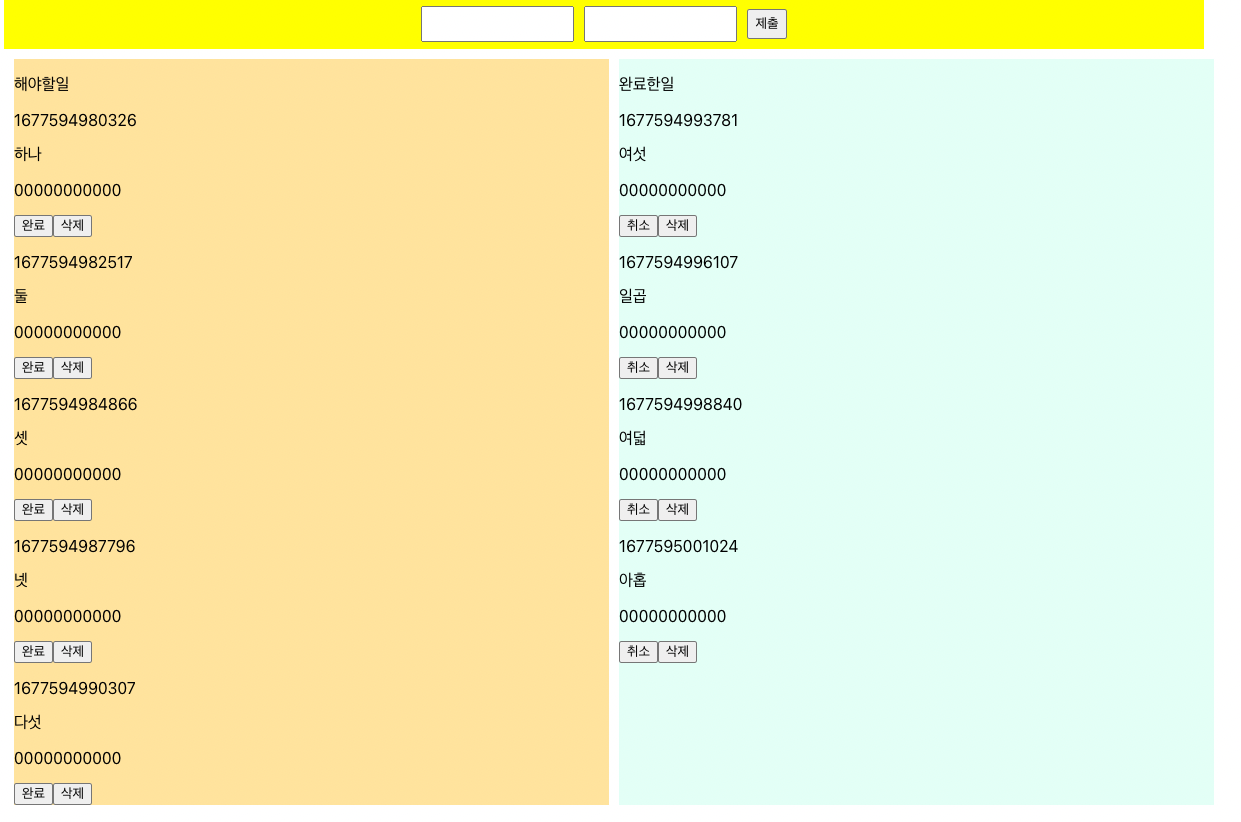
      <p>해야할일</p>
        {todo.map(el => {
            if(el.state === false) {
              return (
              <div id={el.id}>
                <p>{el.id}</p>
                <p>{el.title}</p>
                <p>{el.txt}</p>
                <button id={el.id} onClick={done}>완료</button>
                <button id={el.id} onClick={deletetodo}>삭제</button>
            </div>
            )}
        })}
      </Article>
      <Article color="#E3FFF6">
      <p>완료한일</p>
        {todo.map(el => {
            if(el.state === true) {
              return (
              <div id={el.id}>
                <p>{el.id}</p>
                <p>{el.title}</p>
                <p>{el.txt}</p>
                <button id={el.id} onClick={cancel}>취소</button>
                <button id={el.id} onClick={deletetodo}>삭제</button>
            </div>
            )}
        })}
      </Article>
    </ArticleBox>

    </Layout>
  )
}

export default App

const Layout = styled.div`
max-width: 1200px;
min-width: 800px;
margin: 0 auto;
`

const Form = styled.form`
text-align: center;
line-height: 50px;
width: 100%;
height: 50px;
background-color: yellow;
display: flex;
justify-content: center;
align-items: center;
gap: 10px;

input {
  display: block;
  height: 30px;
}
`

const ArticleBox = styled.div`
width: 100%;
height: auto;
padding: 10px;
display: grid;
grid-template-columns: 1fr 1fr;
gap:10px
`

const Article = styled.div`
width: 100%;
min-height: 100px;
background-color: ${props => props.color};
`
투두리스트 만들기 : 연습코드
대충 CSS 만들어놓았으니 기능구현에 얼마나 걸리는지 테스트하자.
import React, { useState } from 'react'
import styled from 'styled-components'

function App() {
  const [todo, setTodo] = useState([{id:1677592159409, state:false, title: "리액트 공부하기", txt:"리액트 시작해보자."},
  {id:1677592159409, state:false, title: "리액트 공부하기", txt:"리액트 시작해보자."},
  {id:1677592159410, state:false, title: "리액트 공부하기", txt:"리액트 시작해보자."},
  {id:1677592159411, state:false, title: "리액트 공부하기", txt:"리액트 시작해보자."},
  {id:1677592159412, state:false, title: "리액트 공부하기", txt:"리액트 시작해보자."},
  {id:1677592159413, state:false, title: "리액트 공부하기", txt:"리액트 시작해보자."},
])


  return (
    <Layout>
    <div style={{backgroundColor:"black", width:"100%"}}></div>
    <Form>  {/* 사용자로부터 입력받을 값 */}

    </Form>
    <ArticleBox> {/* 입력된 내용에 따라서 할일목록, 완료목록 */}
    {/* 할일목록 */}
    <Article color="#FFE39D">
      <p>해야할일</p>
      </Article>

      {/* 할일목록 */}
      <Article color="#E3FFF6">
      <p>완료한일</p>
      </Article>
    </ArticleBox>

    </Layout>
  )
}

export default App

const Layout = styled.div`
max-width: 1200px;
min-width: 800px;
margin: 0 auto;
`

const Form = styled.form`
text-align: center;
line-height: 50px;
margin: 0 auto;
height: 50px;
display: flex;
justify-content: center;
align-items: center;
gap: 10px;

input {
  display: block;
  height: 30px;
}
`

const ArticleBox = styled.div`
width: 100%;
height: auto;
padding: 10px;
display: grid;
grid-template-columns: 1fr 1fr;
gap :10px;
`

const Article = styled.div`
width: 100%;
min-height: 100px;
background-color: ${props => props.color};
`
줄어드는 완료시간
1차 : 15분 컷
2차 : 14분 컷
3차 : 11분 컷
No CSS, CreateReactApp에서부터 시작!!
import React, { useState } from 'react'
// https://www.notion.so/TODOLists-fda9b762e4ab428589c0286fa2408c53?pvs=4


function App() {
  const [title, setTitle] = useState('')
  const [txt, setTxt] = useState('')
  const [todo, setTodo] = useState([])

  const write = (e) => {
    e.preventDefault()
    const newTodo = {id:Date.now(), state:false, title, txt}
    setTodo([...todo, newTodo])
    setTitle('')
    setTxt('')
  }

  const done = (e) => {
    const find = todo.filter(el => el.id === Number(e.target.id))[0]
    find.state = true
    setTodo([...todo])
  }
  const cancel = (e) => {
    const find = todo.filter(el => el.id === Number(e.target.id))[0]
    find.state = false
    setTodo([...todo])
  }
  const deleteTodo = (e) => {
    const find = todo.filter(el => el.id !== Number(e.target.id))
    setTodo([...find])
  }

  return (
    <>
    <form onSubmit={write}>
      title <input type="text" value={title} onChange={(e)=> setTitle(e.target.value)}/> <br/>
      txt <input type="text" value={txt} onChange={(e)=> setTxt(e.target.value)}/><br/>
      <input type="submit" onSubmit={write}/>
    </form>
    <article>
      <div className='todoYet'>
      <p>할일목록</p>
        {todo.map(el => {
          if(el.state === false) {
            return (
              <div key={el.id} className='todoBox'>
                <p>{el.title}</p>
                <p>{el.txt}</p>
                <button id={el.id} onClick={done}>완료하기</button>
                <button id={el.id} onClick={deleteTodo}>삭제하기</button>
              </div>
            )
          }
        })}
      </div>
      <div className='todoYet'>
        <p>완료목록</p>
        {todo.map(el => {
          if(el.state === true) {
            return (
              <div key={el.id} className='todoBox'>
                <p>{el.title}</p>
                <p>{el.txt}</p>
                <button id={el.id} onClick={cancel}>취소하기</button>
                <button id={el.id} onClick={deleteTodo}>삭제하기</button>
              </div>
            )
          }
        })}
      </div>

    </article>
    </>
  )
}

export default App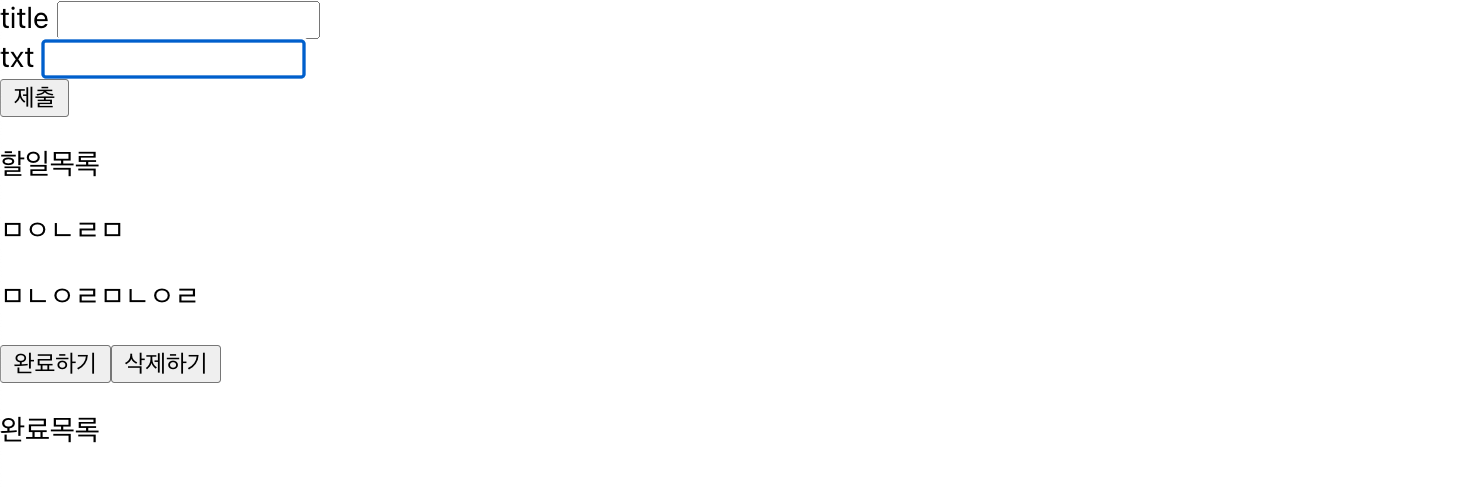
15분 30초

신학전공자의 개발자 도전기!!