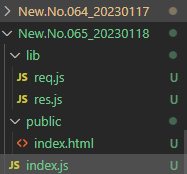
- 어제 파일 복사함
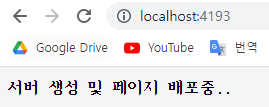
- TCP 서버 생성(server) 부분에 코드 작성해줌
    // 라우터 구현
    // req, 요청으로 들어온 정보를 가져와 path와 method에 따라 라우터를 구분하여 응답을 보낸다.
    // GET 형식 이면서 "/" 라우터로 요청이 왔을 때 public 폴더의 index.html 파일을 응답한다.
    if (req.method === "GET" && req.path === "/") {
      res.sendFile("index.html");
    } else {
      // 들어온 요청의 형식과 라우터가 정해진 형식이 아닐 시 404를 응답한다.
      res.send("404");
    }
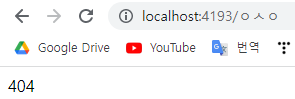
- 그러면 기본 라우터로 들어가면 index.html, 아니면 404가 뜸
- 404
- css파일 생성 및 css 옮겨줌

    // 라우터 구현
    // req, 요청으로 들어온 정보를 가져와 path와 method에 따라 라우터를 구분하여 응답을 보낸다.
    // GET 형식 이면서 "/" 라우터로 요청이 왔을 때 public 폴더의 index.html 파일을 응답한다.
    if (req.method === "GET" && req.path === "/") {
      res.sendFile("index.html");
    } else if (req.method === "GET" && req.path === "/index.css") {
      res.sendFile("index.css");
    } else {
      // 들어온 요청의 형식과 라우터가 정해진 형식이 아닐 시 404를 응답한다.
      res.send("404");
    }
- public에 index.js 폴더 생성
- 라우터를 통해 index.js를 띄우는 코드 추가
    // 라우터 구현
    // req, 요청으로 들어온 정보를 가져와 path와 method에 따라 라우터를 구분하여 응답을 보낸다.
    // GET 형식 이면서 "/" 라우터로 요청이 왔을 때 public 폴더의 index.html 파일을 응답한다.
    if (req.method === "GET" && req.path === "/") {
      res.sendFile("index.html");
    } else if (req.method === "GET" && req.path === "/index.css") {
      res.sendFile("index.css");
    } else if (req.method === "GET" && req.path === "/index.js") {
      res.sendFile("index.js");
    } else {
      // 들어온 요청의 형식과 라우터가 정해진 형식이 아닐 시 404를 응답한다.
      res.send("404");
    }
- html에 index.js 추가
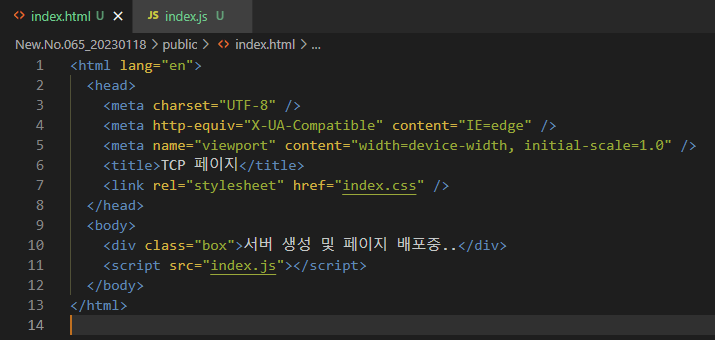
- public의 index.js 코드 추가
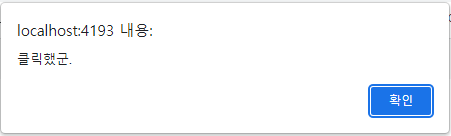
document.getElementsByClassName("box")[0].onClick = function () {
  alert("클릭했군.");
};
- node index로 시작 후 클릭해봄
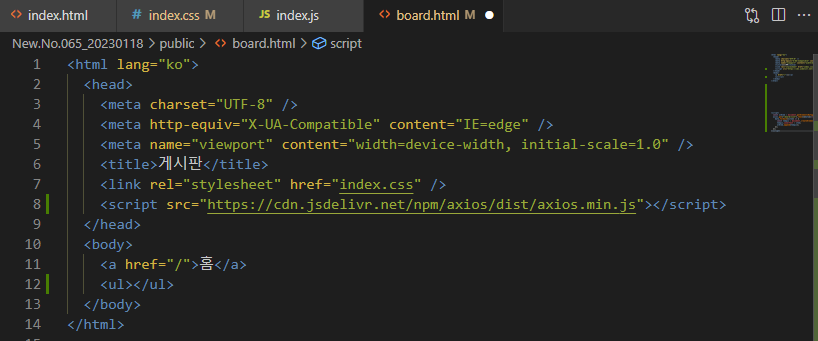
- board.html 생성 및 ul 추가
    // 라우터 구현
    // req, 요청으로 들어온 정보를 가져와 path와 method에 따라 라우터를 구분하여 응답을 보낸다.
    // GET 형식 이면서 "/" 라우터로 요청이 왔을 때 public 폴더의 index.html 파일을 응답한다.
    if (req.method === "GET" && req.path === "/") {
      res.sendFile("index.html");
    } else if (req.method === "GET" && req.path === "/index.css") {
      res.sendFile("index.css");
    } else if (req.method === "GET" && req.path === "/index.js") {
      console.log("js");
      res.sendFile("index.js");
    } else if (req.method === "GET" && req.path === "/board") {
      res.sendFile("board.html");
    } else {
      // 들어온 요청의 형식과 라우터가 정해진 형식이 아닐 시 404를 응답한다.
      res.send("404");
    }
- 서버쪽에 client.on 추가
  client.on("close", ()=>{
    console.log("요청에 대한 응답 완료.");
  });
- 서버 열어서 파일 새로고침하면 응답 완료시 응답 완료라는 콘솔이 찍힌다.
- index.js
// 게시판 목록
global.board = ["자유게시판", "정보게시판", "귀요미게시판"];
    // 라우터 구현
    // req, 요청으로 들어온 정보를 가져와 path와 method에 따라 라우터를 구분하여 응답을 보낸다.
    // GET 형식 이면서 "/" 라우터로 요청이 왔을 때 public 폴더의 index.html 파일을 응답한다.
    if (req.method === "GET" && req.path === "/") {
      res.sendFile("index.html");
    } else if (req.method === "GET" && req.path === "/index.css") {
      res.sendFile("index.css");
    } else if (req.method === "GET" && req.path === "/index.js") {
      res.sendFile("index.js");
    } else if (req.method === "GET" && req.path === "/board") {
      res.sendFile("board.html");
    } else if (req.method === "GET" && req.path === "/board/list") {
      // app.get("/board/list", (req,res)=>{res.send(global.board)});
      console.log("/board/list");
      // 데이터를 제이슨 형식으로 바꾼다.
      res.send(JSON.stringify(global.board));
    } else {
      // 들어온 요청의 형식과 라우터가 정해진 형식이 아닐 시 404를 응답한다.
      res.send("404");
    }
- board.html head에 axios 추가
<script src="https://cdn.jsdelivr.net/npm/axios/dist/axios.min.js"></script>
- board.html body안에 script추가
  <body>
    <a href="/">홈</a>
    <script>
      const ulElem = document.getElementsByTagName("ul")[0];
      axios.get("/board/list").then(({data})=>{
        data.forEach((item) => {
          const tempLi = document.createElement("li");
          tempLi.innerText = item;
          ulElem.append(tempLi);
        });
      });
    </script>
  </body>
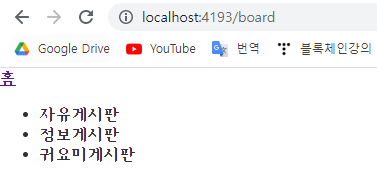
- 그러면 board 라우터로 들어왔을 때 list가 뜬다.
- index.js에 post 라우터 추가
    // 라우터 구현
    // req, 요청으로 들어온 정보를 가져와 path와 method에 따라 라우터를 구분하여 응답을 보낸다.
    // GET 형식 이면서 "/" 라우터로 요청이 왔을 때 public 폴더의 index.html 파일을 응답한다.
    if (req.method === "GET" && req.path === "/") {
      res.sendFile("index.html");
    } else if (req.method === "GET" && req.path === "/index.css") {
      res.sendFile("index.css");
    } else if (req.method === "GET" && req.path === "/index.js") {
      res.sendFile("index.js");
    } else if (req.method === "GET" && req.path === "/board") {
      res.sendFile("board.html");
    } else if (req.method === "GET" && req.path === "/board/list") {
      // app.get("/board/list", (req,res)=>{res.send(global.board)});
      console.log("/board/list");
      // 데이터를 제이슨 형식으로 바꾼다.
      res.send(JSON.stringify(global.board));
    } else if (req.method === "POST" && req.path === "/board/add") {
      global.board.unshift(req.body.value);
      res.send(JSON.stringify(global.board));
    } else {
      // 들어온 요청의 형식과 라우터가 정해진 형식이 아닐 시 404를 응답한다.
      res.send("404");
    }
- 서버 껐다 켜고 포스트맨으로 post요청 보내보기
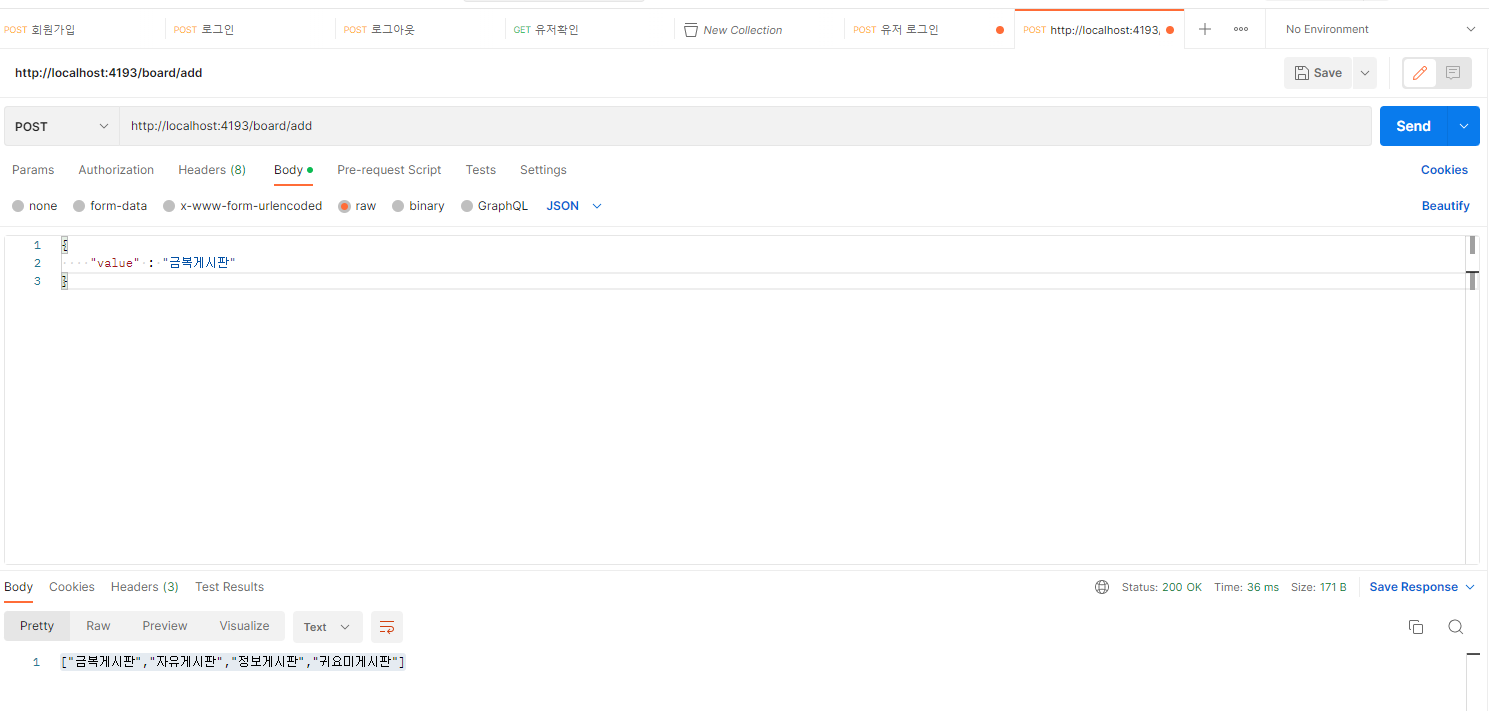
- 게시판 하나가 추가됨을 확인할 수 있다.
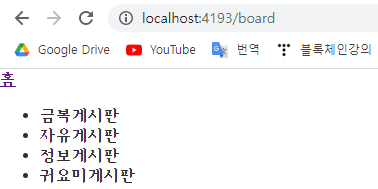
- board.html의 ul 위에 form 추가
    <form name="test1">
      <input type="text" placeholder="게시판 이름" name="test">
    </form>
- board.html의 js에 새로운 코드 작성
      // 폼 데이터 추가
      document.forms.test1.onsubmit = function(e){
        e.preventDefault();
        axios.post("board/add", {value : e.target.test.value});
      }.then(({data})=>{
        ulElem.innerHTML = ""; //초기화

        const tempLi = document.createElement("li");
          tempLi.innerText = item;
          ulElem.append(tempLi);
      });